
Introduction
This manual provides instructions for the Generic ET580 Smart Watch. It covers device setup, operation, maintenance, and troubleshooting. Please read this manual thoroughly before using your device to ensure proper function and safety.
What's in the Box
Verify that all items are present in the package:
- ET580 Smart Watch (with Watch Band attached)
- Magnetic USB Charging Cable
- User Manual (this document)
Setup
1. Charging the Device
Before first use, fully charge the ET580 Smart Watch.
- Connect the magnetic USB charging cable to the charging contacts on the back of the watch.
- Connect the USB end of the cable to a standard USB power adapter (not included) or a computer's USB port.
- The watch display will indicate charging status. A full charge typically takes 2 hours.
- A full charge provides 4-7 days of normal use or up to 15 days of standby time.

Image: The ET580 Smart Watch shown with its magnetic charging cable, illustrating the connection point for power.
2. App Installation and Pairing
The ET580 Smart Watch requires the "H Band" app for full functionality.
- Download the App: Search for "H Band" in your smartphone's app store (compatible with iOS 8.2+ and Android 4.4+).
- Create Account: Open the H Band app and follow the on-screen instructions to create an account and set up your profile.
- Pairing:
- Ensure Bluetooth is enabled on your smartphone.
- Open the H Band app and navigate to the device pairing section.
- Select the ET580 from the list of available devices.
- Confirm the pairing request on both your phone and the watch if prompted.

Image: The ET580 Smart Watch displaying various health insights such as sleep duration, blood oxygen, HRV, heart rate, stress, and blood pressure. This screen is accessible after successful pairing and data collection.
Operating Instructions
Basic Navigation
- Touch Screen: Swipe left/right, up/down to navigate through menus and features. Tap to select.
- Side Button: Press to return to the previous screen or the watch face. Long press for power options (power on/off, SOS).
Health Monitoring (24/7 Real-Time)
The ET580 continuously tracks various health metrics. View data directly on the watch or in the H Band app for detailed records.
- Heart Rate: Monitors heart rate throughout the day.
- HRV (Heart Rate Variability): Provides insights into stress and recovery.
- Stress Levels: Tracks and displays current stress levels.
- Blood Pressure: Measures blood pressure.
- Blood Oxygen (SpO2): Monitors blood oxygen saturation using infrared and red light sensors.
- Sleep Tracking: Analyzes sleep quality, including deep sleep, light sleep, and wake times.
- Body Composition: Provides insights into blood and body composition.
- Temperature Sensor: Includes a contact temperature sensor.

Image: The ET580 Smart Watch screen showing icons for various functions including calculator, stopwatch, camera remote, timer, search, alarm clock, music control, games, stress monitoring, water drinking reminder, weather, flashlight, HRV, body temperature, menstrual tracking, respiratory training, do not disturb mode, sedentary reminder, voice assistant, and blood pressure.
150 Sports Modes & Activity Tracking
The watch tracks daily activity and offers specific modes for various sports.
- Daily Activity: Monitors steps, distance, and calorie burn.
- Sports Modes: Access 150 workout options via the H Band app. Select a mode to track exercise duration and calories burned.
- GPS Tracking: For outdoor workouts, connect to your phone's GPS via the app to view exercise routes and pace.
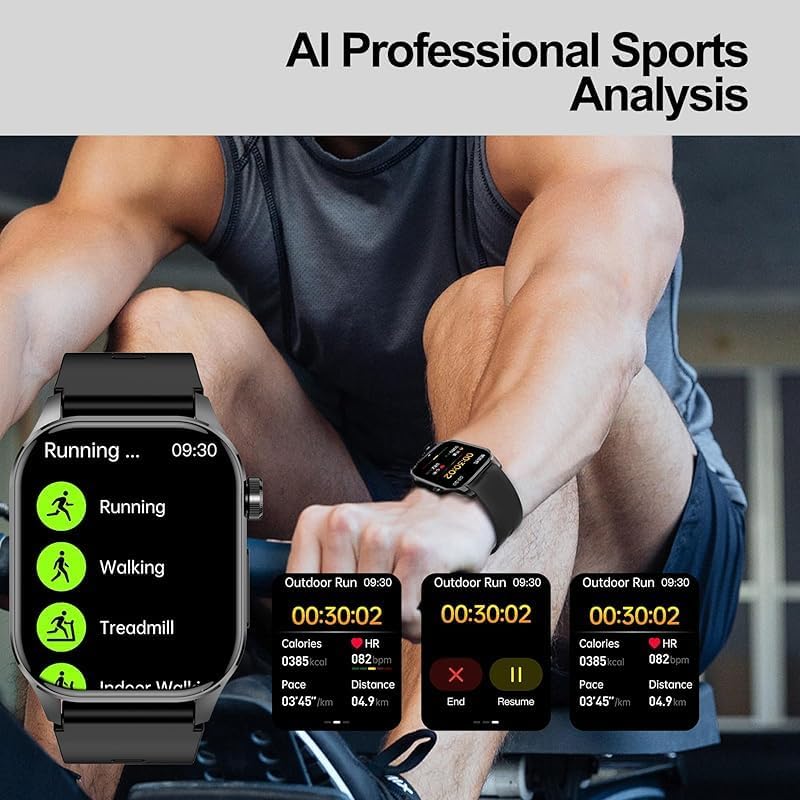
Image: The ET580 Smart Watch displaying "AI Professional Sports Analysis" with screens showing data for running, walking, and treadmill activities, including calories, heart rate, pace, and distance.
Bluetooth Calling & Notifications
Once paired, the watch allows for direct calls and message notifications.
- Making/Receiving Calls: Use the built-in mic and speaker to make and receive calls directly from the watch. Manage contacts and view call history.
- Message Notifications: Receive vibration alerts for calls, texts, emails, and app notifications (e.g., Facebook, Twitter, WhatsApp). Read full messages on the 2.04-inch display.
- Settings: Adjust volume and set silent mode as needed.

Image: A person driving, wearing the ET580 Smart Watch, which displays screens for phone calls (keypad, contacts, call history), messages, and voice assistant, illustrating seamless wrist connection for communication.
Other Smart Features
- Screen-off Display: Choose between pointer or digital display when the screen is off.
- Reminders: Menstrual cycle reminder, breathing training, drinking water reminder, sedentary reminder.
- Utilities: Weather forecast, music control, stopwatch, timer, alarm clock, calculator, flashlight, mini-games.
- Connectivity: Find phone, camera control.
- Modes: Do not disturb mode.
- SOS Function: Emergency call function (long press side button).
- Voice Assistant: Interact with your device using voice commands.

Image: A person interacting with the ET580 Smart Watch, which displays a voice assistant interface. Text bubbles indicate possible commands like "View Weather," "Open Music," "Call Mr. Chen," and "Turn on the camera."
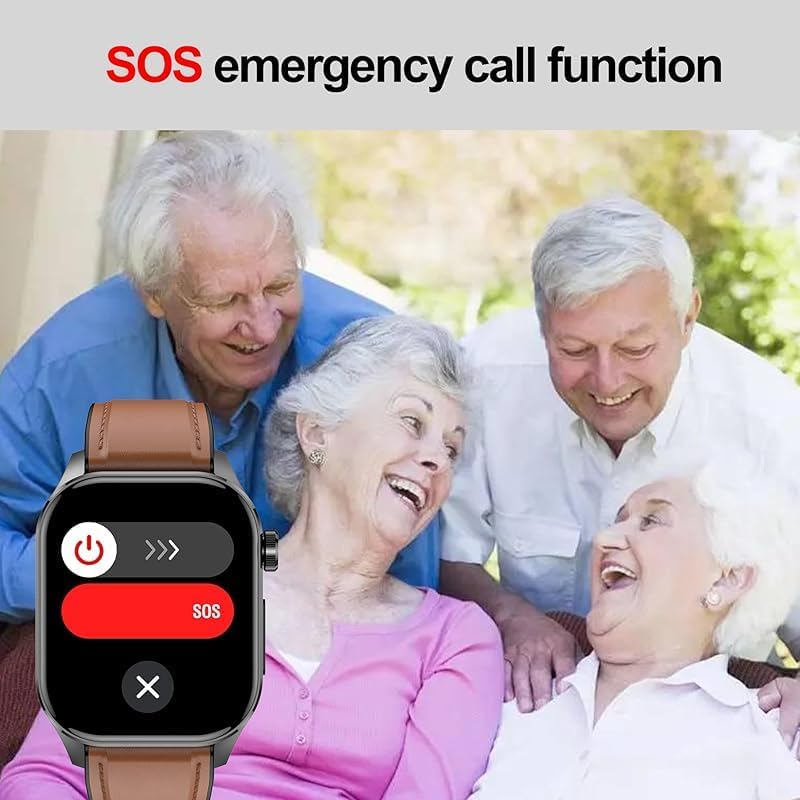
Image: The ET580 Smart Watch screen showing an "SOS" emergency call interface, with power and call icons. This feature is shown in the context of elderly individuals, suggesting its utility for safety.
Maintenance
Water Resistance (IP68)
The ET580 Smart Watch is IP68 waterproof, meaning it is resistant to dust and can withstand immersion in water up to 1.5 meters for 30 minutes. It is suitable for daily activities such as hand washing, rain, and showering. However, it is not recommended for hot water baths, saunas, or diving, as steam and high pressure can compromise the seal.

Image: The ET580 Smart Watch partially submerged in water, with splashes, illustrating its IP68 waterproof rating.
Cleaning and Care
- Wipe the watch and strap regularly with a soft, damp cloth.
- Avoid using harsh chemicals or abrasive cleaners.
- Ensure the charging contacts are clean and dry before charging.
- The strap is comfortable, durable, and washable.
Battery Care
- Avoid extreme temperatures, which can affect battery life.
- Do not disassemble the watch or attempt to replace the battery yourself.
Troubleshooting
| Problem | Solution |
|---|---|
| Watch does not turn on. | Ensure the watch is fully charged. Connect to the charging cable for at least 10 minutes. |
| Cannot pair with smartphone. |
|
| Inaccurate health data readings. |
|
| Notifications not received. |
|
| Short battery life. |
|
Specifications
| Feature | Detail |
|---|---|
| Model | ET580 |
| Display | 2.04-inch AMOLED Retina screen, 368x448 resolution |
| Chipset | 7013A |
| Sensors | Contact temperature sensor, Infrared + Red light blood oxygen, KXTJ3-1057 gravity sensor |
| Connectivity | Bluetooth |
| Water Resistance | IP68 |
| Battery Capacity | 650 mAh (estimated, product data stated "Amp Hours") |
| Charging Time | Approx. 2 hours |
| Battery Life | 4-7 days (normal use), up to 15 days (standby) |
| Compatibility | iOS 8.2 or higher, Android 4.4 or higher |
| Dimensions | Slim 11mm design (watch thickness) |
| Item Weight | 10.58 ounces |
| Manufacturer | CHina YXW |
Warranty and Support
Specific warranty information is not provided in this manual. Please refer to the product packaging or contact the seller/manufacturer for warranty details and customer support.
For technical assistance or inquiries, please contact the manufacturer, CHina YXW, or the seller, YXW Smart Watch, through their official support channels.