
1. Introduction
This manual provides detailed instructions for the operation and maintenance of your Generic ET580 Smart Watch. Please read this manual thoroughly before using the device to ensure proper function and to maximize your user experience. Keep this manual for future reference.
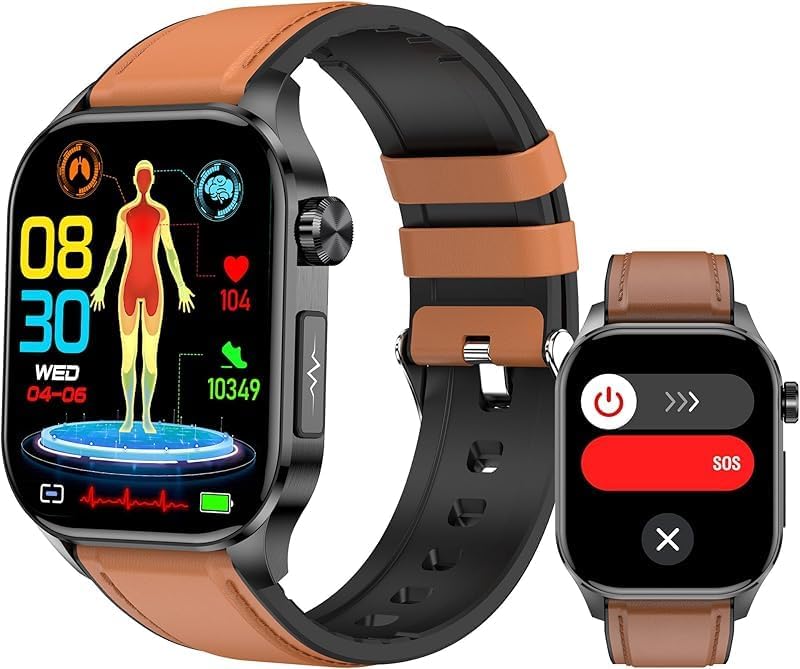
Image 1.1: The ET580 Smart Watch, showcasing its main display with health data and a secondary screen for emergency calls.
2. Package Contents
Verify that all items are present in the package:
- Generic ET580 Smart Watch
- Charging Cable
- User Manual (this document)
- Watch Band
3. Setup Guide
3.1 Charging the Device
Before initial use, fully charge your ET580 Smart Watch. Connect the magnetic charging cable to the charging points on the back of the watch and plug the USB end into a power adapter (not included) or a computer's USB port. A full charge typically takes approximately 2 hours. The watch provides 4-7 days of normal use or up to 15 days of standby time on a single charge.
3.2 App Installation and Pairing
To unlock the full functionality of your smart watch, download and install the "H Band" application on your smartphone.
- Scan the QR code provided in the watch packaging or search for "H Band" in your smartphone's app store (compatible with iOS 8.2 or higher and Android 4.4 or higher).
- Install and open the "H Band" app.
- Follow the on-screen instructions within the app to create an account and set up your profile.
- Enable Bluetooth on your smartphone.
- Within the "H Band" app, navigate to the device pairing section and select your ET580 Smart Watch from the list of available devices.
- Confirm the pairing request on both your watch and smartphone.
4. Operating Instructions
4.1 Display and Navigation
The ET580 Smart Watch features a 2.04-inch AMOLED Retina screen with a 368x448 resolution for clear visuals and smooth touch operation. Swipe across the screen to navigate through menus and functions. Press the side button to return to the home screen or access the app list.
Customizing Watch Faces
The "H Band" app offers over 150 watch faces and customization options. Access these through the app to personalize your watch's appearance.

Image 4.1: Overview of the multifunctional smart watch interface, displaying various available applications and features.
4.2 Bluetooth Calling and Message Notifications
With Bluetooth connectivity, you can manage calls and receive notifications directly on your watch.
- Making/Receiving Calls: Use the built-in mic and speaker to make and receive calls. You can manage contacts and view call history.
- Notifications: The watch provides vibration alerts for calls, texts, emails, and app notifications (e.g., Facebook, Twitter, WhatsApp). The 2.04-inch display allows full message readability.
- Settings: Adjust call volume and set silent mode directly from the watch.

Image 4.2: The smart watch demonstrating seamless wrist connection for calls and message reception while driving.
4.3 Health Monitoring
The ET580 Smart Watch continuously tracks various health metrics. Access health data directly on your wrist and monitor records via the "H Band" app.
- Heart Rate: 24/7 continuous heart rate monitoring.
- HRV & Stress Levels: Tracks Heart Rate Variability and stress levels.
- Blood Pressure: Monitors blood pressure.
- Blood Oxygen: Features infrared + red light true blood oxygen monitoring.
- Sleep Tracking: Analyzes sleep quality, including deep sleep, light sleep, and wake times.
- Body Composition: Provides insights into blood and body composition.

Image 4.3: Display of all-day health insights, including sleep, blood oxygen, HRV, heart rate, stress, and blood pressure.
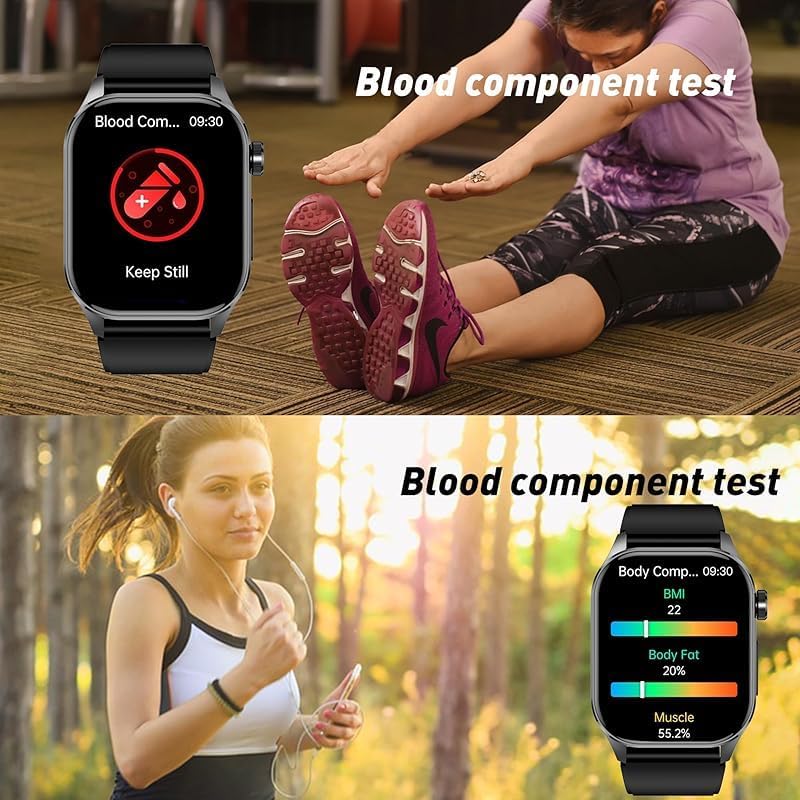
Image 4.4: Visual representation of blood component and body composition analysis features.
4.4 Sports Modes and Activity Tracking
The watch monitors daily activity and offers 150 sports modes.
- Activity Tracking: Monitors steps, distance, and calorie burn.
- Sports Modes: Access 150 workout options through the "H Band" app to track exercise duration and calories burned.
- GPS Connectivity: During outdoor workouts, connect to your phone's GPS to view exercise routes and pace on the app.
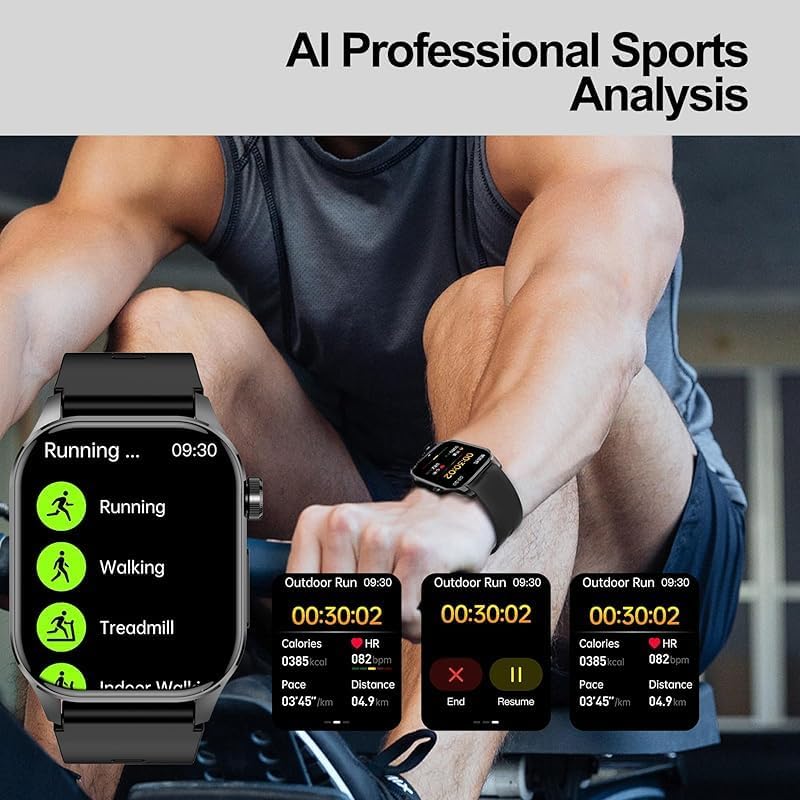
Image 4.5: The smart watch providing AI professional sports analysis and tracking for various activities.
4.5 Smart Features
The ET580 Smart Watch includes a variety of smart functions:
- Screen-off pointer or digital display
- Menstrual cycle reminder
- Breathing training
- Drinking water reminder
- Sedentary reminder
- Weather forecast
- Music control
- Stopwatch, Timer, Alarm clock
- Calculator
- Flashlight
- Mini-games
- Find phone function
- Camera control
- Do Not Disturb mode
- SOS emergency call function
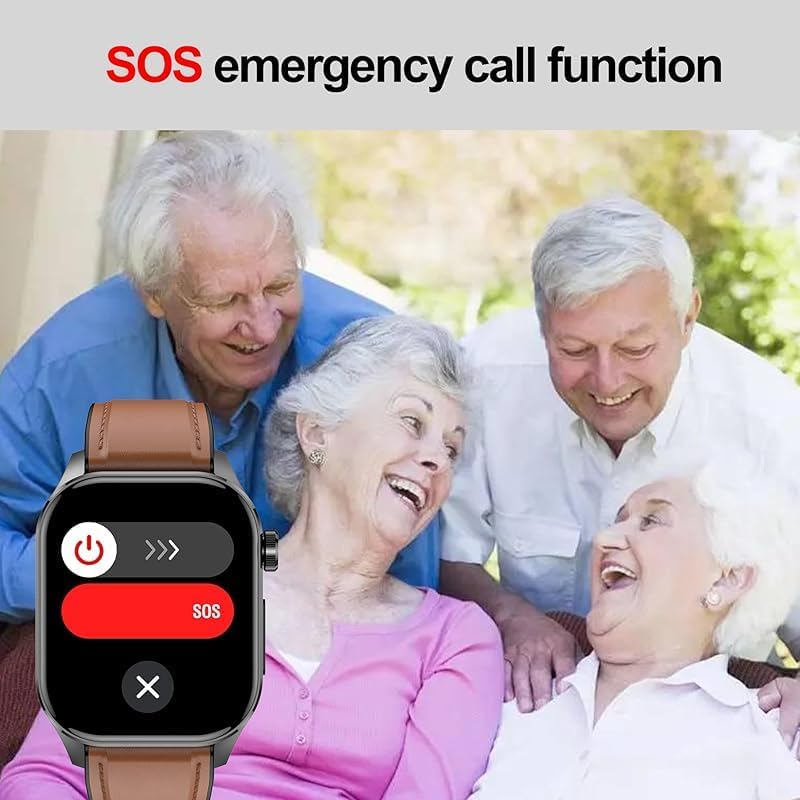
Image 4.6: The smart watch featuring an SOS emergency call function for safety.
4.6 Smart Voice Assistant
Interact with your watch using voice commands for quick access to functions.
- Open Music
- View Weather
- Make Calls (e.g., "Call Mr. Chen")
- Control Camera (e.g., "Turn on the camera")

Image 4.7: Demonstrating the smart voice assistant capabilities of the watch.
5. Maintenance and Care
5.1 Water Resistance
The ET580 Smart Watch is IP68 waterproof, meaning it is resistant to dust and can withstand immersion in water up to 1.5 meters for 30 minutes. You can wear it confidently during daily activities such as washing hands or in light rain. However, it is not suitable for hot water baths, saunas, or diving. Avoid prolonged exposure to water and ensure the watch is dry before charging.

Image 5.1: The smart watch demonstrating its IP68 waterproof capability.
5.2 Cleaning and Storage
- Wipe the watch and strap regularly with a soft, damp cloth.
- Avoid using harsh chemicals or abrasive materials.
- Ensure the charging contacts are clean and dry before charging.
- Store the watch in a cool, dry place when not in use.
5.3 Battery Care
- Charge the watch using the provided magnetic USB cable.
- Avoid extreme temperatures, which can affect battery life.
- Do not attempt to replace the battery yourself.
6. Troubleshooting
| Problem | Possible Cause | Solution |
|---|---|---|
| Watch does not turn on | Low battery | Charge the watch for at least 30 minutes. |
| Cannot pair with phone | Bluetooth off, app issue, or watch not discoverable | Ensure Bluetooth is enabled on your phone. Restart both watch and phone. Reinstall the "H Band" app. |
| Inaccurate health readings | Improper fit, movement, or environmental factors | Ensure the watch is snug on your wrist. Remain still during measurements. Clean the sensor. |
| Notifications not received | App permissions, Bluetooth connection, or DND mode | Check app notification permissions on your phone. Ensure Bluetooth is connected. Disable Do Not Disturb mode on the watch. |
7. Specifications
- Model: ET580
- Display: 2.04-inch AMOLED Retina Screen, 368x448 resolution
- Chipset: 7013A
- Sensors: Contact temperature sensor, Infrared + Red light true blood oxygen monitoring, KXTJ3-1057 gravity sensor
- Connectivity: Bluetooth
- Water Resistance: IP68
- Battery Capacity: 650 mAh (estimated from "650 Amp Hours" which is likely a typo for mAh)
- Charging Time: Approximately 2 hours
- Battery Life: 4-7 days (normal use), up to 15 days (standby)
- Compatibility: iOS 8.2 or higher, Android 4.4 or higher
- Operating System: Android Wear 1.0, 1.1, 1.3, 1.4, 1.5
- Item Weight: 10.58 ounces (approx. 300g)
- Dimensions (Package): 5.51 x 3.94 x 3.15 inches
- Manufacturer: CHina YXW
8. Warranty and Support
For warranty information and customer support, please refer to the documentation provided at the time of purchase or contact your retailer. Ensure you retain your proof of purchase for any warranty claims.
For technical assistance or further inquiries, please visit the manufacturer's website or contact their customer service department. Contact details are typically found on the product packaging or the official brand website.