
Garvee fY7T-12000btu
Garvee 12,000 BTU Mini Split Air Conditioner with Heat Pump User Manual
Model: fY7T-12000btu
1. Introduction
This manual provides detailed instructions for the installation, operation, and maintenance of your Garvee 12,000 BTU Mini Split Air Conditioner with Heat Pump. Please read this manual thoroughly before using the appliance to ensure proper operation and to prevent damage.
2. Safety Information
WARNING: To reduce the risk of fire, electric shock, or injury, observe the following basic precautions:
- Professional installation is required for this unit. Do not attempt to install or repair the unit yourself.
- Ensure the power supply matches the unit's specifications (230V).
- Do not operate the unit with a damaged power cord or plug.
- Keep the area around the unit clear of obstructions.
- Clean filters regularly to maintain efficiency and air quality.
- Do not insert objects into the air outlets.
- This appliance is not intended for use by persons (including children) with reduced physical, sensory or mental capabilities, or lack of experience and knowledge, unless they have been given supervision or instruction concerning use of the appliance by a person responsible for their safety.
3. Package Contents
Verify that all components are present in the package:
- Indoor Air Handler
- Outdoor Condenser
- Remote Control
- Installation Kit (includes refrigerant lines, electrical wiring, drain hose)

Image: The complete Garvee Mini Split Air Conditioner system, showing the indoor air handler, outdoor condenser, remote control, and the included installation kit with copper lines and electrical cables.
4. Product Overview
The Garvee Mini Split Air Conditioner system consists of an indoor unit (air handler) and an outdoor unit (condenser), designed for efficient cooling and heating of spaces up to 750 sq. ft.
4.1 Indoor Unit
The indoor unit is responsible for circulating conditioned air within your space. It features a sleek, white design that blends with most decors.
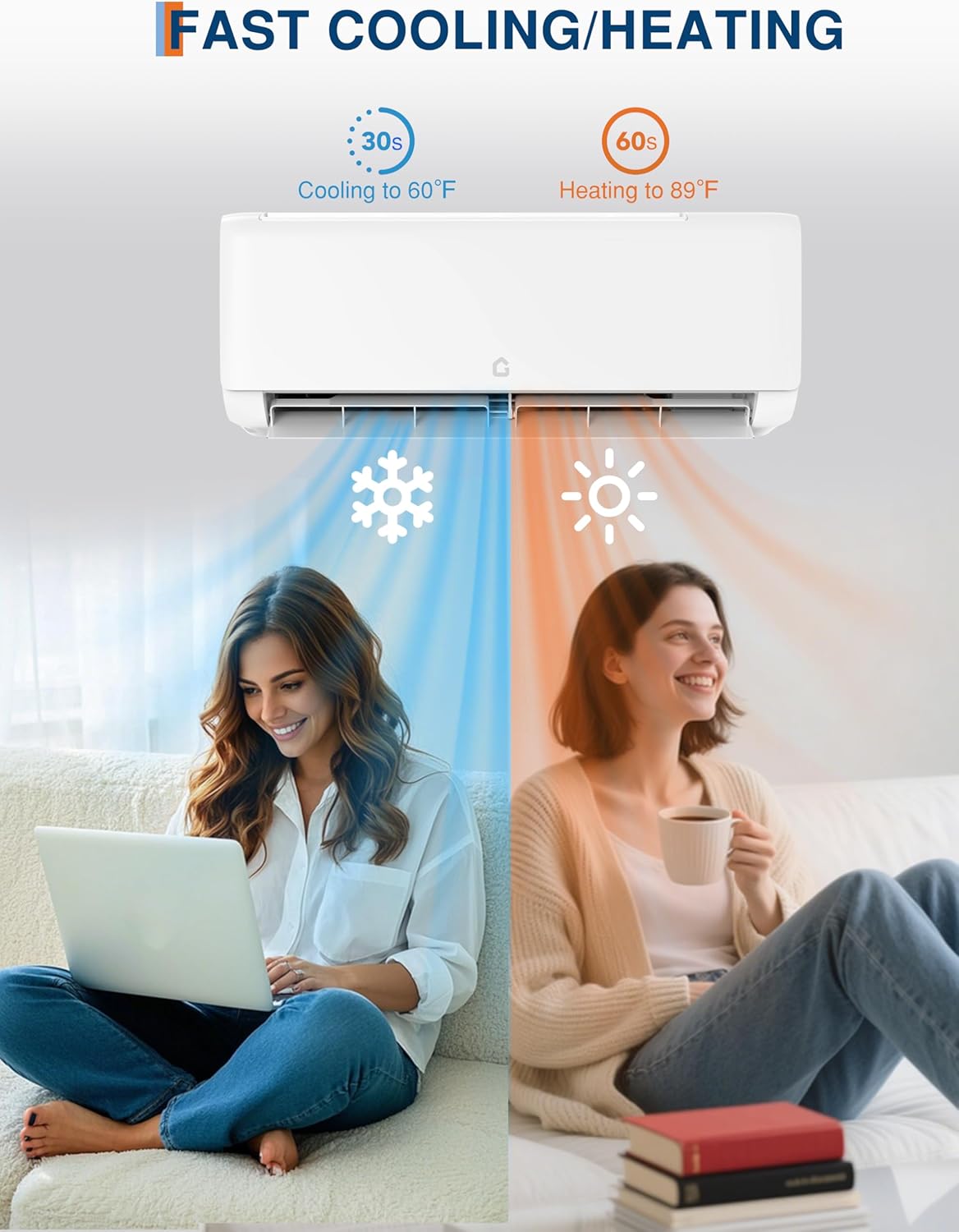
Image: A Garvee indoor mini split unit mounted high on a wall, illustrating the airflow for cooling and heating.
4.2 Outdoor Unit
The outdoor unit houses the compressor and condenser coil, responsible for heat exchange with the outside environment.

Image: The outdoor condenser unit of the Garvee mini split system, typically placed on the ground or a bracket outside the building.
4.3 Remote Control
The remote control allows convenient adjustment of settings, modes, and temperature from anywhere in the room.

Image: A hand holding the remote control, demonstrating its use to operate the indoor unit of the air conditioner.
5. Setup and Installation
Installation of the Garvee Mini Split Air Conditioner requires professional certification. It is crucial to have a qualified HVAC technician perform the installation to ensure proper operation, safety, and to maintain warranty validity.
5.1 Key Installation Considerations
- Location: Choose a location for both indoor and outdoor units that allows for optimal airflow, minimal noise disruption, and easy access for maintenance.
- Electrical Connection: Ensure the electrical supply meets the 230V requirement and is properly grounded.
- Refrigerant Lines: The pre-charged condenser simplifies connection, but proper vacuuming and leak testing are still essential.
- Drainage: Ensure proper drainage for condensate from the indoor unit.

Image: An illustration depicting the typical installation of the indoor unit high on a wall and the outdoor unit on a balcony, with dimensions indicated for both components.
6. Operating Instructions
Your Garvee Mini Split Air Conditioner offers multiple operating modes and convenient control options via remote and a smart app.
6.1 Operating Modes
- Cooling Mode: Provides rapid cooling, ideal for hot weather. The unit can cool to 60°F in approximately 30 seconds.
- Heating Mode: Provides efficient heating, suitable for colder conditions. The unit can heat to 89°F in approximately 60 seconds.
- Dry Mode (Dehumidifier): Reduces humidity in the air without significant temperature change.
- Auto Mode: Automatically selects cooling or heating based on the set temperature and ambient room temperature.
- Fan Mode: Circulates air without cooling or heating.
Image: An illustration showing the rapid cooling and heating capabilities of the Garvee mini split system, with visual cues for temperature change speed.
6.2 Remote Control Operation
Use the provided remote control to adjust temperature, change modes, set timers, and activate special functions like sleep mode or eco energy-saving mode.
6.3 App-Enabled Convenience (Wi-Fi Support)
The unit supports Wi-Fi connectivity, allowing you to control it remotely via a dedicated smartphone application. This feature enables you to adjust settings, monitor status, and schedule operations from anywhere.

Image: A visual representation of the dual control methods: a physical remote control and a smartphone app for convenient appliance operation.
6.4 Quiet Operation
The Garvee Mini Split operates quietly, with noise levels as low as 23 dB in mute mode, making it suitable for bedrooms and quiet environments.
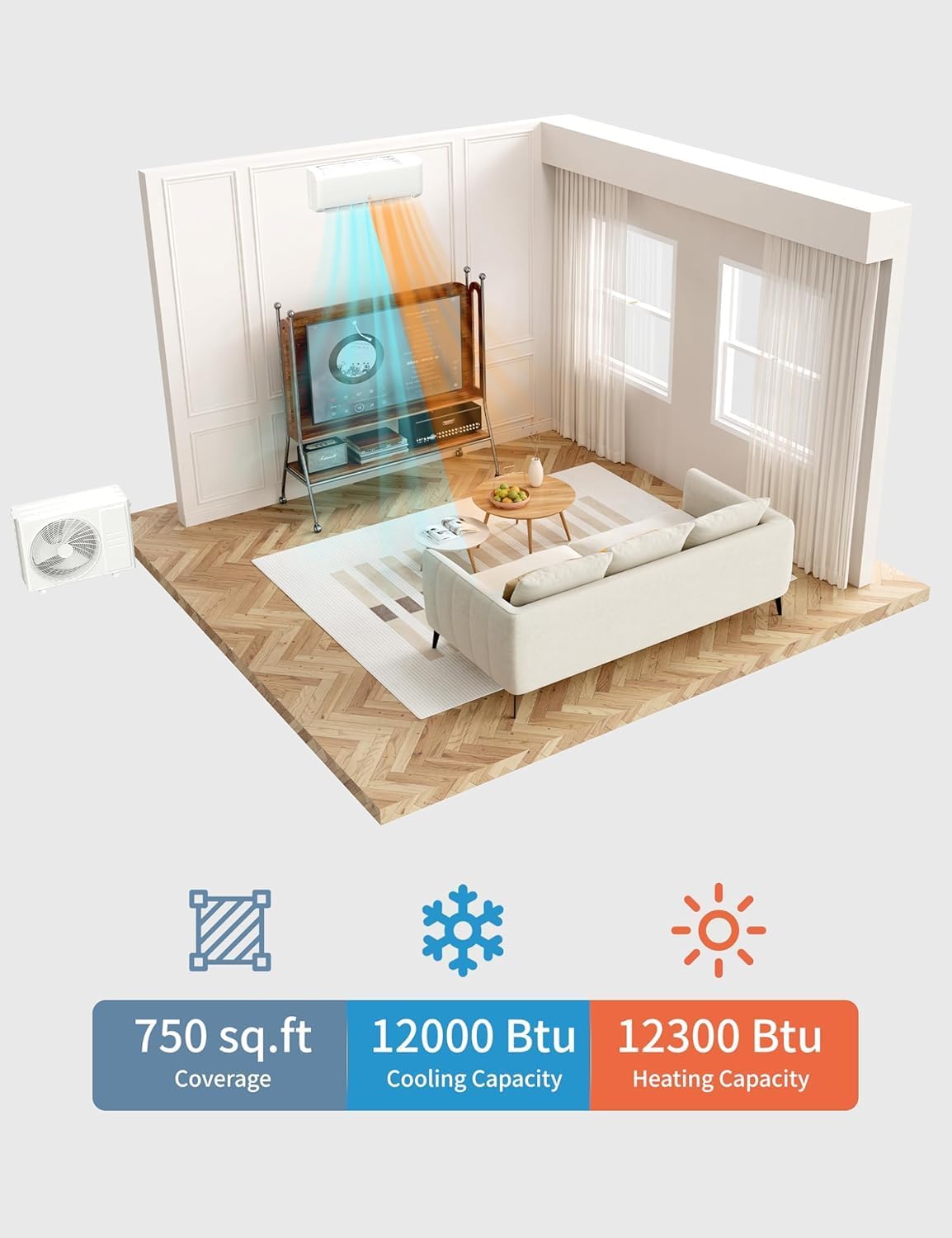
Image: A bedroom setting emphasizing the quiet operation of the Garvee mini split unit, with a decibel meter showing 23dB in mute mode, compared to other common sounds.
7. Maintenance
Regular maintenance ensures optimal performance and longevity of your Garvee Mini Split Air Conditioner.
7.1 Filter Cleaning
The reusable filters should be cleaned seasonally or more frequently depending on usage and air quality. A filter-cleaning reminder function is integrated into the unit.
- Turn off the unit before cleaning.
- Open the front panel of the indoor unit.
- Remove the air filters.
- Clean filters with a vacuum cleaner or wash them with lukewarm water and mild detergent.
- Allow filters to dry completely before reinserting.

Image: A person demonstrating the process of removing and cleaning the air filters from the indoor unit of the air conditioner.
7.2 Self-Cleaning and Sterilization
The unit features a 56°C high-temperature self-cleaning and sterilization function to ensure fresh and clean air output.

Image: A graphic illustrating the unit's self-cleaning features, including frosting, defrosting, high-temperature drying, and 56°C high-temperature sterilization, set against a natural background.
8. Troubleshooting
If you encounter issues with your Garvee Mini Split Air Conditioner, refer to the following common troubleshooting steps. For complex problems, contact a certified technician.
| Problem | Possible Cause | Solution |
|---|---|---|
| Unit does not turn on | No power, circuit breaker tripped, remote control batteries dead. | Check power supply, reset circuit breaker, replace remote batteries. |
| Insufficient cooling/heating | Dirty air filters, blocked outdoor unit, wrong mode selected, room size exceeds capacity. | Clean filters, clear obstructions, select correct mode, ensure unit matches room size (up to 750 sq. ft.). |
| Unusual noise | Loose parts, foreign objects, refrigerant issues. | Contact professional service. |
| Water leakage from indoor unit | Clogged drain hose, improper installation. | Check and clear drain hose, contact installer if issue persists. |
9. Specifications
| Feature | Detail |
|---|---|
| Model Number | fY7T-12000btu |
| BTU Capacity | 12,000 BTU |
| SEER Rating | 22 SEER2 |
| Coverage Area | Up to 750 sq. ft. |
| Voltage | 208-230V |
| Noise Level (Mute Mode) | 23 dB |
| Item Weight | 82.7 pounds |
| Product Dimensions | 31.18 x 23.62 x 28.78 inches |
| Included Components | Indoor Air Handler, Outdoor Condenser, Remote Control, Installation Kit |
| Special Features | Fast Cooling, App-Enabled Control, Eco Energy-Saving Mode, Sleep Mode, Timer Settings, Self-Cleaning |
10. Warranty Information
The Garvee Mini Split Air Conditioner comes with a 2-year manufacturer's warranty. This warranty covers defects in materials and workmanship under normal use. Please retain your proof of purchase for warranty claims. For detailed terms and conditions, refer to the warranty card included with your product or contact Garvee customer support.
11. Customer Support
For technical assistance, troubleshooting beyond this manual, or warranty inquiries, please contact Garvee customer support. Refer to the product packaging or the official Garvee website for the most current contact information.
Online Resources: Visit the official Garvee website for FAQs, updated manuals, and support resources. Garvee Store on Amazon
Ask a question about this manual
Ask about setup, troubleshooting, compatibility, parts, safety, or missing instructions. Manuals+ will review the question and use this page’s manual context to help answer it.