Introduction
This manual provides essential information for the installation, operation, and maintenance of your Wuden M6C Electric Bike LCD Display Meter. Please read this manual carefully before use to ensure proper function and longevity of the product.

Image: Front view of the Wuden M6C LCD Display Meter, showing the color screen with speed, energy bar, and odometer readings.
Setup
Mounting the Display
The M6C LCD Display is designed for easy installation on various handlebar sizes. Ensure the display is securely fastened to prevent movement during operation.
- Identify a suitable position on your handlebar for optimal viewing.
- Open the clamp on the display's mounting bracket.
- Place the display on the handlebar. The bracket is compatible with handlebar diameters of 22.2MM, 25.4MM, 28.6MM, and 31.8MM.
- Tighten the screws on the clamp until the display is firmly secured. Do not overtighten.

Image: Side view of the Wuden M6C LCD Display Meter mounted on a bicycle handlebar, showing its angled design.
Electrical Connection
The M6C display uses a 5PIN connector for integration with your electric bike system.
- Locate the corresponding 5PIN connector on your electric bike's wiring harness.
- Align the pins and carefully connect the display cable to the bike's harness. Ensure a secure connection.
- The display is adaptive to voltages of 24V, 36V, 48V, and 60V. It automatically adjusts within the 24V-60V range.
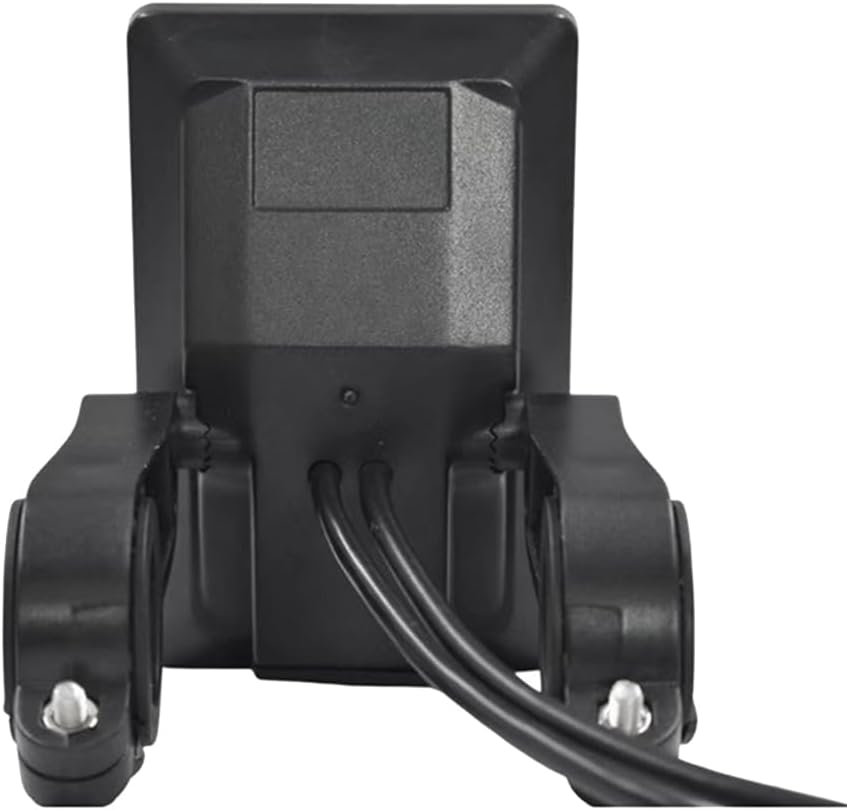
Image: Rear view of the Wuden M6C LCD Display Meter, showing the cable connections extending from the back of the unit.
Operating Instructions
Power On/Off
To power on the display, press and hold the power button (if available, otherwise refer to your e-bike's main power switch). To power off, press and hold the power button again.
Display Features
The M6C features a VA color screen that provides clear information at a glance. The display area is distinguished by two colors for improved readability.
- Battery Indicator: Shows the current battery charge level.
- Speed Display: Shows current riding speed.
- Boost Function: Activates a temporary power boost.
- Boost Gear: Indicates the current assist level or gear.
- Subtotal Mileage/Total Mileage: Tracks trip distance and overall distance.
- Running Time: Displays the duration of your ride.
- Metric Conversion: Allows switching between metric and imperial units (e.g., km/h to mph).
USB Charging Function
The display includes a USB port for charging external devices. It provides a 5V/500MA output.
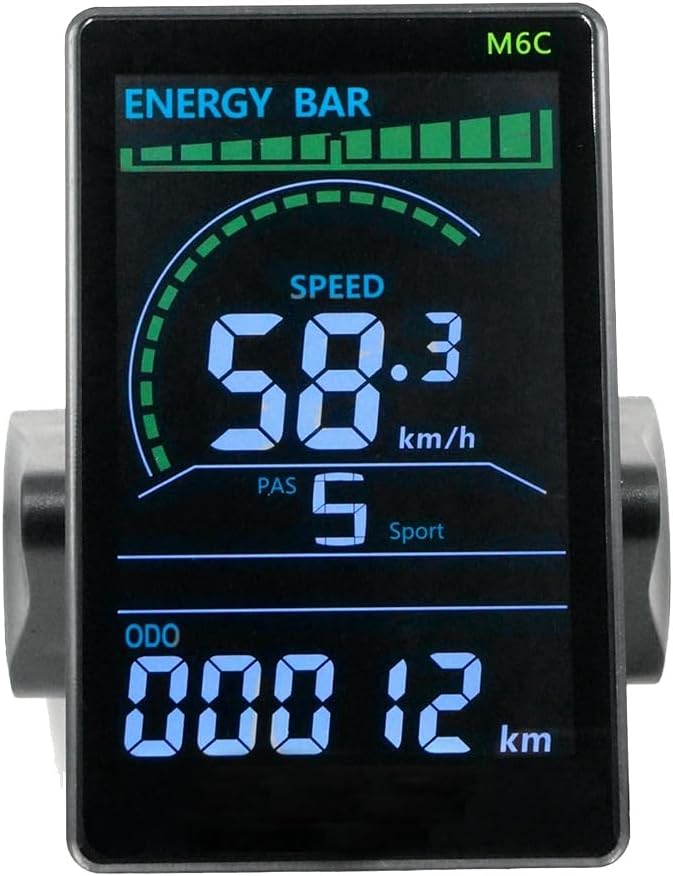
Image: Close-up of the Wuden M6C LCD Display Meter screen, clearly showing 'ENERGY BAR', 'SPEED' (58.3 km/h), 'PAS' (5 Sport), and 'ODO' (00012 km).
Maintenance
To ensure the longevity and optimal performance of your M6C LCD Display, follow these maintenance guidelines:
- Cleaning: Use a soft, damp cloth to clean the display screen and body. Avoid abrasive cleaners or solvents that could damage the surface.
- Water Resistance: The display has an IP65 waterproof rating, meaning it is protected against dust ingress and low-pressure water jets from any direction. While it can withstand splashes, avoid submerging the unit in water.
- Storage: When not in use for extended periods, store the display in a dry, cool place away from direct sunlight.
- Cable Inspection: Periodically check the connection cables for any signs of wear, damage, or loose connections.
Troubleshooting
The M6C display includes a fault prompt system to indicate potential issues. If you encounter a problem, refer to the following:
- Fault Prompt: If an error occurs, the display may show a fault code (e.g., "E 010"). Consult your e-bike's main controller manual or contact technical support with the specific error code.
- No Power: Check all cable connections to ensure they are secure. Verify that your e-bike's battery is charged and the main power is on.
- Inaccurate Readings: Ensure the speed sensor on your e-bike is correctly installed and functioning. Recalibrate if necessary (refer to your e-bike's main manual).

Image: The Wuden M6C LCD Display Meter screen showing an error code 'E 010', indicating a system fault.
Specifications
| Feature | Specification |
|---|---|
| Product Model | M6C |
| Display Type | VA Color Screen |
| Product Size | 98.1mm x 61.9mm x 24.6mm |
| Adaptive Voltage | 24V / 36V / 48V / 60V (adjustable within 24V-60V) |
| Product Shell Material | ABS and Metal Parts |
| Communication Method | UART |
| Applicable Handlebar Size | 22.2MM / 25.4MM / 28.6MM / 31.8MM |
| Waterproof Grade | IP65 |
| USB Charging Function | 5V / 500MA |
| Connection Type | 5PIN |
Warranty Information
Specific warranty details for the Wuden M6C Electric Bike LCD Display Meter are typically provided by the seller or manufacturer at the time of purchase. Please retain your proof of purchase for any warranty claims. For detailed warranty terms and conditions, refer to the documentation included with your product or contact the seller directly.
Support
If you require technical assistance, have questions about installation, operation, or troubleshooting that are not covered in this manual, please contact your product retailer or the manufacturer, Wuden, for support. Provide your product model (M6C) and a detailed description of the issue when seeking assistance.