
Introduction
This manual provides detailed instructions for the installation, operation, and maintenance of your LEONLITE 28W LED Security Light with GFCI Outlets, Model A-17297. Please read this manual thoroughly before installation and use to ensure proper function and safety. Keep this manual for future reference.
Safety Information
- WARNING: Risk of Electric Shock. Disconnect power at the fuse or circuit breaker before installing or servicing.
- This product must be installed in accordance with the applicable installation code by a person familiar with the construction and operation of the product and the hazards involved.
- Use only 120V AC, 60Hz power supply.
- Do not attempt to disassemble or modify the fixture. There are no user-serviceable parts inside.
- This fixture is rated for Wet Location use, suitable for outdoor environments exposed to weather.
- The integrated GFCI outlets provide ground fault protection. Test GFCI outlets monthly as per manufacturer instructions.
- Ensure all connections are secure and properly insulated.
- The product is ETL Listed, ensuring it meets recognized safety standards.
Specifications
| Wattage | 28W |
| Voltage | AC 120V |
| Luminous Flux | 2500lm |
| Color Temperature (CCT) | 5000K Daylight |
| Beam Angle | 105° |
| Color Rendering Index (CRI) | 80+ |
| Motion Detection Distance | 13-45ft (adjustable) |
| Motion Detection Angle | 150° |
| Time Setting | 30S/60S/120S |
| Waterproof Rating | Wet Location |
| Material | Polycarbonate |
| Dimensions (L x W x H) | 11.5 x 4.59 x 6.85 inches (29.2 x 11.7 x 17.4 cm) |
Setup and Installation
Important: Before beginning installation, ensure the power supply to the installation area is turned OFF at the circuit breaker or fuse box. It is recommended that a qualified electrician performs the installation.
Wiring Diagram
Follow the wiring diagram below for correct electrical connections. Ensure proper grounding.

Figure 1: Wiring diagram for the security light. Connect Hot (black), Neutral (white), and Ground (green) wires. The GFCI outlets are always powered when the main switch is ON.
Mounting the Fixture
Mount the fixture securely to a wall or eave using appropriate hardware (not included). Ensure the mounting surface is capable of supporting the fixture's weight and that the fixture is level for optimal performance.

Figure 2: The security light installed on an outdoor wall.

Figure 3: Example of using the integrated GFCI outlets for outdoor tools.

Figure 4: The dual GFCI outlets provide convenient power for various outdoor appliances.
Operating Instructions
Lighting Modes
- Motion Sensor Mode: The light remains off during daylight hours. At night, it activates only when motion is detected within its sensing range and duration setting.
- Dusk to Dawn Mode: The light automatically turns on at dusk and remains illuminated throughout the night. It turns off automatically at dawn, regardless of motion detection.
Adjusting Settings
The security light features adjustable light heads and a motion sensor to customize coverage and detection. The detection distance can be set from 13ft to 45ft, and the illumination duration can be set to 30, 60, or 120 seconds after motion ceases.
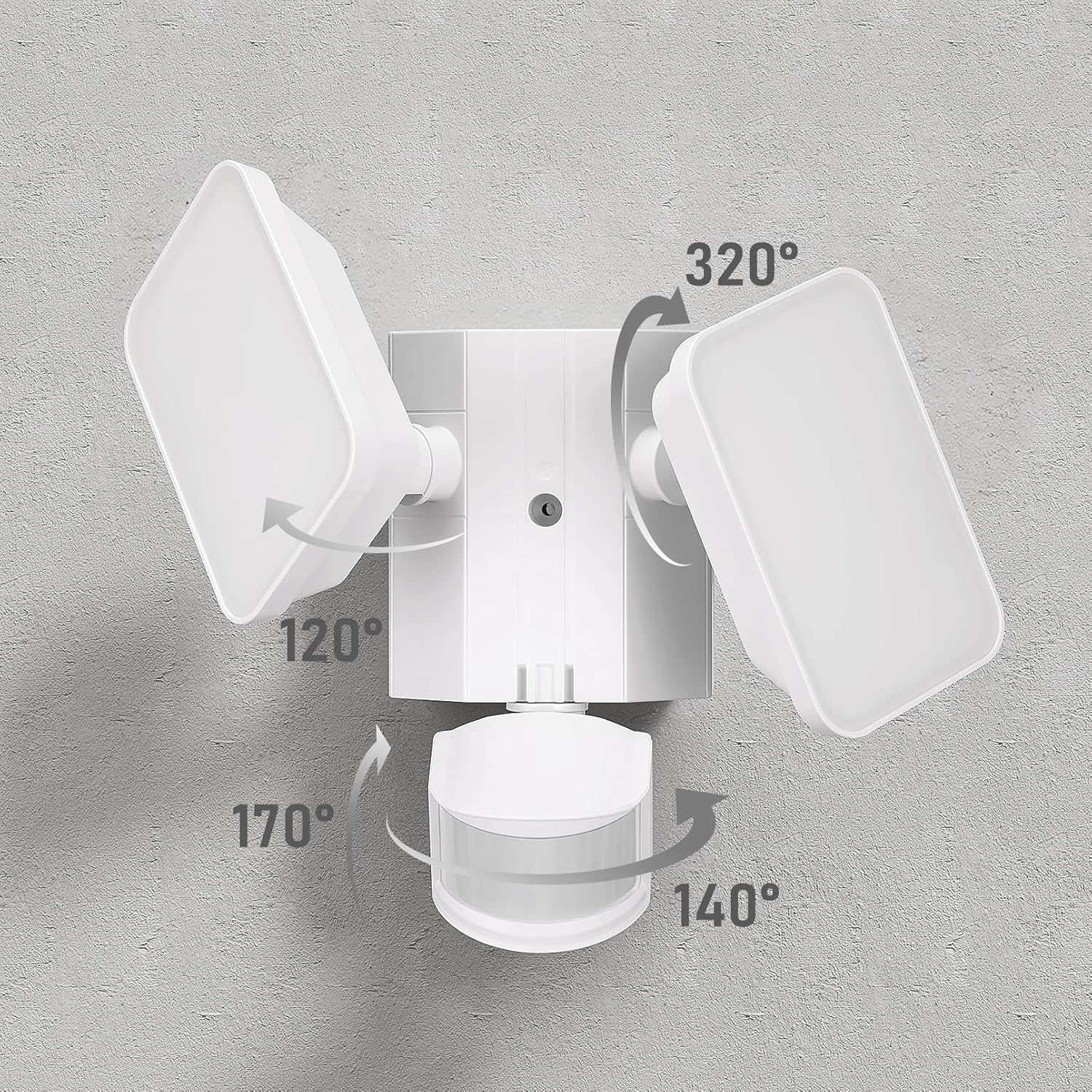
Figure 5: Motion detection range and angle.

Figure 6: Adjustable light heads and motion sensor for customized coverage.
GFCI Outlets Operation
The two integrated GFCI (Ground Fault Circuit Interrupter) outlets are always powered as long as the main power switch to the fixture is ON, regardless of the lighting mode or whether the light is illuminated. This allows for continuous power supply to connected devices.
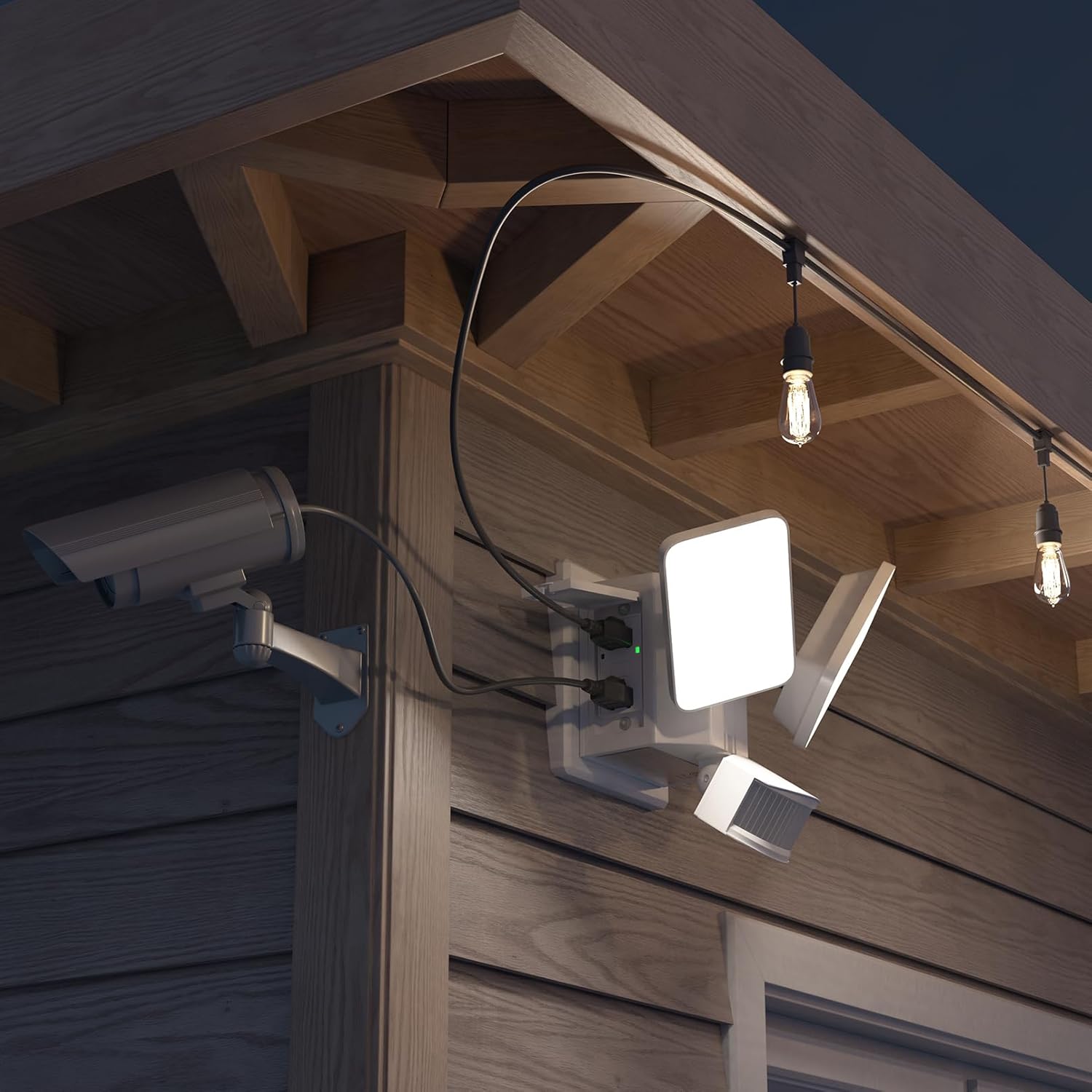
Figure 7: Detail of the GFCI outlet with TEST and RESET buttons.
Testing GFCI Outlets: To confirm proper operation, press the 'TEST' button on the GFCI socket. The 'RESET' button should spring up, and any connected electrical appliances will stop working. Press the 'RESET' button again to restore power. This test should be performed monthly.
Maintenance
- Cleaning: Ensure power is off before cleaning. Wipe the fixture with a soft, damp cloth. Do not use abrasive cleaners or solvents, as they may damage the finish or electrical components.
- Inspection: Periodically inspect the fixture for any signs of damage, loose wiring, or wear. If any damage is observed, discontinue use and consult a qualified electrician.
- GFCI Test: Perform the GFCI test monthly as described in the "Operating Instructions" section to ensure continued ground fault protection.
Troubleshooting
| Problem | Possible Cause | Solution |
|---|---|---|
| Light does not turn on. | No power supply; incorrect wiring; sensor blocked; light mode setting. | Check circuit breaker. Verify wiring connections. Ensure sensor is clear. Confirm correct lighting mode (Motion Sensor or Dusk to Dawn). In "TEST" mode, cover the sensor to check if it works. |
| Light stays on continuously. | Dusk to Dawn mode selected; continuous motion detected; sensor malfunction. | Check if Dusk to Dawn mode is active. Ensure no constant motion in detection area. If problem persists, contact support. |
| Light turns on during the day. | Photocell blocked or malfunctioning; "TEST" mode active. | Ensure photocell is not obstructed. Check if the unit is in "TEST" mode. |
| GFCI outlets not working. | GFCI tripped; no power to fixture. | Press the 'RESET' button on the GFCI outlet. Check main power supply to the fixture. |
Warranty and Support
This LEONLITE 28W LED Security Light (Model A-17297) is backed by a 3-year warranty from the date of purchase, covering defects in materials and workmanship. For warranty claims or technical support, please contact LEONLITE customer service. Ensure you have your purchase receipt and model number available.
For further assistance or inquiries, please refer to the contact information provided with your product packaging or visit the official LEONLITE website.