
1. Introduction
This manual provides detailed instructions for the installation, operation, and maintenance of your SVPRO 5MP USB Camera. This camera features an IMX335 sensor, a fisheye M12 lens with a horizontal field of view (HFOV) of 138°, and offers 5-megapixel resolution at 30 frames per second. It is designed for various applications including 3D printer monitoring, laser engraving, machine vision, industrial inspection, and security monitoring.
2. Product Overview
The SVPRO 5MP USB Camera is a compact, high-resolution camera module designed for versatile use. Its plug-and-play functionality ensures easy integration with various operating systems without requiring additional drivers.

Image: The SVPRO 5MP USB Camera, showcasing its compact design and fisheye lens. It records 1944P video at 30FPS and still photos.
Key Features:
- High Resolution: 5 Megapixel (2592x1944) at 30 frames per second.
- Sensor: Equipped with the 1/2.8" IMX335 CMOS sensor for good low-light performance.
- Lens: M12 Fisheye lens with HFOV 138° and VFOV 101°.
- Connectivity: USB 2.0, Plug & Play, UVC compliant.
- Compatibility: Supports Windows, macOS, Linux, and Android operating systems.
- Applications: Ideal for 3D printing, laser engraving, machine vision, industrial surveillance, and security monitoring.

Image: A visual summary of the SVPRO 5MP USB camera's features, including MJPEG/YUY2 support, distortion-free image, FOV 138°, 0.2 Lux low light, USB Plug & Play, and 1/2.8" IMX335 sensor.
3. Package Contents
Verify that all items are present in the package:
- SVPRO 5MP USB Camera Module (Model SV-USB500W07-BL170)
- Integrated 3-meter USB cable
4. Setup Instructions
4.1 Connecting the Camera
- Locate an available USB 2.0 port on your computer or compatible device (e.g., Raspberry Pi, Android device).
- Insert the USB Type-A connector of the camera's integrated cable into the USB port.
- The camera is UVC (USB Video Class) compliant, meaning it is plug-and-play and typically does not require manual driver installation on supported operating systems.

Image: The SVPRO USB Camera connected to a laptop, demonstrating the simple USB plug-and-play connection.
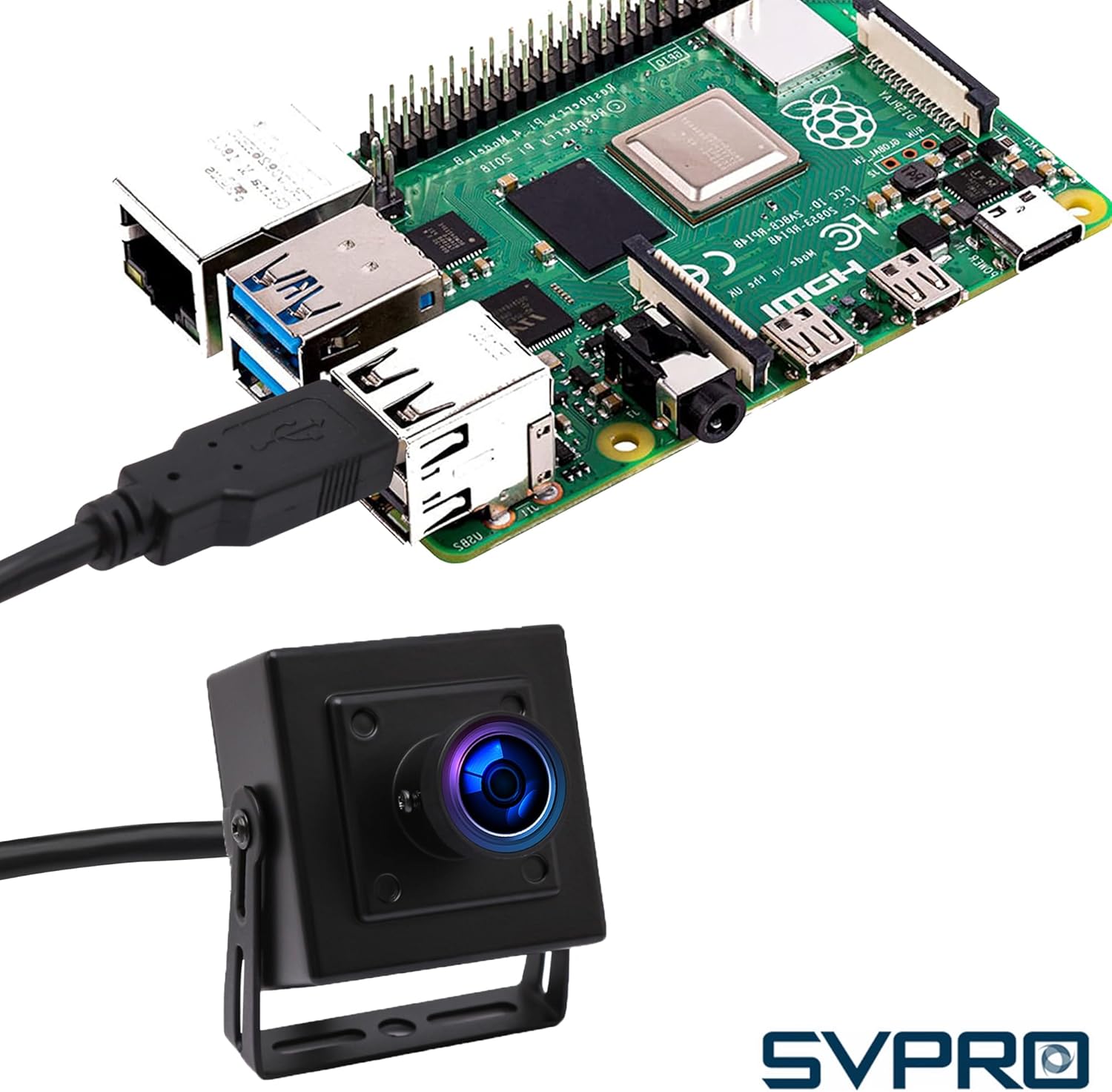
Image: The SVPRO USB Camera connected to a Raspberry Pi, illustrating its compatibility with embedded systems.
4.2 Initial Camera Detection
- Windows: Open the Camera app or a third-party webcam software. The camera should be detected automatically.
- macOS: Open Photo Booth, QuickTime Player, or a third-party application. Select the SVPRO camera from the device list.
- Linux/Android: Use compatible applications that support UVC cameras.

Image: A close-up view of the M12 lens, indicating the set screw for manual focus adjustment. Loosen the screw and turn the lens to adjust focus.
4.3 Adjusting Focus (Manual Focus Lens)
This model features a manual focus M12 lens. To adjust the focus:
- Gently loosen the small set screw located on the side of the lens barrel.
- Carefully rotate the lens until the image on your screen appears clear and sharp at your desired working distance.
- Once focused, tighten the set screw to secure the lens position.
5. Operating Instructions
5.1 Capturing Video and Images
The SVPRO 5MP USB Camera can capture both still images and video. The specific steps will depend on the software you are using:
- General Webcam Software: Most operating systems include a basic camera application (e.g., Windows Camera app, macOS Photo Booth). Open the application, select the SVPRO camera, and use the provided controls to record video or take photos.
- Third-Party Applications: For advanced features or specific industrial applications (e.g., LightBurn for laser engravers, OctoPrint for 3D printers), refer to the software's documentation for camera integration and usage.

Image: Examples of wide applications for the SVPRO USB camera, such as video recording, online courses, live streaming, 3D printer monitoring, security monitoring, and industrial use.
5.2 Resolution and Frame Rate
The camera supports various resolutions and frame rates. The maximum resolution is 2592x1944 at 30FPS. Lower resolutions may offer higher frame rates depending on the software and system capabilities. Consult your software settings to select the desired resolution and frame rate.
5.3 Low Light Performance
The IMX335 sensor provides good performance in low-light conditions (down to 0.2 Lux), making it suitable for environments with limited illumination.
6. Maintenance
6.1 Cleaning the Lens
To maintain optimal image quality, keep the lens clean. Use a soft, lint-free cloth specifically designed for optical lenses. Avoid abrasive materials or harsh chemicals.
6.2 Storage
When not in use, store the camera in a clean, dry environment away from direct sunlight and extreme temperatures. Protect the lens from scratches.
7. Troubleshooting
| Problem | Possible Cause | Solution |
|---|---|---|
| Camera not detected | Loose USB connection Faulty USB port Operating system issue | Ensure USB cable is securely connected. Try a different USB port. Restart your computer. |
| No image or black screen | Incorrect camera selection in software Software conflict | Verify the SVPRO camera is selected in your application settings. Close other applications that might be using the camera. |
| Blurry image | Out of focus lens Dirty lens | Adjust the manual focus lens (refer to Section 4.3). Clean the lens with a soft cloth. |
| Low frame rate | High resolution selected System resource limitations | Reduce the video resolution in your software settings. Ensure your computer meets the minimum system requirements for high-resolution video processing. |
8. Specifications
| Feature | Detail |
|---|---|
| Model Number | SV-USB500W07-BL170 |
| Sensor | IMX335 CMOS (1/2.8") |
| Resolution & Frame Rate | 2592x1944 @ 30fps (Max) 1920x1080 @ 30fps 1280x720 @ 30fps 640x480 @ 30fps |
| Lens Type | M12 Fisheye Lens |
| Field of View (FOV) | Horizontal: 138° Vertical: 101° |
| Minimum Illumination | 0.2 Lux |
| Connectivity | USB 2.0 |
| Supported OS | Windows, macOS, Linux, Android |
| Product Dimensions | 1.65 x 0.86 x 1.57 inches (41.9 x 21.8 x 39.9 mm) |
| Item Weight | 8.1 ounces (229.6 grams) |
| Cable Length | 3 meters |
9. Warranty and Support
9.1 Warranty Information
SVPRO products are covered by a limited warranty. For specific warranty terms and conditions, please refer to the warranty card included with your product or visit the official SVPRO website. Keep your purchase receipt as proof of purchase for warranty claims.
9.2 Customer Support
If you encounter any issues or have questions regarding your SVPRO 5MP USB Camera, please contact SVPRO customer support. Contact information can typically be found on the official SVPRO website or through your retailer.
Online Resources: For additional support, FAQs, and software updates, please visit the official SVPRO website.