
Panasonic TV-65Z95BP
PANASONIC Z95 Series 65-inch OLED 4K Ultra HD Smart Fire TV User Manual
Model: TV-65Z95BP
1. Introduction
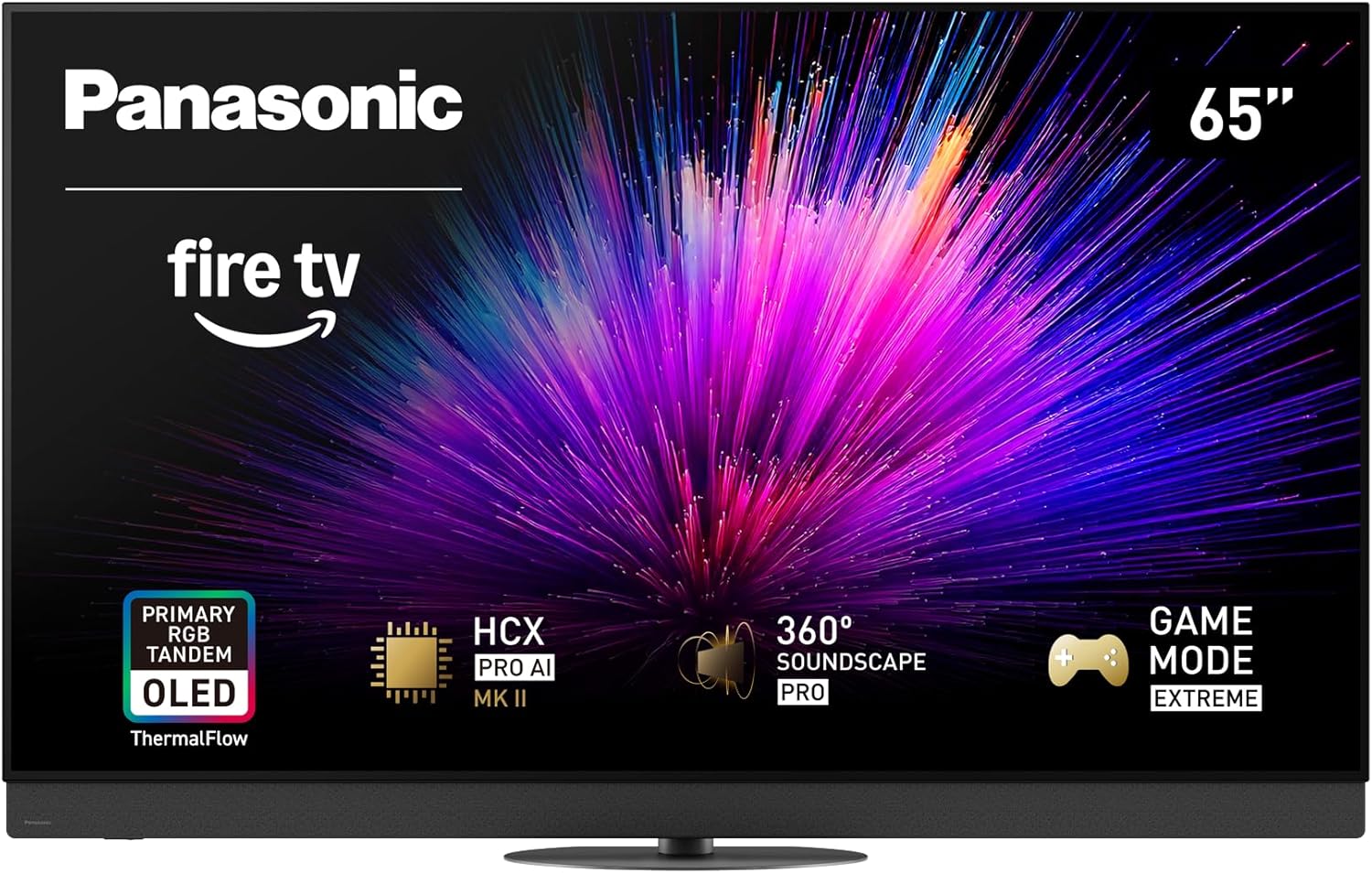
Figure 1.1: The Panasonic Z95 Series 65-inch OLED 4K Ultra HD Smart Fire TV, showcasing its vibrant display and sleek design. Key features like Fire TV, Primary RGB Tandem OLED, HCX Pro AI, 360 Soundscape Pro, and Game Mode Extreme are highlighted on the screen.
This manual provides comprehensive instructions for the setup, operation, and maintenance of your Panasonic Z95 Series 65-inch OLED 4K Ultra HD Smart Fire TV. This television features Primary RGB Tandem with ThermalFlow technology for enhanced brightness and color, an HCX Pro AI Processor MK II for accurate picture quality, multi-HDR format support (HDR10+, HDR10, Dolby Vision, HLG), 360° Soundscape Pro tuned by Technics for immersive audio, and Game Mode Extreme for an optimized gaming experience. It also integrates Fire TV Built-in with Hands-Free Alexa and the Fire TV Ambient Experience for versatile entertainment and smart home control.
2. What's in the Box
Please ensure all the following items are included in your product packaging:
- Power Cable
- Remote Control
- Stand
- User Manual
3. Setup
3.1 Physical Setup
Carefully unpack your television and accessories. Place the TV on a stable, flat surface or mount it securely to a wall using a compatible VESA mount (sold separately).

Figure 3.1: Front view of the Panasonic Z95B 65-inch TV with key dimensions and the included remote control. The TV measures 57.0 inches wide, 35.9 inches high with stand, and 13.7 inches deep with stand. Without the stand, it is 35.0 inches high and 2.1 inches deep. The remote control features dedicated buttons for popular streaming services and voice control.

Figure 3.2: Rear view of the Panasonic Z95 Series TV, highlighting the various connectivity ports including HDMI (x4), Ethernet, USB (x3), TV Tuner, Optical Audio Out, and Headphone Jack. These ports allow for connection to external devices such as gaming consoles, sound systems, and internet routers.
3.2 Connecting Power and Initial Setup
Connect the power cable to the TV and a wall outlet. The TV will guide you through the initial setup process, including network connection, channel scanning, and Fire TV account setup. Follow the on-screen prompts.
4. Operating Your TV
4.1 Basic Operation
Use the included remote control to navigate the TV's interface. The power button turns the TV on or off. Use the directional pad to select options and the center button to confirm. Volume and channel controls are clearly marked.
4.2 Smart Fire TV Features
Your Panasonic Z95 Series TV comes with Fire TV Built-in, offering a wide range of streaming content and smart features.
- Hands-Free Alexa: With built-in microphones, you can control your TV and smart home devices using voice commands without needing the remote. Simply say "Alexa" followed by your command.
- Fire TV Ambient Experience: Transform your TV screen into a dynamic display for artwork, personal photos, or helpful Alexa widgets when not actively watching content.

Figure 4.1: The Fire TV interface, displaying icons for popular streaming services such as Prime Video, Netflix, Disney+, YouTube, and more, providing access to a vast library of entertainment.

Figure 4.2: The Fire TV Ambient Experience in action, showing a personalized display with time, weather, recommended content, and a note widget, all overlaid on a dynamic background image.
Note: An official video demonstrating how to turn on the ambient experience was available, but it was not provided by the seller. Therefore, it cannot be embedded here according to the specified guidelines.
4.3 Picture and Sound Settings
Your TV is equipped with advanced technologies to deliver superior audio and visual performance.
- Primary RGB Tandem with ThermalFlow: This new OLED panel technology significantly increases brightness and color gamut, delivering stunning visuals.
- HCX Pro AI Processor MK II: This processor ensures accurate color, contrast, and clarity, optimizing picture and sound for various content types, including sports and games.
- Multi HDR Format Support: Supports HDR10+, HDR10, Dolby Vision, and HLG. HDR10+ Adaptive and Dolby Vision IQ adjust the picture based on room brightness for an optimized natural viewing experience.
- 360° Soundscape Pro Tuned by Technics: Integrated upward and side-firing speakers provide powerful, immersive sound with improved bass, placing you at the heart of the action.

Figure 4.3: A visual representation of the Primary RGB Tandem with ThermalFlow Technology, showing how the OLED panel and cooling system work together to achieve superior brightness and color performance compared to conventional micro lens array OLEDs.

Figure 4.4: A detailed view of the HCX Pro AI Processor MK II, highlighting its role in delivering professional picture performance by intelligently adjusting picture and sound based on content, such as sports, movies, or live performances.

Figure 4.5: An illustration depicting the 360-degree immersive sound experience, powered by Dolby Atmos and 360 Soundscape Pro, creating a spherical audio field around the viewer for a truly engaging listening experience.
4.4 Gaming Features
For gamers, the TV offers Game Mode Extreme with features like HDMI 2.1, 144Hz refresh rate, VRR, and AMD FreeSync Premium, ensuring smooth and responsive gameplay.

Figure 4.6: A user engaged in gaming on the Panasonic Z95 Series TV, showcasing the Game Mode Extreme interface with options for picture mode, sound mode, input lag, and refresh rate, designed for optimal gaming performance.
5. Maintenance
To ensure the longevity and optimal performance of your Panasonic Z95 Series TV, follow these maintenance guidelines:
- Cleaning: Gently wipe the screen with a soft, dry microfiber cloth. For stubborn smudges, slightly dampen the cloth with water or a screen-specific cleaning solution. Avoid harsh chemicals or abrasive materials.
- Dusting: Regularly dust the TV's frame, stand, and rear vents to prevent dust buildup, which can affect performance and cooling.
- Software Updates: Ensure your TV's software is up to date. The Fire TV system will typically notify you of available updates. Installing updates can improve performance, add new features, and enhance security.
- Ventilation: Ensure adequate airflow around the TV. Do not block the ventilation openings on the back or sides of the TV. Maintain a clear space around the unit to prevent overheating.
6. Troubleshooting
If you encounter issues with your TV, refer to the following common troubleshooting steps before contacting support.
| Problem | Possible Cause / Solution |
|---|---|
| No Power | Ensure the power cable is securely connected to both the TV and a working electrical outlet. Try a different outlet. Check if the power indicator light on the TV is on. |
| No Picture / Black Screen | Verify the correct input source is selected. Check all HDMI or other video cables for secure connections. Try restarting the TV and any connected devices. |
| No Sound | Check the volume level and ensure the TV is not muted. Verify audio cables are correctly connected if using external speakers. Check audio output settings in the TV menu. |
| Remote Control Not Responding | Replace the batteries in the remote control. Ensure there are no obstructions between the remote and the TV's IR sensor. Re-pair the remote if it's a Bluetooth remote. |
| Wi-Fi Connection Issues | Restart your Wi-Fi router. Check the TV's network settings to ensure it's connected to the correct network. Move the TV closer to the router or use an Ethernet cable for a wired connection. |
7. Specifications
| Feature | Detail |
|---|---|
| Brand | Panasonic |
| Model Number | TV-65Z95BP |
| Screen Size | 65 Inches |
| Display Technology | 4K UHD, OLED, Primary RGB Tandem, ThermalFlow |
| Resolution | 4K |
| Refresh Rate | 144 Hz |
| Special Features | Ambient Light Sensor, Built-In Speaker, Game Mode, Intelligent Voice Recognition, Wide Viewing Angle |
| Connectivity Technology | Bluetooth, Ethernet, HDMI, USB, Wi-Fi |
| Product Dimensions (with stand) | 13.7"D x 57"W x 35.9"H |
| Item Weight | 62.83 Pounds |
| Output Wattage | 170 Watts |
| Color | Black |
| Aspect Ratio | 16:9 |
8. Warranty and Support
For warranty information and technical support, please refer to the warranty card included with your product or visit the official Panasonic support website. Keep your purchase receipt as proof of purchase for warranty claims.
For further assistance, you may also contact Panasonic Customer Support directly. Contact details can typically be found on the Panasonic website or in the product packaging.
Related documentsTV-65Z95BP


Ask a question about this manual
Ask about setup, troubleshooting, compatibility, parts, safety, or missing instructions. Manuals+ will review the question and use this page’s manual context to help answer it.