
1. Introduction
The FCXJTU Digital Waterproof Shower Clock Timer (Model YS321) is a versatile device designed for time management in various environments, including bathrooms, kitchens, and study areas. It features an IPX7 waterproof rating, allowing it to withstand splashes and temporary submersion. This device functions as both a clock and a timer, offering countdown and countup capabilities with an audible alarm.
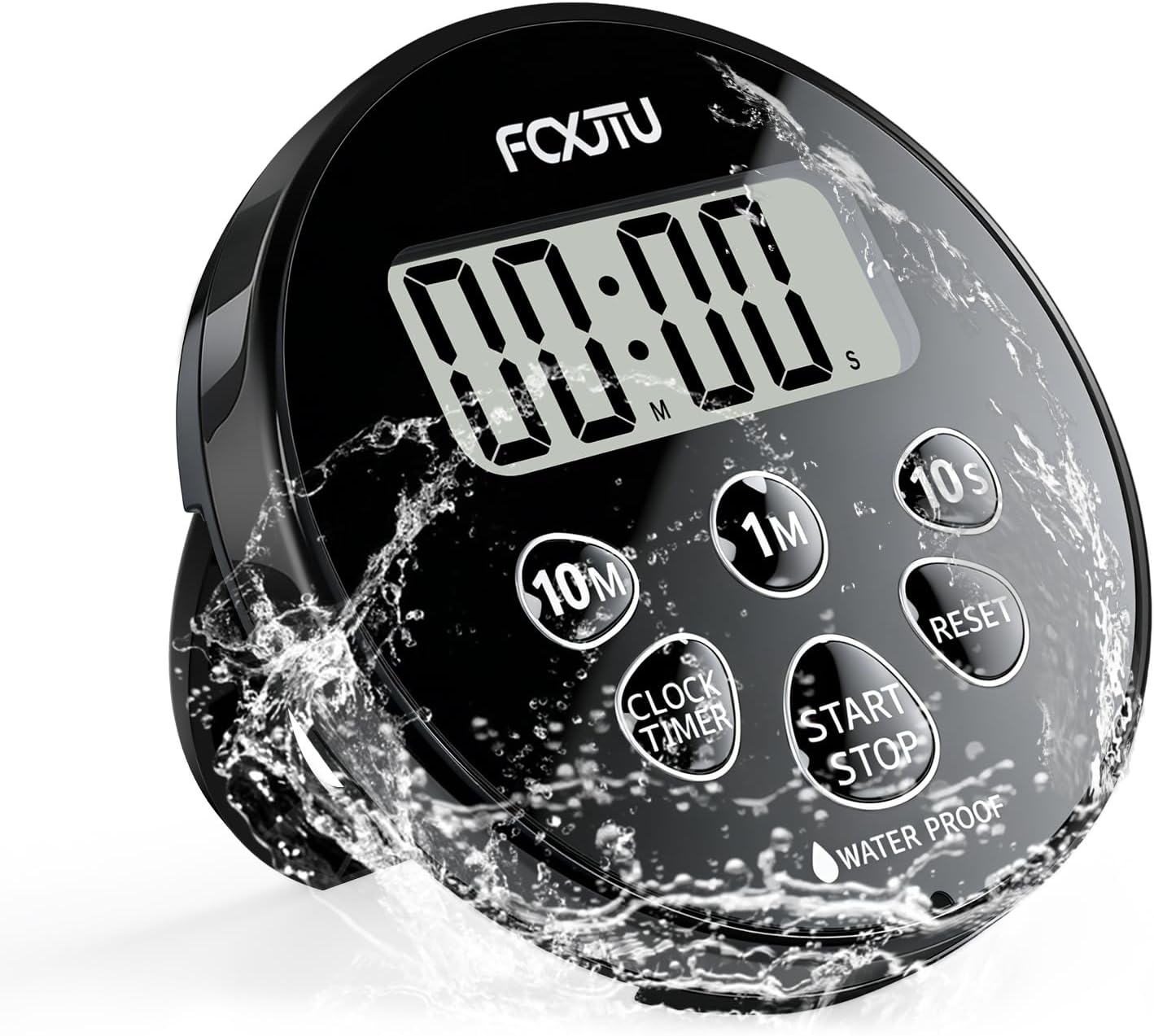
Image: The FCXJTU Digital Waterproof Shower Clock Timer displayed in a modern bathroom environment, highlighting its intended use.
2. Product Features
- IPX7 Waterproof Rating: Designed to function even when temporarily submerged in water, making it suitable for shower and bath use.
- 12/24 Hour Clock Mode: Easily switch between 12-hour and 24-hour time display formats.
- Countdown Timer: Capable of timing up to 99 minutes and 50 seconds, with quick-set buttons for 10 minutes, 1 minute, and 10 seconds.
- Countup Timer: Measures elapsed time up to 99 minutes and 59 seconds.
- Audible Alarm: A gentle alarm sounds for 15 seconds when the countdown timer reaches zero, turning off automatically.
- Multiple Placement Options: Features a magnetic back for attaching to metal surfaces, a retractable stand for tabletop use, and a hanging hole for string or hook placement.
- Large Digital LCD Display: Provides clear readability of time and mode from a distance.
- Battery Operated: Uses 1 CR2032 battery (included).

Image: Overview of the timer's main features, including countdown/up, waterproof design, 12/24H clock, and audible alarm.
3. Package Contents
Upon opening the package, verify that all items are present and in good condition.
- 1 x FCXJTU Digital Waterproof Shower Clock Timer (Model YS321)
- 1 x Instruction Manual
- 1 x CR2032 Battery (pre-installed)
Video: Unboxing and initial overview of the FCXJTU Waterproof Shower Timer, showing the product and included manual.
4. Setup
4.1. Battery Installation
The FCXJTU Shower Clock Timer comes with one CR2032 battery pre-installed. If the display is dim or not functioning, you may need to replace the battery.
- Locate the battery cover on the back of the device.
- Use a coin to rotate the battery cover counter-clockwise to the "OPEN" position and remove it.
- Remove the old CR2032 battery, if applicable.
- Insert a new CR2032 battery with the positive (+) side facing up.
- Replace the battery cover and rotate it clockwise to the "CLOSE" position, ensuring the waterproof ring is properly seated to maintain water resistance.

Image: Visual guide for replacing the CR2032 battery.
4.2. Initial Power On
Once the battery is correctly installed, the device will power on automatically. The display will show the current time or a default timer setting.
5. Operating Instructions
5.1. Button Functions
The timer features several buttons for easy operation:
- CLOCK/TIMER Button: Switches between Clock mode and Timer mode.
- 10M Button: Adds 10 minutes to the timer or adjusts the hour in clock setting mode.
- 1M Button: Adds 1 minute to the timer or adjusts the minute in clock setting mode.
- 10S Button: Adds 10 seconds to the timer or adjusts the minute in clock setting mode.
- START/STOP Button: Starts or stops the timer.
- RESET Button: Clears the timer setting to 00:00 or resets the clock setting.

Image: Detailed view of the timer's buttons and their corresponding functions.
5.2. Setting the Clock
- Press the CLOCK/TIMER button to enter Clock mode. The display will show the current time.
- To set the time, press and hold the CLOCK/TIMER button for 3 seconds. The hour digits will flash.
- Press the 10M button to adjust the hour.
- Press the 1M button to adjust the minutes.
- Press the 10S button to switch between 12-hour (AM/PM) and 24-hour formats.
- Press the CLOCK/TIMER button again to confirm the setting and exit setting mode.
Video: Demonstrates how to set the clock and switch between 12/24 hour formats.
5.3. Using the Countdown Timer
- Press the CLOCK/TIMER button to enter Timer mode. The display will show 00:00.
- Use the 10M, 1M, and 10S buttons to set your desired countdown time (up to 99 minutes and 50 seconds).
- Press the START/STOP button to begin the countdown.
- To pause the countdown, press the START/STOP button again. Press it once more to resume.
- When the timer reaches zero, an audible alarm will sound for 15 seconds and then automatically stop.
- To clear the timer, press the RESET button.
5.4. Using the Countup Timer
- Press the CLOCK/TIMER button to enter Timer mode. The display will show 00:00.
- Ensure the timer is set to 00:00. If not, press the RESET button.
- Press the START/STOP button to begin counting up.
- To pause the countup, press the START/STOP button again. Press it once more to resume.
- To stop and reset the countup timer, press the RESET button.

Image: The timer's audible alarm feature, which sounds for 15 seconds upon completion of a countdown.
6. Placement Options
The FCXJTU Shower Clock Timer offers three convenient placement methods:
- Magnetic Back: The timer has strong magnets on its back, allowing it to be securely attached to metal surfaces such as refrigerators, shower rails, or metal cabinets.
- Retractable Stand: A foldable stand is integrated into the back of the timer, enabling it to stand upright on flat surfaces like countertops or shelves.
- Hanging Hole: A small hole is provided at the top of the timer for hanging it on a hook or string.

Image: Visual representation of the magnetic back, hanging hole, and foldable stand for versatile placement.
7. Maintenance
7.1. Cleaning
To clean the timer, wipe it with a soft, damp cloth. Do not use abrasive cleaners or solvents, as these may damage the surface or internal components. Ensure the battery cover is securely closed after cleaning to maintain its waterproof integrity.
7.2. Battery Replacement
Refer to Section 4.1 for detailed instructions on replacing the CR2032 battery. Replace the battery when the display becomes dim or the device stops functioning correctly.
8. Troubleshooting
| Problem | Possible Cause | Solution |
|---|---|---|
| Display is dim or blank. | Low battery or incorrect battery installation. | Replace the CR2032 battery. Ensure the battery is inserted with the correct polarity (+ side up). |
| Timer not responding to button presses. | Temporary software glitch or low battery. | Remove and reinsert the battery to perform a soft reset. If the issue persists, replace the battery. |
| Water ingress despite IPX7 rating. | Battery cover not properly sealed. | Ensure the battery cover is tightly closed and the waterproof ring is correctly seated. Avoid prolonged submersion beyond specified limits. |
9. Specifications
| Feature | Detail |
|---|---|
| Brand | FCXJTU |
| Model Number | YS321 |
| Color | Dark Black |
| Display Type | Digital |
| Waterproof Rating | IPX7 |
| Product Dimensions | 3.3"W x 3.3"H (8.2cm x 8.2cm) |
| Item Weight | 48 Grams |
| Power Source | 1 x CR2032 Battery (included) |
| Mounting Type | Magnetic, Stand, Hanging Hole |
| Timer Range | Countdown: 99 min 50 sec; Countup: 99 min 59 sec |
| Alarm Duration | 15 seconds (automatic shut-off) |
| Material Type | Plastic |

Image: Dimensions of the FCXJTU Digital Waterproof Shower Clock Timer.
10. Warranty and Support
For warranty information or technical support, please refer to the contact details provided on the product packaging or the official FCXJTU website. Keep your purchase receipt as proof of purchase for any warranty claims.