
Introduction
Thank you for choosing the FOPETT V2050 Wireless Keyboard and Mouse Combo. This full-sized, 2.4G wireless peripheral set is designed for comfortable and efficient use across various devices. This manual will guide you through the setup, operation, and maintenance of your new keyboard and mouse.
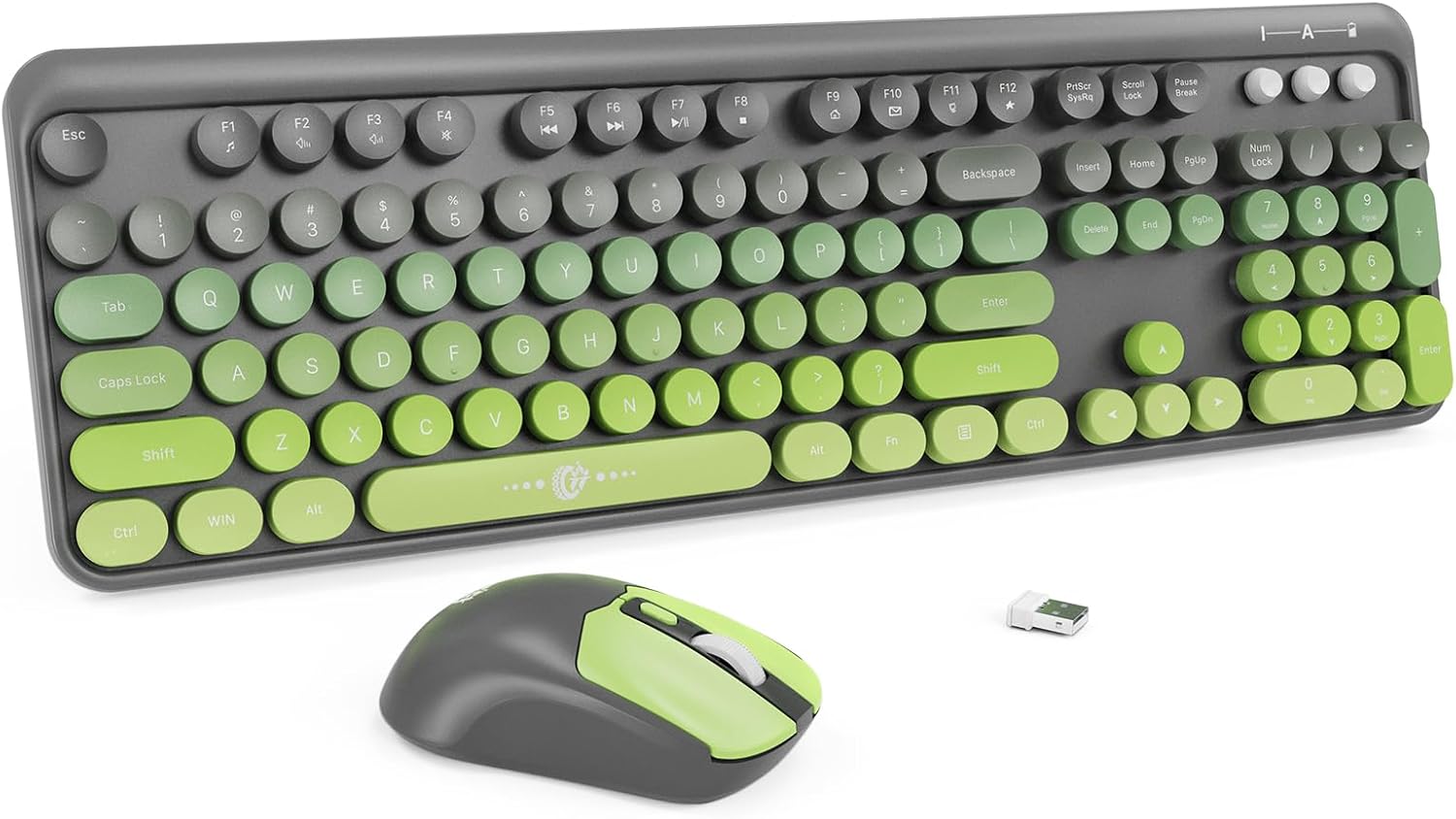
Image: The FOPETT V2050 Green Gradient Wireless Keyboard and Mouse Combo, featuring a full-sized keyboard with round, retro-style keys in green gradient colors, and a matching ergonomic mouse, alongside a small USB receiver.
Package Contents
Please ensure all items are present in your package:
- Wireless Keyboard x 1
- Wireless Mouse x 1
- USB Receiver x 1
- User Manual x 1

Image: A close-up of the FOPETT wireless mouse next to a list detailing the package contents: Wireless keyboard x 1, Wireless Mouse x 1, USB Receiver x 1, User Manual x 1.
Setup Instructions
Follow these steps to set up your FOPETT Wireless Keyboard and Mouse Combo:
- Insert Batteries: Open the battery compartments on both the keyboard and the mouse. Insert the required AA batteries (not included) according to the polarity indicators.
- Locate USB Receiver: The USB receiver is typically stored in the mouse's battery compartment for safekeeping. Remove it carefully.
- Plug in USB Receiver: Insert the USB receiver into an available USB-A port on your computer or device.
- Automatic Connection: The keyboard and mouse will automatically connect to your device. No additional drivers are usually required.
Note: If your device only has USB-C ports (e.g., modern MacBooks), a USB-A to USB-C adapter (sold separately) will be required.

Image: A visual guide showing three steps for setup: 1) Inserting batteries into the keyboard and mouse, 2) Plugging the USB-A receiver into a laptop, and 3) The keyboard and mouse connected and ready for use.
Video: An unboxing and setup demonstration of the FOPETT V2050 Wireless Keyboard and Mouse Combo, showing how to insert batteries, connect the USB receiver, and begin typing.
Operating Instructions
General Use
Once connected, the keyboard and mouse are ready for immediate use. The keyboard features 104 round keys designed for a comfortable typing experience. The mouse offers precise tracking with adjustable DPI settings (800/1000/1600).

Image: The FOPETT wireless keyboard and mouse connected to a laptop, with a tablet and smartphone also visible on a desk, illustrating the plug-and-play 2.4GHz wireless freedom.
Ergonomic Design
The keyboard is designed with an ergonomic tilt to reduce wrist pressure during extended use. The mouse is shaped to fit comfortably in your hand, providing excellent click feedback.

Image: A side view of the FOPETT wireless keyboard, highlighting its ergonomic design with a 15-degree tilt and foldable stands with silicone pads for stability and comfort.
Multimedia Hotkeys
The keyboard features 12 multimedia hotkeys for enhanced efficiency. These keys are accessed by pressing the Fn key in combination with the corresponding function key (F1-F12).
- Fn + Esc: Music Player
- Fn + F1: Play/Pause
- Fn + F2: Previous Track
- Fn + F3: Next Track
- Fn + F4: Volume+
- Fn + F5: Volume-
- Fn + F6: Mute
- Fn + F7: Web Browser
- Fn + F8: Search
- Fn + F9: Favorites
- Fn + F10: Email
- Fn + F11: Lock Screen
- Fn + F12: Windows Key
Note: Hotkeys may not be fully compatible with Mac systems.

Image: A detailed view of the FOPETT wireless keyboard highlighting the multimedia function keys (Fn + F1-F12) and their corresponding actions for efficient control.
Power Saving Features
The keyboard and mouse are designed with smart power-saving features to extend battery life:
- Auto-Sleep Mode: The keyboard will automatically enter sleep mode after 5 minutes of inactivity. The mouse will enter sleep mode after 3 seconds of inactivity.
- Wake-Up: Simply press any key on the keyboard or click a mouse button to instantly wake the devices.
- Battery Life: With typical usage, the batteries can last up to 12 months.
Note: The keyboard and mouse do not have separate power switches. They rely on the auto-sleep function for power management.
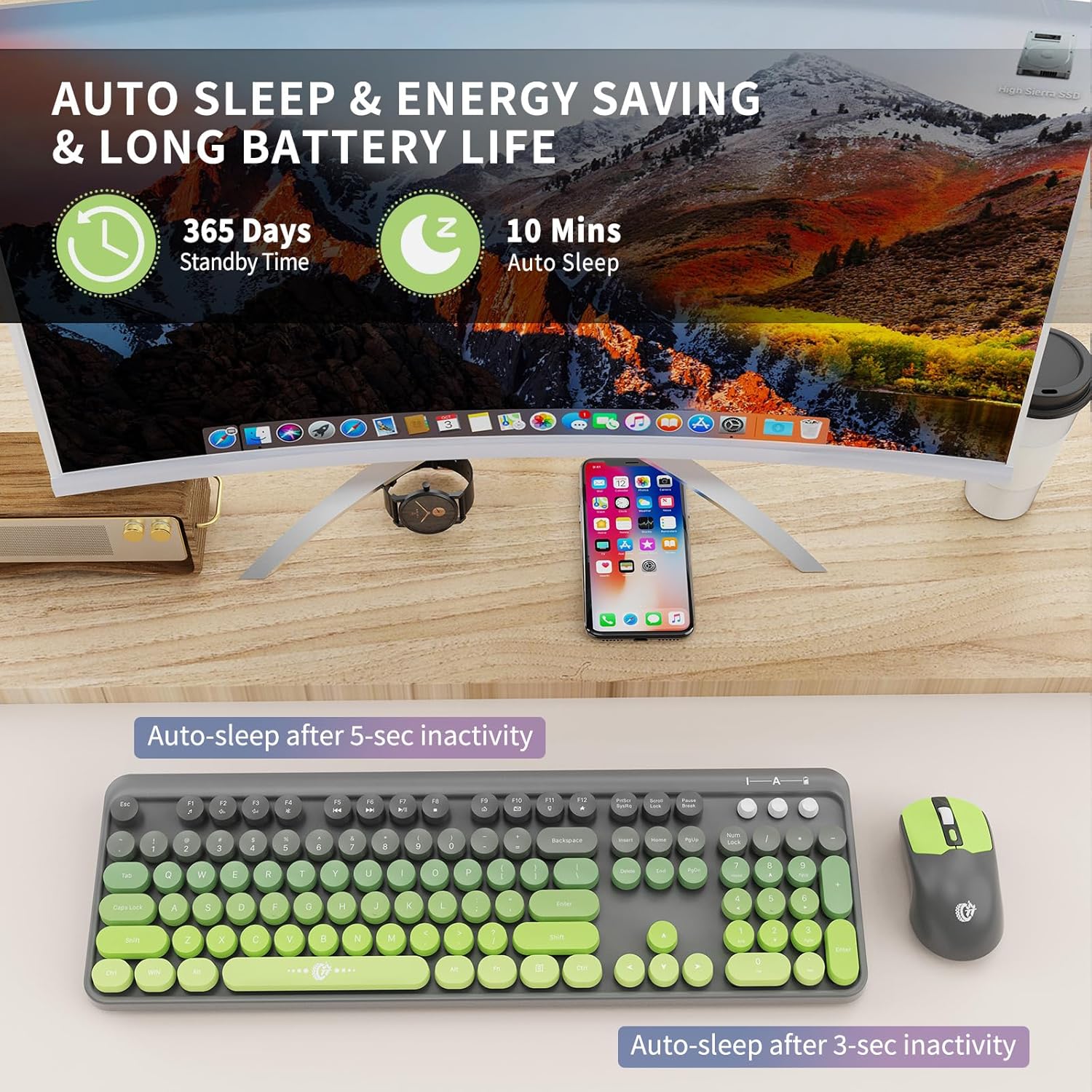
Image: A visual representation of the auto-sleep and energy-saving features of the FOPETT wireless keyboard and mouse, indicating 365 days standby time and auto-sleep after 10 minutes of inactivity for the keyboard and 3 seconds for the mouse.
Compatibility
The FOPETT V2050 Wireless Keyboard and Mouse Combo offers wide compatibility with various operating systems and devices:
- Windows (2000/ME/XP/7/8/10/11, Vista)
- Mac OS
- Android
- Linux
- Chrome OS
- Compatible with devices such as Laptops, PCs, Chromebooks, and Smart TVs.

Image: The FOPETT wireless keyboard and mouse set up with a laptop, displaying logos for Chrome OS, Linux, Mac OS, and Windows, indicating its broad compatibility.
Maintenance
To ensure the longevity and optimal performance of your keyboard and mouse, follow these maintenance guidelines:
- Cleaning: Use a soft, dry cloth to wipe down the surfaces of the keyboard and mouse. For deeper cleaning, a slightly damp cloth with mild soap can be used, ensuring no liquid enters the devices.
- Battery Replacement: Replace batteries when performance degrades or the low battery indicator illuminates. Always use new, high-quality AA batteries.
- Storage: When not in use for extended periods, remove the batteries to prevent leakage. Store in a cool, dry place.
Troubleshooting
If you encounter issues with your FOPETT Wireless Keyboard and Mouse Combo, refer to the following common solutions:
- No Connection/Unresponsive Devices:
- Ensure the USB receiver is securely plugged into a working USB-A port.
- Check if the batteries in both the keyboard and mouse are correctly inserted and have sufficient charge. Replace them if necessary.
- Try plugging the USB receiver into a different USB port on your device.
- Restart your computer or device.
- Keyboard or Mouse Not Working Individually:
- The keyboard and mouse share a single USB receiver. If one device is working and the other is not, check the batteries of the non-working device.
- Hotkeys Not Functioning on Mac:
- Some hotkeys may have limited or no functionality on Mac operating systems due to system differences. This is expected behavior.
- Accidental Input from Keyboard/Mouse:
- Since there are no separate power switches, the devices rely on auto-sleep. Ensure the devices are placed in an area where accidental key presses or mouse movements are minimized when not in active use.
If problems persist, please contact FOPETT customer support for assistance.
Specifications
| Brand | FOPETT |
| Model Number | V2050 |
| Color | Green Gradient |
| Connectivity Technology | 2.4GHz USB Wireless |
| Keyboard Keys | 104 Round Keys |
| Mouse DPI | 800/1000/1600 |
| Product Dimensions | 13.5 x 4.2 x 1.2 inches (Keyboard) |
| Item Weight | 1.63 pounds |
| Power Source | AA Batteries (not included) |
| Special Features | Plug and Play, Portable, Energy Saving Auto-Sleep, 12 Hot Keys |
Warranty and Support
FOPETT offers a three-year worry-free warranty and a 60-day money-back guarantee or replacement option for this product. If you have any questions, concerns, or require technical assistance, please do not hesitate to contact the FOPETT customer support team.
The FOPETT team provides 24-hour online service to ensure your satisfaction.