
1. Introduction
Thank you for choosing the Generic M20 Wireless Bluetooth 5.3 Earbuds. This manual provides essential information for the safe and efficient use of your device. Please read it thoroughly before use and retain it for future reference.
The M20 earbuds feature Bluetooth 5.3 technology for a fast and stable connection, an 8mm dynamic driver unit for clear audio, and Environmental Noise Cancellation (ENC) for improved call quality. They also include a digital display on the charging case to show battery status and offer support for voice assistants like Siri.
2. Product Overview
The Generic M20 Wireless Earbuds consist of two earbuds and a charging case.
2.1 Package Contents
- M20 Wireless Earbuds (Left and Right)
- Charging Case
- USB Charging Cable
- User Manual
2.2 Earbud Components
Each earbud is equipped with a touch-sensitive area for control and an 8mm dynamic driver for audio output. The earbuds are designed for in-ear placement.
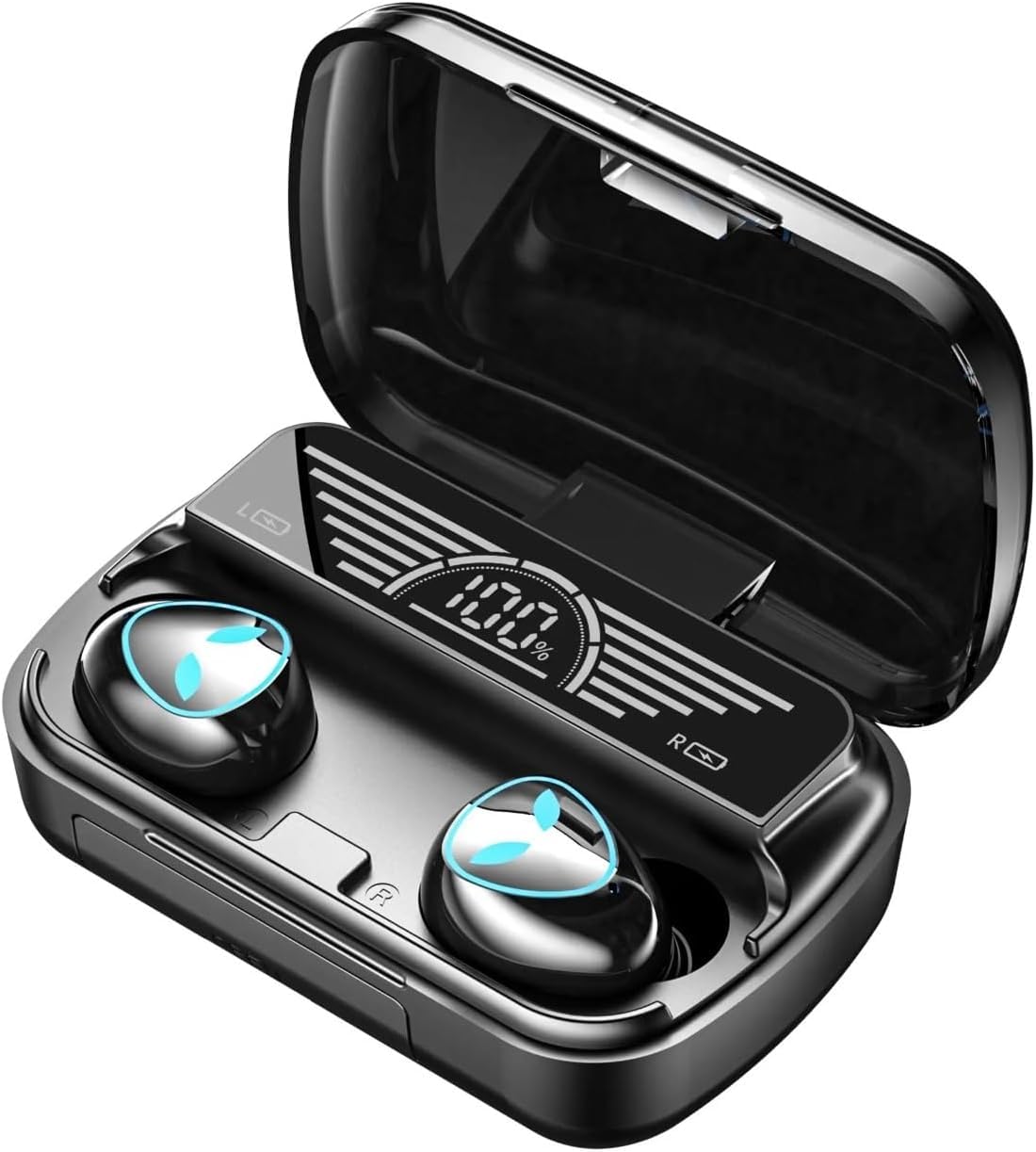
Image: A woman wearing the M20 earbuds, highlighting the HD call feature and noise reduction technology for clear communication.
3. Setup
3.1 Charging the Earbuds and Case
Before first use, fully charge the earbuds and the charging case. Place the earbuds into the charging case. Connect the USB charging cable to the charging port on the case and to a 5V 1A power source.
The digital display on the charging case will show the battery level during charging. A full charge takes approximately 2 hours.
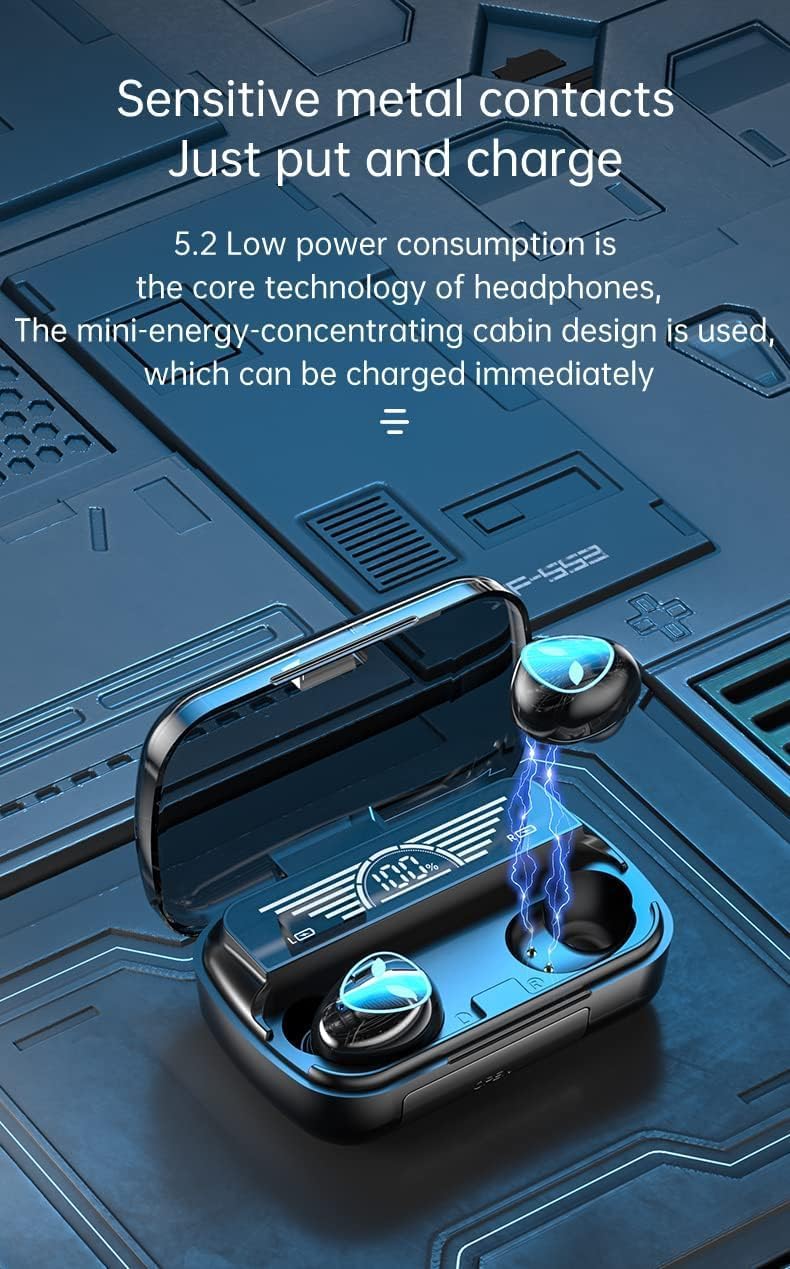
Image: The M20 charging case with earbuds, illustrating the sensitive metal contacts for charging and the digital display showing battery percentage.
3.2 Bluetooth Pairing
- Ensure earbuds are charged and placed in the charging case.
- Open the charging case. The earbuds will automatically enter pairing mode.
- On your device (smartphone, tablet, etc.), enable Bluetooth.
- Search for "M20" in the list of available Bluetooth devices.
- Select "M20" to connect. Once connected, a voice prompt will confirm successful pairing.
- The earbuds will automatically reconnect to the last paired device when taken out of the case, if Bluetooth is enabled on the device.
4. Operating Instructions
The M20 earbuds feature touch controls for various functions.
4.1 Music Playback
- Play/Pause: Single tap on either earbud.
- Next Track: Double tap the right earbud.
- Previous Track: Double tap the left earbud.
- Volume Up: Triple tap the right earbud.
- Volume Down: Triple tap the left earbud.

Image: The M20 earbuds and charging case positioned near a smartphone, illustrating their capability for synchronized audio and video, ideal for gaming and media consumption.
4.2 Phone Calls
- Answer/End Call: Single tap on either earbud.
- Reject Call: Press and hold either earbud for 2 seconds.
4.3 Voice Assistant
- Activate Voice Assistant (Siri, Google Assistant): Press and hold either earbud for 3 seconds.
5. Maintenance
5.1 Cleaning
- Regularly clean the earbuds and charging case with a soft, dry, lint-free cloth.
- Do not use abrasive cleaners, alcohol, or chemical solvents.
- Ensure charging contacts on both earbuds and case are clean and dry.
5.2 Storage
- When not in use, store the earbuds in their charging case to protect them and keep them charged.
- Avoid extreme temperatures and high humidity.
6. Troubleshooting
| Problem | Solution |
|---|---|
| Earbuds not pairing |
|
| No sound from one earbud |
|
| Charging issue |
|
| Poor call quality |
|
7. Specifications
| Model Name | M20 |
| Bluetooth Version | 5.3 |
| Supported Profiles | A2DP / HFP / HSP / AVRCP |
| Bluetooth Range | Up to 10 meters |
| Music Playtime | Approx. 5 hours |
| Charging Time | Approx. 2 hours |
| Charging Port Input | 5V 1A |
| Audio Driver Type | Dynamic Driver (8mm) |
| Noise Control | Environmental Noise Cancellation (ENC) / Sound Isolation |
| Water Resistance | Waterproof |
| Compatible Devices | Smartphones, Tablets, Laptops, Desktop Computers, Smart Speakers |
| Item Weight | 100 grams |
8. Warranty Information
No specific warranty information is provided for this product. Please refer to your point of purchase for details regarding return policies or any implied warranties.
9. Customer Support
For further assistance or inquiries, please contact the seller or retailer from whom you purchased the Generic M20 Wireless Bluetooth 5.3 Earbuds.