
QYGCKJ ERAZER XF33
ERAZER XF33 AI Translation Earbuds User Manual
Model: ERAZER XF33 (Upgraded from XP2-1) | Brand: QYGCKJ
Introduction
The ERAZER XF33 AI Translation Earbuds are designed to provide seamless communication and entertainment. These earbuds offer real-time translation across 135 languages, alongside high-fidelity audio for music and clear phone calls. With an ergonomic design for comfort and a smart touchscreen charging case, they are ideal for travel, business meetings, language learning, and daily use.
What's in the Box
- ERAZER XP2 AI Translation Earbuds Real Time x1
- Charging cable x1
- Smart Touchscreen Charging Case x1
- User Manual

Image: The package contents, including the earbuds, charging case, USB-C charging cable, and user manual.
Setup
1. Charging the Earbuds and Case
Before first use, fully charge the earbuds and the charging case. The charging case provides an impressive 40 hours of additional use, while the earbuds offer up to 8 hours of use per earbud on a single charge. A full charge takes approximately 1.5 hours.

Image: The ERAZER XF33 charging case being charged via a USB-C cable.
2. Bluetooth Pairing
To connect your ERAZER XF33 earbuds to your mobile device:
- Open the charging case of the headset.
- On your mobile phone, navigate to the Bluetooth settings interface.
- Find "XF33" in the list of available devices and tap to connect.
- Once "Connected" is displayed, the connection is successful.
Video: Demonstrates how to connect the ERAZER XF33 earbuds to a mobile phone via Bluetooth. Open the charging case, go to your phone's Bluetooth settings, find "XF33", and tap to connect. A "Connected" status indicates successful pairing.
3. SayMi App Download and Connection
The SayMi app enhances the functionality of your earbuds, especially for translation features. To download and connect:
- Scan the QR code found in the included AI instruction manual or visit classicearjoy.com/app-download-h5.
- After opening the website, click on the corresponding APP version (Android or iOS) and then hit "Download".
- Once installed, open the SayMi app. On the app's home page, click "connect". This will jump to your phone's system Bluetooth interface.
- Ensure "XF33" is connected in your Bluetooth settings. The app will then recognize the earbuds.

Image: Instructions for downloading the SayMi app, showing a QR code and the app's interface for connecting the earbuds.
Video: Shows the process of scanning the QR code from the manual to download the SayMi app and then connecting the earbuds to the app.
Operating Instructions
Earbud Touch Controls
The earbuds feature intuitive touch controls for various functions:
- Single tap: Play/Pause music, Answer/Hang up a call.
- Double tap: Increase/Decrease volume.
- Triple tap: Skip to next track/Switch to previous track.
- Long press for 4 seconds: Turn on/off night running light, Activate voice assistant (Quadruple tap).
- Long press (incoming call): Reject a call.
Video: Demonstrates various earbud touch controls for music playback, volume adjustment, track skipping, voice assistant activation, and call management.
Smart Touchscreen Charging Case Controls
The charging case features an HD display with touchscreen functionality, allowing you to control various settings directly:
- Adjust volume, switch tracks, and customize sound effects.
- Access features like "Touch to wake", "Stop Timer", "Light (on/off)", "Music playback", "Equalizer", "ANC/Ambient", "Spatial Audio".
- Change language settings, control camera remotely, find earbuds, and adjust brightness.
- Manage phone calls directly from the case.

Image: The full-color digital display of the charging case showing various touch screen functions for controlling the earbuds.
Video: Illustrates how the touch display of the charging case can be used to operate functions such as music playback, volume adjustment, and phone calls.
Translation Modes and Features
The ERAZER XF33 earbuds support real-time translation for 135 languages and offer multiple modes for different scenarios:
- AI Dialogue Mode: Engage in conversations with an AI voice consultant.
- Free Talk Mode: Communicate through headphones, with automatic recognition and translation of speech.
- Translation Machine Mode: Click the speaking button corresponding to the language you speak, and the phone will play the translated content.
- Headphone+Phone Mode: One person wears headphones while the other uses the phone. Click on the headphones or phone to start speaking, and the speech will be automatically recognized as complete.
- Face-to-Face Translation: Two-way translation with voice for global negotiations or travel. One earbud is given to the other person to converse.
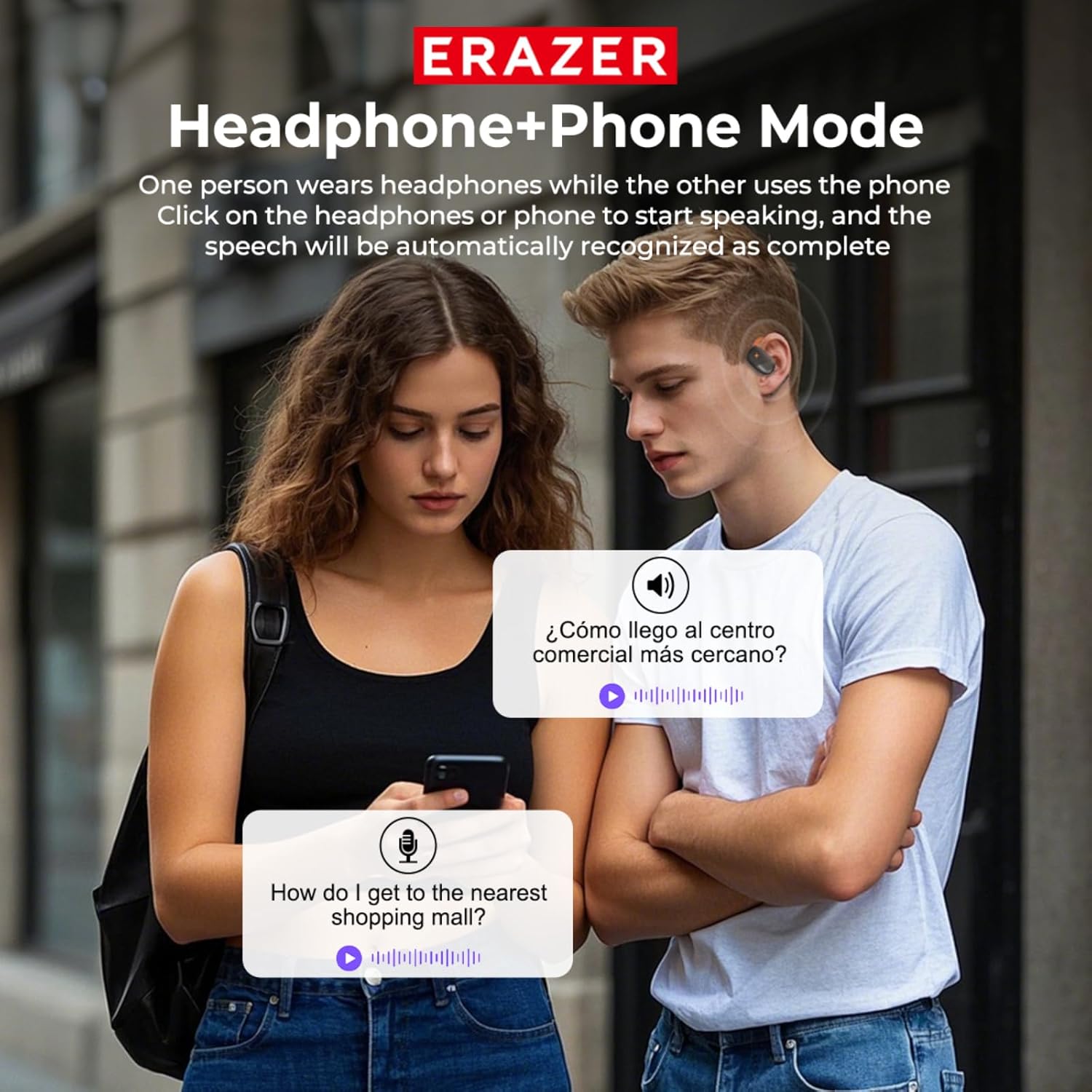
Image: Depicts the four main translation modes available with the earbuds, illustrating their use in different social and professional contexts.
Audio Features
The XF33 Open Ear headphones deliver exceptional sound quality with rich bass and clear highs. They feature built-in 16mm dynamic speakers that provide 360° Hi-Fi stereo sound, enhancing your auditory experience with well-balanced mids, an expansive soundstage, and crystal-clear highs.

Image: An exploded view of the earbud's internal components, emphasizing the 16mm dynamic speakers for high-quality audio.
Night Running Light
The earbuds feature a unique light-emitting design for enhanced visibility during night activities. Long press the touch button for 5 seconds to turn the bright light on or off.

Image: A close-up of the earbud showing its unique light-emitting design, ideal for night running.
Maintenance
Cleaning
Regularly clean your earbuds and charging case to ensure optimal performance and hygiene. Use a soft, dry, lint-free cloth. For stubborn dirt, slightly dampen the cloth with water. Avoid using abrasive materials or harsh chemicals.
Storage
When not in use, store the earbuds in their charging case to protect them from dust, dirt, and physical damage. Store the case in a cool, dry place away from direct sunlight and extreme temperatures.
Water Resistance
The ERAZER XF33 earbuds are IPX5 waterproof and dustproof, making them suitable for exercise and outdoor activities in light rain or sweat. However, they are not designed for submersion in water. Avoid exposing them to strong jets of water or prolonged water exposure.

Image: The earbuds being splashed with water, illustrating their IPX5 water and dust resistance.
Troubleshooting
| Problem | Possible Cause / Solution |
|---|---|
| Earbuds not connecting via Bluetooth. | Ensure earbuds are charged and in pairing mode (open case). Check your device's Bluetooth settings and forget/re-pair "XF33". Restart your device. |
| SayMi app not recognizing earbuds. | Ensure earbuds are connected via Bluetooth first. Make sure the SayMi app is updated to the latest version. Restart the app and try connecting again. |
| Translation accuracy issues. | Ensure a stable internet connection for optimal AI translation. Speak clearly and at a moderate pace. Background noise can affect accuracy. |
| Sound is too low or unclear in noisy environments. | The open-ear design allows you to hear surroundings for safety. In very noisy environments, sound clarity may be reduced. Adjust volume or consider a quieter setting. |
| Earbuds accidentally pause/skip during movement. | The touch controls are sensitive. Be mindful of accidental touches during vigorous activity. |
| Cannot find misplaced earbuds. | Use the "Find My Earphone" feature on the charging case touchscreen or within the SayMi app. |
Specifications
| Feature | Detail |
|---|---|
| Model Name | Erazer XP2-1 (Upgraded to XF33) |
| Connectivity Technology | Wireless (Bluetooth 5.4) |
| Supported Languages | 135 (via SayMi App) |
| Earbud Battery Life | Up to 8 hours (single charge) |
| Charging Case Battery Life | Up to 40 hours (additional) |
| Charging Time | 1.5 Hours |
| Audio Driver Type | 16mm Dynamic Driver |
| Frequency Range | 20 Hz - 20,000 Hz |
| Bluetooth Range | 10 Meters |
| Water Resistance Level | IPX5 (Waterproof and Dustproof) |
| Control Method | Touch (Earbuds & Charging Case) |
| Ear Placement | Over Ear (Open Ear Design) |
| Item Weight | 4.2 ounces |
Warranty and Support
QYGCKJ is committed to providing excellent after-sales support. For any questions, technical assistance, or warranty claims, please refer to the contact information provided with your purchase or visit the official QYGCKJ store on Amazon.
For additional support and resources, you may visit the QYGCKJ Store: QYGCKJ Amazon Store
Ask a question about this manual
Ask about setup, troubleshooting, compatibility, parts, safety, or missing instructions. Manuals+ will review the question and use this page’s manual context to help answer it.