
AGPTEK T07S
AGPTEK T07S 80GB MP3 Player for Kids: User Manual
Model: T07S
Brand: AGPTEK
Introduction
This manual provides essential information for the safe and effective use of your AGPTEK T07S 80GB MP3 Player. Please read these instructions carefully before operating the device and retain them for future reference.

Image: Front and back view of the AGPTEK T07S MP3 Player, showcasing its compact design and physical buttons.
Package Contents
Verify that all items are present in the package:
- AGPTEK T07S MP3 Player
- 64GB MicroSD Memory Card (pre-installed or separate)
- Type-C Charging Cable
- Wired Headphones (3.5mm Plug)
- Screen Protector
- Protective Case (Transparent)
- User Manual (this document)

Image: An illustration showing all items included in the AGPTEK T07S MP3 Player package, such as the device, headphones, charging cable, and case.
Setup
1. Charging the Device
Before first use, fully charge the MP3 player. Connect the provided Type-C charging cable to the device's charging port and the other end to a USB power adapter (not included) or a computer's USB port.
- A full charge typically takes 2-2.5 hours.
- The battery indicator on the screen will show charging status.
2. Powering On/Off
- To power on: Press and hold the power button located on the side of the device until the screen illuminates.
- To power off: Press and hold the power button, then select 'Power off' on the screen.
3. Inserting the MicroSD Card
The device comes with a 64GB MicroSD card, which may be pre-installed. If not, locate the MicroSD card slot on the side of the player and gently insert the card until it clicks into place. Ensure the card is oriented correctly.
4. Connecting to Wi-Fi
- From the home screen, tap the 'Settings' icon.
- Select 'Network & Internet'.
- Toggle Wi-Fi to 'On'.
- Select your desired Wi-Fi network from the list.
- Enter the network password if prompted and tap 'Connect'.
5. Setting Up Parental Controls
The AGPTEK T07S includes robust parental control features to manage usage. These controls allow you to:
- Lock app uninstallation.
- Set usage timers for the device.
- Prevent installation of new applications.
Access Parental Controls through the dedicated app or within the device settings to configure these options. A passcode is required to modify parental control settings.

Image: A close-up of the device screen displaying the Parental Control interface, showing options for setting time limits and managing app access.
Operating Instructions
1. Navigating the Interface
The device features a 4-inch touchscreen and a simplified cartoon-style user interface for easy navigation. Tap icons to open applications and swipe to move between screens.
2. Using Pre-installed Applications
The MP3 player comes with several pre-installed applications for entertainment and learning:
- Music: For playing locally stored audio files.
- Spotify Kids, Spotify, Apple Music, Amazon Music: For streaming music (requires Wi-Fi and an active subscription).
- Audible: For listening to audiobooks (requires Wi-Fi and an Audible account).
- Kindle: For reading e-books (requires Wi-Fi and a Kindle account).
- Video: For playing locally stored video files.
Note: The device does not support the installation of additional apps from external sources or app stores.
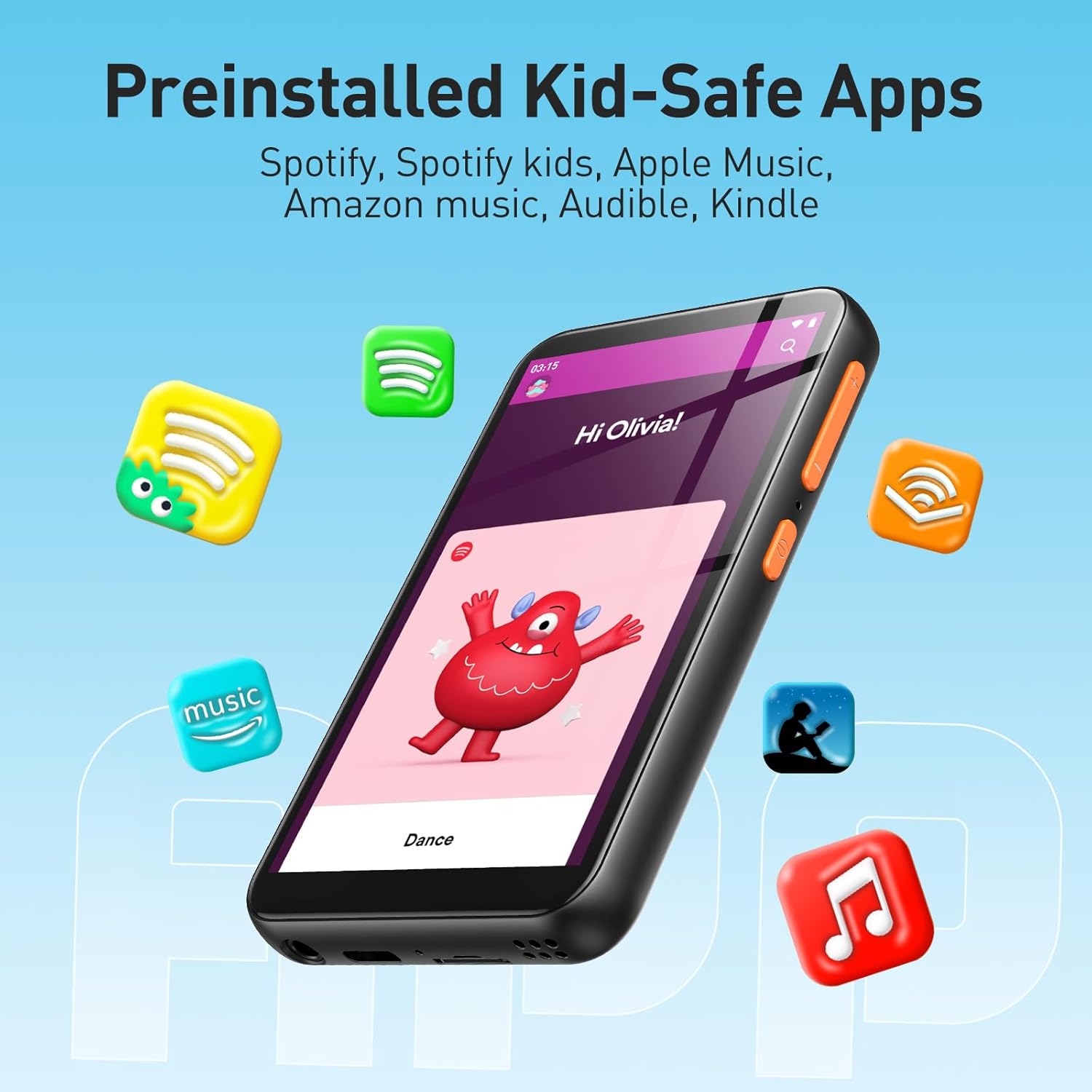
Image: The AGPTEK T07S MP3 Player screen showing icons for pre-installed applications like Spotify Kids, Apple Music, Amazon Music, Audible, and Kindle.
3. Playing Music and Videos
- To play local files, open the 'Music' or 'Video' app and select the desired content.
- For streaming services, open the respective app and browse content.
4. Bluetooth Connectivity
The device supports Bluetooth 4.1 for connecting to wireless headphones or speakers.
- Go to 'Settings' > 'Connected devices' > 'Bluetooth'.
- Toggle Bluetooth to 'On'.
- Ensure your Bluetooth accessory is in pairing mode.
- Select the accessory from the list of available devices to pair.

Image: The AGPTEK T07S MP3 Player displaying music playback, with icons indicating connection to Bluetooth headphones and a portable speaker.
5. Transferring Files
Connect the MP3 player to a computer using the provided Type-C cable. The device will appear as a removable storage drive, allowing you to drag and drop music, video, and e-book files onto its internal storage or the MicroSD card.
6. FM Radio
The device includes an FM radio function. To use it, connect the wired headphones to the 3.5mm audio jack, as they act as the antenna. Open the FM Radio app and scan for available stations.
Maintenance
1. Battery Care
- Avoid fully discharging the battery frequently.
- Do not expose the device to extreme temperatures.
- If the device will not be used for an extended period, charge it to about 50% before storing.

Image: A visual representation of the AGPTEK T07S MP3 Player's battery capacity, indicating 28 hours of music playback and 5.5 hours of video playback.
2. Cleaning
Use a soft, dry, lint-free cloth to clean the device. Do not use liquid cleaners or aerosols directly on the screen or body.
3. Storage Management
Regularly check the available storage space. Delete unnecessary files or transfer them to a computer to free up space. The device supports expandable memory up to 512GB via MicroSD card.

Image: A close-up of the AGPTEK T07S MP3 Player's side, highlighting the MicroSD card slot and indicating support for up to 512GB expandable memory.
4. Firmware Updates
Periodically check the official AGPTEK website for any available firmware updates. Updates can improve performance and add new features. Follow the instructions provided on the website for safe installation.
Troubleshooting
| Problem | Possible Cause | Solution |
|---|---|---|
| Device does not power on. | Low battery. | Charge the device for at least 30 minutes. |
| Cannot connect to Wi-Fi. | Incorrect password, out of range, or network issue. | Verify password, move closer to router, restart router and device. |
| Apps are not working or crashing. | Insufficient memory, app error, or outdated app. | Close background apps, clear app cache, restart device. Check for firmware updates. |
| Bluetooth device not pairing. | Device not in pairing mode, out of range. | Ensure Bluetooth accessory is in pairing mode and close to the MP3 player. |
| Parental controls are not active. | Settings not saved or app deleted. | Re-enter parental control settings and ensure they are saved. Do not delete the parental control application. |
Factory Reset
If issues persist, a factory reset may resolve them. This will erase all data and settings on the device. Navigate to 'Settings' > 'System' > 'Reset options' > 'Erase all data (factory reset)'. Confirm your choice.
Specifications
| Feature | Detail |
|---|---|
| Model | T07S |
| Screen Size | 4 Inches |
| Memory Storage Capacity | 80 GB (16GB Internal + 64GB TF Card) |
| Expandable Memory | Up to 512GB (MicroSD) |
| Connectivity Technology | Bluetooth 4.1, Wi-Fi (2.4G/5G dual-band) |
| Special Feature | Touch Screen, Parental Controls |
| Battery | 2000mAh Lithium Polymer (included) |
| Estimated Battery Life | ~28 hours music playback, ~5 hours video playback |
| Item Weight | 10.5 ounces |
| Package Dimensions | 7.64 x 5.39 x 0.87 inches |
| Manufacturer | AGPTEK |
Warranty and Support
For warranty information and technical support, please refer to the documentation included with your product or visit the official AGPTEK website. The website typically provides FAQs, driver downloads, and contact information for customer service.