
findtime BDHB
findtime BDHB Men's Digital Tonneau Sports Watch User Manual
Model: BDHB
Introduction
This manual provides detailed instructions for the operation and maintenance of your findtime BDHB Men's Digital Tonneau Sports Watch. Please read this manual thoroughly to ensure proper use and to maximize the lifespan of your watch.

Image: Front view of the findtime BDHB Digital Watch, showcasing its large digital display and tonneau-shaped case.
Product Features
The findtime BDHB Digital Watch is designed with multiple functionalities for daily use and sports activities.
- 5 ATM Water Resistance: Suitable for hand washing, rain, and swimming. Not suitable for hot water bathing, diving, or water-related work. Do not press buttons underwater.
- Countdown Timer: For tracking specific time intervals.
- Dual Time Zones: Allows display of two different time zones simultaneously.
- LED Backlight: Bright, easy-to-read display with a backlight function for low-light conditions. The light stays on for 3 seconds.
- Alarm Function: Daily alarm with snooze capability.
- 12/24 Hour Format: Time display can be switched between 12-hour and 24-hour formats.
- Week/Date Display: Shows the current day of the week and date.
- Stopwatch: For measuring elapsed time.
- Durable Construction: Features a shockproof ABS case and a comfortable silicone strap.

Image: Icons representing the watch's multifunction capabilities, including countdown, dual time, stopwatch, alarm, night light, week/date, 5 ATM water resistance, and 12/24-hour clock.
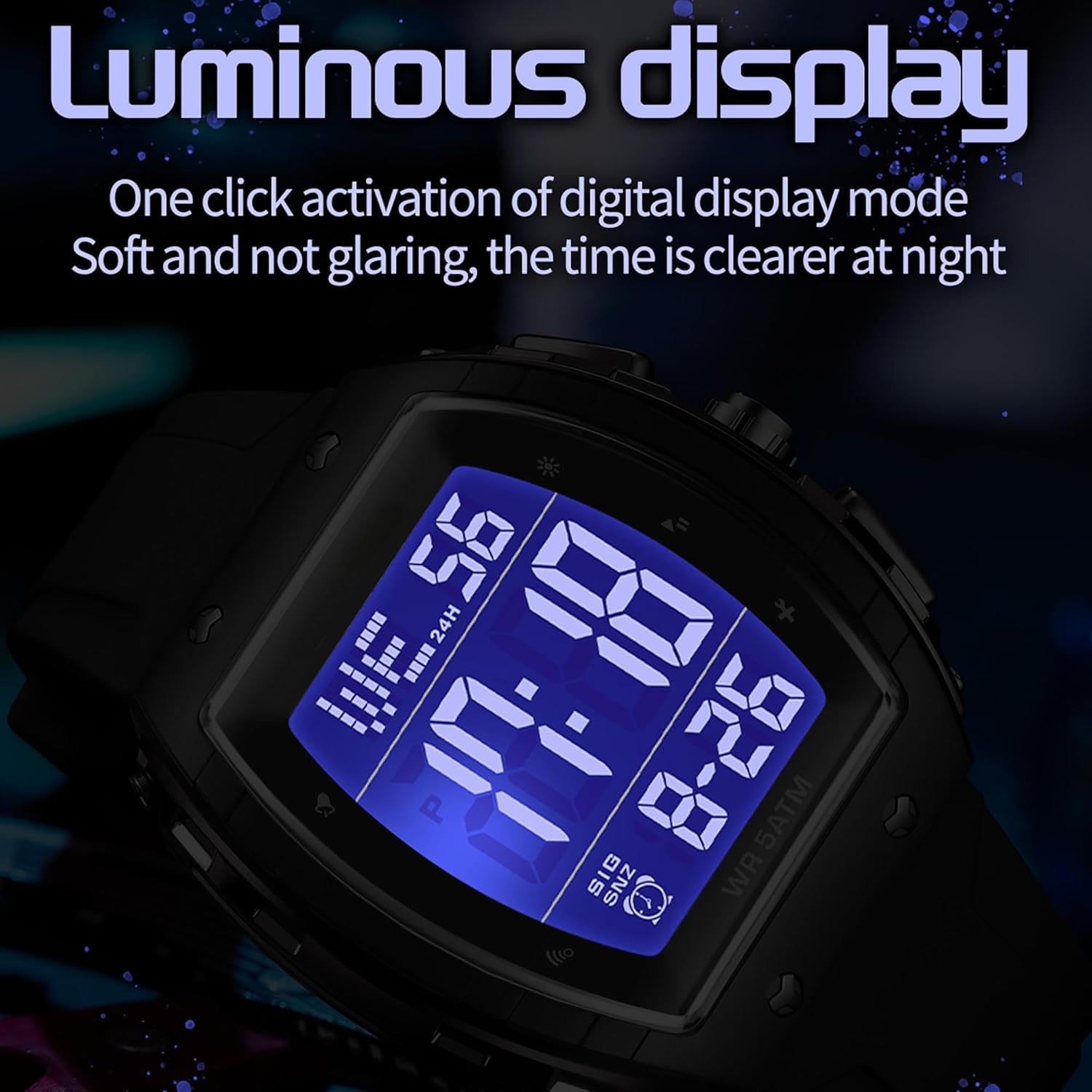
Image: Close-up of the watch's luminous display, showing clear visibility of time and date in low light conditions.

Image: Details highlighting the comfortable silicone strap, the large screen display powered by an imported battery, and the shockproof ABS material case.
Components and Controls
Familiarize yourself with the watch's buttons and display elements.
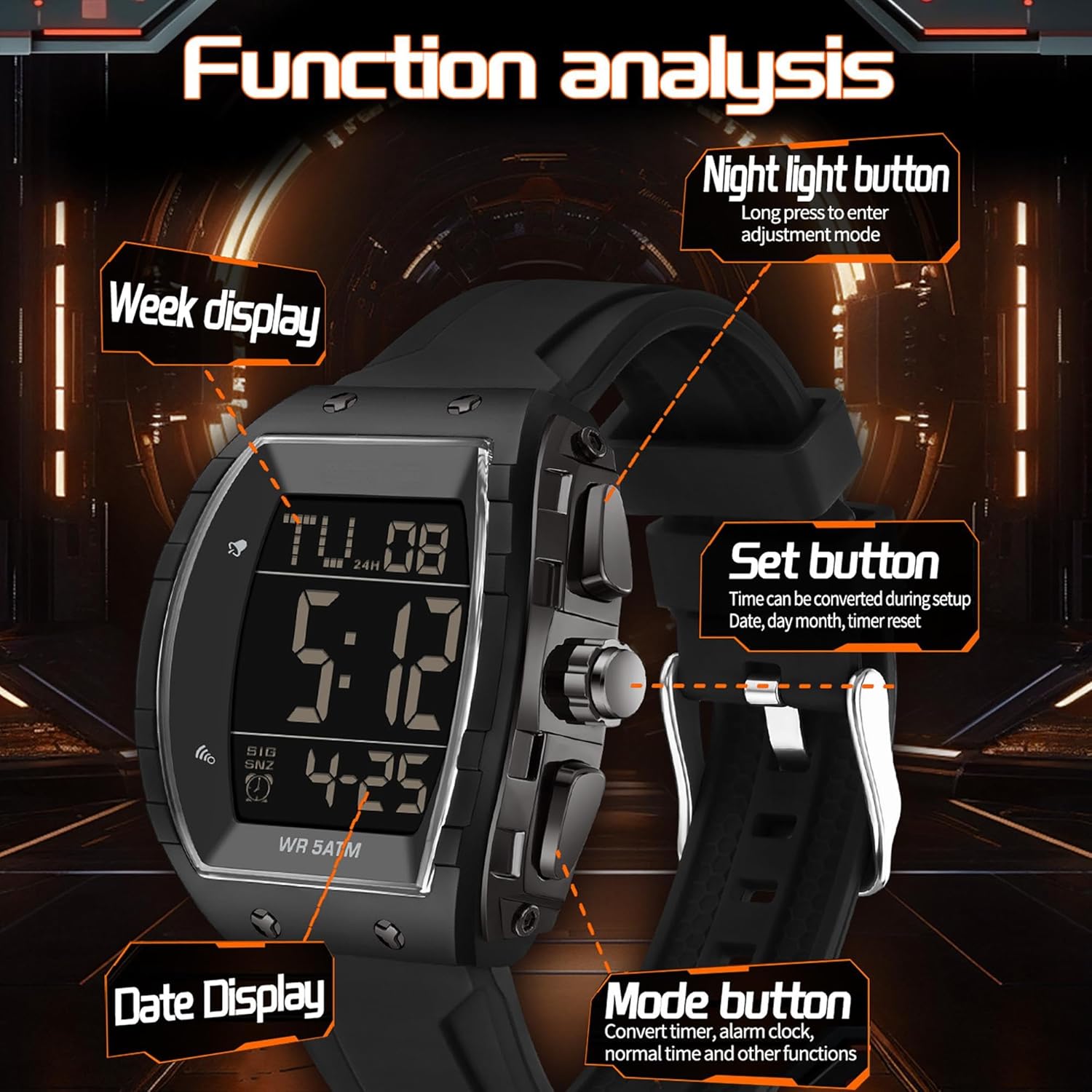
Image: Diagram illustrating the watch's buttons and their primary functions: Night light button, Set button, and Mode button. It also highlights the Week display and Date display areas on the screen.
- Night Light Button: Typically located on the top left. A long press may enter adjustment mode. A short press activates the LED backlight for 3 seconds.
- Mode Button: Usually on the bottom left. Press to cycle through different modes: Time, Alarm, Stopwatch, Countdown, Dual Time.
- Set Button: Often on the top right. Used to select items for adjustment during setup and to reset timers.
- Adjust/Start/Stop Button: Typically on the bottom right. Used to adjust values during setup, and to start/stop functions like the stopwatch or countdown.
Setup Instructions
Follow these steps to set the time, date, and other basic settings on your watch.
- Entering Time Setting Mode: In normal time display mode, press and hold the Mode Button for a few seconds until the seconds begin to flash. This indicates you are in setting mode.
- Selecting Items to Adjust: Press the Set Button repeatedly to cycle through the settings: Seconds → Hours → Minutes → Year → Month → Day → 12/24H Format.
- Adjusting Values: While an item is flashing, press the Adjust/Start/Stop Button to increase the value. For seconds, pressing this button will reset them to 00.
- Exiting Setting Mode: Once all desired adjustments are made, press the Mode Button again to exit the setting mode and return to normal time display.
Operating Instructions
Normal Time Mode
- To activate the backlight, press the Night Light Button. The light will stay on for 3 seconds.
- To switch between 12-hour and 24-hour formats, enter time setting mode and adjust the 12/24H setting.
Alarm Mode
- From normal time mode, press the Mode Button once to enter Alarm mode.
- Press and hold the Set Button until the alarm hour flashes.
- Press the Adjust/Start/Stop Button to set the hour.
- Press the Set Button to move to minutes, then use the Adjust/Start/Stop Button to set the minutes.
- Press the Set Button again to enable/disable the alarm (ON/OFF).
- Press the Mode Button to exit alarm setting.
- To turn the alarm ON/OFF without entering setting mode, press the Adjust/Start/Stop Button while in Alarm mode.
Stopwatch Mode
- From normal time mode, press the Mode Button twice to enter Stopwatch mode.
- Press the Adjust/Start/Stop Button to start the stopwatch.
- Press the Adjust/Start/Stop Button again to stop the stopwatch.
- To reset the stopwatch to zero, press the Set Button while the stopwatch is stopped.
Countdown Timer Mode
- From normal time mode, press the Mode Button three times to enter Countdown Timer mode.
- Press and hold the Set Button until the hours flash.
- Press the Adjust/Start/Stop Button to set the hours.
- Press the Set Button to move to minutes, then use the Adjust/Start/Stop Button to set the minutes.
- Press the Mode Button to exit countdown setting.
- To start the countdown, press the Adjust/Start/Stop Button. Press again to pause.
- To reset the countdown, press the Set Button while the countdown is paused.
Dual Time Mode
- From normal time mode, press the Mode Button four times to enter Dual Time mode.
- Press and hold the Set Button until the hours flash.
- Press the Adjust/Start/Stop Button to set the hour for the second time zone.
- Press the Set Button to move to minutes, then use the Adjust/Start/Stop Button to set the minutes.
- Press the Mode Button to exit dual time setting.
Water Resistance Guidelines
Your findtime BDHB watch is rated for 5 ATM (50 meters) water resistance. This means it is suitable for:
- Washing hands
- Getting wet in the rain
- Swimming in shallow water
Important Warnings:
- DO NOT press any buttons while the watch is underwater.
- DO NOT use for hot water bathing, showering, diving, or any water-related work involving high pressure or temperature changes.
- Exposure to steam or hot water can damage the watch's seals and compromise water resistance.

Image: Diagram illustrating the 5 ATM waterproof performance, showing suitability for swimming and hand washing, but not for cold baths (likely implying prolonged immersion or pressure changes) or pressing buttons underwater.
Maintenance
Proper care will help maintain the appearance and functionality of your watch.
- Cleaning: Wipe the watch case and strap with a soft, damp cloth. For silicone straps, mild soap and water can be used, then rinse thoroughly and dry.
- Avoid Chemicals: Do not expose the watch to strong chemicals, solvents, or detergents, as these can damage the case, strap, or seals.
- Temperature Extremes: Avoid exposing the watch to extreme temperatures (hot or cold) for prolonged periods, as this can affect battery life and internal components.
- Impact: While the watch features a shockproof case, avoid unnecessary impacts or drops to prevent damage.
- Battery Replacement: The watch uses 1 Lithium Metal battery. When the display dims or functions become erratic, it may be time for a battery replacement. It is recommended to have this done by a professional to ensure water resistance is maintained.
Troubleshooting
If you encounter issues with your watch, refer to the following common problems and solutions.
| Problem | Possible Cause | Solution |
|---|---|---|
| Display is blank or dim. | Low or dead battery. | Replace the battery. |
| Time is incorrect. | Time not set correctly or accidentally changed. | Refer to the "Setup Instructions" to reset the time. |
| Buttons are unresponsive. | Watch may be in a locked mode or internal issue. | Try removing and reinserting the battery (if comfortable doing so, otherwise seek professional help). Ensure no buttons are stuck. |
| Water inside the watch. | Water resistance compromised due to button presses underwater, hot water exposure, or seal damage. | Immediately stop using the watch and seek professional repair. Do not attempt to dry it yourself. |
Specifications
Detailed technical specifications for the findtime BDHB Digital Watch.
- Model Number: BDHB
- Case Material: ABS
- Watch Mirror: Acrylic
- Buckle & Bottom Cover: Stainless Steel
- Band Material: Silicone
- Movement: Electronic
- Dial Case Diameter: 50mm (1.96")
- Dial Case Thickness: 17mm (0.66")
- Band Width: 20mm-26mm (0.78"-1.02")
- Band Length: 265mm (10.43")
- Weight: 63g (2.22oz)
- Water Resistance: 5 ATM (50 meters)
- Battery: 1 Lithium Metal battery (included)

Image: Diagram showing the watch's dimensions, including case width, case height, case thickness, strap width, and total length, along with a list of material specifications.
Warranty and Support
For any questions or assistance regarding your findtime BDHB Digital Watch, please contact the seller or manufacturer.
While specific warranty details are not provided in this manual, the manufacturer is committed to offering solutions for any issues you may encounter. Please retain your proof of purchase for any warranty claims.