
1. Introduction
This manual provides detailed instructions for the setup, operation, and maintenance of your AUBOR MENTECH P2 Projector. Please read this manual thoroughly before using the product to ensure proper function and longevity.

Image: The AUBOR MENTECH P2 Projector, a compact black device with a bright lens, accompanied by its remote control. A vibrant projected image of a leopard is visible in the background, highlighting the projector's visual capabilities.
2. Package Contents
Verify that all items are present in the package:
- AUBOR MENTECH P2 Projector
- Remote Control
- AV Cable
- User Manual (this document)
- HDMI Cable
3. Setup Guide
3.1 Physical Placement
The P2 Projector features a 180° rotatable lens and an adjustable stand, allowing for flexible projection angles on walls or ceilings. Position the projector on a stable, flat surface.
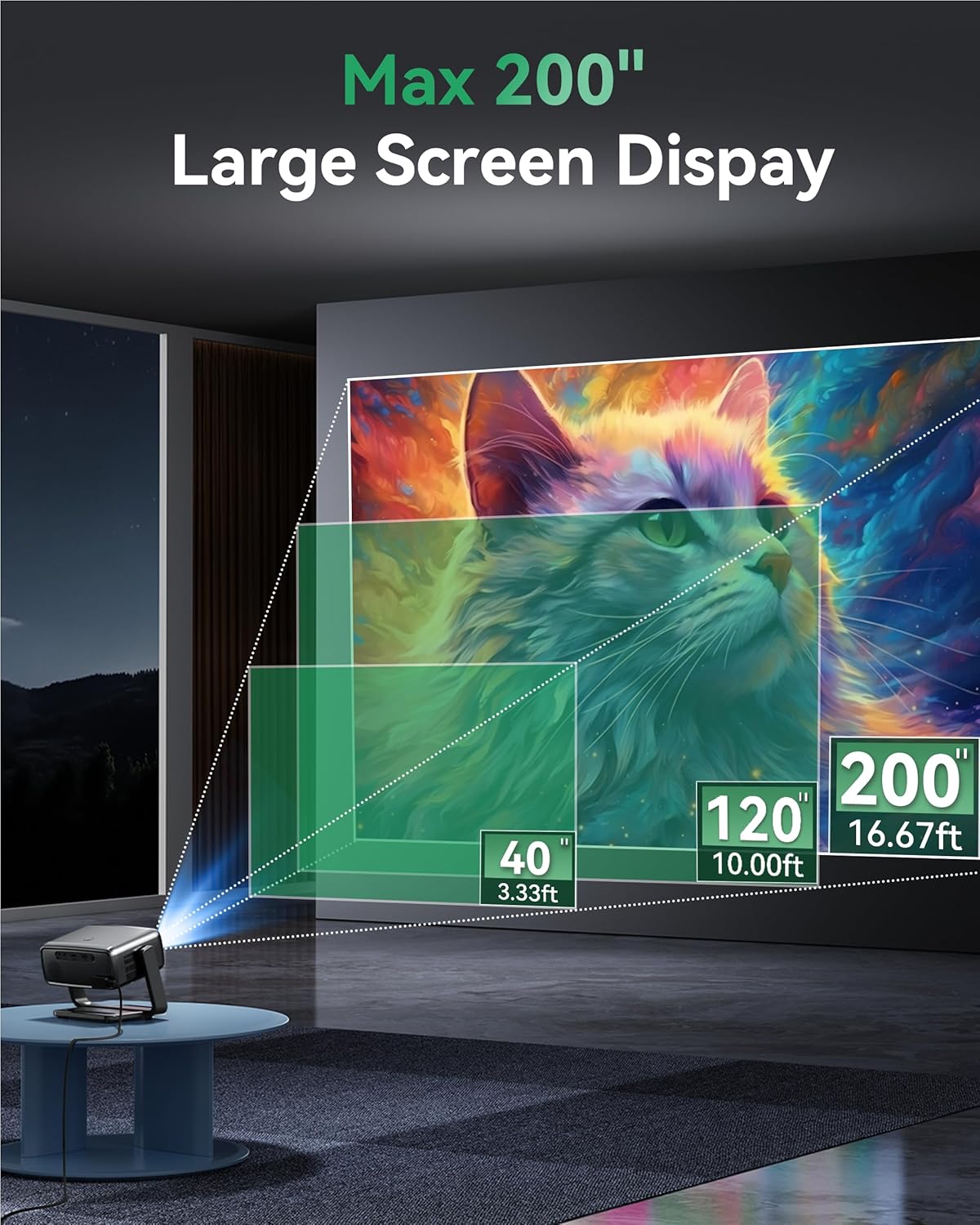
Image: A man is shown comfortably watching a projected image on the ceiling from the AUBOR MENTECH P2 Projector, demonstrating its 180° rotation capability for flexible viewing positions.
The projector supports screen sizes ranging from 40 to 200 inches. Adjust the distance from the projection surface to achieve your desired screen size.
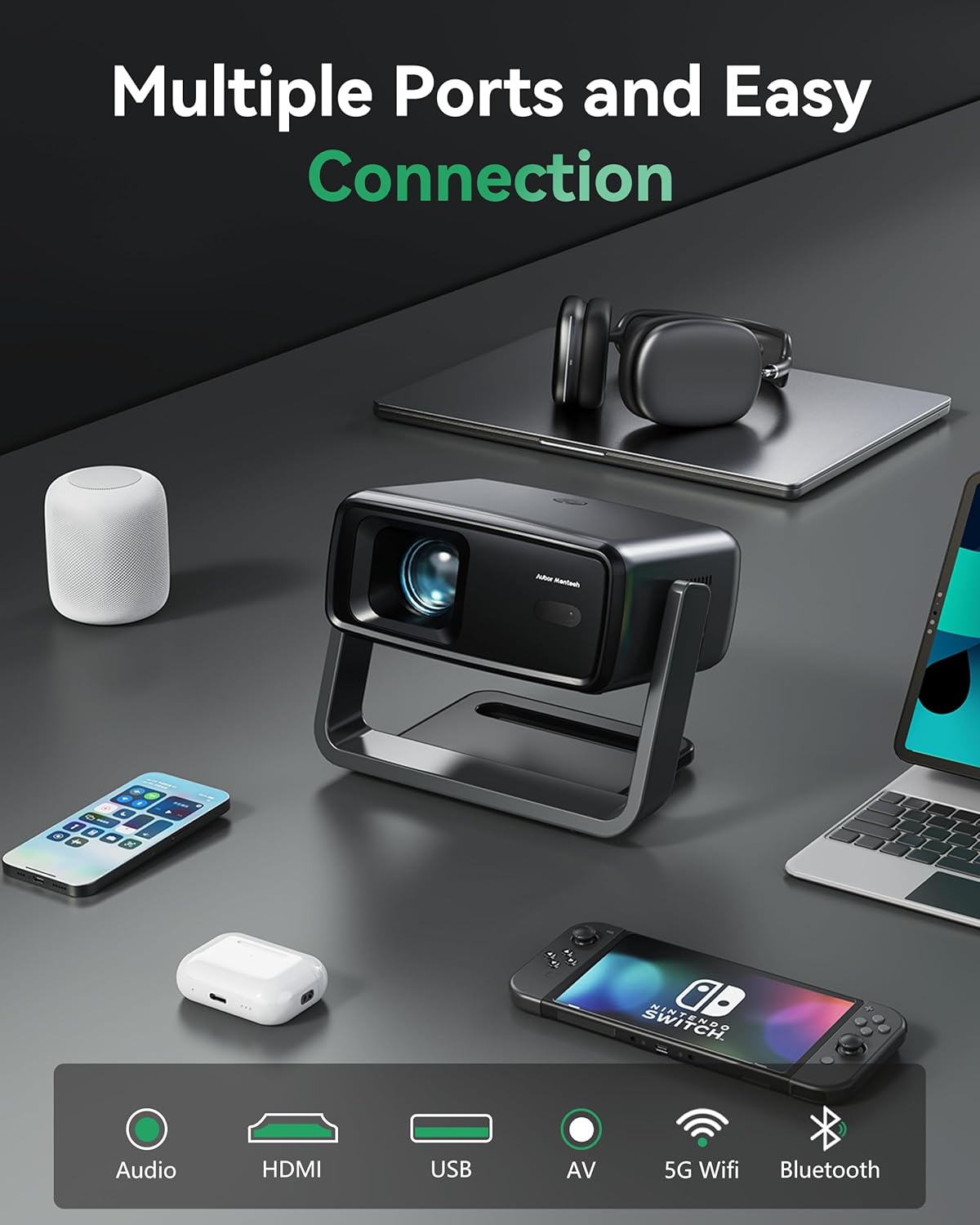
Image: A visual representation illustrating the projector's ability to create screen sizes from 40 inches (3.33 feet distance) up to 200 inches (16.67 feet distance), with a 120-inch screen at 10.00 feet as an intermediate example.
3.2 Power Connection
Connect the power adapter to the projector's power input port and then plug it into a standard electrical outlet.
3.3 Initial Power On and Image Adjustment
Press the power button on the projector or the remote control to turn on the device. The projector features electric focus and auto 4-point/4-side keystone correction for immediate image clarity and alignment.

Image: A graphic demonstrating the projector's automatic keystone correction, 4-point and 4-side correction, 50-100% zoom, and electric focus capabilities, ensuring a perfectly aligned and sharp image.
The projector will automatically adjust the image for optimal clarity and shape. Manual adjustments for zoom (50%-100%) can be made via the settings menu if needed.
4. Operating Instructions
4.1 Smart TV OS and Streaming Apps
The P2 Projector comes with a built-in Linux system and officially licensed streaming applications, including Netflix, Prime Video, and YouTube. Access these apps directly from the home screen without external devices.

Image: The projector's smart interface displaying icons for pre-installed applications such as Netflix, YouTube, and Prime Video, indicating direct access to streaming content.
4.2 Connectivity Options
The projector offers various connectivity methods:
- Wi-Fi: Supports Dual-Band WiFi 6 (2.4G/5G) for fast and stable wireless streaming.
- Bluetooth: Bluetooth 5.2 allows pairing with external Bluetooth speakers, headphones, or soundbars for enhanced audio.
- HDMI: Connect laptops, gaming consoles, TV sticks, and other HDMI-enabled devices.
- USB: Play media directly from USB drives.
- AV: Connect older devices using the AV cable.
- Screen Mirroring: Mirror content from smartphones and computers wirelessly.

Image: The AUBOR MENTECH P2 Projector positioned on a desk, illustrating its multiple connectivity options by showing it connected to headphones, a laptop, a smartphone, and a portable gaming console.
4.3 Audio Output
The projector is equipped with dual 20W speakers and Dolby-certified clarity for integrated sound. For a more immersive experience, connect external audio devices via Bluetooth or the 3.5mm audio jack.

Image: A visual representation of the projector's immersive audio capabilities, with sound waves filling a living room, emphasizing the depth and power of its dual 20W speakers and Dolby Audio support.
5. Maintenance
5.1 Cleaning
To maintain optimal performance, regularly clean the projector's lens and vents. Use a soft, lint-free cloth for the lens. For the vents, use a soft brush or compressed air to remove dust. Ensure the projector is powered off and unplugged before cleaning.
5.2 Storage
When not in use for extended periods, store the projector in a cool, dry place, away from direct sunlight and extreme temperatures. Use the original packaging or a protective case to prevent dust accumulation and physical damage.
5.3 LED Light Source Lifespan
The projector's LED light source is designed for long-lasting performance, offering up to 50,000 hours of reliable use. No lamp replacement is typically required during the product's lifespan under normal usage conditions.
6. Troubleshooting
| Problem | Possible Cause | Solution |
|---|---|---|
| No image or blurry image | Incorrect focus, keystone not adjusted, wrong input source. | Ensure the projector is powered on. Use the electric focus feature. Allow auto keystone correction to complete or adjust manually. Verify the correct input source (HDMI, USB, etc.) is selected. |
| No sound | Volume too low, external audio device not connected, incorrect audio output selected. | Increase the volume. Check Bluetooth connection to external speakers or ensure HDMI/AV cables are securely connected. Select the appropriate audio output in settings. |
| Cannot connect to Wi-Fi/Bluetooth | Incorrect password, device out of range, network issue. | Double-check Wi-Fi password. Ensure Bluetooth device is in pairing mode and within range. Restart the projector and router. |
| Projector turns off automatically | Overheating, system error. | Ensure vents are not blocked and there is adequate ventilation. If a system error message appears, restart the projector. If the issue persists, contact customer support. |

Image: A visual comparison highlighting potential system errors (left) versus the smooth, intuitive interface of the AUBOR MENTECH P2 Projector with its genuine streaming applications (right).
7. Specifications
| Feature | Detail |
|---|---|
| Brand | AUBOR MENTECH |
| Model | P2 Projector |
| Native Resolution | 1920 x 1080 (Native 1080P) |
| 4K Decoding Support | Yes |
| Brightness | 1200 ANSI Lumens |
| HDR Support | HDR10 |
| Operating System | Built-in Linux system with licensed streaming apps (Netflix, Prime Video, YouTube) |
| Connectivity | Dual-Band Wi-Fi 6 (2.4G/5G), Bluetooth 5.2, HDMI, USB, 3.5mm Jack |
| Speaker Output | Dual 20W speakers, Dolby-certified |
| Projection Size | 40-200 inches |
| Rotation Angle | 180° flexible angle |
| Focus | Electric Focus |
| Keystone Correction | Auto 4-point and 4-side (4P/4D) |
| Zoom Function | 50%-100% |
| Light Source Lifespan | Up to 50,000 hours |
| Dimensions | 5.51 x 5.16 x 7.68 inches |
| Weight | 1.76 lbs (12.8 ounces) |

Image: A feature comparison table highlighting the AUBOR MENTECH P2 Projector's superior specifications, including officially licensed Netflix, auto keystone, 4K decoding support, 1200 ANSI lumens, HDR10, Native 1080P resolution, and BT 5.2/WiFi 6 connectivity.
8. Warranty and Support
AUBOR MENTECH is committed to providing excellent customer service and support for your P2 Projector.
- Customer Support: 24-hour customer support is available for inquiries and assistance.
- Return Policy: Enjoy a 30-day unconditional return period.
- Return Guarantee: A 2+1 year return guarantee is provided.
- Technical Support: Lifetime technical support is available for the product.
Additionally, protection plans are available for extended coverage:
- 2-Year Protection Plan: Available for purchase.
- 3-Year Protection Plan: Available for purchase.
- Complete Protect: A monthly plan covering eligible past and future purchases.


