
Introduction
This manual provides detailed instructions for the operation and maintenance of your Sedzofan Kids Smart Watch Model Y16B. Please read this manual thoroughly to ensure proper usage and to maximize the watch's features.

Image: The Sedzofan Kids Smart Watch Y16B in green, displaying the time and a vibrant watch face.
What's in the Box
- 1 x Smart Watch for Kids (SD Card Installed)
- 1 x USB Cable
- 1 x User Manual
- 2 x Screen Protectors
Product Overview
The Sedzofan Kids Smart Watch Y16B is designed with multiple features to engage and educate children. It includes dual cameras, 32 puzzle games, habit tracking, a music player, video recording, and an alarm clock, all accessible via an HD touchscreen.

Image: An overview of the multi-functional interface of the Kids Smart Watch, displaying various application icons.
Key Features:
- Durability and Water Resistance: Equipped with screen protectors and designed for water resistance, suitable for daily activities like hand washing or playing in the rain.
- 32 Puzzle Games: A selection of games designed to develop brain and logic skills, featuring parental control options to manage play time.
- Educational Tools: Includes habit tracking, audiobook stories, learn cards, and landmark exploration to foster good habits and learning.
- Dual Camera & Video: Built-in HD dual cameras for capturing photos and videos, with storage for over 15,000 HD photos.
- Longer Lasting Battery: Rechargeable battery provides 7-14 days of standby time.
- Additional Functions: Music player, recorder, calculator, calendar, flashlight, pedometer, and various time tools.

Image: A detailed diagram illustrating the physical features and functions of the Kids Smart Watch, including camera, magnetic charging, and buttons.
Setup
1. Charging the Watch
Before first use, fully charge the watch. Connect the provided USB cable to the magnetic charging port on the watch and to a compatible USB power source. The watch will indicate when it is charging and when it is fully charged.
2. Powering On/Off
To power on the watch, press and hold the Power Button located on the side until the screen illuminates. To power off, press and hold the Power Button until the power-off option appears on the screen, then confirm.
3. Applying Screen Protectors
Two screen protectors are included to safeguard the watch display. Carefully clean the screen, align the protector, and apply it smoothly to avoid bubbles.
4. Lanyard Attachment (Optional)
The watch can be worn on the wrist or with the included lanyard. If using the lanyard, detach the watch from its wristband and attach the lanyard to the designated loops on the watch body.
Operating Instructions
1. Navigation
The watch features an HD touchscreen for navigation. Swipe left or right to browse through applications and watch faces. Tap an icon to open an application. Use the physical Home Button (if present) or on-screen back arrows to return to previous screens or the main watch face.
2. Changing Watch Faces
From the main time display, swipe up or down to cycle through various pre-installed watch faces. Tap to select your preferred design.
3. Using the Camera
Access the 'Camera' application from the main menu. The watch has dual cameras. Tap the screen to switch between front and side cameras. Tap the shutter icon to take a photo or start/stop video recording. Photos and videos are saved to the internal storage.
4. Music Player
The 'Music' application allows playback of audio files. Music files can be transferred to the watch's internal storage via the USB cable when connected to a computer. Supported audio formats may vary.
5. Games
The 'Games' application contains 32 puzzle games. Parents can access settings within this application to control play time or disable specific games.
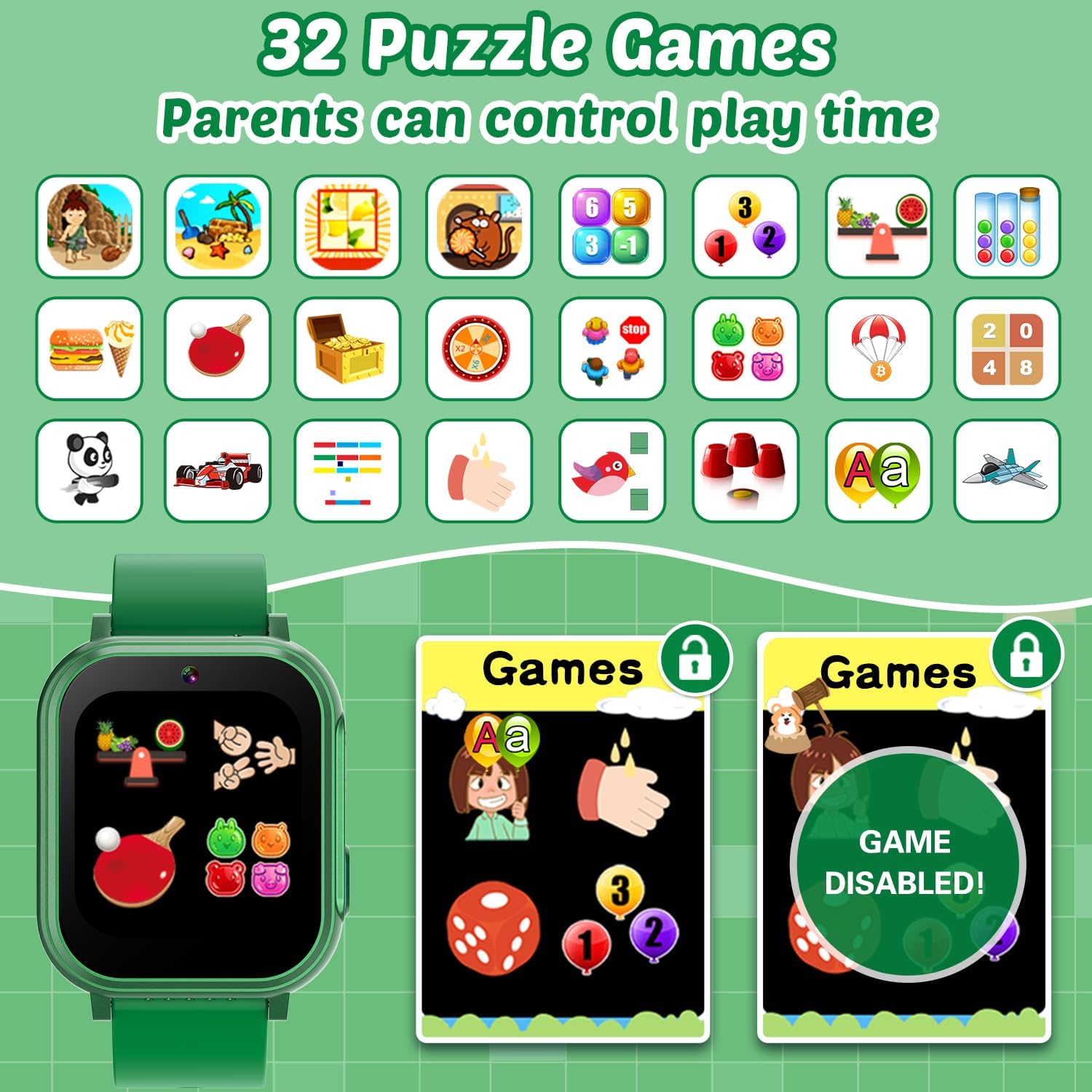
Image: The watch screen showing a selection of 32 puzzle games, with an overlay indicating parental control options.
6. Habit Tracking
The 'Habit Tracking' feature allows setting reminders for daily routines such as 'Get Up', 'Brush Your Teeth', 'Breakfast', 'Go to School', and more. Customize these reminders to help children develop good habits.

Image: The watch interface demonstrating the habit tracking function, with visual cues for different daily tasks.
7. Educational Features
Explore 'Learn Cards' for vocabulary and image association, 'Audiobook' for stories, and 'Buildings' or 'Landmark' features to learn about the world. These tools are designed to encourage exploration and learning.
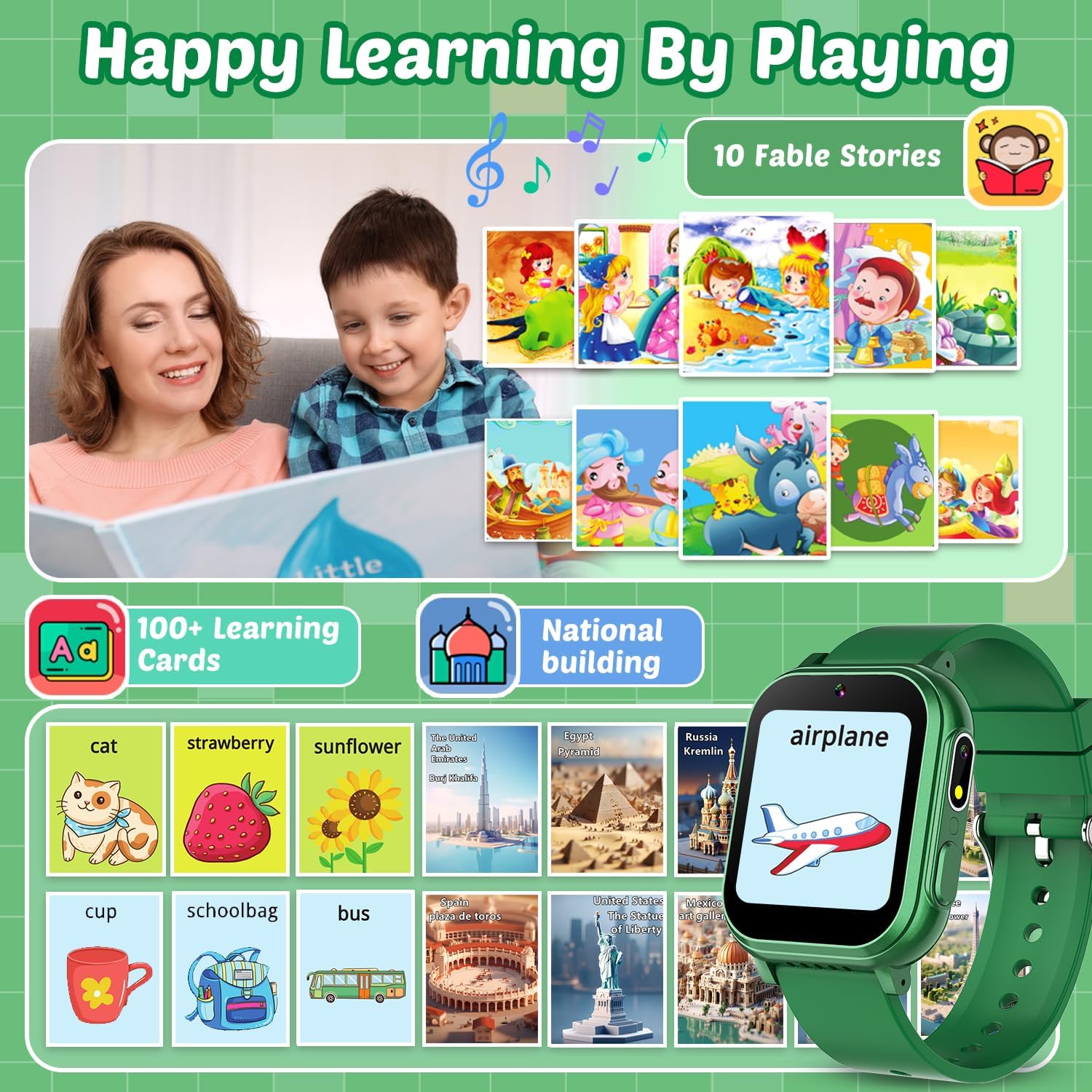
Image: The watch screen showcasing educational features like fable stories, learning cards, and national buildings, promoting interactive learning.
8. Flashlight
Activate the 'Torch' application to use the built-in flashlight feature.
9. Pedometer
The 'Pedometer' tracks steps taken, encouraging physical activity.
10. Other Tools
Utilize the 'Calculator' for basic arithmetic, 'Calendar' for date viewing, and 'Recorder' for voice memos. 'Time Tools' may include stopwatch, timer, and alarm functions.
Maintenance
1. Cleaning
Wipe the watch screen and body with a soft, dry cloth. For stubborn smudges, a slightly damp cloth can be used, ensuring no moisture enters the ports.
2. Water Resistance
The watch is water-resistant (IP67 rated), meaning it can withstand splashes, rain, and brief immersion. It is not recommended for prolonged swimming, showering, or diving. Ensure the charging port cover (if applicable) is securely closed to maintain water resistance.
3. Battery Care
To prolong battery life, avoid extreme temperatures. Charge the watch regularly, but do not leave it fully discharged for extended periods. Use only the provided USB charging cable.
Troubleshooting
- Watch does not turn on: Ensure the watch is fully charged. Press and hold the Power Button for several seconds.
- Screen is unresponsive: Try restarting the watch by holding the Power Button. If unresponsive, allow the battery to fully drain and then recharge.
- Charging issues: Verify the USB cable is securely connected to both the watch and the power source. Ensure the charging contacts are clean.
- Incorrect time/date: Access the 'Settings' menu to manually adjust the time and date.
- Storage full: Delete unnecessary photos, videos, or music files to free up space.
Specifications
| Feature | Detail |
|---|---|
| Product Dimensions | 9.5 x 1.1 x 0.7 inches |
| Item Weight | 3.52 ounces |
| Model Number | Y16B |
| Batteries | 1 Nonstandard Battery (included) |
| OS | No dedicated OS |
| Connectivity Technologies | USB |
| GPS | No GPS |
| Special Features | Alarm Clock, Flashlight, Pedometer, Games, Dual Camera, Music Player, Video Player, Habit Tracking, Learn Cards |
| Display Features | Wireless |
| Human Interface Input | Touch Pad |
| Scanner Resolution | 240 x 240 |
| Battery Power Rating | 1 Watt Hours |
| Battery Capacity | 600 Milliamp Hours |
| Wireless Communication Standard | 900 MHz Radio Frequency |
| Screen Size | 1.5 Inches |
Warranty and Support
For warranty information and customer support, please refer to the contact details provided on the product packaging or the official Sedzofan website. Keep your purchase receipt as proof of purchase.