1. Introduction
This manual provides essential instructions for the safe operation, setup, and maintenance of your TTROARDS TT36 GPS Drone. Please read this manual thoroughly before operating the drone to ensure proper function and to avoid damage or injury. Keep this manual for future reference.
2. Safety Guidelines
Always prioritize safety during drone operation. Failure to follow these guidelines may result in injury, damage to the drone, or property damage.
- Flight Environment: Operate the drone in open, clear areas, away from people, animals, buildings, and obstacles. Avoid flying near airports, restricted airspace, or crowded events.
- Weather Conditions: Do not fly in strong winds (the drone has Level 4 wind resistance, but extreme conditions should be avoided), rain, snow, or fog. Optimal flight conditions are calm and clear.
- Battery Safety: Use only the original battery and charger. Do not overcharge or puncture batteries. Discontinue use if batteries are damaged or swollen.
- Pre-Flight Check: Before each flight, ensure all propellers are securely attached, the battery is fully charged, and the drone is calibrated correctly.
- Maintain Visual Line of Sight: Always keep the drone within your visual line of sight during flight.
- Respect Privacy: Be mindful of privacy laws and personal space when using the camera.
3. Package Contents
Verify that all items are present in your package:
- TTROARDS TT36 GPS Drone
- Remote Controller
- Lithium-polymer Battery (1 included)
- USB Charging Cable
- Spare Propellers
- Screwdriver
- User Manual
4. Product Overview
The TTROARDS TT36 is a GPS-enabled drone designed for adults, featuring a 4K camera, 5G WiFi real-time transmission, and intelligent flight modes. Its brushless motors provide enhanced durability and performance.
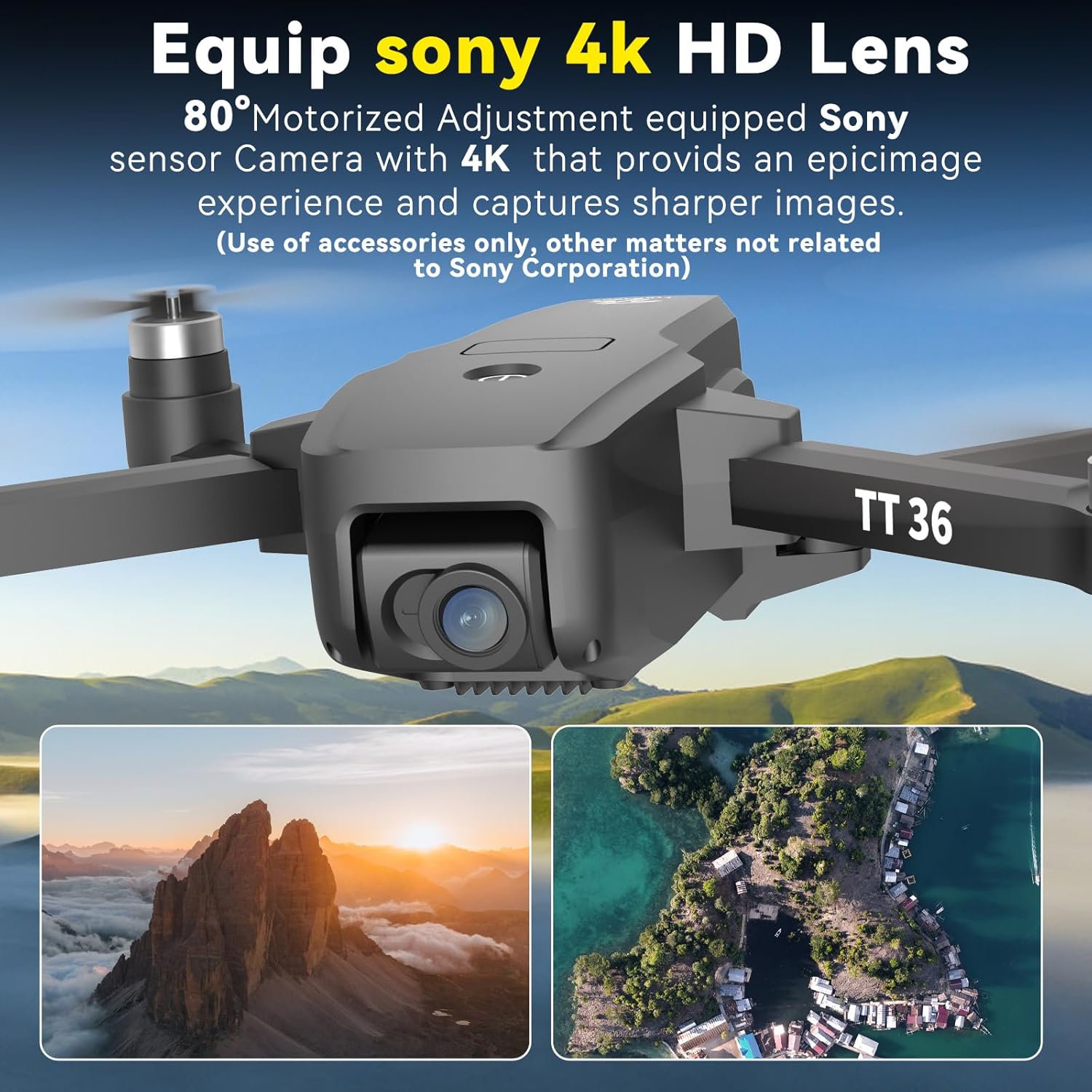
Figure 4.1: The TTROARDS TT36 drone equipped with a 4K HD camera lens, offering an 80° motorized adjustment for capturing high-quality images and 2K videos.

Figure 4.2: The TTROARDS TT36 drone in both folded (15x5x5.3 cm) and unfolded (22.5x19x5 cm) states, alongside its remote controller (14x7x5.5 cm), highlighting its lightweight and portable design (under 249g).
5. Setup
5.1 Battery Charging and Installation
- Connect the drone battery to the provided USB charging cable.
- Plug the USB cable into a 5V/2A USB adapter (not included).
- Allow the battery to fully charge before first use. Charging time may vary.
- Once charged, insert the battery securely into the drone's battery compartment.
5.2 Remote Controller Setup
- Install 3x AAA batteries (not included) into the remote controller.
- Ensure the remote controller is powered off before attempting to pair.
5.3 Drone Preparation
- Unfold the drone arms carefully until they click into place.
- Ensure propellers are free from obstructions and securely attached.
- Place the drone on a flat, level surface for initial power-on and calibration.
6. Operating Instructions
6.1 Power On and Pairing
- Press and hold the power button on the drone until the indicator lights turn on.
- Turn on the remote controller. The remote will automatically attempt to pair with the drone.
- Once paired, the drone's indicator lights will become solid.
6.2 GPS Mode and Intelligent Return
The TT36 drone features a GPS positioning system that records its takeoff point. This enables intelligent return functions, enhancing flight safety.
- GPS Positioning: The drone uses GPS to maintain stable flight and record its home point. Ensure a strong GPS signal before takeoff.
- Intelligent Return: The drone can return to its takeoff point automatically under specific conditions:
- Low Battery Return: When the battery level is critically low.
- Loss of Signal Return: If the connection between the drone and remote controller is lost.
- One-Touch Return: Initiated manually via the remote controller.

Figure 6.1: The drone operating in GPS mode, indicating its ability to perform intelligent returns based on low battery, signal loss, or a one-touch command.
6.3 Advanced Flight Functions
The TT36 offers multiple intelligent flight modes for enhanced user experience and creative photography.
- Follow Me: The drone autonomously follows the user, capturing dynamic aerial footage.
- Waypoint Fly: Tap points on the map in the app, and the drone will fly along the designated path.
- Point of Interest: Select a central object or location, and the drone will orbit around it, providing panoramic views.

Figure 6.2: Visual representation of the drone's 'Follow Me' function tracking a cyclist and 'Waypoint Flight' navigating a predefined route over a city.
6.4 Camera Operation and 5G WiFi Transmission
The integrated 4K camera captures high-resolution photos and 2K videos, transmitted in real-time via 5G WiFi.
- 4K Camera: Capture stunning 4K HD images and 2K videos with a 120° wide-angle lens and remote angle adjustment.
- 5G WiFi Transmission: Enjoy stable and smooth real-time image transmission to your connected device for live viewing.
- SD Card Support: The drone supports an SD card for direct storage of 4K image quality and lens colors.

Figure 6.3: The TTROARDS TT36 drone featuring an SD card slot for storing high-quality 4K images and videos directly.
6.5 Flight Control Features
Designed for ease of use, the TT36 includes features suitable for beginners and experienced pilots.
- Optical Flow Sensor: Detects ground objects to enable stable fixed-height flight.
- One-Touch Takeoff/Landing: Simplifies flight initiation and conclusion.
- Headless Mode: Eliminates the need to adjust the drone's position before flight, making it easier to control.
- 3 Speed Modes: Adjust flight speed to match your skill level or environmental conditions.
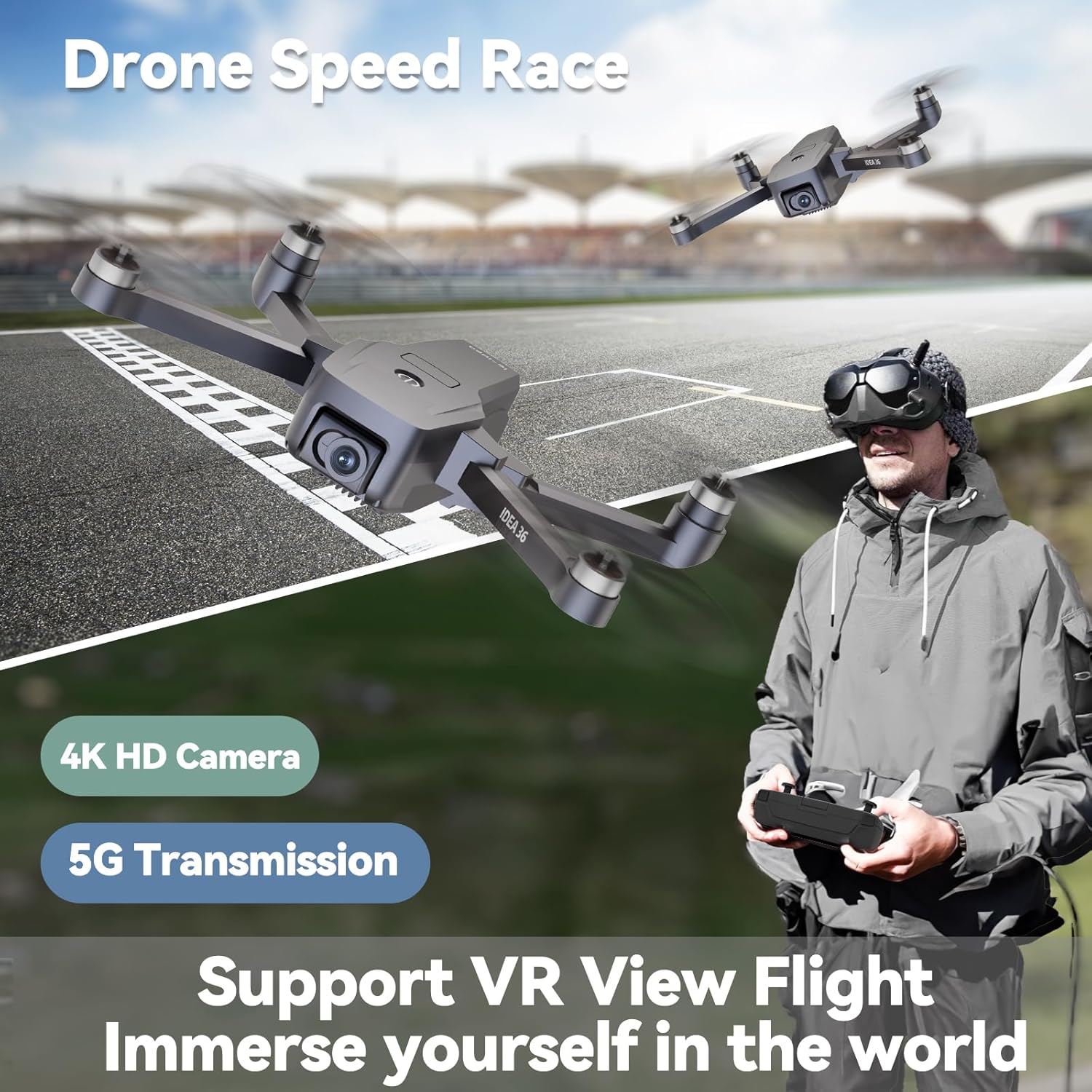
Figure 6.4: The TTROARDS TT36 drone in a dynamic flight scenario, highlighting its 4K HD camera, 5G transmission, and support for VR view flight for an immersive experience.
7. Maintenance
Regular maintenance ensures the longevity and optimal performance of your drone.
- Cleaning: Use a soft, dry cloth to clean the drone body and camera lens. Avoid using liquids or solvents.
- Propeller Inspection: Regularly check propellers for damage, cracks, or bends. Replace any damaged propellers immediately using the provided screwdriver.
- Battery Care: Store batteries in a cool, dry place. Do not store fully charged or completely depleted batteries for extended periods. Charge them to about 50-60% for long-term storage.
- Storage: When not in use, fold the drone arms and store it in its original packaging or a protective case to prevent damage.
8. Troubleshooting
If you encounter issues with your TTROARDS TT36 drone, refer to the following common problems and solutions:
| Problem | Possible Cause | Solution |
|---|---|---|
| Drone does not power on | Battery not charged or incorrectly installed | Ensure battery is fully charged and correctly inserted. |
| Remote controller does not connect to drone | Incorrect pairing procedure or low remote battery | Follow pairing instructions. Replace remote controller batteries. |
| Drone drifts during flight | Improper calibration or strong wind interference | Perform gyroscope and compass calibration. Avoid flying in strong winds. |
| Poor image/video quality or no real-time transmission | Weak WiFi signal, app issue, or SD card problem | Ensure strong 5G WiFi connection. Restart app. Check SD card for proper insertion and format. |
| GPS signal not acquired | Flying indoors or in an area with signal obstruction | Move to an open outdoor area with clear sky view. Wait for GPS lock. |
9. Specifications
Key technical specifications for the TTROARDS TT36 GPS Drone:
- Model Name: TT36
- Brand: TTROARDS
- Weight: 430 g
- Dimensions (Unfolded): 26 x 20 x 9 cm
- Dimensions (Folded): 15 x 5 x 5.3 cm
- Battery: 1 Lithium-polymer (included)
- Camera Resolution: 4K (Video Recording), 8 Megapixels (Still Image)
- Connectivity Technology: Wi-Fi (5G)
- Special Features: 4K Camera, GPS Smart Return, Follow Me, Brushless Motors, Optical Flow Sensor
- Wind Resistance: Level 4
- Control Method: Remote Control
- Skill Level: All
- Color: Black
- Country of Origin: China
10. Warranty and Support
For warranty information, technical support, or any inquiries regarding your TTROARDS TT36 drone, please contact our customer service team.

Figure 10.1: Our dedicated customer support team is available to assist you with any product-related questions or issues.
Email Support: TTROAR_support@163.com
Please include your model number (TT36) and a detailed description of your issue for prompt assistance.
