
1. Important Safety Instructions
Please read all instructions carefully before using your PHILODECO Inverter Window Air Conditioner. Keep this manual for future reference.
- Always ensure the unit is properly grounded.
- Do not operate the unit with a damaged power cord or plug.
- Do not insert fingers or objects into the air inlet/outlet.
- Keep flammable materials away from the unit.
- Unplug the unit before cleaning or performing any maintenance.
- This appliance is not intended for use by persons (including children) with reduced physical, sensory or mental capabilities, or lack of experience and knowledge, unless they have been given supervision or instruction concerning use of the appliance by a person responsible for their safety.
2. Product Overview
The PHILODECO 12000 BTU Inverter Window Air Conditioner is designed to provide efficient and quiet cooling for spaces up to 520 square feet. It features advanced variable-frequency technology and an Energy Star certification for reduced energy consumption.
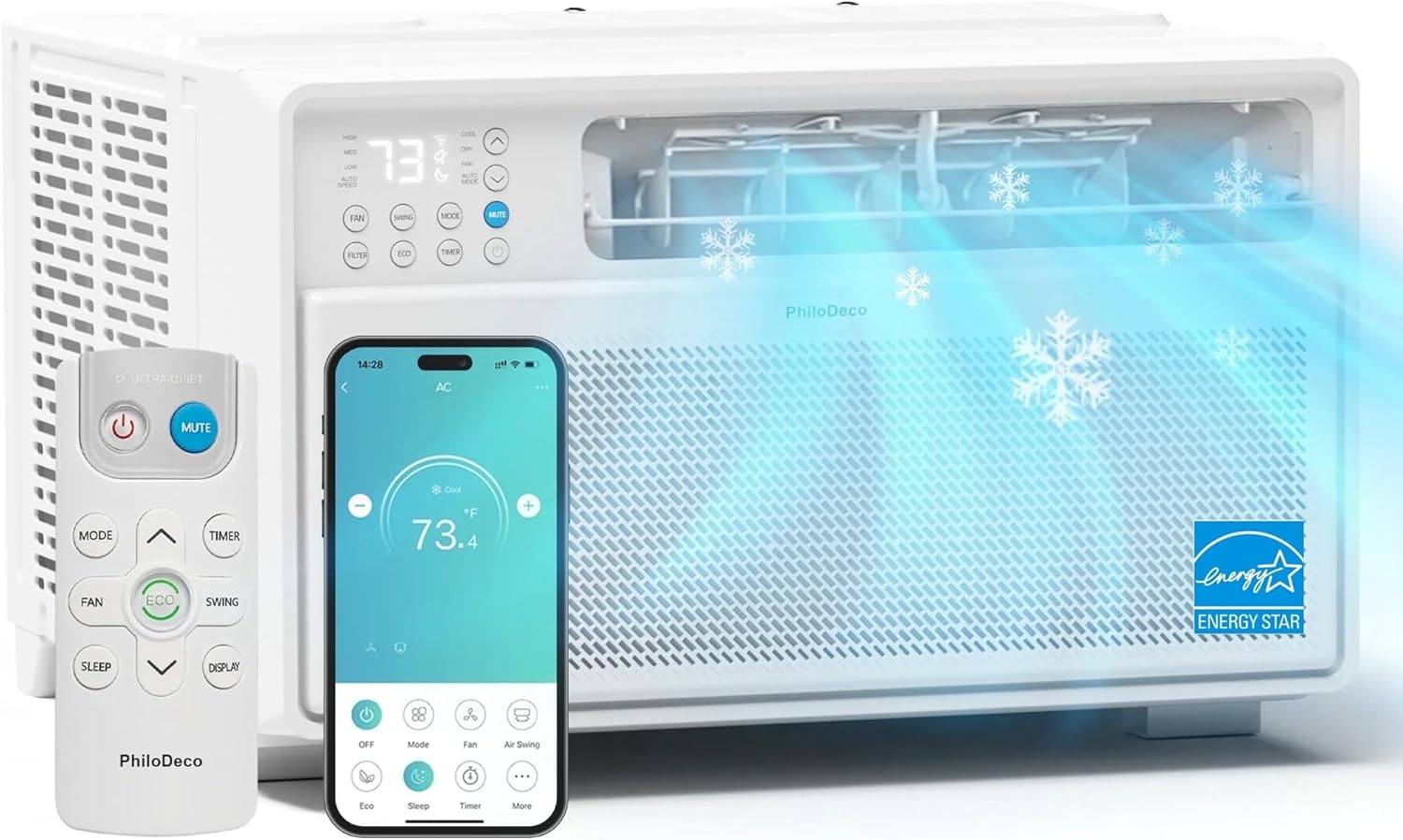
Figure 2.1: PHILODECO 12000 BTU Inverter Window Air Conditioner with remote and smartphone app interface.
Key Features:
- Enhanced Cooling Performance: 12,000 BTU capacity for rapid cooling of up to 520 sq ft.
- Energy Efficiency: Energy Star certified with a 15.0 CEER rating and R32 refrigerant, reducing energy bills by up to 35%.
- Quiet Operation: Inverter motor operates at a low 42dB in sleep mode.
- Multiple Modes: Turbo Cool, ECO, Dehumidify, Fan, and Sleep modes.
- Smart Control: Control via Smartlife Smart Home app, remote control, or on-unit LED display.
- Easy Maintenance: Features a slide-out, washable filter.
- Simple Installation: Innovative T-shaped design for quick DIY setup.
Product Accessories:
The following components are included with your air conditioner:

Figure 2.2: Included Product Accessories.
- Remote Control
- Remote Control Batteries
- Security Bracket
- Long Foam Seal (Adhesive)
- Long Foam Seal (Non-Adhesive)
- Long Lock Frame (back-up use)
- Short Lock Frame (back-up use)
- 3/4" Screws (x4)
- 1/2" Screws (x3)
- Plasticene
3. Installation
The PHILODECO Inverter Window Air Conditioner is designed for straightforward DIY installation in standard double-hung windows. No professional help or extra tools are typically required.
Window Requirements:
This air conditioner is designed for standard windows with a width between 24 inches and 36 inches. The lower sash (the lower part of the window that moves up and down) must allow for a minimum opening height of 16 inches.

Figure 3.1: Product Dimensions and Window Compatibility.
Installation Steps:
- Prepare the Window: Open your double-hung window to the required height.
- Place the Unit: Carefully lift the air conditioner and place it inside the open window, ensuring it is centered and stable.
- Secure Side Brackets: Use the included screws to secure the side brackets to the window frame, holding the unit in place.
- Extend Side Panels: Extend the accordion side panels to fill the gaps between the unit and the window frame, then secure them.
- Seal Gaps: Use the provided foam seals and plasticene to seal any remaining gaps around the unit and panels to prevent air leakage.
- Install Security Bracket: Attach the security bracket to the top of the lower window sash and the window frame to prevent the window from being opened from the outside.

Figure 3.2: Step-by-Step Installation Guide.
4. Operation
Your PHILODECO air conditioner offers multiple operating modes and convenient control options to customize your comfort.
Operating Modes:
- Turbo Cool: Provides maximum cooling power for rapid temperature reduction.
- ECO Mode: Optimizes energy consumption by automatically adjusting cooling output to maintain desired temperature, maximizing savings.
- Dehumidify Mode: Reduces humidity in the air, ideal for muggy conditions.
- Fan Mode: Circulates air without cooling, offering gentle ventilation.
- Sleep Mode: Operates at a whisper-quiet 42dB, gradually adjusts temperature for comfortable sleep, and turns off LED display.
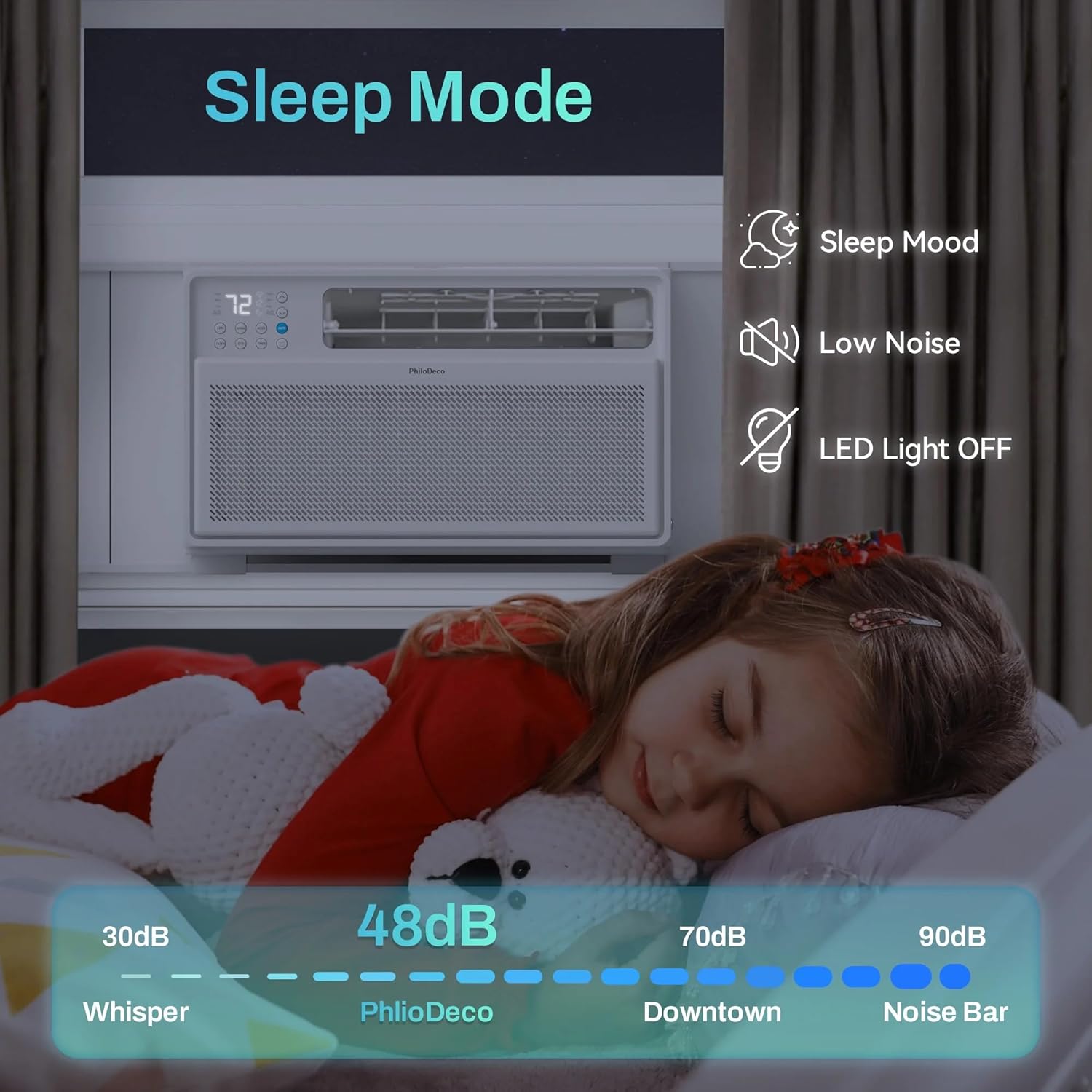
Figure 4.1: Sleep Mode Benefits and Noise Levels.
Control Methods:
You can control your air conditioner using three convenient methods:

Figure 4.2: Multiple Control Methods.
- Smartlife Smart Home App (WiFi Enabled):
Download the Smartlife Smart Home app on your smartphone. Follow the in-app instructions to connect your air conditioner to your home WiFi network. This allows you to control the unit remotely, pre-cool your home, and adjust settings from anywhere.

Figure 4.3: Smart App Control Interface.
- Remote Control:
Use the included remote control to adjust settings from a distance. The remote allows you to change modes, fan speed, set the timer, and control the swing function.
- Control Panel:
The intuitive LED display and buttons on the unit itself allow for direct control of all functions.
Additional Features:
- 24H Timer: Program the unit to turn on or off automatically within a 24-hour period, saving energy and ensuring comfort upon arrival.
- Auto Restart: In case of a power outage, the unit will automatically restart with the previous settings once power is restored.

Figure 4.4: 24H Timer for Scheduled Operation.
5. Maintenance
Regular maintenance ensures optimal performance and longevity of your air conditioner.
Cleaning the Washable Filter:
The PHILODECO air conditioner features a reusable, washable filter that should be cleaned regularly (e.g., every two weeks or as needed, depending on usage and air quality) to maintain efficiency and air quality.

Figure 5.1: Washable Filter Cleaning Steps.
- Open the Lid: Gently open the front lid of the air conditioner unit.
- Remove the Filter: Slide out the front reusable filter. No tools or disassembly are needed.
- Rinse: Rinse the filter under running tap water to remove accumulated dust, pet dander, and other particles.
- Dry: Allow the filter to air dry completely before reinserting. Do not expose to direct sunlight or heat.
- Reinstall: Snap the clean, dry filter back into its position and close the lid.
6. Troubleshooting
If you encounter issues with your air conditioner, please refer to the following common troubleshooting tips. For more complex problems, contact customer support.
- Unit does not turn on: Check if the power cord is securely plugged into a working outlet. Ensure the circuit breaker has not tripped.
- Insufficient cooling: Verify that the air filter is clean. Ensure windows and doors are closed to prevent warm air from entering the room. Check if the temperature setting is appropriate.
- Unusual noise: Ensure the unit is installed securely and level. Check for any obstructions in the air inlet or outlet.
- Water leakage: Ensure the unit is slightly tilted outwards to allow proper drainage of condensation. Check for any blockages in the drainage path.
- Remote control not working: Replace the batteries in the remote control. Ensure there are no obstructions between the remote and the unit's receiver.
If these steps do not resolve the issue, please contact PHILODECO customer support for assistance.
7. Specifications
Detailed technical specifications for the PHILODECO 12000 BTU Inverter Window Air Conditioner.
| Feature | Specification |
|---|---|
| Brand Name | PHILODECO |
| Model Info | 12000BTU |
| Cooling Power | 12000 British Thermal Units (BTU) |
| Coverage Area | Up to 520 Square Feet |
| Energy Efficiency (CEER) | 15.0 |
| Refrigerant | R32 |
| Noise Level | 42 dB (Sleep Mode), 48 dB (General Operation) |
| Installation Type | Window |
| Product Dimensions (D x W x H) | 24.21 x 20.67 x 16.14 inches |
| Item Weight | 63.9 pounds |
| Voltage | 110V |
| Wattage | 110W |
| Special Features | Dehumidifier, Inverter Compressor, Remote Controlled, Silent Mode, WiFi Enabled |

Figure 7.1: Energy Efficiency Comparison.
8. Warranty and Support
Your PHILODECO Inverter Window Air Conditioner comes with a commitment to customer satisfaction.
- 30-Day Return Policy: Enjoy a hassle-free 30-day return policy from the date of purchase.
- Lifelong Technical Assistance: PHILODECO provides lifelong technical support for your product.
Should you have any questions, require technical assistance, or need to initiate a return, please contact our dedicated support team via the email address provided in your product packaging or on the official PHILODECO website. We are committed to ensuring your complete satisfaction.