
Important Safety Instructions
Read all instructions before using this battery. Failure to follow these instructions may result in electric shock, fire, or serious injury.
- Do not disassemble, open, or shred the battery pack.
- Do not expose the battery to heat or fire. Avoid storage in direct sunlight.
- Do not short-circuit a battery pack. Do not store battery packs indiscriminately in a box or drawer where they may short-circuit each other or be short-circuited by conductive materials.
- Do not remove the battery pack from its original packaging until required for use.
- Do not subject battery packs to mechanical shock.
- In the event of battery leakage, do not allow the liquid to come into contact with the skin or eyes. If contact has been made, wash the affected area with copious amounts of water and seek medical advice.
- Keep battery packs clean and dry.
- Do not use any charger other than that specifically provided for use with the equipment.
- Observe the plus (+) and minus (-) marks on the battery and equipment and ensure correct use.
- Keep out of reach of children.
- Dispose of properly according to local regulations.
Product Overview
This replacement battery is designed for use with Shark XBATR725SLEU, IZ400, and IZ420 series cordless vacuum cleaners. It provides a high-capacity power source for extended cleaning performance.
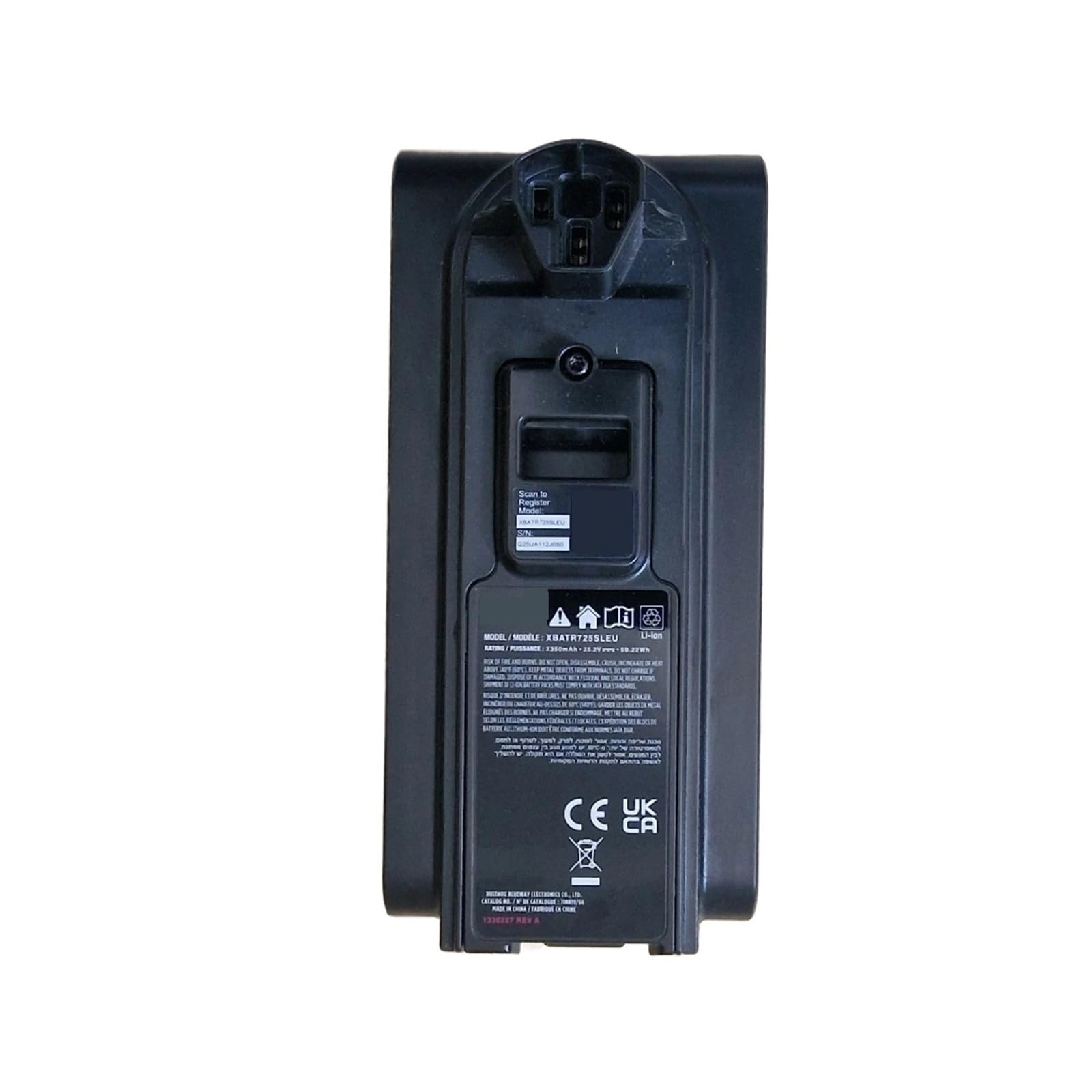
Image: Top view of the SYARST 2350mAh 25.2V replacement battery, showing its overall shape and design.

Image: Side view of the SYARST replacement battery, highlighting its elongated form factor.

Image: Another side view of the SYARST replacement battery, showing the opposite side from the previous image.

Image: Close-up of the battery's bottom label, displaying the model number XBATR725SLEU and other specifications.

Image: View of the battery's charging contacts and connection points, essential for proper installation and charging.
Setup and Installation
- Power Off Vacuum: Ensure your Shark cordless vacuum cleaner is completely powered off and unplugged from any charging source before proceeding.
- Locate Battery Compartment: Identify the battery compartment on your Shark vacuum. This is typically located on the main body of the vacuum. Refer to your original Shark vacuum manual if unsure.
- Remove Old Battery (if applicable): If replacing an existing battery, press the battery release button (if present) and carefully slide out the old battery.
- Insert New Battery: Align the SYARST replacement battery with the battery compartment. Slide the battery firmly into place until it clicks, indicating it is securely locked.
- Initial Charge: For optimal performance, fully charge the new battery before its first use. Connect your vacuum to its original charging base. The battery should fully charge in approximately 2.5 hours.
Operating Instructions
Once the battery is installed and fully charged, your Shark cordless vacuum is ready for use. The operation of the vacuum itself remains unchanged.
- Power On/Off: Use the vacuum's power button to turn it on or off as usual.
- Charging: To charge the battery, place the vacuum on its original charging base. The charging indicator lights on your vacuum will show the charging status.
- Battery Life: A fully charged SYARST battery provides over 40 minutes of runtime, depending on the vacuum's power mode and usage.
- Storage: If storing the vacuum for an extended period, ensure the battery is partially charged (around 50%) and store it in a cool, dry place.
Maintenance
- Regular Charging: To prolong battery life, avoid completely draining the battery before recharging.
- Clean Contacts: Periodically inspect and clean the battery contacts on both the battery and the vacuum with a dry cloth to ensure good connection.
- Temperature: Operate and charge the battery within recommended temperature ranges (typically 0°C to 45°C or 32°F to 113°F). Extreme temperatures can affect performance and lifespan.
- Disposal: When the battery reaches the end of its life, dispose of it responsibly at a certified recycling facility. Do not dispose of in household waste.
Troubleshooting
| Problem | Possible Cause | Solution |
|---|---|---|
| Battery not charging |
|
|
| Short runtime |
|
|
| Vacuum not powering on |
|
|
Specifications
| Feature | Detail |
|---|---|
| Battery Type | Li-ion |
| Voltage | 25.2V |
| Capacity | 2350mAh (59.22Wh) |
| Compatibility | Shark XBATR725SLEU, IZ400, IZ420 series cordless vacuums |
| Charging Time | Approx. 2.5 hours (using original charging base) |
| Estimated Runtime | Over 40 minutes (depending on usage) |
| Protection Features | Overcharging, Overheating, Short Circuit, Voltage Fluctuations |
| Shell Material | Flame-retardant ABS+PC |
| Cycle Life | Over 500 charge and discharge cycles |
| Item Weight | 1.23 pounds (approx. 0.56 kg) |
| Package Dimensions | 0.39 x 0.39 x 0.39 inches (approx. 1 x 1 x 1 cm) |
Warranty and Support
For warranty information or technical support, please contact the manufacturer directly. Refer to the product packaging or the seller's information on the purchase platform for contact details.
Note: This battery is a replacement part and is not manufactured by Shark. Please refer to your Shark vacuum's original manual for specific vacuum operation and safety guidelines.