
Enbrighten 84013
Enbrighten Vibe Modern Outdoor String Lights User Manual
Model: 84013
Introduction
Experience the future of smart, premium lighting with the Enbrighten VIBE LED Wi-Fi Smart Café Lights. This manual provides essential information for the setup, operation, and maintenance of your 48ft string lights, featuring 24 RGBWIC acrylic bulbs. Designed for year-round installation, these lights offer vibrant colors and dynamic modes to enhance any outdoor space.
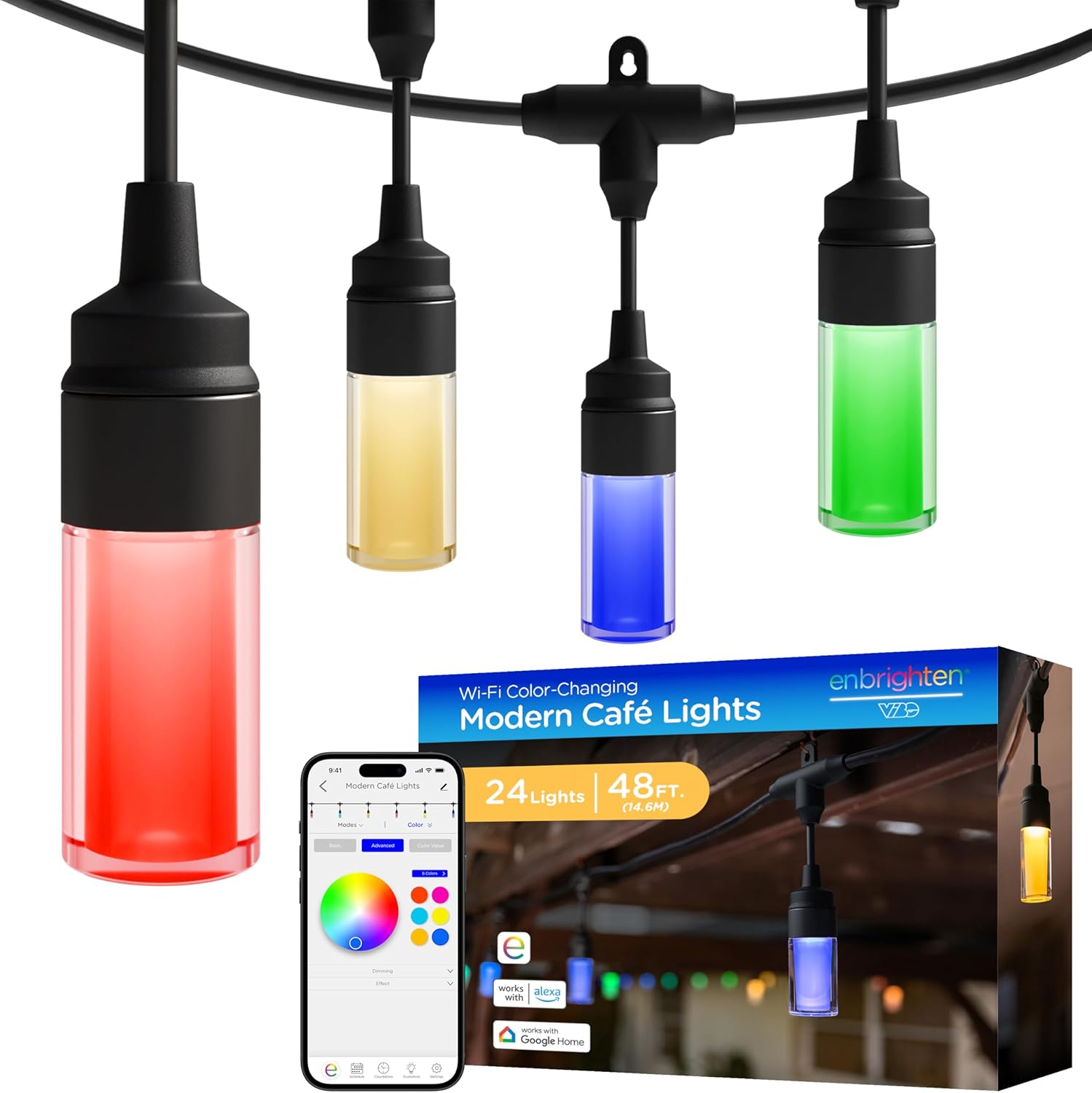
Image: Enbrighten Vibe Modern Outdoor String Lights, showing the 48ft string with multiple colored bulbs and a smartphone displaying the control app.
Setup
1. Unboxing and Components
Your Enbrighten VIBE LED Wi-Fi Smart Café Lights package includes:
- One 48ft string of lights with 24 RGBWIC acrylic bulbs.
- Integrated heavy-duty power cord.
2. Physical Installation
These lights are designed for easy installation and flexible mounting. They can be mounted on eaves, pergolas, patios, and more. Mounting hardware is not included.

Image: Diagram illustrating the dimensions of the lights and bulbs, along with icons indicating all-weather rating (IP65), ETL certification, and Wi-Fi compatibility. It also shows the heavy-duty cord and 120V LED power.
The strands are linkable, allowing you to connect multiple sets of Enbrighten smart café lights up to a total length of 750 feet for larger installations.

Image: A close-up view of two sections of the Enbrighten string lights being connected, demonstrating the linkable feature. The image also highlights the ETL certification and a “Lifetime Guarantee” badge.
3. App Installation and Pairing
To unlock the full smart features of your lights, download the free Enbrighten app. The app is available in the Apple App Store and on Google Play.
A 2.4GHz Wi-Fi network is required for initial pairing and smart control. Ensure your mobile device is connected to your 2.4GHz Wi-Fi network during the setup process.

Image: Enbrighten string lights illuminating a house at dusk, with a smartphone displaying the Enbrighten app interface. Logos for “works with Alexa” and “works with Google Home” are visible, along with an icon to download the Enbrighten app.
Operating Instructions
1. Basic Operation
Once plugged in, the lights will illuminate. Use the Enbrighten app for comprehensive control over your lighting experience.

Image: Enbrighten Wi-Fi Color-Changing Modern Café Lights installed on a building, with a smartphone displaying the app’s color selection interface. The image emphasizes both manual and app control options.
2. App Control Features
The Enbrighten app provides extensive customization options:
- Endless Colors: Choose from a full spectrum of colors to match any mood or occasion.
- Personalized Multicolor Combinations: Create unique color schemes.
- White Light Options: Select from six shades of white light, ranging from 2200K to 6000K.
- Dynamic Modes & Presets: Utilize an impressive variety of pre-programmed lighting modes and effects, including holiday themes.
- Custom Modes: Design and save your own unique lighting sequences.
- Dimming: Adjust the brightness level from 0% to 100%.
- Scheduling: Set schedules for your lights to turn on/off or change modes automatically.

Image: Enbrighten string lights showcasing different lighting possibilities, including unlimited solid colors, endless color combinations, year-round white light (2200K-6000K), holiday effects, and custom combos.

Image: A detailed view of the Enbrighten app interface, demonstrating controls for color changing, white light selection, and dimming. Various app screens show color wheels, sliders, and preset options for extensive customization.
These dynamic modes are perfect for outdoor holiday lighting, year-round accent lighting, and creating the perfect ambiance for any event.

Image: Enbrighten string lights installed outdoors, providing colorful illumination with fireworks visible in the background, illustrating their use for special occasions and outdoor ambiance.
3. Voice Control
For added convenience, your Enbrighten VIBE lights are directly compatible with Amazon Alexa and Google Assistant. Use simple voice commands to control your lights after linking them through the respective smart home apps.
Maintenance
1. General Care
To ensure optimal performance and longevity, periodically wipe the bulbs and cord with a soft, damp cloth to remove dust and debris. Do not use harsh chemicals or abrasive cleaners.
2. Weather Resistance
The Enbrighten VIBE lights feature commercial-grade construction and are rated for year-round outdoor installation. The acrylic bulbs are impact resistant and designed to withstand various weather conditions.

Image: A close-up of a durable acrylic bulb from the Enbrighten string lights, alongside an “All-Weather Rating” icon and a small inset image of the lights in a snowy environment, demonstrating their year-round durability.
3. Storage
If storing the lights for an extended period, ensure they are clean and dry. Coil the string neatly and store in a cool, dry place away from direct sunlight and extreme temperatures.
Troubleshooting
- Lights not turning on:
- Ensure the power cord is securely plugged into a working outlet.
- Check if the outlet is receiving power.
- Verify that the lights are not set to a “off” schedule or mode in the app.
- Lights not connecting to Wi-Fi:
- Confirm your Wi-Fi network is 2.4GHz. These lights do not support 5GHz networks.
- Ensure your mobile device is connected to the same 2.4GHz Wi-Fi network during pairing.
- Move the lights closer to your Wi-Fi router.
- Restart your Wi-Fi router and try the pairing process again.
- App not responding:
- Close and reopen the Enbrighten app.
- Ensure your mobile device has a stable internet connection.
- Check for app updates in your device’s app store.
- Lights flickering or behaving erratically:
- Check for loose connections along the string.
- Ensure the power supply is stable.
- Perform a factory reset (refer to app instructions for specific steps) and re-pair the lights.
For further assistance, consult the help section within the Enbrighten app or visit the Enbrighten support website.
Specifications
| Feature | Detail |
|---|---|
| Model Number | 84013 |
| Length | 48 feet |
| Number of Lights | 24 |
| Bulb Type | RGBWIC Acrylic LED |
| Power Source | Corded Electric |
| Voltage | 120 Volts (AC) |
| Wattage | 19 watts |
| Connectivity | Wi-Fi (2.4GHz) |
| Control Methods | Enbrighten App, Amazon Alexa, Google Home, Voice Control |
| Special Features | Color Changing, Dimmable, Linkable (up to 750ft), Weather Resistant |
| Indoor/Outdoor Usage | Indoor, Outdoor |
| Material | Acrylic |
| Color Temperature | 2200K - 6000K (Tunable White) |
| Water Resistance Level | IP65 Rated |
Warranty
This Enbrighten product is backed by a limited-lifetime warranty. For detailed warranty information and terms, please refer to the documentation included with your product or visit the official Enbrighten website.
Image: A visual representation of the “Lifetime Guarantee” associated with the Enbrighten product, emphasizing its durability and long-term support.
Support
For the most up-to-date information, FAQs, and advanced features, please refer to the Enbrighten app. The app provides comprehensive support and guides for optimizing your lighting experience.
You can download the Enbrighten app from:
For additional assistance, visit the Enbrighten official website or contact their customer support.
Ask a question about this manual
Ask about setup, troubleshooting, compatibility, parts, safety, or missing instructions. Manuals+ will review the question and use this page’s manual context to help answer it.