
1. Introduction
This manual provides detailed instructions for the setup, operation, maintenance, and troubleshooting of your Generic Talkbuds Translator Earbuds, Model APLMNSD. These earbuds offer real-time translation across 144 languages, alongside functions for phone calls and music playback. Please read this manual thoroughly before using the product to ensure optimal performance and longevity.
2. Package Contents
Verify that all items are present in your package:
- 1 x Talkbuds Translator Earbuds (Pair)
- 1 x Charging Case
- 1 x USB Charging Cable
- 1 x User Manual (This document)
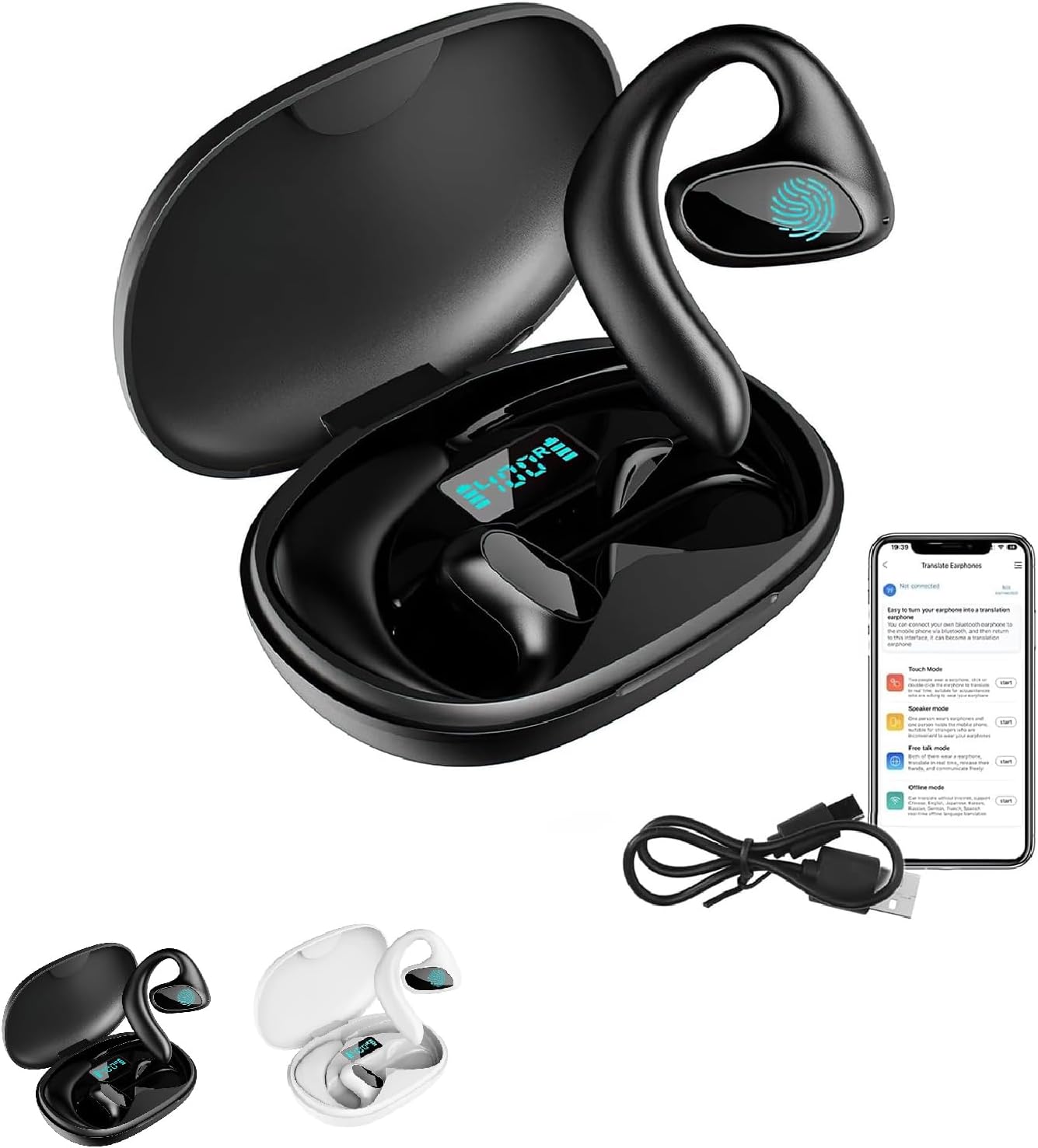
Image: The Talkbuds Translator Earbuds, their charging case, and the included USB charging cable. The earbuds are shown nestled within the open charging case, which displays a digital battery indicator. An app interface is also visible, illustrating the translation functions.
3. Product Overview
The Talkbuds Translator Earbuds are designed for real-time language translation, phone calls, and music playback. They feature AI-powered noise cancellation and a compact design for portability.

Image: A woman wearing one of the Talkbuds Translator Earbuds, with icons indicating its capabilities for listening to music, making phone calls, and featuring a Bluetooth 5.1 chip. This highlights the multi-functional aspect of the earbuds beyond just translation.
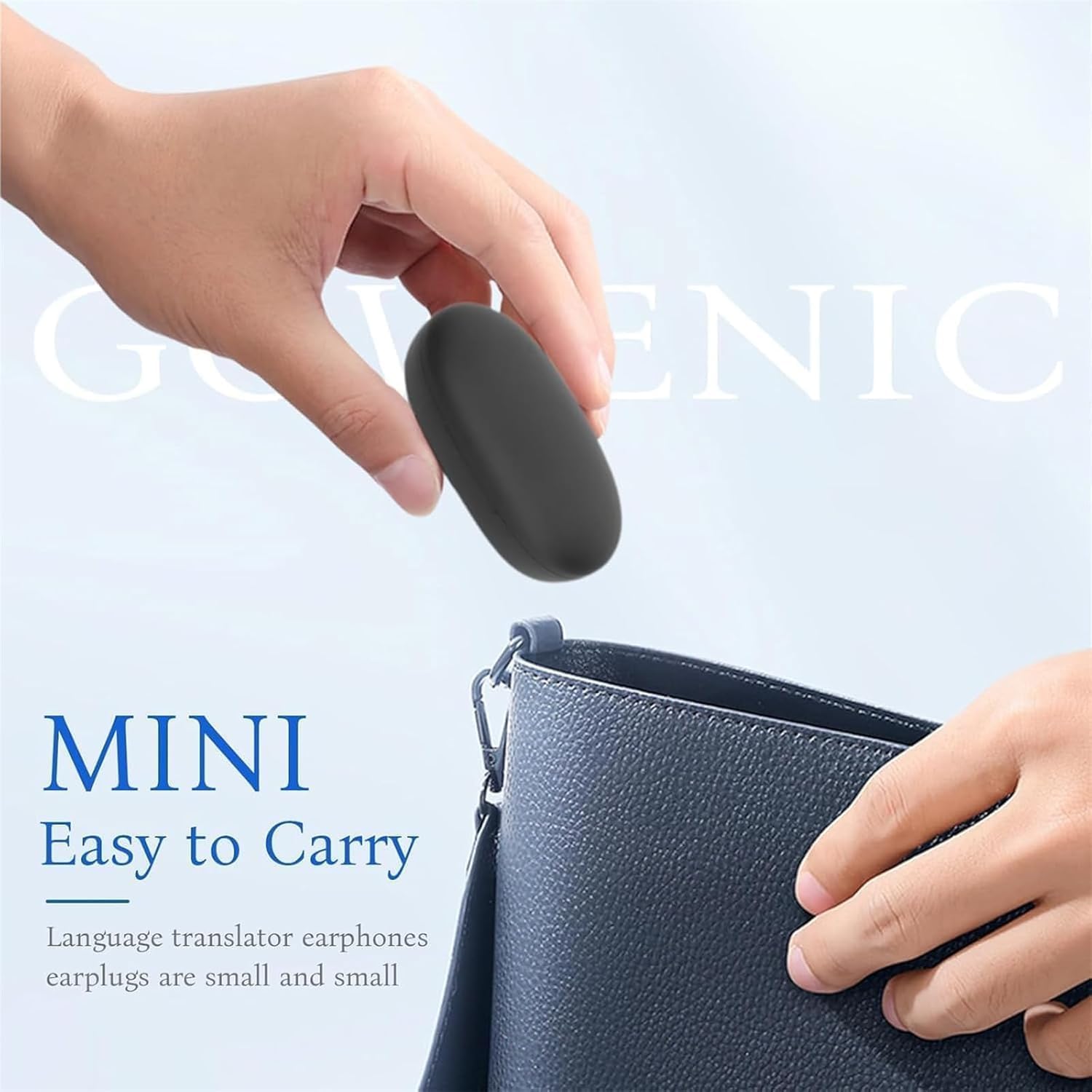
Image: A hand demonstrating the compact size of the Talkbuds Translator Earbuds charging case by placing it into a small bag, emphasizing its portability and ease of carrying.
4. Setup
4.1 Initial Charging
- Place the earbuds into the charging case.
- Connect the USB charging cable to the charging case and a power source (e.g., computer USB port, wall adapter).
- The indicator lights on the charging case will show the charging status. Ensure the earbuds and case are fully charged before first use.
- A 10-minute charge provides approximately 2 hours of use.
4.2 Pairing with Your Device
- Ensure the earbuds are charged and in the charging case.
- Open the charging case. The earbuds will automatically enter pairing mode.
- On your smartphone or tablet, enable Bluetooth.
- Search for available devices and select "Talkbuds Translator" to connect.
- Once connected, you will hear an audio prompt, and the device will show "Connected".
4.3 App Installation (for Translation Features)
To utilize the translation features, you must download and install the dedicated "Translate Earphones" application on your smartphone or tablet. Refer to the app store for your device (e.g., Apple App Store, Google Play Store).
Important Note: Certain advanced translation features, such as Audio and Video Translation, Offline Translation, and Photo Translation, may require a separate paid subscription within the application.

Image: A visual representation of the six operational modes for the Talkbuds Translator Earbuds. It distinguishes between "Basic Services" (Touch Mode, Speaker Mode, Free Talk Mode) and "Value-added services" (Audio and Video Translation, Offline Translation, Photo Translation), explicitly stating that a paid subscription is required for the latter.
5. Operating Instructions
The Talkbuds Translator Earbuds offer various modes for communication and entertainment.
5.1 Basic Functions (Calls & Music)
- Music Playback: Once connected via Bluetooth, you can play music from your device. Use the touch controls on the earbuds for play/pause, skip tracks, and volume adjustment (if supported by your device/app).
- Phone Calls: When a call comes in, tap an earbud to answer. Tap again to end the call. The AI noise cancellation helps ensure clear communication.
5.2 Translation Modes
Access and control translation modes through the "Translate Earphones" application on your paired device.

Image: A collage demonstrating different scenarios where the Talkbuds Translator Earbuds are used for communication. It highlights "Touch Mode," "Speaker Mode," "Free Talk Mode," and "Offline Mode," showing individuals interacting and translating in real-time.
- Touch Mode: For one-on-one conversations. Each person wears an earbud. Tap your earbud to speak, and the translation will play in the other person's earbud.
- Speaker Mode: One person wears an earbud, and the other person speaks into the phone's microphone. The translation is played through the earbud and/or the phone's speaker.
- Free Talk Mode: Both users wear an earbud. The system automatically detects and translates speech in real-time, allowing for more natural conversation flow.
- Offline Mode: Allows translation without an internet connection. This feature typically requires pre-downloading language packs and may be part of a paid subscription.

Image: A man wearing a Talkbuds Translator Earbud while working on a laptop, with speech bubbles in various languages (Japanese, Chinese, French, English, German) indicating real-time translation. The graphic labels the device as a "Translator Device + TWS," illustrating its dual function as a translator and true wireless stereo earbuds.
6. Charging
The Talkbuds Translator Earbuds provide up to 6 hours of playback on a single charge, with an additional 22 hours available from the compact charging case, totaling 30 hours of use.
- To charge the earbuds, place them securely in their respective slots in the charging case.
- To charge the case, connect the provided USB cable to the charging port on the case and a standard USB power source.
- The charging case features a digital display to indicate its battery level.
7. Maintenance
- Cleaning: Use a soft, dry, lint-free cloth to clean the earbuds and charging case. Do not use harsh chemicals or abrasive materials.
- Storage: When not in use, store the earbuds in their charging case to protect them and keep them charged. Store in a cool, dry place away from direct sunlight and extreme temperatures.
- Water Resistance: The earbuds are not waterproof. Avoid exposure to water, sweat, or high humidity.
8. Troubleshooting
- Earbuds not pairing:
- Ensure both earbuds are charged.
- Turn off and on your device's Bluetooth.
- Forget "Talkbuds Translator" from your device's Bluetooth list and try pairing again.
- Restart your smartphone/tablet.
- No sound:
- Check the volume level on your connected device.
- Ensure the earbuds are properly seated in your ears.
- Verify the earbuds are connected to your device.
- Translation not working:
- Ensure the "Translate Earphones" app is installed and running.
- Check your internet connection (required for most translation modes).
- Verify that you have an active subscription for advanced features if you are trying to use them.
- Ensure the correct source and target languages are selected in the app.
- Earbuds not charging:
- Ensure the charging cable is securely connected to both the case and the power source.
- Check if the power source is active.
- Clean the charging contacts on both the earbuds and the case with a dry cotton swab.
9. Specifications
| Feature | Detail |
|---|---|
| Model Name | Talkbuds Translator |
| Model Number | APLMNSD |
| Brand | Generic |
| Connectivity Technology | Wireless (Bluetooth) |
| Bluetooth Version | 5.1 |
| Control Method | Touch |
| Special Features | AI Noise Cancellation, Real-time Translation (144 languages) |
| Earbud Battery Life | Up to 6 hours |
| Total Battery Life (with case) | Up to 30 hours |
| Fast Charge | 10 minutes for 2 hours use |
| Compatible Devices | Smartphones, Tablets, Laptops |
| Color | Black |
| Ear Placement | In-Ear |
| Noise Control | Active Noise Cancellation |
10. Warranty and Support
For warranty information and customer support, please refer to the retailer or manufacturer's official website where you purchased the product. Keep your proof of purchase for any warranty claims.
For technical assistance or further inquiries, please contact the customer support channels provided by the seller.