
MaxMango D70
MaxMango D70 Underwater Digital Camera User Manual
Brand: MaxMango | Model: D70
Your guide to operating and maintaining your MaxMango D70 Underwater Digital Camera.
1. Package Contents
Upon unboxing your MaxMango D70 Underwater Digital Camera, please verify that all components listed below are present:
- 1 x MaxMango D70 Underwater Camera
- 1 x 32GB TF Card
- 1 x Camera Bag
- 1 x Lanyard
- 1 x Type-C Charging Cable
- 1 x Instruction Manual (this document)

Image: The MaxMango D70 Underwater Digital Camera in purple, shown with an included 32GB memory card.
2. Setup Guide
2.1. Battery Charging and Installation
The MaxMango D70 camera is equipped with a built-in 1200mAh rechargeable lithium battery. For optimal performance, fully charge the camera before first use.
- Locate the Type-C charging port on the camera.
- Connect the provided Type-C charging cable to the camera and a compatible USB power source (e.g., computer USB port, wall adapter).
- The charging indicator light will illuminate during charging and turn off when fully charged.

Image: Diagram illustrating the internal 1200mAh rechargeable battery and its charging port.
2.2. Memory Card Installation
The camera comes with a 32GB TF (Micro SD) card. The camera supports expansion memory cards up to 128GB.
- Ensure the camera is powered off.
- Open the battery/memory card compartment cover.
- Insert the TF card into the designated slot with the gold contacts facing the correct direction (refer to the diagram inside the compartment if available). Push gently until it clicks into place.
- Close the compartment cover securely. For waterproof integrity, ensure the cover is tightly locked.

Image: Important instructions on ensuring the waterproof gasket is completely sealed before underwater use.
3. Operating Instructions
3.1. Basic Controls
Familiarize yourself with the camera's buttons and their functions:

Image: A detailed view of the camera's control buttons and their respective functions.
- Power On/Off: Press and hold the power button to turn the camera on or off.
- SOS Key: Long press for SOS flashlight function.
- Take Photos: Press the shutter button to capture an image.
- Zoom In/Out: Use the W/T buttons for digital zoom.
- Record: Press the record button once to start recording. Press it again to stop recording.
- Switch Screens: Press the dedicated button to switch between the front and rear screens.
- OK: Confirm selections in menus.
- Return: Go back to the previous menu or screen.
- Settings (M): Access camera settings and modes.
3.2. Taking Photos and Recording Videos
The MaxMango D70 captures HD images and videos. It features an autofocus function for clear details.
- To take a photo: Half-press the shutter button to activate autofocus. The focus frame on the screen will turn green when focus is achieved. Fully press the shutter button to take the photo.
- To record a video: Press the record button once to start recording. Press it again to stop recording.

Image: Demonstrates the clarity achieved with the autofocus function compared to a non-autofocused image.

Image: Illustrates the effect of 8X, 12X, and 18X digital zoom on captured images.
3.3. Dual Screen Functionality
The MaxMango D70 features a 2.8-inch front screen and a 1.4-inch rear IPS screen, allowing for easy selfies and group photos. Press the screen switch button to toggle between the front and rear displays.

Image: The camera's dual screen feature, ideal for selfies and framing shots from different angles.
3.4. Waterproof Usage
This camera is designed to be waterproof up to 10 feet (3 meters) with an IP68 rating. It is suitable for snorkeling, swimming, and other water activities.
Important: Before entering the water, ensure the battery/memory card compartment cover is tightly locked and completely sealed. Failure to do so will compromise the camera's waterproof integrity and may lead to water damage.
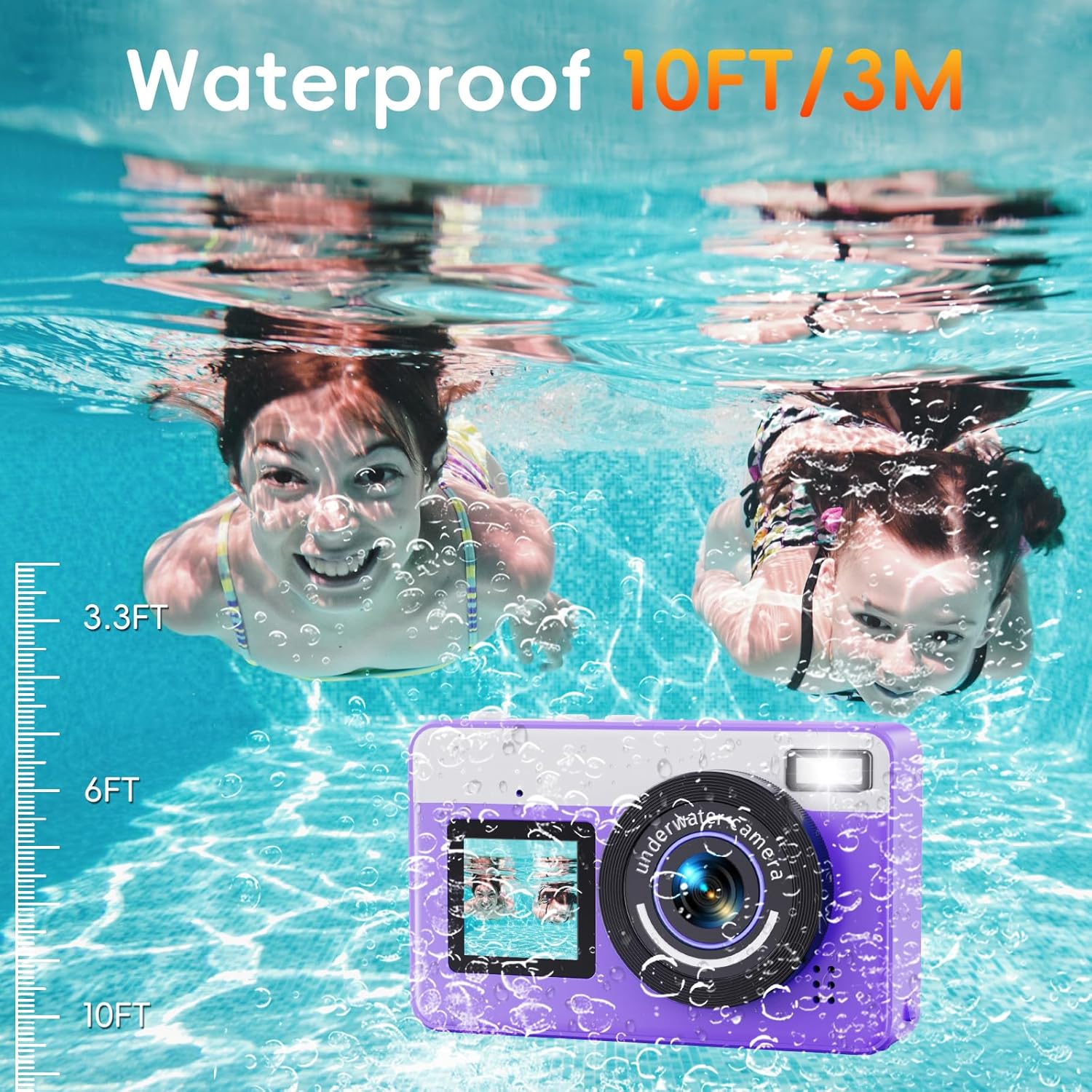
Image: The camera being used underwater, demonstrating its 10-foot waterproof depth rating.
Video: A demonstration of the MaxMango D70 camera undergoing a waterproof test, submerged under running water to confirm its sealed design.
4. Maintenance
4.1. Cleaning and Care
- After using the camera in water, rinse it with fresh water to remove any salt, chlorine, or debris.
- Wipe the camera dry with a soft, clean cloth. Pay special attention to the lens and screens.
- Do not use abrasive cleaners or solvents on the camera.
4.2. Storage
If water mist appears inside the camera due to temperature differences (e.g., after underwater use), this is normal. To dissipate the mist:
- Place the camera in a well-ventilated and dry place for approximately 10 minutes. The water mist should dissipate naturally.
- When not in use, store the camera in a cool, dry place away from direct sunlight and extreme temperatures.
5. Troubleshooting
5.1. Camera Not Powering On
- Ensure the battery is fully charged. Connect the camera to a power source and allow it to charge for at least 2 hours.
- Verify that the power button is pressed and held for a few seconds to initiate power on.
5.2. Water Inside the Camera
If you observe significant water ingress inside the camera, immediately power it off and do not attempt to use it.
- This typically indicates that the battery/memory card compartment was not properly sealed before water exposure.
- Contact MaxMango customer support for assistance. Do not attempt to disassemble the camera.
5.3. Poor Image/Video Quality
- Ensure the lens is clean and free of smudges or water droplets.
- Check lighting conditions. Optimal results are achieved in well-lit environments, especially underwater.
- Confirm that autofocus is engaged (half-press shutter until green frame appears).
6. Specifications
| Feature | Detail |
|---|---|
| Brand | MaxMango |
| Model Name | D70 |
| Waterproof Rating | 10 FT (IP68) |
| Maximum Webcam Image Resolution | 48 MP |
| Photo Sensor Technology | CMOS |
| Photo Sensor Size | 1/1.2-inch |
| Digital Zoom | 18X |
| Battery | 1200mAh Rechargeable Lithium (1 C battery included) |
| Item Weight | 8.4 ounces |
| Package Dimensions | 5 x 3.98 x 2.56 inches |
| Supported File Format | JPEG |
| Min Shutter Speed | 1/500 |
| Exposure Control Type | Manual |
| Form Factor | Compact |
7. Warranty and Support
MaxMango Direct is committed to providing excellent customer service and product support.
- 24-Hour Response: MaxMango Direct aims to respond to inquiries within 24 hours with a professional attitude.
- 30-Day Return Policy: Enjoy a 30-day no-reason return or exchange policy from the date of purchase.
- 365-Day Replacement: Replacement parts and accessories are available within 365 days of purchase.
For any questions, concerns, or technical assistance, please contact MaxMango Direct through the platform where you purchased the product or visit the official MaxMango store page.
Ask a question about this manual
Ask about setup, troubleshooting, compatibility, parts, safety, or missing instructions. Manuals+ will review the question and use this page’s manual context to help answer it.