
GEEKOM A6
GEEKOM A6 Mini PC User Manual
Model: A6 | Brand: GEEKOM
1. Introduction
Thank you for choosing the GEEKOM A6 Mini PC. This compact and powerful device is designed to meet your computing needs for home, office, and creative tasks. Featuring an AMD Ryzen 7 6800H processor, 16GB DDR5 RAM, and a 512GB SSD, the A6 offers exceptional performance in a small form factor. This manual provides essential information for setting up, operating, maintaining, and troubleshooting your new Mini PC.

Figure 1: GEEKOM A6 Mini PC, a compact and powerful desktop solution.

Figure 2: Overview of the GEEKOM A6 Mini PC's compact dimensions (11.18 x 11.18 x 3.56 cm) and key features including AMD Ryzen 7 680H, Radeon 680M, DDR5, PCIe Gen 4x4 SSD, 4K display support, IceBlast cooling, Wi-Fi 6E, Bluetooth 5.2, various ports, and Windows 11 Pro.
2. Setup Guide
2.1 What's in the Box
Before you begin, please ensure all components are present:
- A6 Mini-PC
- VESA-Mount
- Power Adapter
- HDMI Cable
- User Manual

Figure 3: The package includes the A6 Mini PC, VESA mount, power adapter, HDMI cable, and user manual.
2.2 Initial Setup
- Connect to Power: Plug the power adapter into the DC jack on the Mini PC and then into a power outlet.
- Connect to Display: Use the provided HDMI cable to connect your monitor or TV to one of the HDMI 2.0 ports on the Mini PC. The GEEKOM A6 supports up to four simultaneous displays via USB4/HDMI 2.0.
- Connect Peripherals: Connect your keyboard, mouse, and other USB devices to the available USB ports.
- Power On: Press the power button located on the front of the Mini PC. The system will boot up, and you will see the Windows 11 Pro setup screen.
- VESA Mounting (Optional): The included VESA mount allows you to attach the Mini PC to the back of a compatible monitor, saving desk space. Secure the VESA bracket to your monitor's VESA holes, then slide the Mini PC onto the bracket.

Figure 4: Effortless setup with the GEEKOM Mini PC using the VESA mount for space-saving installation behind a monitor.
3. Operating Instructions
3.1 Powering On/Off
- Power On: Press the power button on the front panel.
- Shut Down: In Windows, click the Start button, then Power > Shut down.
- Restart: In Windows, click the Start button, then Power > Restart.
- Sleep: In Windows, click the Start button, then Power > Sleep.
3.2 Connectivity
The GEEKOM A6 offers a wide range of ports for versatile connectivity:
- Front Ports: 2 x USB 3.2 Gen 2 Type-A, Headphone Jack, Power Button, SD Card Slot.
- Rear Ports: DC Jack, 2 x HDMI 2.0, 2 x USB4 Gen 2 Type-C, 2.5G RJ45 LAN Port, USB 2.0 Type-A, USB 3.2 Gen 2 Type-A.

Figure 5: Detailed view of the GEEKOM A6 Mini PC's front and rear ports, including USB 3.2 Gen 2 Type-A, headphone jack, power button, SD card slot, DC jack, HDMI 2.0, USB4 Gen 2 Type-C, 2.5G RJ45 LAN, and USB 2.0 Type-A.

Figure 6: The GEEKOM A6 offers extended connectivity for various needs, supporting office devices like 4K monitors, printers, scanners, and NAS, as well as entertainment devices such as HD TVs, game controllers, projectors, and speakers.
3.3 Wireless Connections
The Mini PC supports advanced wireless technologies:
- Wi-Fi 6E: Provides ultra-fast and reliable wireless connectivity.
- Bluetooth 5.2: Enables quick and stable connections with extended range and improved efficiency for wireless peripherals.

Figure 7: The GEEKOM A6 provides excellent network solutions with Wi-Fi 6E and RJ45 LAN for ultra-fast and reliable connectivity, both wireless and wired, along with Bluetooth 5.2 for faster, more stable connections with extended range and improved efficiency.
3.4 Performance Overview
The GEEKOM A6 is engineered for high performance:
- Processor: AMD Ryzen 7 6800H CPU with 4.7 GHz max boost clock, 8 cores, 16 threads, and 16MB cache.
- Graphics: Integrated AMD Radeon 680M GPU (12 RDNA2-Cores) for crystal-clear 4K@60Hz output (up to 8K) across four simultaneous displays.
- Memory: 16GB DDR5 RAM (4800MHz SODIMM), expandable up to 64GB.
- Storage: 512GB PCIe Gen4 SSD (read speeds up to 7000 MB/s), with an expandable M.2 slot supporting up to 1TB additional storage.
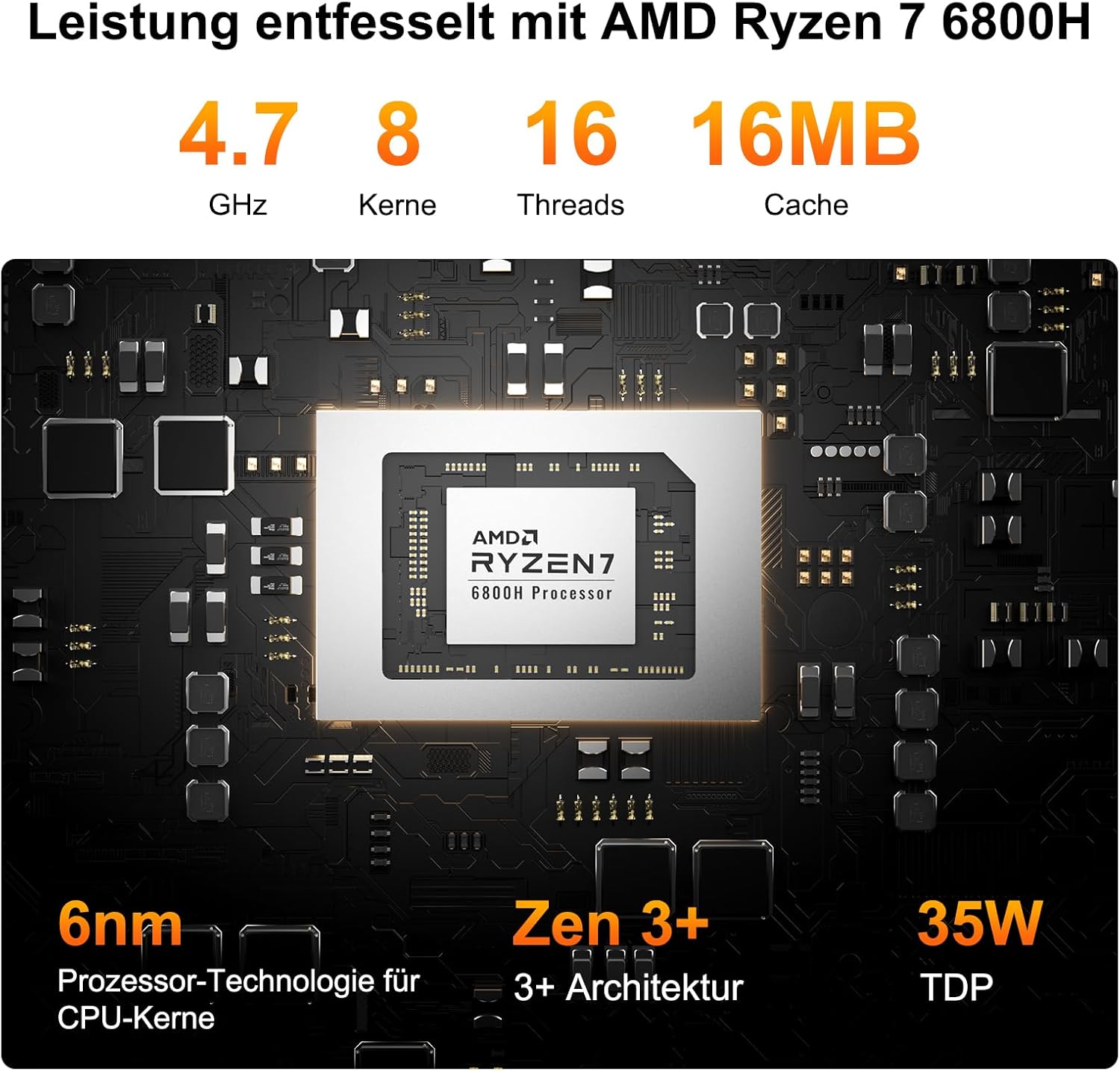
Figure 8: Performance unleashed with AMD Ryzen 7 6800H, featuring 4.7 GHz, 8 cores, 16 threads, and 16MB cache, built on 6nm process technology with Zen 3+ architecture and 35W TDP.
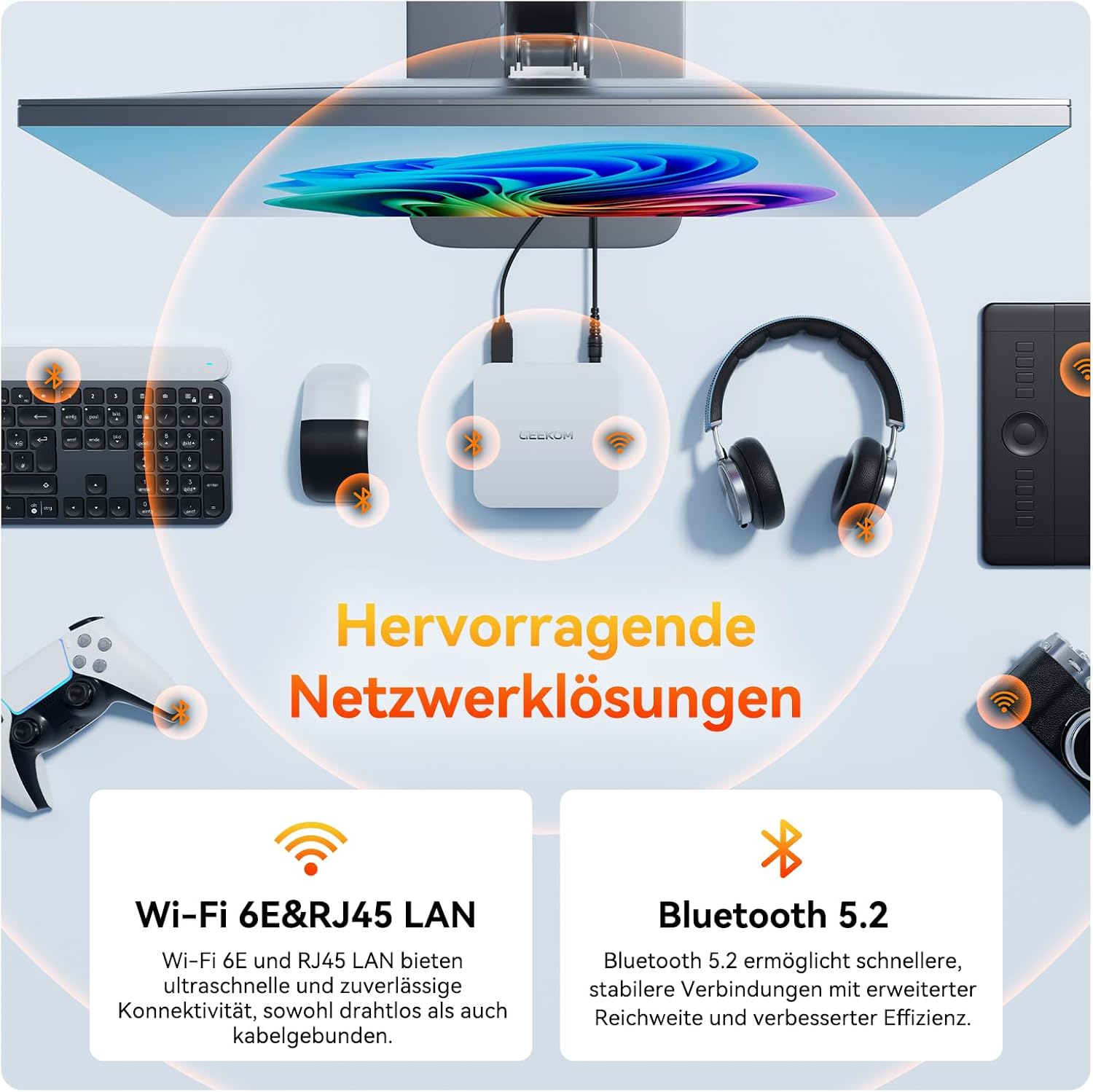
Figure 9: High speed and high performance with Dual-Channel DDR5 262PIN 4800MHz SODIMM, expandable up to 64GB, and 1x SSD PCIe Gen 4x4, supporting up to 2TB. DDR5 offers a 75% performance increase over DDR4. PCIe Gen 4x4 SSDs provide read speeds of 5,000-7,000 MB/s and write speeds of 4,000-6,000 MB/s.

Figure 10: The AMD Radeon 680M provides enhanced graphics processing capabilities for a smooth and immersive streaming and gaming experience, with example FPS for popular games like CS:GO (90-120 FPS), League of Legends (135-155 FPS), DOTA 2 (60-80 FPS), and PUBG (56-76 FPS).
4. Maintenance
4.1 Cleaning
To ensure optimal performance and longevity, regularly clean your Mini PC:
- Use a soft, dry cloth to wipe the exterior.
- For dust in vents, use compressed air. Ensure the PC is powered off before cleaning.
- Avoid using liquid cleaners directly on the device.
4.2 Storage Expansion
The GEEKOM A6 allows for easy storage expansion:
- The device includes an expandable M.2 slot that supports up to 1TB of additional storage.
- Refer to the detailed internal component diagram for the location of the M.2 slot.

Figure 11: Exploded view of the GEEKOM A6 Mini PC's internal components, including the one-piece metal casing, large fan, dual copper pipes, motherboard, M.2 2280 NVMe PCIe 4.0 SSD, SO-DIMM DDR5 4800 MHz, and metal base plate.
4.3 Cooling System
The Mini PC is equipped with GEEKOM's IceBlast cooling technology for efficient heat dissipation:
- Features innovative airflow design and a rear exhaust vent.
- Utilizes extra-large fan blades and a full copper heatsink to effectively lower internal temperatures.

Figure 12: The IceBlast 2.0 cooling system features extra-large fan blades and a full copper heatsink to effectively lower internal temperatures, boasting 52% higher cooling efficiency and a 210% higher heat transfer rate with dual copper pipes.
5. Troubleshooting
If you encounter issues with your GEEKOM A6 Mini PC, refer to the following common problems and solutions:
- No Power:
- Ensure the power adapter is securely connected to the Mini PC and the power outlet.
- Verify the power outlet is functional.
- No Display:
- Check the HDMI/USB4 cable connections between the Mini PC and the monitor.
- Ensure the monitor is powered on and set to the correct input source.
- Try a different display cable or monitor if possible.
- No Audio:
- Check speaker/headphone connections.
- Verify audio output settings in Windows.
- Ensure audio drivers are installed and up to date.
- Slow Performance:
- Close unnecessary applications running in the background.
- Check for sufficient free storage space on the SSD.
- Ensure Windows and drivers are updated.
- Peripheral Not Detected:
- Try connecting the peripheral to a different USB port.
- Ensure the peripheral's drivers are installed.
- Restart the Mini PC.
If issues persist, please contact GEEKOM customer support for further assistance.
6. Technical Specifications
| Feature | Specification |
|---|---|
| Brand | GEEKOM |
| Model/Series | A6 |
| Processor | AMD Ryzen 7 6800H (4.7 GHz max) |
| Processor Cores | 8 Cores |
| Graphics Coprocessor | AMD Radeon 680M (Integrated) |
| RAM | 16 GB DDR5 (4800MHz SODIMM) |
| Max Supported RAM | 32 GB (Note: Feature bullets state up to 64GB) |
| Storage | 512 GB SSD (PCIe x4) |
| Expandable Storage | M.2 slot (supports up to 1 TB additional) |
| Operating System | Windows 11 Pro |
| Connectivity | Bluetooth 5.2, Wi-Fi 6E, 2.5G LAN |
| USB Ports | 2 x USB4, 3 x USB 3.2 Gen2, 1 x USB 2.0 |
| HDMI Ports | 2 x HDMI 2.0 |
| Dimensions (Packaging) | 19.6 x 19.3 x 12.5 cm |
| Item Weight | 500 g |
7. Warranty and Support
GEEKOM stands behind the quality of its products. The GEEKOM A6 Mini PC comes with a 3-year manufacturer's warranty, ensuring peace of mind for your investment.
For any questions or assistance, GEEKOM provides professional customer support:
- 24-Hour Professional Support: The GEEKOM service team is available to assist you.
- After-Sales Service 1: Find the seller on Amazon. Log in to your Amazon account, find your order, and click 'Get help' to request support for this product.
- After-Sales Service 2: Send an email to the After-Sales Team at pan.he@geekom.tw. They will respond as soon as possible.

Figure 13: GEEKOM Customer Service offers 3 years of quality support, including 1 year free replacement, 2 years free maintenance, and 24/7 online customer service.
Ask a question about this manual
Ask about setup, troubleshooting, compatibility, parts, safety, or missing instructions. Manuals+ will review the question and use this page’s manual context to help answer it.