
1. Product Overview
The KutoraWorks Automatic Cat Feeder is designed to provide scheduled and controlled feeding for up to two cats. Featuring a 4.5L capacity, dual stainless steel bowls, and smart app control, this feeder ensures your pets receive their meals consistently. It supports both power adapter and battery backup for reliable operation.

Image: KutoraWorks Automatic Cat Feeder with dual bowls, dispensing dry food.
Key Features:
- Smart App Control: Schedule meals and monitor feeding via the Tuya app.
- Durable Construction: Made with tough 304 stainless steel for freshness and hygiene.
- Dual Bowl Design: Accommodates two pets simultaneously.
- 4.5L Capacity: Large food storage for extended periods.
- Pet-Proof Design: Transparent lid for food level checks and a secure on/off switch.
- Dual Power Supply: Operates with a power adapter and backup batteries.
2. Setup Guide
2.1 Unboxing and Components
Carefully remove all components from the packaging. Ensure you have the main feeder unit, two stainless steel bowls, a power adapter, and a USB cable.
2.2 Power Supply Connection
The feeder supports dual power options:
- Power Adapter: Connect the DC 5V/1A power adapter to the feeder and a wall outlet.
- Backup Batteries: For power outages, install 3x D-size batteries (not included) into the battery compartment at the bottom of the unit.

Image: Diagram illustrating the dual power supply options for the feeder: a DC 5V/1A power adapter with a 1.5M USB cable, and a backup battery compartment for 3x AA batteries (note: product specifications indicate Lithium Polymer batteries are included, but the image states AA batteries are not included. Please refer to product packaging for exact battery type and inclusion status).
2.3 App Installation and Wi-Fi Connection
- Download the Tuya Smart app from your smartphone's app store or scan the QR code provided on the product packaging or in the image below.
- Register or log in to your Tuya Smart account.
- Follow the in-app instructions to add the KutoraWorks Automatic Cat Feeder. Ensure your phone is connected to a 2.4GHz Wi-Fi network during setup.

Image: The KutoraWorks automatic pet feeder with a smartphone displaying the Tuya Smart app interface and a QR code for app download. The text '2.4GHz WIFI Intelligent Pet Feeder' is prominent. Download the app here: smartapp.tuya.com/tuyasmart
3. Operating Instructions
3.1 Filling the Feeder
- Open the transparent top cover.
- Pour dry pet food into the reservoir. Ensure the kibble size is between 5-12mm to prevent jamming.
- Close the top cover securely to engage the safety locking lid.
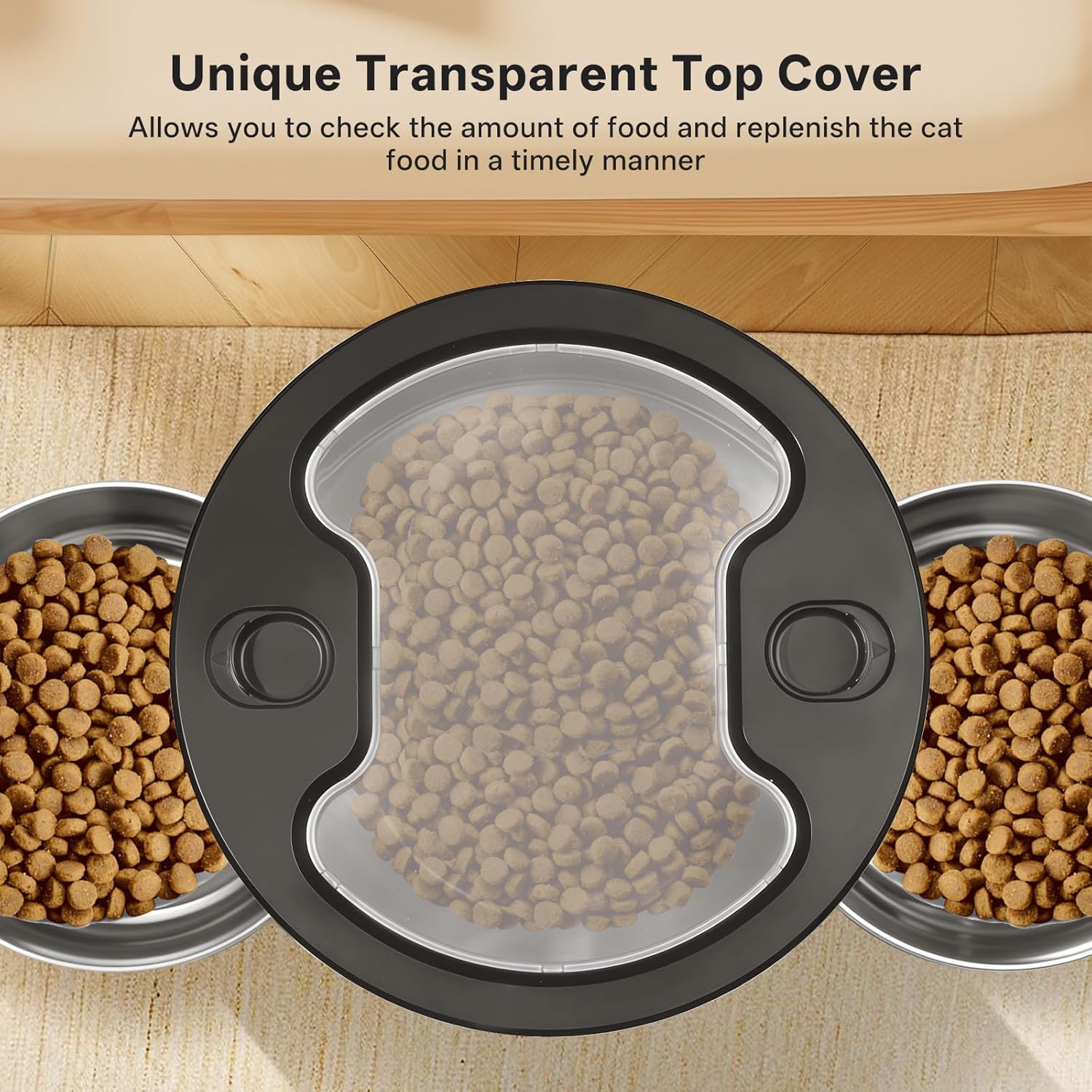
Image: Top-down view of the feeder showing its transparent lid, allowing users to easily check the food level inside the reservoir.

Image: A cat attempting to open the feeder's lid, demonstrating the safety locking mechanism designed to prevent pets from accessing food prematurely.
3.2 Setting Feeding Schedule
Use the Tuya Smart app to set up a customized feeding schedule:
- You can schedule 1-4 meals per day.
- Each meal can consist of 1-40 portions, with each portion approximately 10g.
- The app allows for precise timing and portion control.

Image: Illustration of the feeder's scheduling capabilities, showing 1-4 meals per day, 1-40 portions per meal, and 10g per portion, with an example schedule for breakfast, lunch, and dinner.
3.3 Manual Feeding
To dispense food manually, use the manual feed button on the feeder or the corresponding option within the Tuya Smart app.
3.4 Kibble Size Recommendation
For optimal performance and to prevent blockages, use dry kibble with a size ranging from 5-12mm.

Image: Close-up view of the feeder's internal anti-block rotor design, showing how it dispenses kibble into the dual bowls. Suitable kibble size is indicated as 5-12mm.
4. Maintenance
4.1 Cleaning Instructions
Regular cleaning is essential for hygiene and proper functioning:
- Disassemble the food container, lid, and stainless steel bowls.
- Wash these removable parts with water and mild detergent.
- Important: Do not wash the main base unit. Wipe it clean with a damp cloth.
- Ensure all parts are completely wiped dry before reassembly and use.
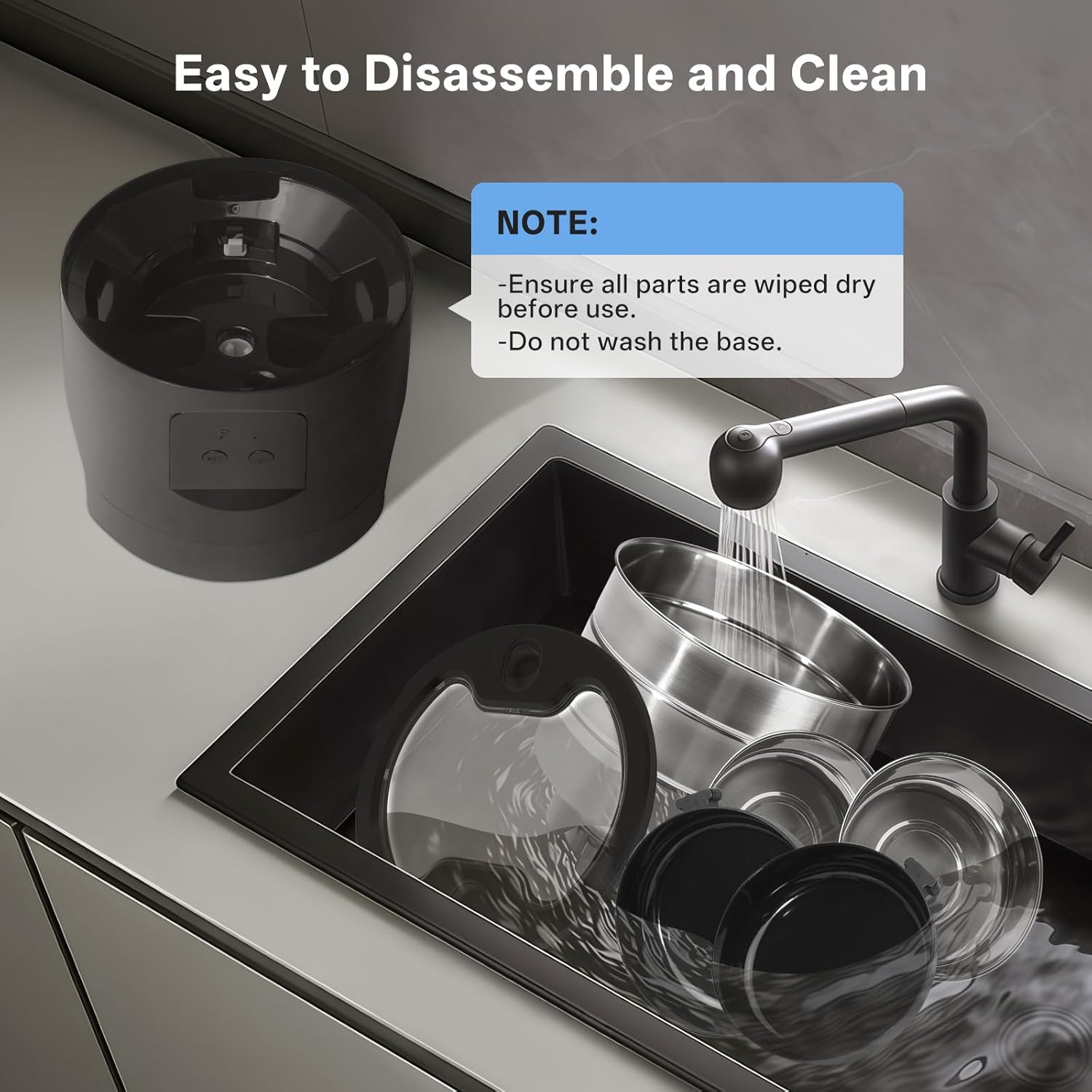
Image: Disassembled parts of the feeder (bowls, food container, lid) being washed in a sink, with a note to wipe all parts dry and not wash the base.
4.2 Battery Replacement
If using backup batteries, replace them when the low battery indicator appears or if the feeder fails to operate during a power outage. Ensure correct polarity when inserting new batteries.
5. Troubleshooting
- Feeder not dispensing food: Check food level, ensure kibble size is appropriate (5-12mm), and verify there are no blockages in the dispenser mechanism. Check power supply and battery status.
- App connectivity issues: Ensure your Wi-Fi network is 2.4GHz. Restart the feeder and your router. Re-attempt the app pairing process.
- Food jamming: Confirm kibble size is within the recommended range. Clean the dispenser mechanism to remove any residue.
- Feeder not turning on: Verify power adapter connection and ensure batteries are correctly installed and charged.
6. Specifications
| Feature | Specification |
|---|---|
| Model Name | PAF-232-B-Wifi |
| Capacity | 4.5 Liters |
| Material | Stainless Steel (bowls), Plastic (main unit) |
| Power Supply | DC 5V/1A Adapter, 3x D-size Batteries (backup) |
| Connectivity | 2.4GHz Wi-Fi |
| Recommended Kibble Size | 5-12mm |
| Product Dimensions | 7.64 x 7.64 x 12.28 inches |
| Item Weight | 3.43 pounds (1.56 Kilograms) |
| Target Species | Cat |
7. Warranty and Support
KutoraWorks products are designed for quality and reliability. For warranty information or technical support, please refer to the contact details provided with your purchase or visit the official KutoraWorks website.
Please retain your proof of purchase for any warranty claims.