
HZIME Universal Projector Remote Control
Instruction Manual
HZIME Replacement Projector Remote Control
Model: Universal Projector Remote Control
1. Introduction
This manual provides comprehensive instructions for the HZIME Replacement Projector Remote Control. Please read this manual carefully before using the remote control to ensure proper operation and to maximize its lifespan. This remote is designed as a direct replacement for various projector models, offering reliable and responsive control.
2. Product Overview

Figure 2.1: Front and back view of the remote control, showcasing its ergonomic design and button layout.
The HZIME Replacement Projector Remote Control is engineered for optimal performance and user convenience. It features an ergonomic design and utilizes infrared 3.0 technology for a strong and responsive signal.
- Fast Responsive: Commands are executed quickly without delay.
- Durable Lifespan: Constructed with quality materials for long-term use.
- Soft Buttons: Tactile buttons provide comfortable and precise feedback.
- Stable Signal: Infrared 3.0 technology ensures consistent connectivity.
- Fine Workmanship: High-quality construction for reliability.

Figure 2.2: Key features of the remote control, emphasizing its responsiveness, durability, and button quality.

Figure 2.3: High-quality assurance aspects, including sensitive buttons and stable signal transmission.
3. Compatibility
This remote control is designed to be compatible with a wide range of projector models. It is a direct replacement for the original remote controls of the following projectors:
- AKIYO O7, O1
- GooDee YG620
- Tecaki X3
- Groview JQ818C
- Sainyer Q100
- Futuzen P10 Pro
- Vankyo Pocket Burger 101 V630
- EUG Mini E3
- Rigal RD-606 Projector
Note on Compatibility: While advertised for various models, some users have reported issues with specific models, such as the GooDee YG600. Please verify compatibility with your specific projector model before purchase and use.
4. Setup
The HZIME Replacement Projector Remote Control requires no programming or pairing. Simply install the batteries, and it will be ready for use.
4.1 Battery Installation
- Locate the battery compartment on the back of the remote control.
- Slide open the battery cover.
- Insert two (2) 1.5V AAA batteries, ensuring the correct polarity (+/-) as indicated inside the compartment.
- Close the battery cover securely.

Figure 4.1: Battery installation guide, showing the requirement for two 1.5V AAA batteries (not included).
Important: Batteries are not included with the remote control and must be purchased separately.
5. Operating Instructions
Once batteries are installed, the remote control is ready to operate your compatible projector. Point the remote control directly at the projector's infrared receiver for optimal performance.
5.1 Button Functions
| Button | Function |
|---|---|
| Power (⏻) | Turns the projector On/Off. |
| Mute (🔇) | Mutes or unmutes the projector's audio. |
| Volume Up (🔊) | Increases the projector's volume. |
| Volume Down (🔉) | Decreases the projector's volume. |
| Navigation Arrows (⌃, ⌄, ⌅, ⌆) | Navigates through menus and options. |
| OK | Confirms selections. |
| Back/Return (↵) | Goes back to the previous screen or menu. |
| Menu (☰) | Opens the projector's main menu. |
| Source/Input (⏎) | Selects input source (e.g., HDMI, USB). |
| Play/Pause (⏸) | Plays or pauses media. |
| Previous Track (⏮) | Goes to the previous track/chapter. |
| Next Track (⏭) | Goes to the next track/chapter. |
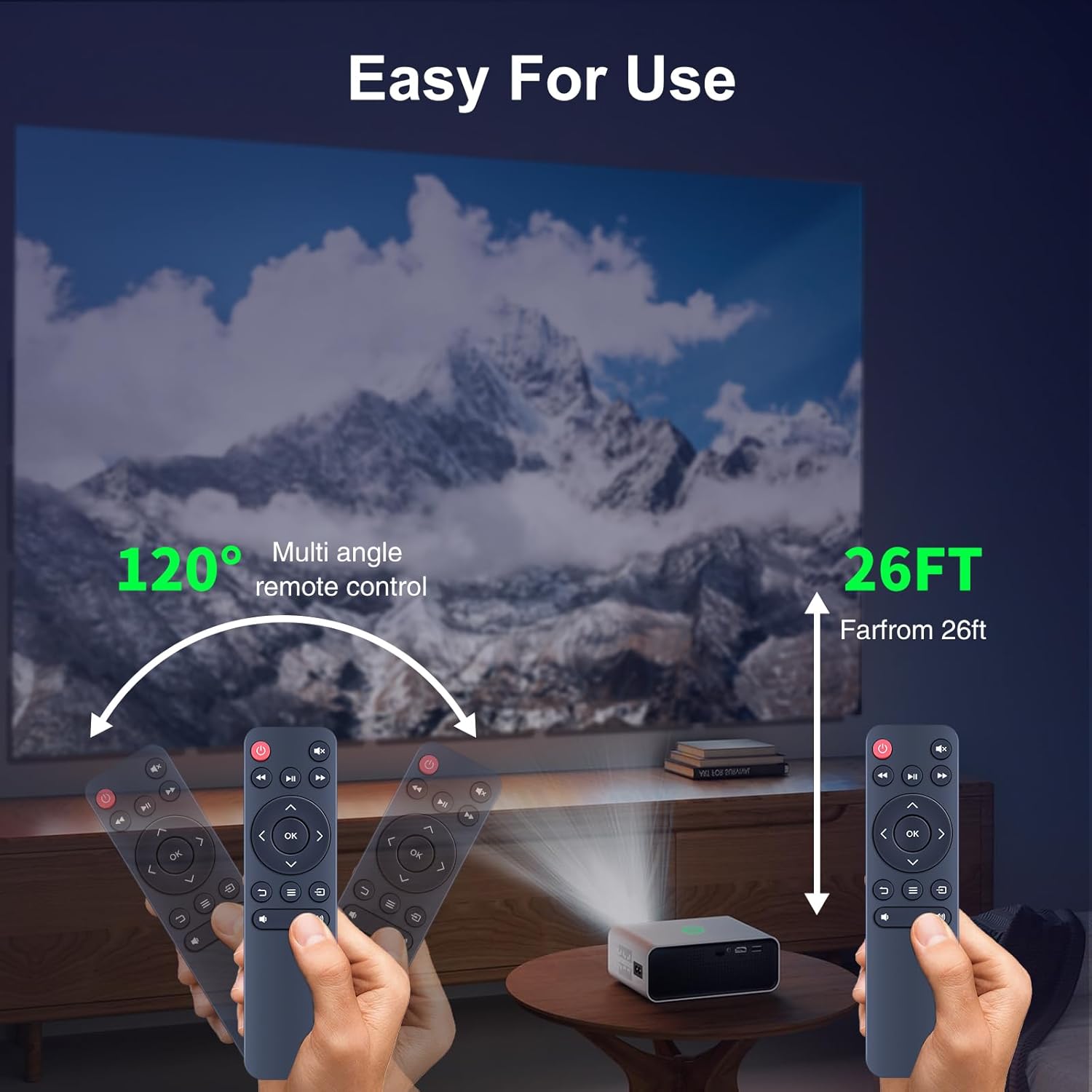
Figure 5.1: The remote offers a 120-degree multi-angle control and an effective range of up to 26 feet.
6. Maintenance
To ensure the longevity and optimal performance of your remote control, follow these maintenance guidelines:
- Cleaning: Wipe the remote control with a soft, dry cloth. Do not use liquid cleaners or abrasive materials.
- Battery Replacement: Replace batteries when the remote's responsiveness decreases or it stops functioning. Always replace both batteries at the same time.
- Storage: Store the remote control in a cool, dry place away from direct sunlight and extreme temperatures.
- Avoid Drops: Protect the remote from physical impact, as drops can damage internal components.
7. Troubleshooting
If you encounter issues with your HZIME Replacement Projector Remote Control, please refer to the following common problems and solutions:
| Problem | Possible Cause / Solution |
|---|---|
| Remote is not responding. |
|
| Remote works intermittently. |
|
| Remote does not work with my projector model. |
|
8. Specifications

Figure 8.1: Physical dimensions of the HZIME remote control.
| Feature | Detail |
|---|---|
| Brand | HZIME |
| Connectivity Technology | Infrared (IR 3.0) |
| Compatible Devices | Projectors (Specific models listed in Section 3) |
| Max Number of Supported Devices | 1 (Direct replacement) |
| Special Feature | Ergonomic Design |
| Package Dimensions | 7 x 2.4 x 0.9 inches |
| Item Weight | 2.4 ounces |
| Power Source | 2 x 1.5V AAA Batteries (Not Included) |
| Control Distance | Up to 26 feet (approx. 8 meters) |
| Control Angle | Over 120 degrees |
9. Warranty and Support
HZIME is committed to providing quality products and excellent customer service. If you have any questions or encounter issues with your remote control during purchase or use, please do not hesitate to contact us. We will endeavor to resolve your concerns promptly.
For support, please refer to the contact information provided with your product packaging or through your point of purchase.
Ask a question about this manual
Ask about setup, troubleshooting, compatibility, parts, safety, or missing instructions. Manuals+ will review the question and use this page’s manual context to help answer it.