
Kviflon 8249
Kviflon 46-inch Ceiling Fan with Lights and Remote/APP Control (Model 8249)
User Instruction Manual
Introduction
Thank you for choosing the Kviflon 46-inch Ceiling Fan. This manual provides detailed instructions for the safe installation, operation, and maintenance of your new ceiling fan. Please read this manual thoroughly before installation and keep it for future reference.
Important Safety Information
- Always disconnect power at the circuit breaker before installation or servicing.
- Ensure all electrical connections comply with local codes and ordinances.
- Consult a qualified electrician if you are unfamiliar with electrical wiring.
- Mount the fan to a ceiling joist or support structure capable of supporting the fan's weight.
- Keep hands clear of fan blades during operation.
- Do not use with dimmer switches or fan speed controllers not specified for this product.
Package Contents
Verify that all components are present before beginning installation:
- Ceiling Fan Motor Assembly
- Fan Blades (6) - Double-sided (White and Burlywood finishes)
- LED Light Kit
- Remote Control
- Mounting Hardware (Junction Box, Mounting Bracket, Screws, Safety Rope)
- Instruction Manual
Note: The screws for attaching the blades to the motor are pre-installed on the motor assembly for your convenience.
Setup and Installation
This ceiling fan is designed for flush mount installation on standard or low-profile ceilings. It is not suitable for sloped ceilings.
1. Prepare for Installation
- Turn off power at the circuit breaker.
- Ensure the mounting location can support the fan's weight.
- Gather necessary tools (screwdriver, wire strippers, ladder, etc.).
2. Mounting the Bracket
Attach the mounting bracket to the ceiling junction box. Ensure it is securely fastened.
Video: An official Kviflon installation video demonstrating the wiring process for the 8249 46-inch ceiling fan light. This video guides users through connecting the fan's electrical components to the household wiring, including mounting the bracket.
3. Attaching Fan Blades
The fan features double-sided blades (White and Burlywood). Choose your preferred finish and attach the blades to the motor assembly using the pre-installed screws. Ensure all screws are tightened securely.

Image: Close-up of the double-sided fan blades, showing both the white and burlywood finishes. Users can select which side faces down during assembly.
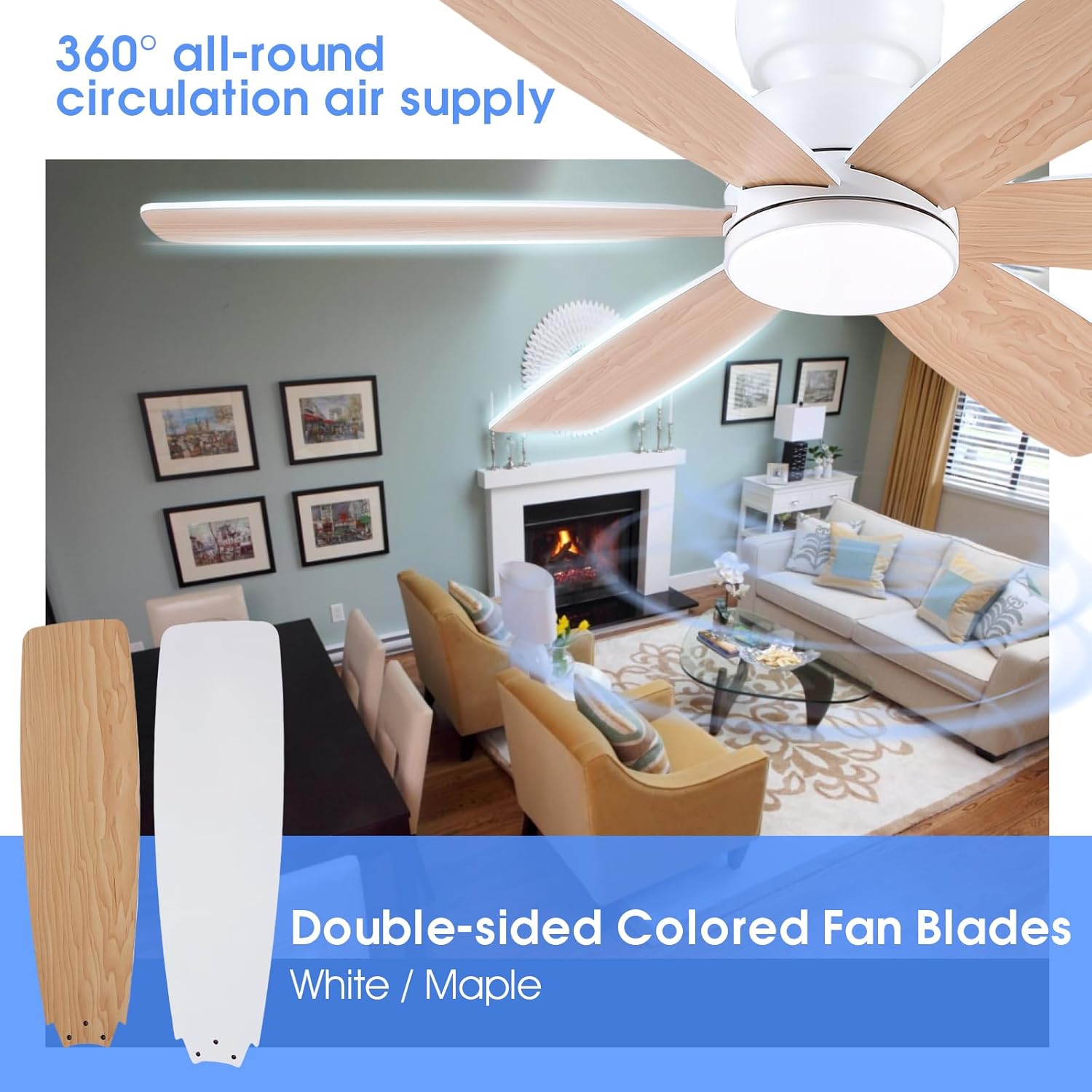
Image: A person attaching a fan blade to the motor assembly, demonstrating the process of securing the blades.
4. Wiring the Fan
Connect the fan's electrical wires to the household wiring according to the provided wiring diagram in the detailed manual. Use wire nuts to secure connections. Ensure the safety rope is also secured. Refer to the installation video above for visual guidance.
5. Final Assembly
Once wiring is complete, carefully lift the fan assembly and secure it to the mounting bracket. Attach the canopy to cover the wiring connections.

Image: Diagram illustrating the dimensions of the 46-inch ceiling fan (46" diameter, 10" height) and confirming its suitability for flush mount installation on flat ceilings. It also shows the blade length of 19 inches.
Operating Instructions
Your Kviflon ceiling fan can be controlled via the included remote control or a smartphone application.
Remote Control Functions
The remote control allows you to adjust fan speed, light settings, and activate the timer and reverse functions.
- Power On/Off: Turns the fan and light on or off.
- Fan Speed: Select from 6 adjustable speeds (1-2 for sleeping, 3-4 for natural wind, 5-6 for strong wind).
- Light On/Off: Controls the LED light independently.
- Color Temperature: Adjusts the light color from Warm (3000K), Natural (4500K), to White (6000K).
- Brightness: Dims the light from 20% to 100%.
- Forward/Reverse (F/R): Changes the blade rotation direction for seasonal use.
- Timer: Sets a 2-hour timer for automatic shutdown.
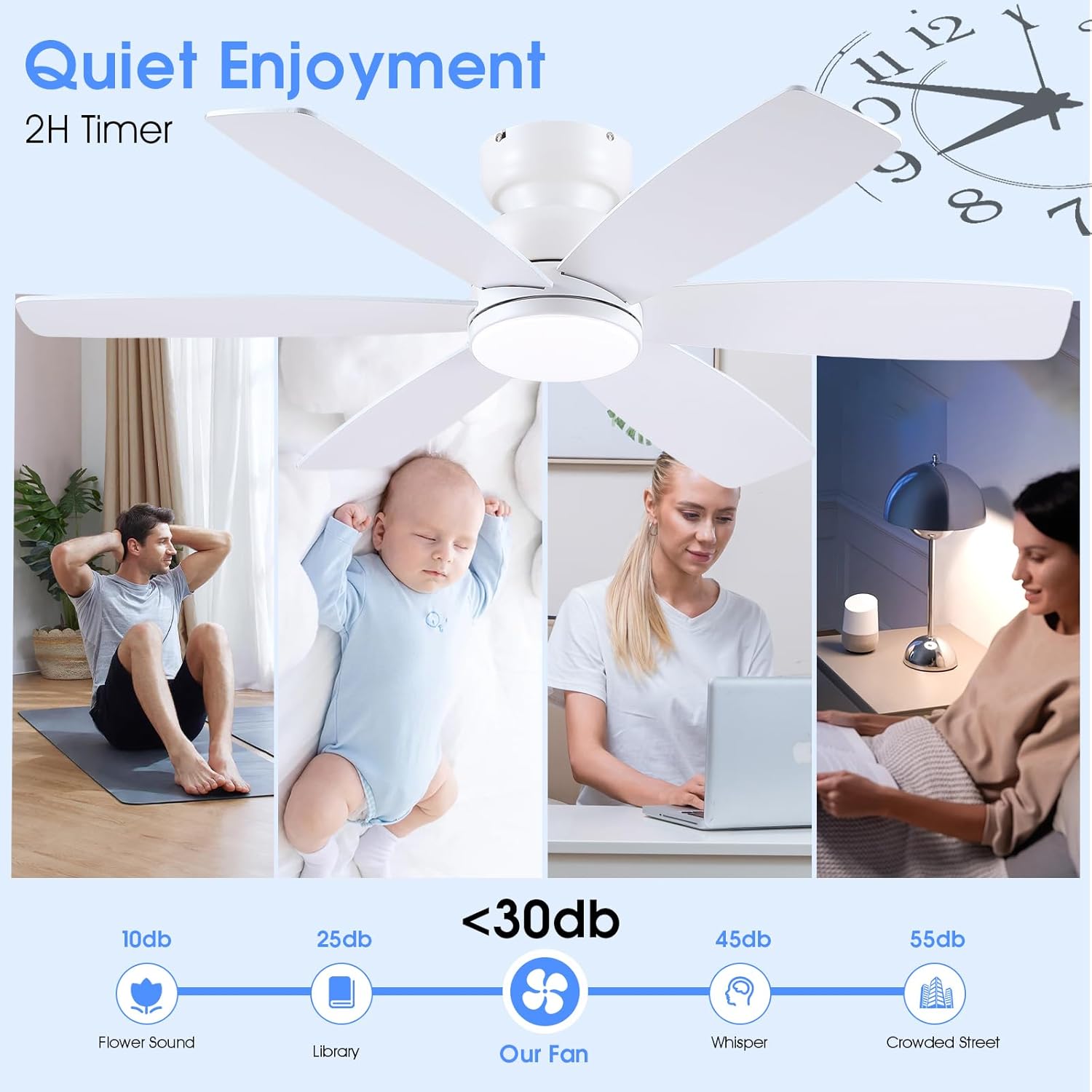
Image: Depicts the remote control and illustrates the 6 adjustable wind speeds, suggesting appropriate uses for each speed level (e.g., sleeping, natural, strong wind).
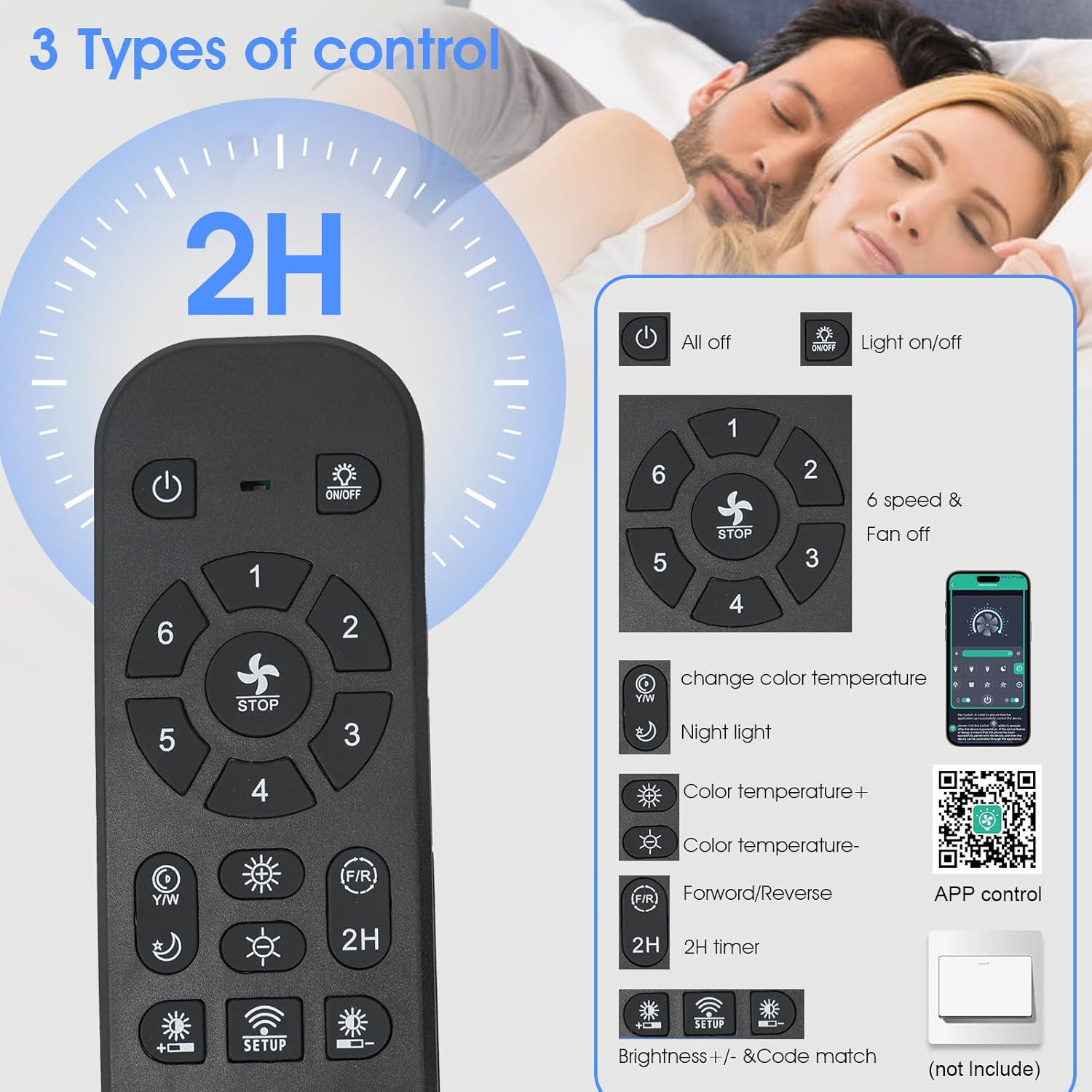
Image: Shows the three color temperature options for the integrated LED light: 3000K (Warm Light), 4500K (Natural Light), and 6000K (White Light), demonstrating how to create different ambiances.
Video: An official Kviflon video showcasing the scene display and various functions of the 46-inch white fan with lights, including speed and light adjustments.
Reverse Rotation Function
The reversible DC motor allows for year-round use. In summer, the fan rotates counter-clockwise to create a downward airflow for cooling. In winter, it rotates clockwise to circulate warm air trapped near the ceiling.
To activate: Press the F/R key on the remote. The fan will stop completely and then automatically reverse direction after 5-8 seconds.
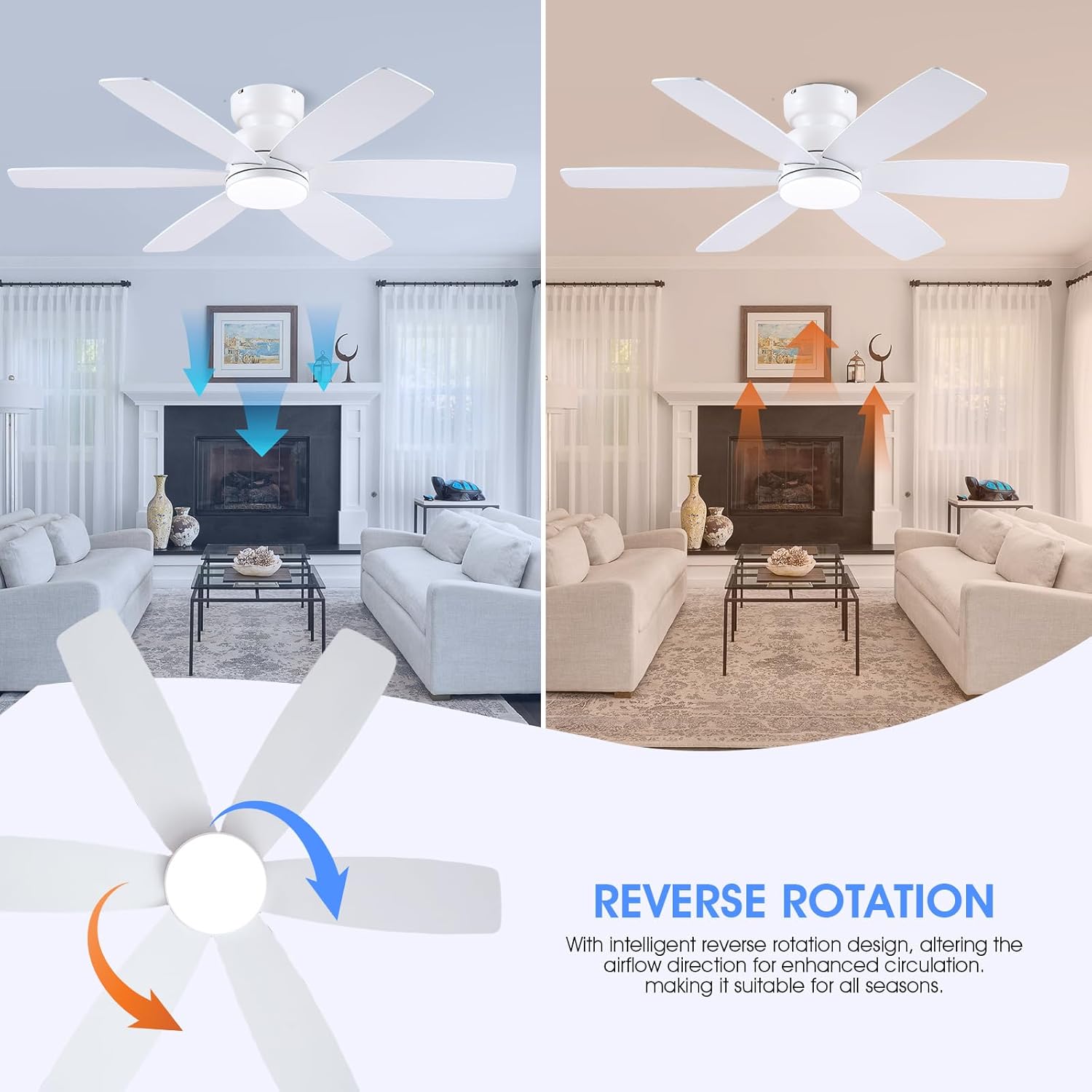
Image: Illustrates the reverse rotation function, showing downward airflow for summer cooling and upward airflow for winter heat circulation.
APP Control
Control your fan using the dedicated smartphone application. Follow these steps to pair your device:
- Download the "FanLamp Pro" app from your app store or scan the QR code provided in the manual.
- Ensure Bluetooth is enabled on your smartphone.
- Open the "FanLamp Pro" app and enter the main page.
- Click the "+" button to add a new fan lamp.
- Enter the control page after creating the device.
- Click the pair button several times within 5 seconds after the fan is powered on. If the fan light flashes or beeps, it means the phone has successfully paired.

Image: Step-by-step guide on how to pair the ceiling fan with the smartphone application, including downloading the app, enabling Bluetooth, and initiating the pairing process.
Download the app here: FanLamp Pro App
Video: An official Kviflon video demonstrating the APP control method for the 8249 46-inch ceiling fan, showing how to connect and operate the fan via a smartphone.
Wall Control Compatibility
The fan is compatible with conventional wall switches for basic light on/off control. Note: Do not connect the fan to dimmer switches or fan gear switches, as this can damage the unit.

Image: Illustrates the correct type of wall switch (conventional on/off) to use with the fan and warns against using dimmer or fan speed control switches.
Maintenance
Regular maintenance ensures optimal performance and extends the life of your ceiling fan.
- Cleaning: Periodically clean the fan blades and motor housing with a soft, damp cloth. Do not use abrasive cleaners or solvents.
- Tighten Screws: Check all screws and connections annually to ensure they are secure.
- Lubrication: The fan's motor is permanently lubricated and does not require additional oiling.
- Light Source: The integrated LED light source is designed for long life and is not user-replaceable.
Troubleshooting
If you experience issues with your fan, refer to the following common problems and solutions:
| Problem | Possible Cause | Solution |
|---|---|---|
| Fan does not start | No power supply; Loose wiring; Remote control battery low. | Check circuit breaker; Verify all wire connections are secure; Replace remote control batteries. |
| Light does not work | Loose wiring; Light switch off; LED driver issue. | Check wiring connections; Ensure light switch is on; Contact customer support if LED is faulty. |
| Fan wobbles | Loose blades; Unbalanced blades; Loose mounting bracket. | Ensure all blade screws are tight; Use a balancing kit (not included) if necessary; Tighten mounting bracket screws. |
| Remote control not working | Battery low/dead; Remote not paired; Obstruction between remote and receiver. | Replace batteries; Re-pair remote with fan (refer to operating instructions); Remove obstructions. |
| APP control not connecting | Bluetooth off; Incorrect pairing steps; App issue. | Ensure Bluetooth is on; Follow APP pairing instructions carefully; Reinstall app if necessary. |
Specifications
| Feature | Detail |
|---|---|
| Brand | Kviflon |
| Model Name | 8249 |
| Product Dimensions | 46"D x 46"W x 9.8"H |
| Color | White |
| Electric Fan Design | Ceiling Fan |
| Power Source | DC |
| Style | Modern |
| Room Type | Bedroom, Living Room, Kids Room, Game Room, Kitchen, Conference Room, Cloak Room, Dressing Room, Home Office, Dorm Room, Class Room, Play Room, Laundry Room, Storage Room, Library, Study Room |
| Special Features | App Operable, Dimmable, LED Light, Remote Control, Timer |
| Mounting Type | Flush Mount |
| Controller Type | Button Control, Remote Control |
| Number of Speeds | 6 |
| Noise Level | 30 Decibels |
| Wattage | 30 watts |
| Number of Blades | 6 |
| Speed | 180 RPM |
| Voltage | 110 Volts |
| Indoor Outdoor Usage | Indoor |
| Motor Type | Brushless DC Motor |
| Light Type | LED |
| Material | Metal, Wood |
| Blade Material | Wood |
| Included Components | Instruction Manual, Junction Box, LED Reflector, Mounting Hardware, Remote |
Warranty
This Kviflon ceiling fan comes with a 1-year warranty from the date of purchase. This warranty covers manufacturing defects and material flaws under normal use. Please retain your proof of purchase for warranty claims.
The warranty does not cover damage caused by improper installation, misuse, accidents, unauthorized repairs, or normal wear and tear.
Customer Support
If you have any questions regarding the installation, operation, or maintenance of your Kviflon ceiling fan, please do not hesitate to contact our customer support team. Refer to your purchase documentation or the Kviflon brand store on Amazon for contact details.
For additional information and products, visit the Kviflon Store on Amazon.
Related documents8249


Ask a question about this manual
Ask about setup, troubleshooting, compatibility, parts, safety, or missing instructions. Manuals+ will review the question and use this page’s manual context to help answer it.