
Important Safety Information
Please read and understand all safety instructions before installing or operating this product. Retain this manual for future reference.
- Electrical Safety: Ensure the power supply voltage matches the product's requirements (110V AC). Always connect to a grounded outlet. Disconnect power before cleaning or servicing.
- Ventilation: Ensure adequate ventilation around the unit to prevent overheating. Do not block ventilation openings.
- Indoor Use Only: This product is designed for indoor use. Do not expose to rain or moisture.
- Eye Protection: Avoid direct eye exposure to the light source, as it can cause eye damage.
- Handling: Handle with care. Do not drop or subject the unit to severe impact.
Product Overview
The Kiinsehtoq 4x100W COB LED Stage Light is a versatile lighting fixture featuring four 100W Chip-on-Board (COB) LEDs. It offers 2-in-1 warm and cool white light, allowing for adjustable color temperatures from 3200K to 5600K. Designed for dynamic stage lighting, events, and studio use, it provides intense, uniform illumination with advanced DMX512 pixel control.
Key Features
- 400W High Output COB LEDs (4x100W) for intense, uniform brightness.
- 2-in-1 Warm/Cool White (3200K-5600K) for versatile lighting environments.
- Advanced DMX512 pixel control for individual zone tuning.
- Reflector bowl technology for wide and even 60-degree illumination.
- Multiple operating modes: DMX, Sound-Activated, Master/Slave, Auto.
- 55 Built-In Programs (25 static colors & 30 dynamic programs).
- 0-100% Linear Dimming capability.
- Compact and lightweight design for easy transport and installation.
- Durable aluminum and iron construction with powder-coated finish.
Package Contents
- Par Light x 1
- Power Cord x 1
- DMX Cable x 1
- Instruction Manual x 1
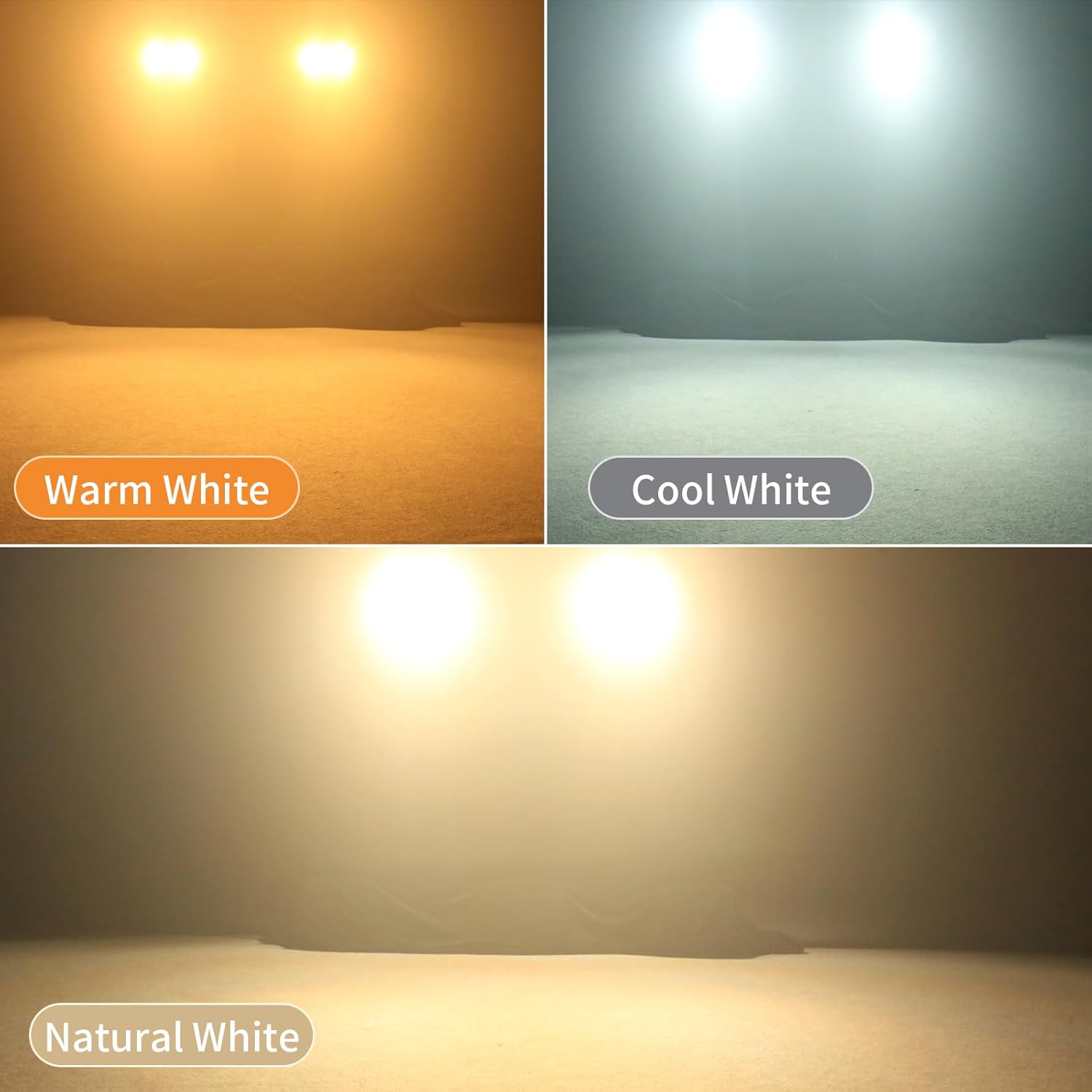
Image description: The image displays the Kiinsehtoq 4x100W COB LED Stage Light along with its included accessories: a power cord, a DMX signal cable, and the instruction manual.
Setup
Physical Installation
The stage light can be mounted in various configurations: floor mount, wall mount, or truss mount. Use the integrated dual mounting brackets for secure positioning. Ensure the mounting surface or truss can support the weight of the fixture (approximately 10 lbs / 4.55 kg).

Image description: A diagram illustrating the dimensions of the stage light (13.5 inches by 13.5 inches by 8.5 inches) and its weight (4.55 kg / 10 lbs). The image also highlights the DMX In/Out, Power In/Out, and the 4-digit display control panel on the rear.
Power Connection
Connect the provided power cord to the 'POWER IN' port on the rear of the fixture and then to a suitable 110V AC grounded power outlet.
DMX Connection (Optional)
For DMX control, connect a DMX cable from your DMX controller's output to the 'DMX IN' port on the fixture. To daisy-chain multiple units, connect a DMX cable from the first fixture's 'DMX OUT' port to the next fixture's 'DMX IN' port. Up to 6 units can be daisy-chained.

Image description: An illustration demonstrating how to daisy-chain up to six stage lights using standard Ohm-style sockets and DMX cables for synchronized control.
Operating Instructions
Control Panel Overview
The rear panel features a 4-digit LED display and four control buttons: MENU, UP, DOWN, and ENTER. These buttons are used to navigate through settings and select operating modes.

Image description: A detailed view of the stage light's rear control panel, showing the DMX In/Out ports, the 4-digit LED display, and the Menu, Up, Down, and Enter buttons for navigation and setting adjustments.
Operating Modes
- DMX Mode: Connect to a DMX512 controller to gain full control over individual COB LEDs, color temperature, dimming, and effects. The fixture supports 6 or 12 DMX channels. Refer to the DMX channel chart in the full manual for specific functions.
- Sound-Activated Mode: The light reacts to ambient sound or music. Use the control panel to adjust sensitivity.
- Master/Slave Mode: Link multiple fixtures together. Set one unit as 'Master' and others as 'Slave' for synchronized operation without a DMX controller.
- Auto Mode: Select from 25 static colors and 30 dynamic pre-programmed effects. Adjust speed and sensitivity via the control panel.
Adjusting Color Temperature and Dimming
In manual or DMX mode, you can precisely adjust the color temperature from warm white (3200K) to cool white (5600K). The fixture also supports 0-100% linear dimming for smooth intensity control.
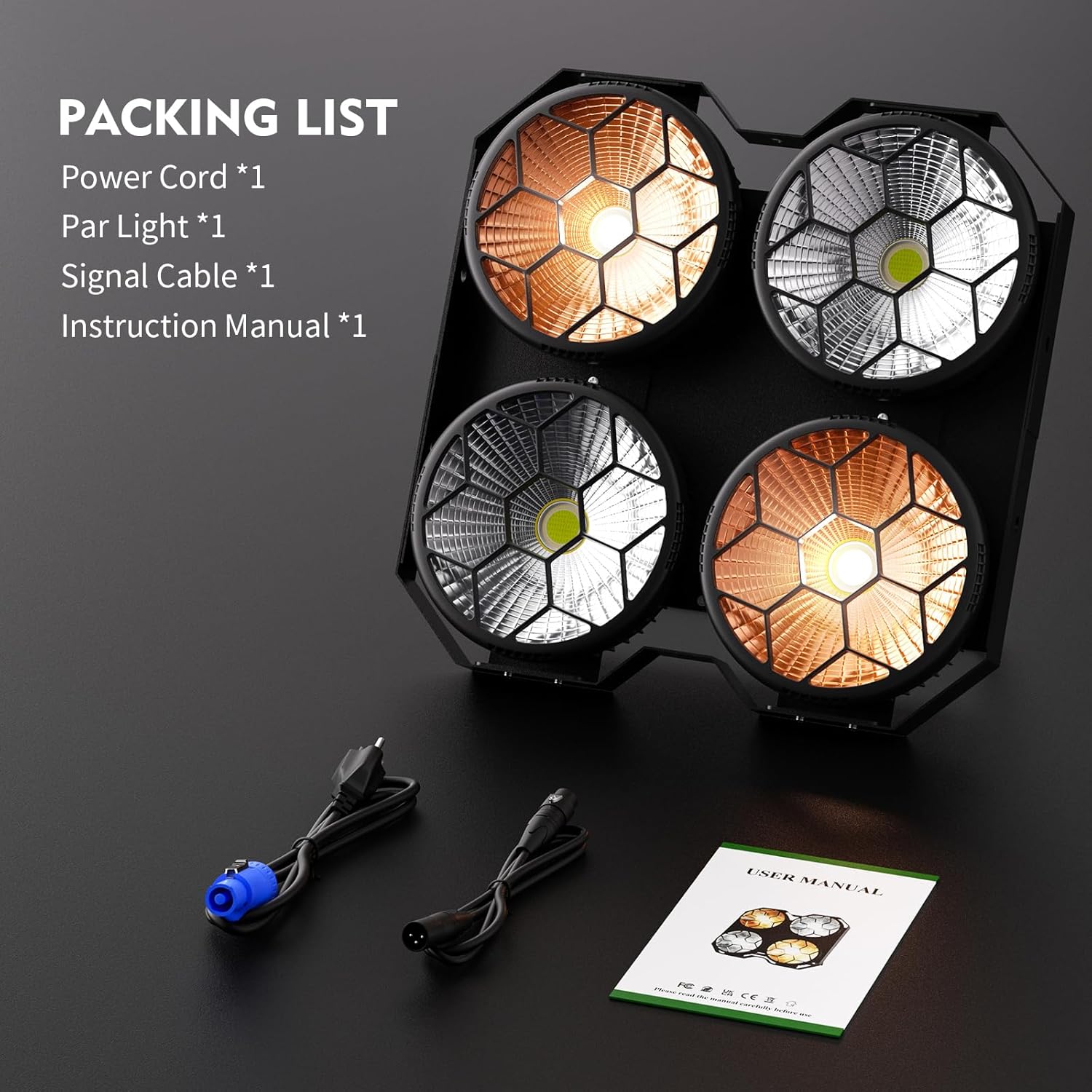
Image description: Three separate panels demonstrating the light output: Warm White, Cool White, and Natural White, showcasing the different color temperatures achievable by the stage light.

Image description: A visual representation of the light's 0-100% linear dimming feature, showing the intensity at 10%, 50%, and 100% brightness.
Video Demonstrations
DMX Control Demonstration
Video description: This video demonstrates the DMX control capabilities of the stage lights, showing how individual light elements can be adjusted for color temperature and intensity using a DMX controller.
Maintenance
Regular maintenance ensures optimal performance and extends the lifespan of your stage light.
- Cleaning: Periodically clean the exterior casing and lenses with a soft, dry cloth. Do not use abrasive cleaners or solvents. Ensure the unit is unplugged before cleaning.
- Ventilation: Keep ventilation openings clear of dust and debris. Use compressed air to gently clear any blockages if necessary.
- Inspection: Regularly inspect power cords and DMX cables for any signs of damage. Replace damaged cables immediately.
Troubleshooting
If you encounter issues with your stage light, refer to the following common problems and solutions:
- No Power:
- Check if the power cord is securely connected to both the fixture and the power outlet.
- Verify that the power outlet is functional.
- Ensure the power switch (if present) is in the 'ON' position.
- No Light Output:
- Check the selected operating mode (DMX, Auto, Sound, Master/Slave).
- Ensure dimming levels are not set to 0%.
- If in DMX mode, verify the DMX signal and address settings.
- DMX Control Issues:
- Ensure DMX cables are correctly connected (IN to OUT, OUT to IN).
- Verify the DMX address of the fixture matches the address set on your controller.
- Check for damaged DMX cables.
- Ensure the fixture is set to DMX mode.
- Light Flickering or Unstable:
- Check for loose power or DMX connections.
- Ensure the power supply is stable and not overloaded.
- If in Sound-Activated mode, adjust sensitivity to avoid erratic responses.
Specifications
- Model Number: ZQ01670US
- Brand: Kiinsehtoq
- Light Source Type: Light Emitting Diode (COB LED)
- Number of Light Sources: 4
- Light Source Wattage: 400 watts (4x100W)
- Color Temperature: 3200K-5600K (Warm/Cool White)
- Voltage: 110 volts AC
- Material: Aluminum, Iron
- Finish Type: Powder Coated
- Beam Angle: 60 degrees
- Mounting Type: Floor Mount, Wall Mount, Truss Mount
- Item Dimensions (L x W x H): 13.5" x 13.5" x 8.5"
- Weight: Approximately 10 lbs (4.55 kg)
- Control Modes: DMX512, Sound-Activated, Master/Slave, Auto
- Manufacturer: Shenzhen Zhuoqiong Technology Co., Ltd.
Warranty and Support
This Kiinsehtoq product comes with a 2-year manufacturer's warranty from the date of purchase, covering defects in materials and workmanship under normal use.
For warranty claims, technical support, or any inquiries regarding your product, please contact Kiinsehtoq customer service or visit our official store page.
For further assistance, visit the Kiinsehtoq Store.