
1. Introduction
Thank you for choosing the DentJet Smart Hand Massager ST-1802A. This device is designed to provide effective relief for hand discomfort, including symptoms associated with arthritis and carpal tunnel syndrome, through heat compression and Shiatsu massage. Please read this manual carefully before use to ensure proper operation and to maximize your experience with the product. Keep this manual for future reference.
2. Safety Information
To ensure safe operation and prevent injury or damage, please observe the following precautions:
- Do not use this product for any purpose other than hand massage.
- Do not use if your hand is injured, swollen, or has a skin condition.
- This device is not suitable for children. Keep out of reach of children.
- Do not use while sleeping.
- Use for one hand only; do not attempt to use with both hands simultaneously.
- Remove all jewelry, rings, and nail decorations before use.
- Do not use in bathrooms or wet environments, and prevent water from entering the device.
- Avoid using the device in high-temperature or humid environments.
- If your body feels hot, do not use the highest heat setting for more than 10 minutes to prevent potential burns on sensitive skin.
- The default massage duration is 15 minutes. If you wish to continue, restart the device. Do not use for more than 30 minutes continuously to avoid discomfort.
- Do not attempt to disassemble or modify the product.
- Do not use if the power cord or the device itself is damaged.
- Consult a doctor before use if you have a pacemaker, other medical implants, bone injuries, recent hand surgery, skin diseases, allergies, acute inflammation, blood circulation disorders, osteoporosis, or muscle strains.
3. Product Overview
The DentJet Smart Hand Massager is designed with advanced features for comprehensive hand therapy.
Key Features:
- Airbag Compression: Features 13 double-layer TPU airbags for all-around hand, wrist, palm, and finger relief.
- Massage Modes: 3 distinct modes: Health, Soothing, and Vitality.
- Temperature Settings: 3 heat levels: 20°C, 35°C, and 42°C, with fast heating in 8-10 seconds.
- Intensity Levels: 5 adjustable compression intensities.
- Automatic Timer: 15-minute automatic shut-off for safety and optimal session duration.
- Battery: Built-in 2000 mAh battery with Type-C fast charging.
- Materials: Constructed with premium 2-layer TPU leather, integrated thickened PE metal, and body-friendly technical fabric.
Components:
The device consists of the main massager unit with an integrated control panel and a Type-C charging port.

Figure 1: Illustration of the internal airbag system providing relief to the wrist, palm, hand, and fingers.

Figure 2: Overview of the massager's control panel, highlighting the three massage modes, three temperature settings, and five force adjustment levels.
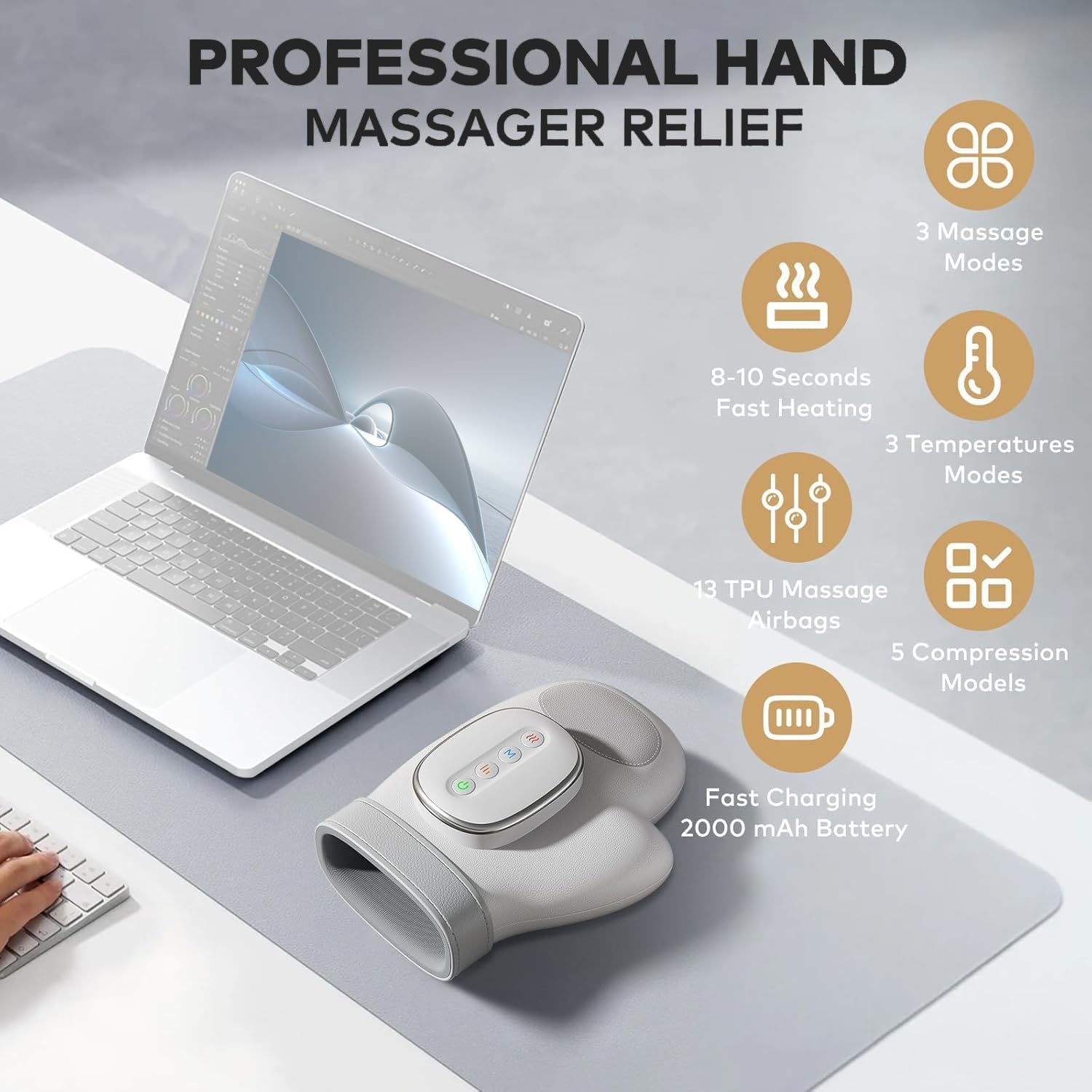
Figure 3: Summary of the professional features of the DentJet Hand Massager, including massage modes, heating, temperature, airbags, compression, and battery.
4. Setup and Preparation
Before your first use, or any subsequent use, follow these steps:
- Ensure your hands are clean and dry.
- Remove all jewelry, rings, and any other hand decorations.
- Ensure the device is turned off before inserting your hand.
- Gently slide one hand into the massager, ensuring your fingers align with the internal finger holes.

Figure 4: Product dimensions and illustration of how it accommodates various hand sizes for a comfortable fit.
5. Operating Instructions
The control panel features intuitive buttons for easy operation:
- Power Button: Press and hold for 3 seconds to turn the device ON or OFF.
- Mode Button (M): Press to cycle through the 3 massage modes: Health, Soothing, and Vitality.
- Heat Button (Wave icon): Press to select one of the 3 temperature levels: 20°C (low), 35°C (medium), 42°C (high).
- Intensity Button (Bars icon): Press to adjust between the 5 compression intensity levels.
Massage Function Table:
| Function | Air Pressure | Heat | Time |
|---|---|---|---|
| Mode 1 (Health) | Low | 20°C | 15 min |
| Mode 2 (Soothing) | Medium | 35°C | 15 min |
| Mode 3 (Vitality) | High | 42°C | 15 min |
6. Charging the Device
The DentJet Smart Hand Massager is equipped with a 2000 mAh rechargeable battery and a Type-C charging port.
- Connect the provided Type-C charging cable to the device's charging port.
- Connect the other end of the cable to a compatible 5V/1A USB power source (e.g., wall adapter, power bank, computer USB port).
- The charging indicator light will illuminate during charging.
- A full charge typically lasts for approximately one week of regular use.
- Do not use the device while it is charging.
- Ensure the charging cable and adapter are undamaged before use.

Figure 5: Various methods for charging the hand massager, including wall outlet, power bank, and laptop.
7. Maintenance and Care
Proper maintenance ensures the longevity and performance of your massager:
- Wipe the exterior of the device with a soft, dry cloth. Do not use abrasive cleaners or immerse the device in water.
- Store the massager in a cool, dry place away from direct sunlight and extreme temperatures.
- When not in use for extended periods, ensure the device is fully charged before storing.
Battery Disposal:
The main unit, including the lithium battery, and its accessories should not be discarded with household waste at the end of their service life. Please dispose of electronic waste through a professional recycling agency to protect the environment.
8. Troubleshooting
If you encounter any issues with your DentJet Smart Hand Massager, please refer to the following table:
| Problem | Possible Cause / Solution |
|---|---|
| Device does not turn on. | Ensure the battery is charged. Press and hold the power button for 3 seconds. |
| Device stops during use. | The 15-minute timer may have expired. Restart the device. The battery might be low; charge the device. |
| Device is too hot. | Reduce the temperature setting. Stop using the device for a short period. |
| Device is too cold. | Increase the temperature setting. |
| Massage intensity is too strong/weak. | Adjust the intensity level using the intensity button. |
| Abnormal noise from the device. | Stop using the device immediately and contact customer support. |
| Device is not charging. | Check if the charging cable is securely connected. Ensure the charging adapter is functional. Inspect the charging port for damage. |
| Device not responding to button presses. | Restart the product by turning it off and on. If the issue persists, contact customer service. |
9. Specifications
- Model Number: ST-1802A
- Brand: DentJet
- Battery: 1 Lithium-ion (included), 2000 mAh
- Charging Voltage: 5V/1A
- Product Dimensions (L x W x H): 19 x 24.5 x 10 cm (7.48 x 9.65 x 3.94 inches)
- Product Weight: 685 grams (1.51 lbs)
- Massage Modes: 3 (Health, Soothing, Vitality)
- Temperature Modes: 3 (20°C, 35°C, 42°C)
- Compression Intensities: 5 levels
- Airbags: 13 double-layer TPU airbags
- Automatic Timer: 15 minutes
- Manufacturer: Shenzhen Future Electronic Co.,Ltd
- Country of Origin: China
10. Warranty and Support
DentJet is committed to providing high-quality products and customer satisfaction.
Lifetime Online Support:
If you encounter any problems during the use of your DentJet Smart Hand Massager, please do not hesitate to contact us. Our specialized online support staff is available 24 hours a day to assist you and resolve any issues in a timely manner.
Thank you for your continued support of our brand.


