1. Introduction
The YedaHcy DAC Decoder Module is a high-performance audio component designed to enhance your home audio experience. It provides superior sound quality with a high signal-to-noise ratio and low distortion, making it ideal for use with HX players, amplifiers, and various other audio equipment. This manual provides essential information for the safe and effective use of your DAC module.
2. Safety Information
IMPORTANT SAFETY NOTE:
- Pay close attention to the power supply connection. Do not reverse the connection, as this will damage the board.
- The input voltage must not exceed 10V. Voltages above 10V will also cause damage to the board.
- Ensure all connections are secure before powering on the device.
3. Package Contents
Please verify that all items are present in your package:
- 1 x DAC Decoder Module
4. Product Overview and Features
The YedaHcy DAC Module is engineered for optimal audio performance and versatility.

Figure 4.1: Top view of the YedaHcy DAC Module, showcasing its compact design and primary components.

Figure 4.2: Angled perspective of the DAC module, highlighting its input pins and output jacks.
- Audio Quality: Offers an unmatched audio experience with a signal-to-noise ratio of 112db and low distortion of -93db, ensuring clear and undistorted sound.
- Stable Output: Enjoy consistent audio output with a direct output of 2.1V RMS audio voltage for high-frequency clarity and rich low-frequency response.
- Versatile Compatibility: Designed for use with HX players, amplifiers, and other audio equipment, this module easily integrates into your home audio setup via a 3.5mm interface.
- Technical Design: The board utilizes an internal PLL uptick to generate the MCLK clock, eliminating the need for an external asynchronous clock and ensuring optimal performance.
- User-Friendly Features: Supports two modes (normal and low delay) and offers manual switching for I2S format or left-justified direct input, providing flexibility and ease of use.
5. Connections and Setup
Follow these steps to connect your DAC module to your audio system:
- Power Connection: Connect the power supply to the VCC and GND pins. Refer to the safety information regarding voltage and polarity.
- Audio Input: Connect your audio source (e.g., HX player) to the I2S signal input pins (BCK, DATA, LRCK, GND). The module supports I2S format or left-justified direct input, with manual switching required.
- Audio Output: Connect the 3.5mm interface or the RCA outputs (L and R) to your amplifier or other audio equipment.
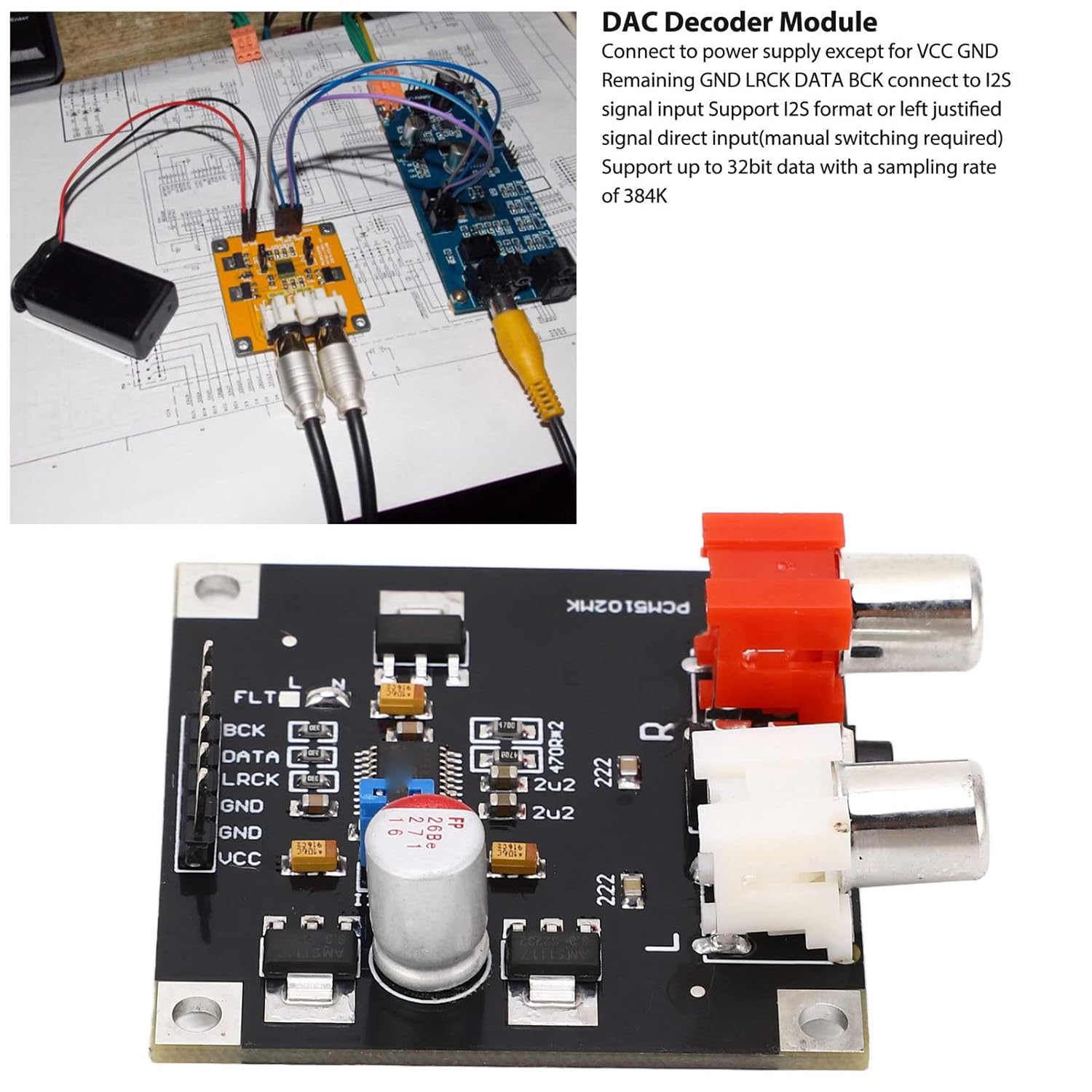
Figure 5.1: Example setup showing the DAC module connected to a player and amplifier, illustrating typical wiring.

Figure 5.2: Detailed view of the 3.5mm and RCA output interfaces for connecting to audio systems.
6. Operating Instructions
The DAC module is designed for straightforward operation once connected.
- Power On: Once all connections are made, apply power to the module.
- Mode Selection: The module supports two modes: normal and low delay. Refer to the module's specific pin configurations or jumpers (if present) for manual switching between these modes.
- Input Format: The module supports I2S format or left-justified direct input. Ensure your audio source is configured to output in one of these formats. Manual switching for the input format may be required on the module itself.
- Audio Playback: Begin playback from your audio source. The DAC module will convert the digital audio signal to analog, outputting it through the connected amplifier or audio equipment.
7. Maintenance
To ensure the longevity and optimal performance of your DAC module, follow these general maintenance guidelines:
- Keep the module in a clean, dry environment, away from dust and moisture.
- Avoid exposing the module to extreme temperatures or direct sunlight.
- Do not attempt to disassemble or modify the module, as this will void any potential warranty and could cause damage.
- Clean the exterior with a soft, dry cloth. Do not use liquid cleaners or solvents.
8. Troubleshooting
If you encounter issues with your DAC module, please refer to the following common troubleshooting steps:
- No Audio Output:
- Check all power connections to ensure the module is receiving power.
- Verify that audio input and output cables are securely connected.
- Ensure your audio source is playing and its volume is turned up.
- Confirm that the input format (I2S/left-justified) is correctly configured on both the source and the module.
- Distorted Audio:
- Check for loose connections or damaged cables.
- Ensure the input voltage is within the specified range (not exceeding 10V).
- Test with a different audio source or cables to rule out external issues.
- Module Not Powering On:
- Double-check the power supply polarity. Reverse connection will prevent power-on and damage the board.
- Ensure the power supply is providing the correct voltage.
If problems persist after following these steps, please contact customer support.
9. Specifications
| Parameter | Value |
|---|---|
| Item Type | DAC Decoder Module |
| Material | PCB |
| Signal-to-Noise Ratio (SNR) | 112db |
| Distortion | -93db |
| Output Voltage | 2.1V RMS (audio voltage) |
| Interface | 3.5mm, RCA (L/R) |
| Supported Input | I2S format, Left-justified direct input |
| Operating Modes | Normal, Low Delay |
| Model Number | YedaHcyxn3hgawtco |
| Package Dimensions | 4.72 x 2.76 x 1.18 inches |
| Weight | 0.78 ounces |
10. Warranty and Support
For warranty information and technical support, please refer to the documentation provided with your purchase or contact the manufacturer directly. Keep your purchase receipt as proof of purchase for any warranty claims.