
1. Introduction
Thank you for choosing the Neretva 20-in-1 Bread Maker. This appliance is designed to simplify your bread-making process, offering a variety of programs for different bread types, doughs, and even yogurt. Please read this manual thoroughly before operating the bread maker to ensure safe and efficient use. Keep this manual for future reference.
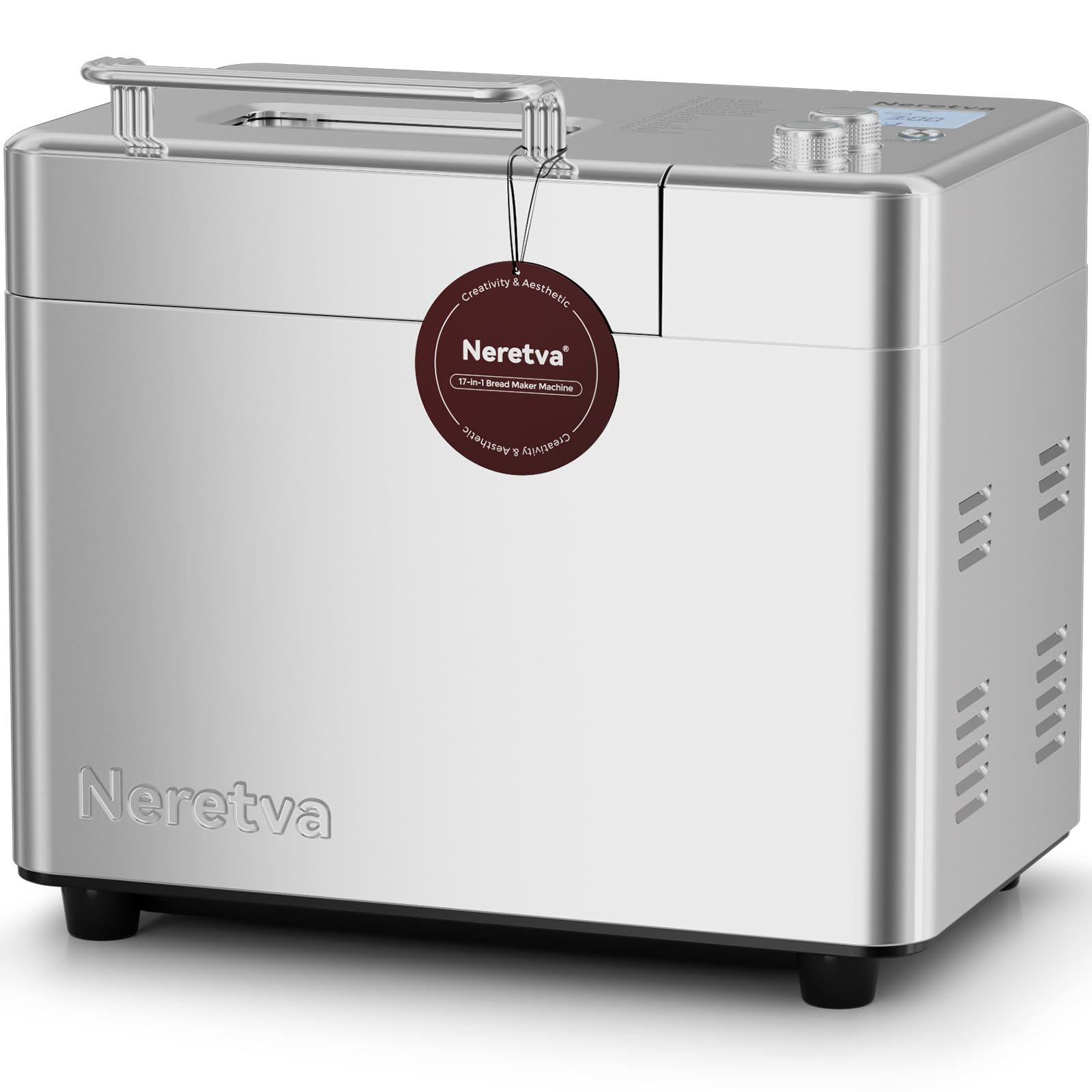
Image: The Neretva 20-in-1 Bread Maker, showcasing its sleek design and user-friendly control panel.
2. Important Safety Instructions
When using electrical appliances, basic safety precautions should always be followed, including the following:
- Read all instructions carefully.
- Do not touch hot surfaces. Use handles or knobs.
- To protect against electric shock, do not immerse cord, plugs, or the bread maker housing in water or other liquid.
- Close supervision is necessary when any appliance is used by or near children.
- Unplug from outlet when not in use and before cleaning. Allow to cool before putting on or taking off parts.
- Do not operate any appliance with a damaged cord or plug, or after the appliance malfunctions or has been damaged in any manner.
- The use of accessory attachments not recommended by the appliance manufacturer may cause injuries.
- Do not use outdoors.
- Do not let cord hang over edge of table or counter, or touch hot surfaces.
- Do not place on or near a hot gas or electric burner, or in a heated oven.
- Extreme caution must be used when moving an appliance containing hot oil or other hot liquids.
- To disconnect, turn any control to 'off', then remove plug from wall outlet.
- Do not use appliance for other than intended use.
3. Product Overview
Key Features:
- 20-in-1 Programs: Versatile settings for various bread types, doughs, jams, cakes, and yogurt.
- Dual Heating Elements: Ensures even baking and consistent crust development.
- 2 lb Capacity: Ideal for families, allowing for larger loaves.
- Non-Stick Ceramic Pan: Durable and easy to clean, promoting healthier baking.
- Automatic Fruit & Nut Dispenser: Automatically adds ingredients at the optimal time during the baking cycle.
- Compact Design: Space-saving footprint for any kitchen countertop.
Components:
- Main Unit Housing
- Control Panel with LCD Display
- Lid with Viewing Window
- Baking Pan (Non-Stick Ceramic)
- Kneading Paddle
- Automatic Fruit & Nut Dispenser
- Measuring Cup and Spoon (accessories)

Image: The Neretva Bread Maker showcasing the variety of items that can be made using its 17 program menus, including different types of bread, pastries, and other food items.

Image: An internal view of the bread maker highlighting the dual heating elements, which ensure even heat distribution for thorough and efficient baking.

Image: A detailed view of the automatic fruit and nut dispenser, demonstrating its function in adding ingredients at the correct stage of the baking process.
4. Setup
4.1 Unpacking
- Carefully remove the bread maker and all accessories from the packaging.
- Remove any packaging materials, stickers, or labels.
- Check that all parts are present and undamaged.
4.2 Before First Use
- Wipe the exterior of the bread maker with a damp cloth.
- Wash the baking pan, kneading paddle, and measuring accessories with warm, soapy water. Rinse thoroughly and dry completely.
- Ensure the baking pan is securely locked into the main unit.
4.3 Placement
- Place the bread maker on a stable, flat, heat-resistant surface, away from direct sunlight and heat sources.
- Ensure there is adequate ventilation around the appliance. Do not cover the ventilation slots.
- Plug the power cord into a grounded electrical outlet.
5. Operating Instructions
5.1 Basic Operation
- Add Ingredients: Place the kneading paddle into the baking pan. Add liquid ingredients first, followed by dry ingredients. Ensure yeast is added last and does not come into direct contact with liquids or salt.
- Select Menu: Close the lid. Use the 'Menu' button to cycle through the 20 available programs. The selected program number will be displayed on the LCD screen.
- Select Loaf Size & Crust Color: For applicable programs, use the 'Loaf Size' and 'Crust Color' buttons to adjust settings according to your recipe and preference.
- Start Baking: Press the 'Start/Stop' button to begin the program. The machine will beep, and the timer will start counting down.
- Remove Bread: Once the program is complete, the machine will beep. Press and hold the 'Start/Stop' button for a few seconds to stop the machine. Carefully remove the baking pan using oven mitts. Invert the pan to release the bread.

Image: A visual guide demonstrating the three simple steps to bake bread: adding ingredients, selecting the program, and the final baked bread.
5.2 Program Functions (20-in-1)
The Neretva Bread Maker offers 20 distinct programs. Refer to the recipe book for specific ingredient quantities and program recommendations.
| Program No. | Program Name | Description |
|---|---|---|
| 1 | Basic Bread | For white and mixed breads, mainly consisting of wheat flour. |
| 2 | French Bread | For light breads made from fine flour. |
| 3 | Whole Wheat | For breads with a high proportion of whole wheat flour. |
| 4 | Quick Bread | For quick baking without yeast, using baking powder/soda. |
| 5 | Sweet Bread | For breads with high sugar, fats, and proteins. |
| 6 | Gluten-Free | For gluten-free flour and recipes. |
| 7 | Sourdough | For sourdough bread recipes. |
| 8 | Yogurt | For making homemade yogurt. |
| 9 | Jam | For making homemade jams and preserves. |
| 10 | Cake | For baking cakes and quick breads. |
| 11 | Dough | For preparing dough for rolls, pizza, or pasta without baking. |
| 12 | Knead | For kneading dough only. |
| 13 | Bake | For baking only, useful for additional browning or pre-baked items. |
| 14 | Rice Bread | For breads made with rice flour. |
| 15 | Corn Bread | For breads made with corn flour. |
| 16 | Rye Bread | For breads made with rye flour. |
| 17 | French Dough | For preparing French-style dough. |
| 18 | Pizza Dough | For preparing pizza dough. |
| 19 | Dried Meat Floss | Special program for making dried meat floss. |
| 20 | Custom | Allows manual setting of kneading, rising, and baking times. |
5.3 Using the Automatic Dispenser
The automatic dispenser is designed to add fruits, nuts, or other small ingredients at the optimal time during the kneading cycle, preventing them from being over-processed. Open the dispenser lid and add your desired ingredients before starting the program. The dispenser will automatically open and release the ingredients at the appropriate time.
5.4 Delay Timer Function
The delay timer allows you to program the bread maker to finish baking at a later time, up to 15 hours. After selecting your program, loaf size, and crust color, press the 'Timer' buttons to adjust the delay time. Then press 'Start/Stop'. The display will show the total time until the bread is ready.
6. Maintenance and Cleaning
Regular cleaning ensures the longevity and optimal performance of your bread maker.
6.1 Cleaning the Baking Pan and Kneading Paddle
- Always unplug the appliance and allow it to cool completely before cleaning.
- Remove the baking pan from the unit. Fill it with warm, soapy water and let it soak for 10-15 minutes to loosen any stuck-on dough or residue.
- Remove the kneading paddle. Clean the pan and paddle with a soft sponge. Do not use abrasive cleaners or metal scouring pads, as this can damage the non-stick ceramic coating.
- Rinse thoroughly and dry completely before reassembling or storing.
6.2 Cleaning the Exterior and Interior
- Wipe the exterior of the bread maker with a soft, damp cloth. Do not use harsh chemicals or abrasive cleaners.
- Clean the interior of the baking chamber with a damp cloth. Ensure no crumbs or residue remain.
- Never immerse the main unit in water or any other liquid.
7. Troubleshooting
If you encounter any issues with your bread maker, please refer to the following common problems and solutions:
| Problem | Possible Cause | Solution |
|---|---|---|
| Bread does not rise | Expired yeast, incorrect water temperature, too much salt/sugar, wrong program. | Check yeast expiry, use lukewarm water (105-115°F / 40-46°C), verify ingredient measurements, select appropriate program. |
| Bread is too dense | Too much flour, not enough liquid, insufficient kneading. | Measure ingredients precisely, ensure proper liquid-to-flour ratio, check kneading paddle is installed correctly. |
| Bread sticks to pan | Pan not properly cleaned, damaged non-stick coating. | Ensure pan is clean and dry. If coating is damaged, contact support. |
| Machine does not start | Not plugged in, power outage, 'Start/Stop' button not pressed. | Check power connection, ensure power supply, press 'Start/Stop' button firmly. |
| Unusual noise during operation | Kneading paddle loose, foreign object in pan, machine unstable. | Ensure kneading paddle is securely attached. Check for foreign objects. Place machine on a stable surface. |
If the problem persists after trying these solutions, please contact customer support.
8. Specifications
- Model Number: PE9709SU
- Product Dimensions: 13.78"D x 10.43"W x 12.8"H (35 x 26.5 x 32.5 cm)
- Item Weight: 13.11 pounds (5.96 kg)
- Capacity: 2.2 Pounds (approx. 1 kg)
- Voltage: 220 Volts
- Color: Silver
- Manufacturer: Neretva

Image: The Neretva bread maker on a kitchen counter, illustrating its compact size and suitability for family use.
9. Warranty and Support
Your Neretva Bread Maker comes with a standard manufacturer's warranty. Please refer to the warranty card included in your product packaging for specific terms and conditions.
For technical support, troubleshooting assistance, or warranty claims, please contact Neretva customer service. Contact information can typically be found on our official website or on the product packaging.
Please have your model number (PE9709SU) and purchase date ready when contacting support.
