
VKROBAG V90
VKROBAG V90 Wireless Earbuds User Manual
Model: V90 | Brand: VKROBAG
1. Introduction
Thank you for choosing the VKROBAG V90 Wireless Earbuds. These earbuds are designed to provide a superior audio experience with advanced features such as Bluetooth 5.3 connectivity, immersive 3D stereo sound, CVC 8.0 noise cancellation for clear calls, and an ergonomic, waterproof design suitable for sports and daily use. This manual provides detailed instructions on how to set up, operate, and maintain your earbuds to ensure optimal performance and longevity.

Image: VKROBAG V90 Wireless Earbuds and their charging case.
2. Package Contents
Please verify that all items are present in your package:
- 2 x V90 Sport Earbuds (Left and Right)
- 1 x Portable Charging Box
- 1 x USB-C Charging Cable
- 1 x Detailed User Manual
- 3 x Silicone Pairs of Eartips (S/M/L)
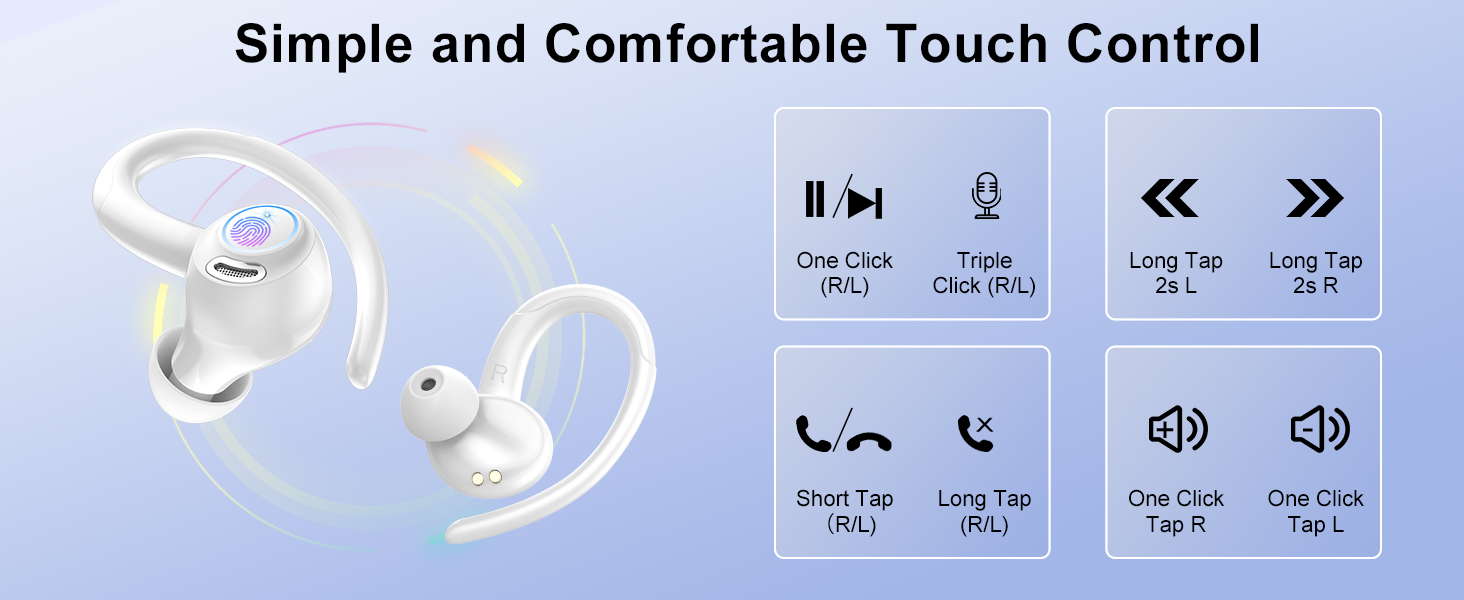
Image: All components included in the VKROBAG V90 Wireless Earbuds package.
3. Product Features
Bluetooth 5.3 Technology
Equipped with an advanced Bluetooth 5.3 chip, these earbuds offer faster transmission speeds, lower latency, and enhanced anti-interference capabilities for a stable and reliable connection. Enjoy uninterrupted, high-quality sound whether listening to music or making calls.

Image: Visual representation of Bluetooth 5.3 technology and internal sound components, including 13mm drivers.
3D Stereo Sound & CVC 8.0 Noise Cancellation
The V90 earbuds feature SBC/AAC high-performance audio decoders and 13mm dynamic drivers, delivering a wide soundstage with deep bass, clear mids, and crisp highs for an immersive 3D stereo experience. Built-in CVC 8.0 noise cancellation effectively filters out ambient sounds, ensuring your voice remains clear during calls, even in noisy environments.
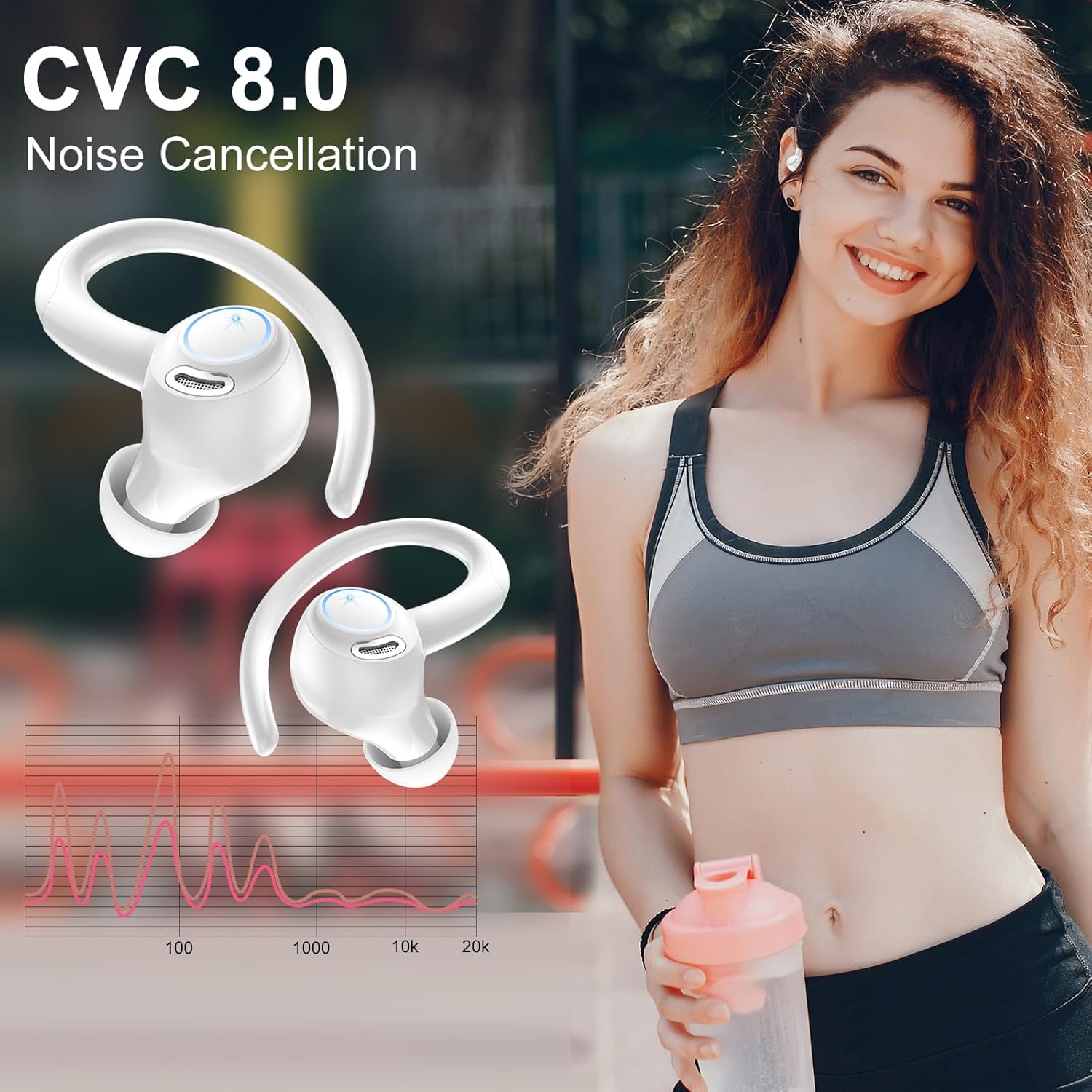
Image: Earbuds highlighting the CVC 8.0 Noise Cancellation feature, with a frequency response graph.
Extended Playtime & Dual LED Display
Enjoy up to 8 hours of continuous playback on a single charge. The high-capacity charging case provides an additional 4-5 charges, extending total usage to 48 hours. The intelligent dual LED display on the case accurately shows the remaining battery levels for both the case and individual earbuds, allowing for efficient power management. USB-C fast charging fully recharges the case in just 1.5 hours.
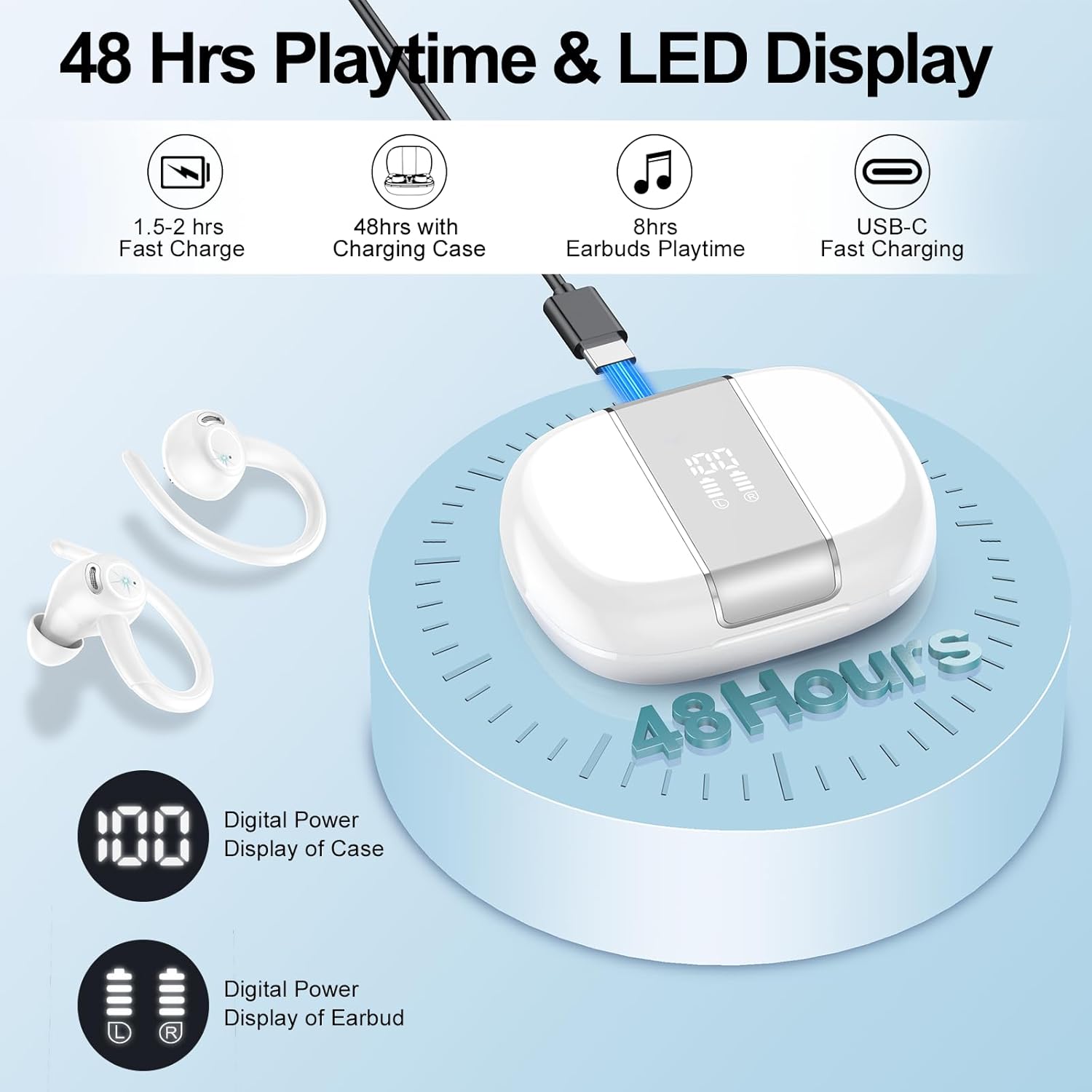
Image: Earbuds and charging case illustrating 48 hours of total playtime and the dual LED battery display.
Ergonomic Design & IP7 Waterproof
The earbuds feature an ergonomic design with flexible ear hooks that fit snugly and securely, preventing slippage during intense activities. Included S/M/L-sized ear tips ensure a comfortable fit for various ear shapes. With an IP7 waterproof rating, these earbuds are resistant to sweat and light rain, making them ideal for workouts and outdoor activities. Note: Not suitable for swimming or showering.
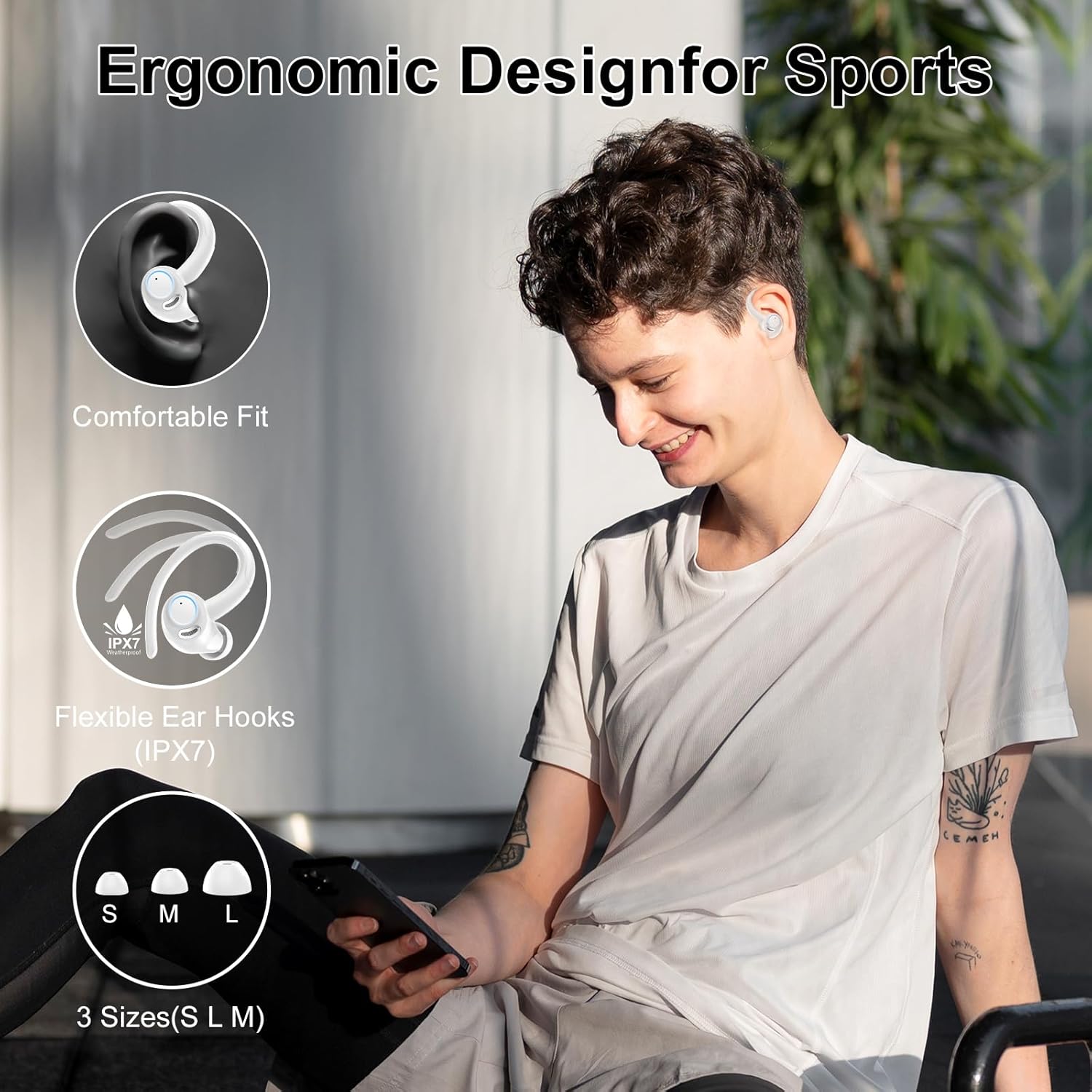
Image: A person wearing the earbuds, emphasizing their ergonomic design, secure fit, and IPX7 waterproof rating.
Smart Touch Control
The earbuds are equipped with intuitive touch sensors, allowing for effortless control of music playback, track switching, volume adjustment, and call management with simple taps. This provides seamless operation during any activity.

Image: Visual guide to the smart touch control functions on the earbuds, including play/pause, track skipping, volume, and call management.
4. Getting Started
4.1 Charging the Earbuds and Case
Before first use, fully charge the earbuds and the charging case.
- Place the earbuds into the charging case. Ensure they are correctly seated in their respective slots (L for left, R for right).
- Connect the USB-C charging cable to the charging port on the case and the other end to a USB power source (e.g., wall adapter, computer USB port).
- The LED display on the charging case will show the battery percentage, indicating the charging status. The earbud indicators will also show charging.
- Charging typically takes about 1.5 hours for a full charge of the case.

Image: Illustration of the earbuds and charging case during the charging process, showing battery indicators.
4.2 Initial Pairing
The earbuds feature Hall effect smart sensor technology for automatic pairing.
- Ensure the earbuds are charged.
- Open the charging case. The earbuds will automatically power on and enter pairing mode.
- On your device (smartphone, tablet, computer), enable Bluetooth and search for available devices.
- Select "V90" from the list of found devices to connect.
- Once connected, the earbuds will automatically pair with your device whenever you open the charging case.
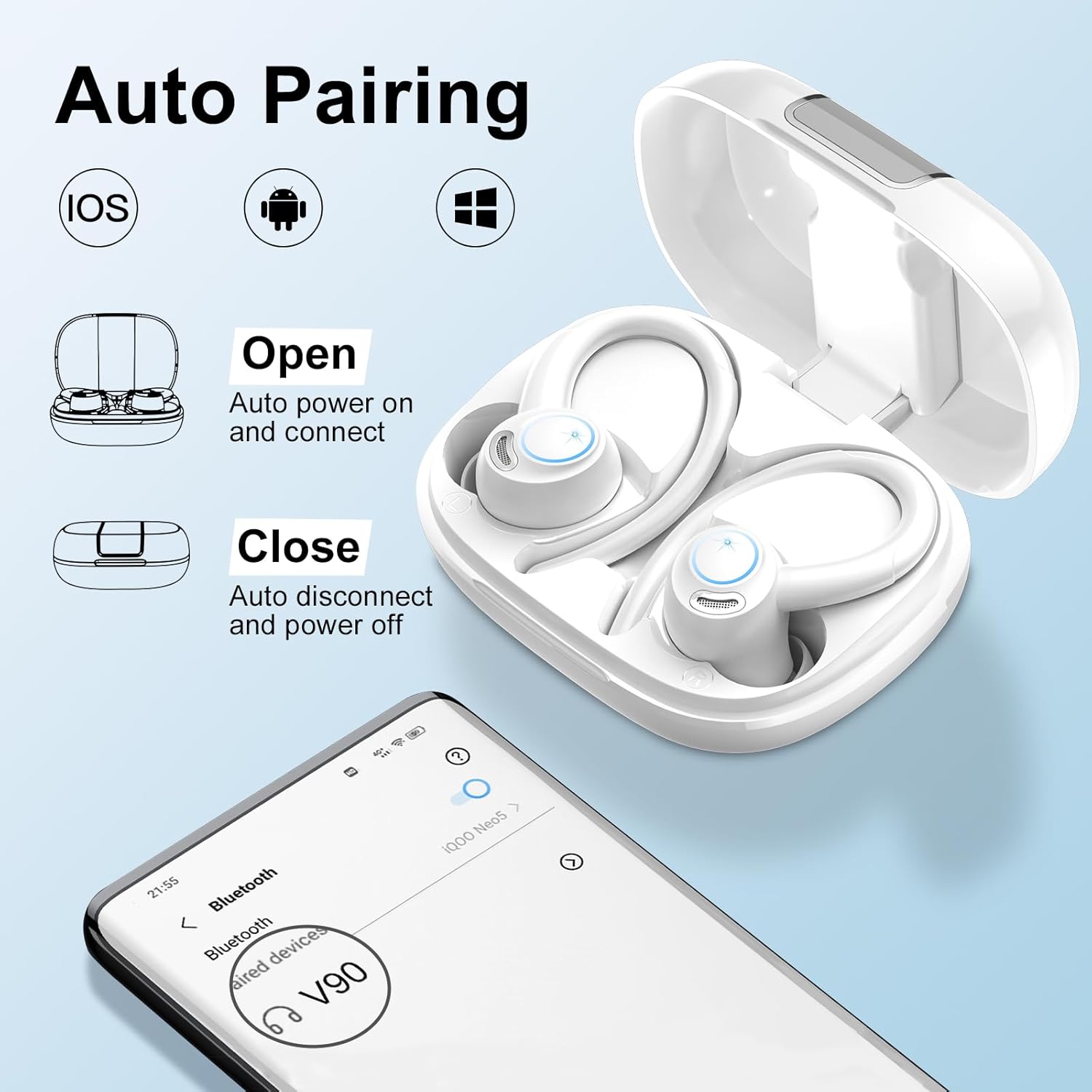
Image: Steps for automatic pairing of the earbuds with a mobile device.
4.3 Wearing the Earbuds
For optimal sound quality and secure fit, ensure the earbuds are worn correctly.
- Choose the correct size of ear tips (S/M/L) that provide a comfortable and snug seal in your ear canal.
- Place the ear hook over your ear.
- Gently insert the earbud into your ear canal.
- Rotate the earbud slightly to find the most comfortable and secure angle. The ear hook should rest comfortably behind your ear.

Image: Step-by-step guide on how to wear the earbuds for a secure and comfortable fit.
5. Operation
5.1 Touch Controls
The V90 earbuds feature touch-sensitive areas on each earbud for easy control. The functions are as follows:
| Action | Left Earbud (L) | Right Earbud (R) |
|---|---|---|
| Play/Pause | One Click | One Click |
| Previous Track | Long Tap (2s) | N/A |
| Next Track | N/A | Long Tap (2s) |
| Volume Down | One Click | N/A |
| Volume Up | N/A | One Click |
| Answer/End Call | Short Tap | Short Tap |
| Reject Call | Long Tap | Long Tap |
| Activate Voice Assistant | Triple Click | Triple Click |

Image: Comprehensive guide to the touch control gestures and their corresponding functions.
6. Care and Maintenance
6.1 Cleaning
Regular cleaning helps maintain the performance and hygiene of your earbuds.
- Use a soft, dry, lint-free cloth to wipe the earbuds and charging case.
- For ear tips, remove them from the earbuds and clean with a mild soap solution if necessary, then rinse thoroughly with water and allow to air dry completely before reattaching.
- Do not use harsh chemicals, cleaning solvents, or strong detergents.
- Avoid getting moisture into any openings.
6.2 Water Resistance (IP7)
The earbuds have an IP7 waterproof rating, meaning they are protected against immersion in water up to 1 meter for up to 30 minutes. This makes them resistant to sweat and light rain.
- Do not intentionally submerge the earbuds in water.
- The charging case is not waterproof. Keep it dry.
- If the earbuds get wet, wipe them dry thoroughly before placing them back in the charging case to prevent damage.
6.3 Storage
When not in use, store the earbuds in their charging case to protect them from dust, scratches, and accidental damage. Store in a cool, dry place away from extreme temperatures.
7. Troubleshooting
If you encounter issues with your VKROBAG V90 earbuds, please refer to the following common solutions:
| Problem | Possible Cause | Solution |
|---|---|---|
| Earbuds not pairing/connecting | Bluetooth off, earbuds out of range, low battery, previous pairing issue. | 1. Ensure Bluetooth is enabled on your device. 2. Place earbuds closer to your device. 3. Charge the earbuds and case fully. 4. Forget "V90" in your device's Bluetooth settings and re-pair. |
| No sound or low volume | Volume too low, earbud placement, dirty ear tips, connection issue. | 1. Adjust volume on both earbuds and your device. 2. Ensure earbuds are properly seated in your ears. 3. Clean ear tips and earbud mesh. 4. Reconnect the earbuds to your device. |
| Earbuds not charging | Poor contact, faulty cable/charger, dirty charging contacts. | 1. Ensure earbuds are correctly placed in the case. 2. Check USB-C cable and charger for damage; try a different one. 3. Clean the charging contacts on both earbuds and case with a dry cotton swab. |
| Call quality is poor | Environmental noise, microphone obstruction, weak signal. | 1. Move to a quieter environment. 2. Ensure microphone area on earbuds is not covered. 3. Ensure stable Bluetooth connection. |
| Touch controls not responding | Incorrect gesture, dirty touch sensor, temporary glitch. | 1. Refer to the touch control table for correct gestures. 2. Clean the touch sensor area on the earbuds. 3. Place earbuds back in the case, close, then reopen to reset. |
8. Technical Specifications
| Feature | Specification |
|---|---|
| Model Name | V90 |
| Connectivity Technology | Wireless (Bluetooth) |
| Bluetooth Version | 5.3 |
| Bluetooth Range | Up to 15 meters |
| Audio Driver Size | 13 Millimeters |
| Earbud Playtime | Up to 8 hours per charge |
| Total Playtime (with case) | Up to 48 hours |
| Carrying Case Battery Capacity | 400 Milliamp Hours |
| Charging Time (Case) | Approx. 1.5 hours (USB-C) |
| Water Resistance Level | IP7 Waterproof |
| Noise Control | Passive Noise Cancellation (CVC 8.0 for mic) |
| Control Type | Touch Control |
| Ear Placement | Over Ear |
| Material | Metal, Plastic, Silicone |
| Item Weight | 4.6 ounces |
9. Warranty and Support
VKROBAG is committed to providing high-quality products. For any product-related inquiries, technical support, or warranty claims, please contact VKROBAG customer service through the retailer where you purchased the product or visit the official VKROBAG store on Amazon:
Visit the VKROBAG Store on Amazon
Please retain your proof of purchase for warranty purposes.
Ask a question about this manual
Ask about setup, troubleshooting, compatibility, parts, safety, or missing instructions. Manuals+ will review the question and use this page’s manual context to help answer it.