
Cps-10
10-inch Large Metal Chicken Poop Scooper & Rake 2-in-1
User Manual
Product Overview
The 10-inch Large Metal Chicken Poop Scooper & Rake is a versatile 2-in-1 tool designed for efficient cleaning of chicken coops and small animal enclosures. Constructed from durable metal, it offers long-lasting performance and easy maintenance. Its adjustable handle and ergonomic design ensure comfortable use, reducing physical strain during cleaning tasks.

The 10-inch Large Metal Chicken Poop Scooper & Rake, showcasing its full assembly and ergonomic design.
Key Features
- Versatile 2-in-1 Design: Functions as both a scooper and a rake, ideal for various cleaning needs in chicken coops and small animal areas.
- Durable Metal Construction: Made from sturdy metal for long-lasting performance and resistance to wear.
- Adjustable Handle: The handle can be adjusted to lengths of 36, 49, and 61 inches, accommodating users of different heights and various cleaning scenarios.
- Ergonomic Grip: Designed for comfortable handling and balanced weight distribution, minimizing back strain during use.
- Easy Installation & Cleaning: Features a simple screw-based assembly and a non-stick shovel head for quick and easy cleaning.
- Strong Load-Bearing Capacity: Built to handle substantial loads of material without bending or breaking.
- Suitable for Various Bedding Types: The sifting holes are designed to effectively separate waste from common bedding materials like sand, coconut litter, and sawdust.
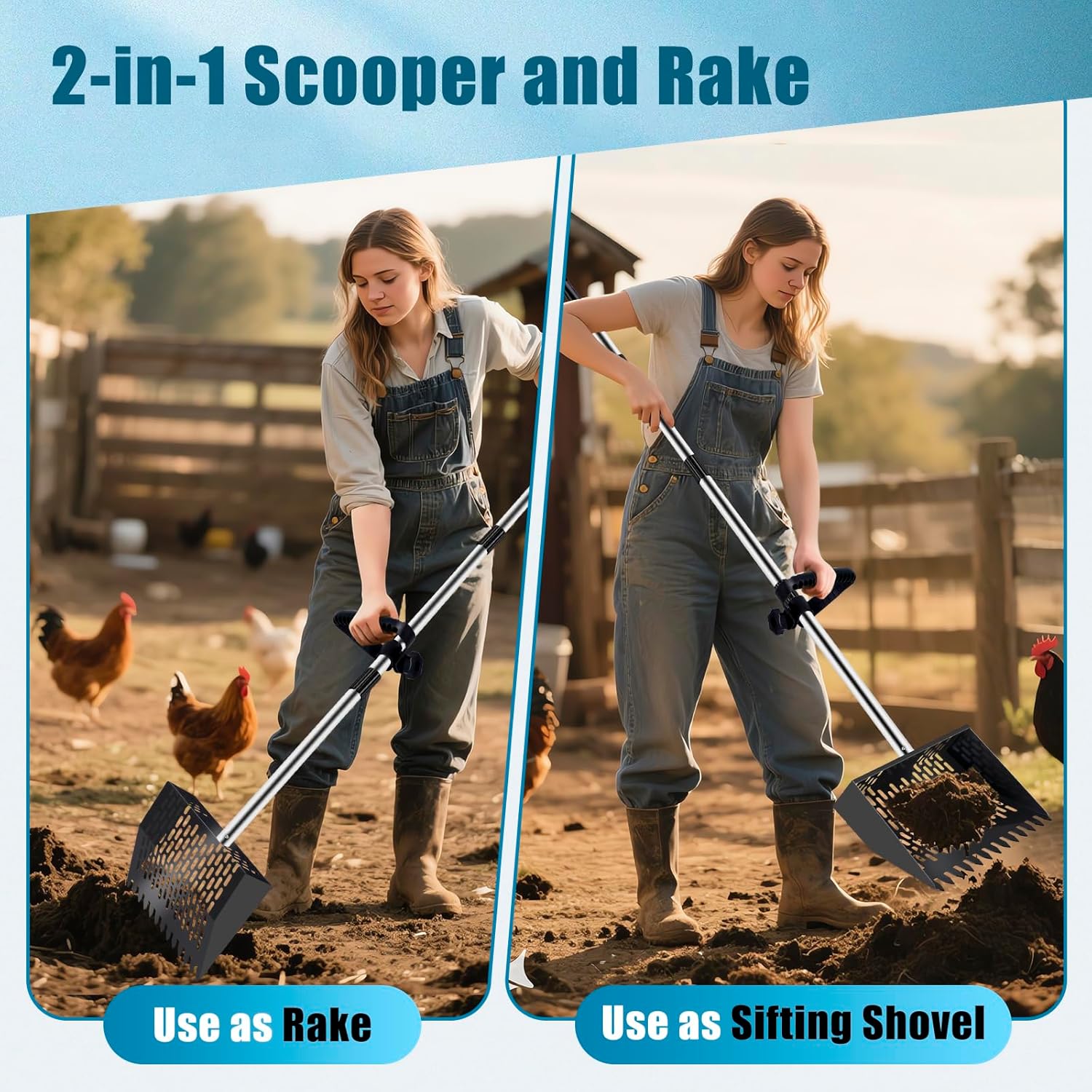
Demonstration of the tool's dual functionality as both a rake and a sifting shovel.

Visual representation of the adjustable handle lengths: 36, 49, and 61 inches.

The ergonomic design promotes comfortable use and reduces the need to bend, preventing back strain.

The scooper is suitable for cleaning various animal enclosures, including chickens, cows, and horses.

The sifting design is effective with various bedding materials such as sand, coconut litter, and coffee bedding.

The robust construction ensures strong load-bearing capacity for heavy-duty cleaning.
Assembly Instructions
The Chicken Poop Scooper & Rake is designed for easy and quick assembly. Follow these steps to set up your tool:
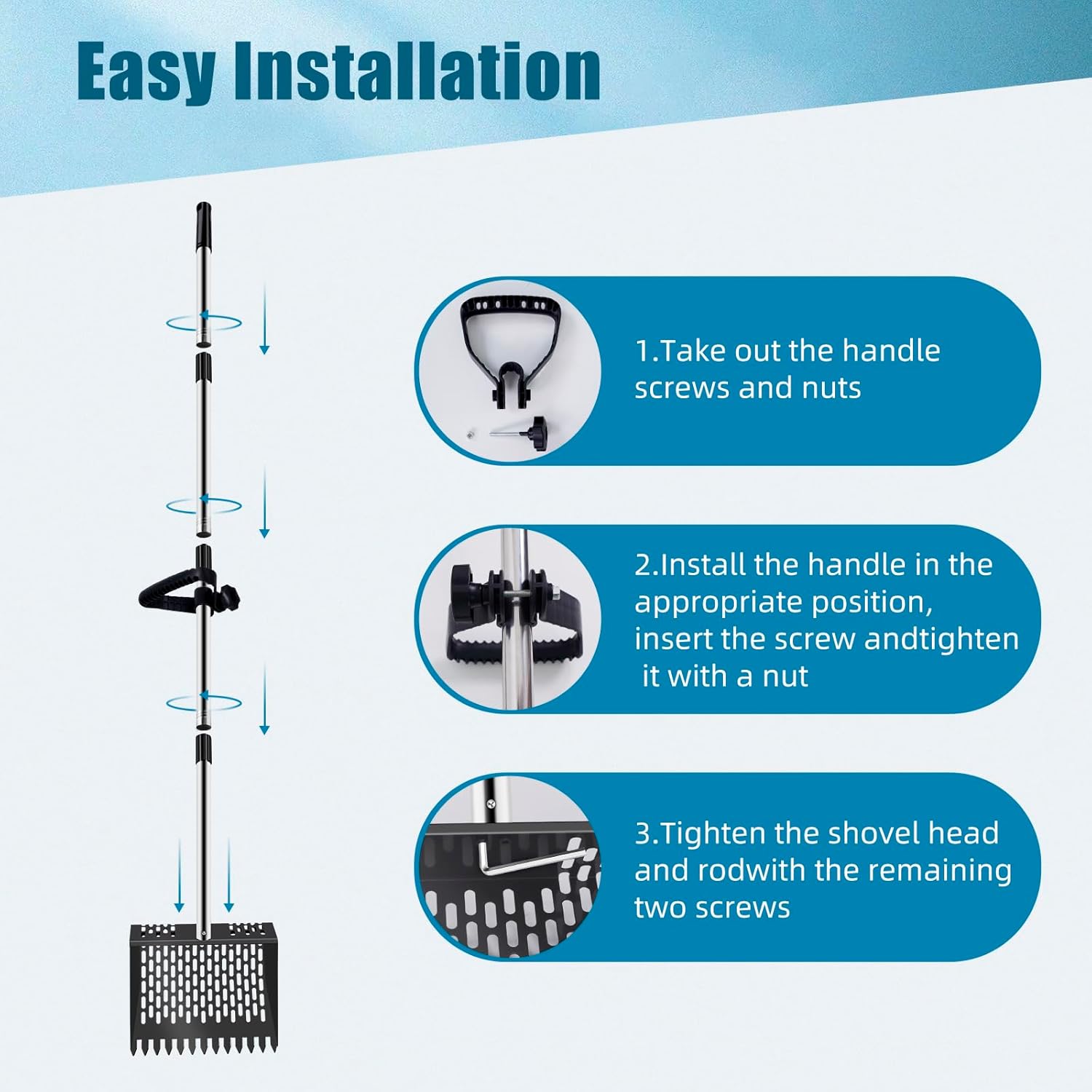
An overview of the components and general assembly process.
Assembly Steps:
- Step 1: Prepare Handle Components
Take out the handle screws and nuts from the packaging. These will be used to secure the ergonomic grip to the main shaft.
Rotate the handle sections to connect them securely.
- Step 2: Install the Ergonomic Grip
Install the ergonomic grip onto the main handle shaft at your preferred comfortable position. Insert the screw through the designated holes and tighten it with a nut to secure the grip firmly in place.
Secure the ergonomic grip to the handle using the provided screw and nut.
- Step 3: Attach the Shovel Head
Align the shovel head with the bottom section of the handle rod. Use the remaining two screws to securely tighten the shovel head to the rod. Ensure all connections are snug to prevent wobbling during use.
Tighten the shovel head to the main rod using the provided screws.
Operating Your Scooper & Rake
Adjusting Handle Length:
The handle features a simple swivel thread connection for quick length adjustment. Rotate the sections to extend or retract the handle to your desired length (36, 49, or 61 inches). This allows for comfortable use without excessive bending.
Adjust the handle to one of three lengths for optimal comfort and reach.
Using as a Sifting Shovel:
Position the shovel head over the material you wish to clean. Scoop the material, allowing finer bedding to sift through the holes while retaining larger waste. The non-stick design aids in easy release of collected material.
The scooper can be used to sift waste from bedding, leaving cleaner material behind.
Using as a Rake:
Utilize the tines on the front edge of the shovel head to rake and gather loose material. This is particularly useful for consolidating waste before scooping or for general tidying of the coop floor.

A user demonstrating the scooper's effectiveness in a chicken coop environment.
Care and Maintenance
Cleaning:
After each use, especially when dealing with animal waste, it is recommended to clean the scooper head. The non-stick surface allows for easy cleaning with water, such as spraying with a hose. Ensure all debris is removed to maintain hygiene and prevent buildup.
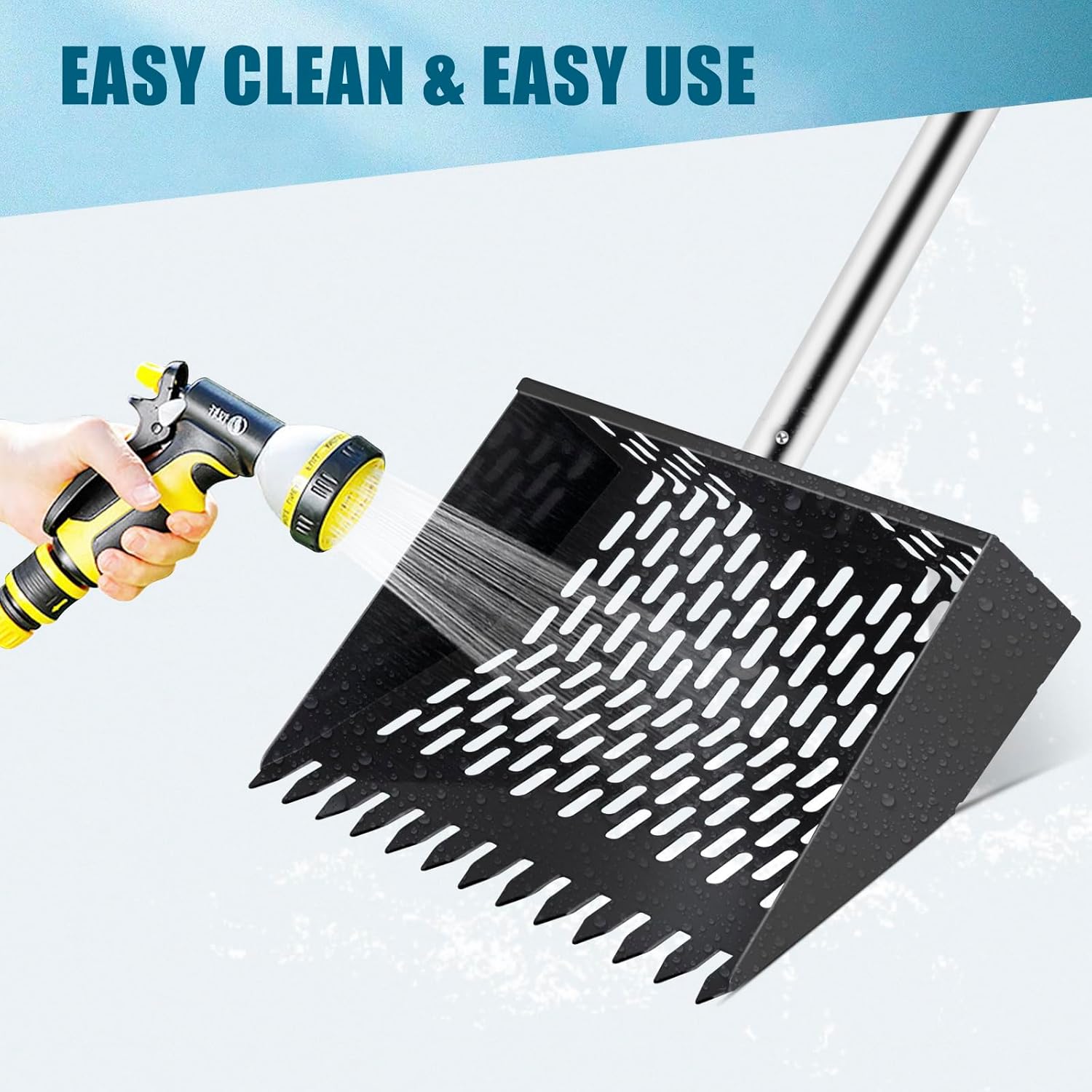
The non-stick shovel head is easily cleaned by rinsing with water.
Storage:
Store the scooper in a dry place to prevent rust and prolong its lifespan. The adjustable handle allows for a more compact storage size if needed.
Troubleshooting
| Issue | Possible Cause | Solution |
|---|---|---|
| Handle feels wobbly after assembly. | Screws or nuts are not fully tightened. | Ensure all screws and nuts, especially those connecting the handle sections and the shovel head, are tightened securely. |
| Difficulty sifting material. | Material is too wet or clumpy; holes are clogged. | Ensure material is dry enough for sifting. Clean any debris from the sifting holes. |
| Scooper head not effectively gathering material. | Incorrect angle of approach; tines are worn (unlikely for new product). | Adjust the angle at which you approach the material. Ensure the tines are making proper contact with the ground. |
Product Specifications
| Attribute | Detail |
|---|---|
| Product Dimensions | 61 x 10 x 3 inches (fully extended) |
| Item Weight | 2.6 pounds |
| Manufacturer | DABAIHUI |
| Model Number | Cps-10 |
| Material | Metal (Stainless Steel Handle) |
| Adjustable Handle Lengths | 36", 49", 61" |
Warranty and Customer Support
The manufacturer provides a replacement and warranty service for this product. For any issues, questions, or to claim warranty service, please contact the seller directly through the platform where the purchase was made. Please have your purchase details and model number (Cps-10) ready when contacting support.
For further assistance, please refer to the contact information provided with your purchase or visit the manufacturer's official support channels.
Ask a question about this manual
Ask about setup, troubleshooting, compatibility, parts, safety, or missing instructions. Manuals+ will review the question and use this page’s manual context to help answer it.