
1. Introduction
This manual provides detailed instructions for the installation, operation, and maintenance of your Philips 44W LED Security Light. Please read this manual thoroughly before installation and retain it for future reference. Proper installation and use are essential for optimal performance and safety.
Safety Information
- Always turn off power at the circuit breaker before installation or servicing.
- Installation should be performed by a qualified electrician or in accordance with local electrical codes.
- Do not connect to a dimmer switch.
- Ensure the fixture is securely mounted to a junction box.
- Do not look directly into the LED light source when illuminated.
- This product is designed for outdoor use and is waterproof.
2. Product Overview
The Philips 44W LED Security Light is an outdoor lighting solution featuring high brightness, motion sensing capabilities, and multiple operating modes. It is designed for durability and efficiency.
Key Features:
- High Brightness: 3500/4200 lumens with 5000K daylight color temperature.
- Integrated LED: No bulbs to replace, energy-efficient.
- Motion Sensor: 0-69ft sensing range, 180° induction angle.
- Adjustable Dual Heads: 360° adjustable light heads for customizable coverage.
- 4 Lighting Modes: Test, Security, Dusk to Dawn, and Manual Override.
- Weatherproof Design: Corrosion and rust resistant for various outdoor conditions.

Image 1: Philips LED Security Light with two adjustable heads. One variant includes a motion sensor for enhanced security features.

Image 2: Overview of product features including aluminum body construction, long-lasting LED brightness, requirement for hardwired installation, adjustable light head design, waterproof rating, and corrosion-free materials.
3. Setup and Installation
This security light is designed for wall mounting and requires hardwired electrical connection. Ensure power is off before proceeding.
Installation Steps:
- Prepare Wiring: Turn off power at the main circuit breaker. Remove the existing fixture (if any) and expose the junction box wiring.
- Mounting Bracket: Attach the mounting bracket to the junction box using the provided screws.
- Wire Connections: Connect the fixture's wires to your household wiring:
- Black to Black (Live)
- White to White (Neutral)
- Green/Bare Copper to Green/Bare Copper (Ground)
- Secure Fixture: Carefully tuck wires into the junction box and attach the fixture to the mounting bracket. Ensure a tight seal against the mounting surface to prevent water intrusion.
- Adjust Light Heads: Loosen the adjustment screws on the light heads to position them as desired, then tighten securely.
- Restore Power: Turn power back on at the circuit breaker.
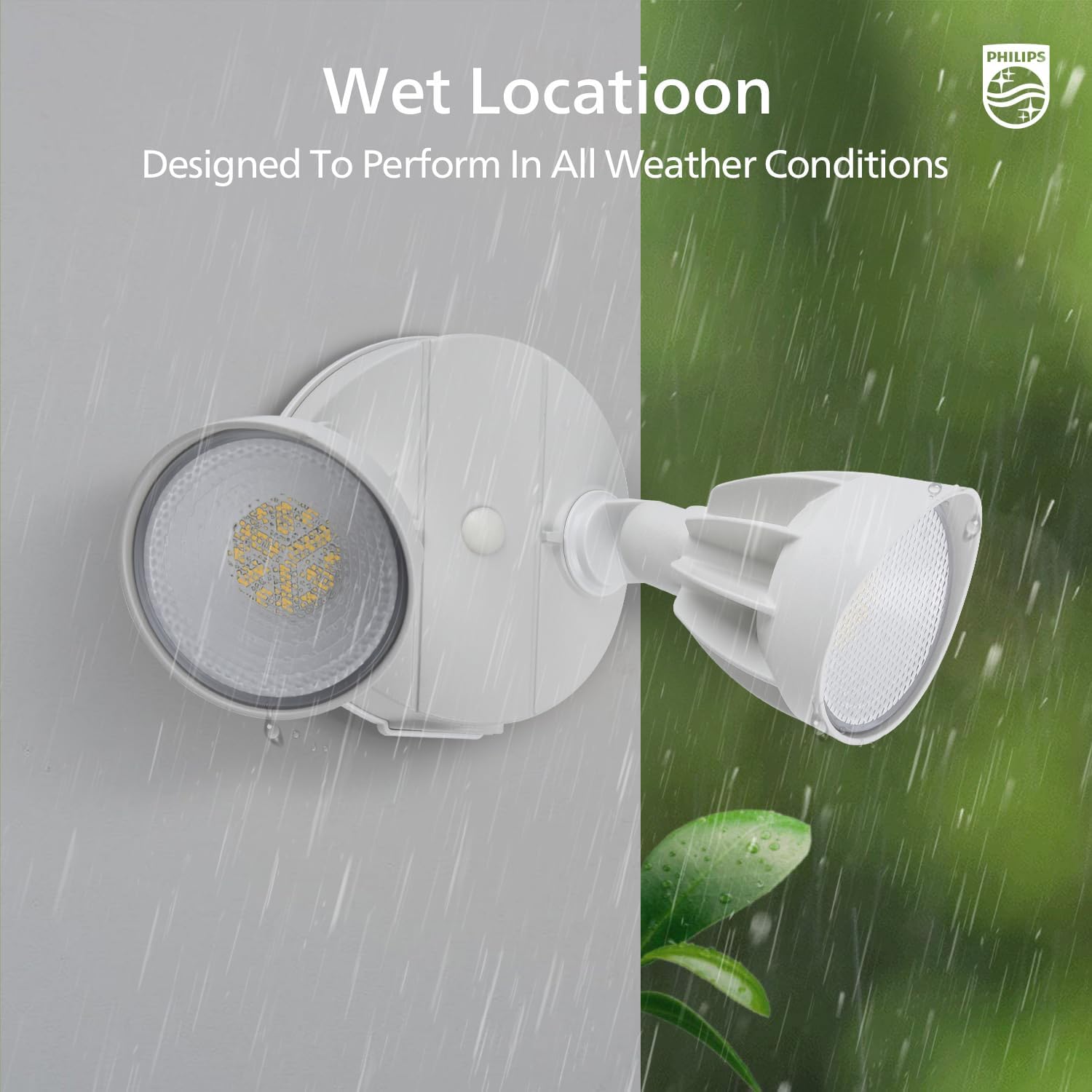
Image 3: The security light is designed for wet locations, demonstrating its ability to perform reliably in various weather conditions, including rain.
4. Operating Instructions
The Philips LED Security Light offers four distinct operating modes, controlled by the motion sensor settings and manual overrides.
Motion Sensor Adjustment:
The motion sensor features controls for sensing range (DISTANCE) and activated lighting time (TIME).

Image 4: The motion sensor dial allows adjustment of sensing range (L=0-20ft, M=0-39ft, H=0-69ft) and activated lighting time (1, 3, or 10 minutes). It also includes settings for Dusk to Dawn and Test modes.
- DISTANCE: Adjusts the motion detection range.
- L (Low): 0-20 ft
- M (Medium): 0-39 ft
- H (High): 0-69 ft
- TIME: Sets how long the light stays on after motion is detected.
- 1 min: Light stays on for 1 minute.
- 3 min: Light stays on for 3 minutes.
- 10 min: Light stays on for 10 minutes.

Image 5: The highly sensitive motion sensor provides a 180-degree detection angle and can sense motion up to 69 feet away, covering a wide area.
Lighting Modes:

Image 6: Visual explanation of the four available lighting modes: Test mode, Sensor mode, Dusk-to-Dawn mode, and Override mode, detailing their activation conditions and behavior.
- 1. Test Mode:
- Activation: Can be activated in both daytime and nighttime.
- Function: Used for testing the sensor's detection range and light coverage. When motion is detected, the light turns on for 5 seconds. If no motion, it stays off.
- 2. Security Mode (Sensor Mode):
- Activation: Only activates in nighttime.
- Function: When motion is detected, the light turns on for the set duration (1, 3, or 10 minutes). If no motion, it stays off.
- 3. Dusk to Dawn Mode (DTD Mode):
- Activation: Only activates in nighttime.
- Function: The light automatically turns on at dusk and turns off at dawn, providing continuous illumination throughout the night. Motion sensor is inactive in this mode.
- 4. Manual Override Mode:
- Activation: Can be activated in both daytime and nighttime.
- Function: Provides continuous light at 80% brightness for a maximum of 6 hours. After 6 hours, or if manually deactivated, it reverts to Sensor Mode.
Activating/Deactivating Override Mode:

Image 7: Instructions for activating the 6-hour override mode by switching the light on and off twice within 3 seconds. Deactivation occurs by switching off and on once for more than 3 seconds, or automatically after 6 hours.
- To Activate: Switch the light ON and OFF 2 times within 3 seconds. The light will activate at 80% brightness for up to 6 hours. The brightness automatically dims from 100% to 80% after 12 minutes.
- To Deactivate: Switch the light OFF and ON once for more than 3 seconds. The light will return to Sensor Mode. It will also automatically return to Sensor Mode after 6 hours.

Image 8: The Dusk to Dawn feature ensures the light automatically turns on when it gets dark and turns off when daylight returns, providing consistent illumination without manual intervention.
5. Maintenance
The Philips LED Security Light is designed for minimal maintenance. The integrated LED means no bulb replacement is necessary.
- Cleaning: Periodically clean the fixture with a soft, damp cloth to remove dirt and debris. Do not use abrasive cleaners or solvents.
- Inspection: Regularly inspect the fixture for any signs of damage or loose connections.
- Weather Resistance: The fixture is built to withstand various weather conditions, including heavy rain, high humidity, and UV exposure.
6. Troubleshooting
If your security light is not functioning as expected, refer to the following common issues and solutions:
| Problem | Possible Cause | Solution |
|---|---|---|
| Light does not turn on. |
|
|
| Light stays on continuously. |
|
|
| Light flashes or cycles on/off rapidly. |
|
|
7. Specifications
- Model Numbers: 929004676503, 929004676603
- Power Consumption: 44W
- Lumen Output: 3500/4200 lm
- Color Temperature: 5000K (Daylight)
- Sensor Range: 0-69 ft (adjustable)
- Sensor Angle: 180°
- Lighting Modes: Test, Security, Dusk to Dawn, Manual Override
- Weather Rating: Waterproof, Corrosion Resistant
- Installation: Hardwired, Wall Mount
8. Warranty and Support
For warranty information or technical support, please refer to the official Philips website or contact their customer service. Keep your purchase receipt as proof of purchase.
Philips Customer Support: www.philips.com/support