
Introduction
This manual provides comprehensive instructions for the assembly, operation, and maintenance of your LogiLink BP0208W Speaker Stand. Designed for SONOS ERA 100 and ERA 300 speakers, this stand offers flexible height adjustment and a stable base to enhance your audio experience. Please read this manual carefully before assembly and use to ensure proper installation and safe operation.
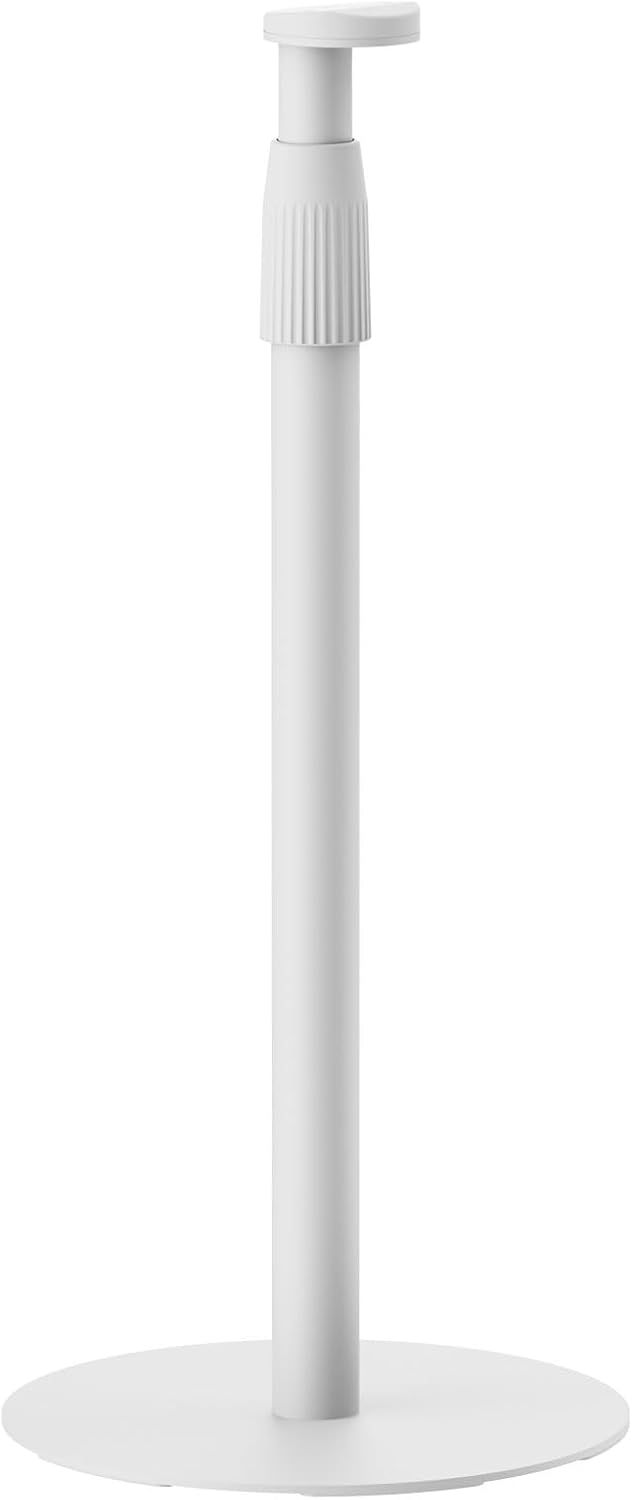
Image: The LogiLink BP0208W Speaker Stand, a white stand with a circular base and an adjustable top section for speakers.
Package Contents
Please verify that all components are present before beginning assembly. If any parts are missing or damaged, contact LogiLink customer support.
- 1 x Speaker Stand (main components: base, pole, speaker mount)
- 1 x Set of Screws for assembly and speaker mounting
- 1 x User Manual (this document)
Setup and Assembly
Follow these steps to assemble your speaker stand. It is recommended to assemble the stand on a soft, clean surface to prevent scratches.
- Attach the Pole to the Base: Securely fasten the main pole to the circular base using the provided screws. Ensure the connection is firm and stable.

Image: Visual representation highlighting easy assembly and the stable base design of the stand.
- Mount the Speaker Holder: Attach the speaker mounting plate to the top of the pole. This section is designed to securely hold your Sonos ERA 100 or ERA 300 speaker.
- Install Your Speaker: Carefully place your Sonos ERA 100 or ERA 300 speaker onto the mounting plate. Use the provided M5 screws to fix the speaker firmly to the stand. The stand supports both double hole slot and single hole slot speaker patterns.
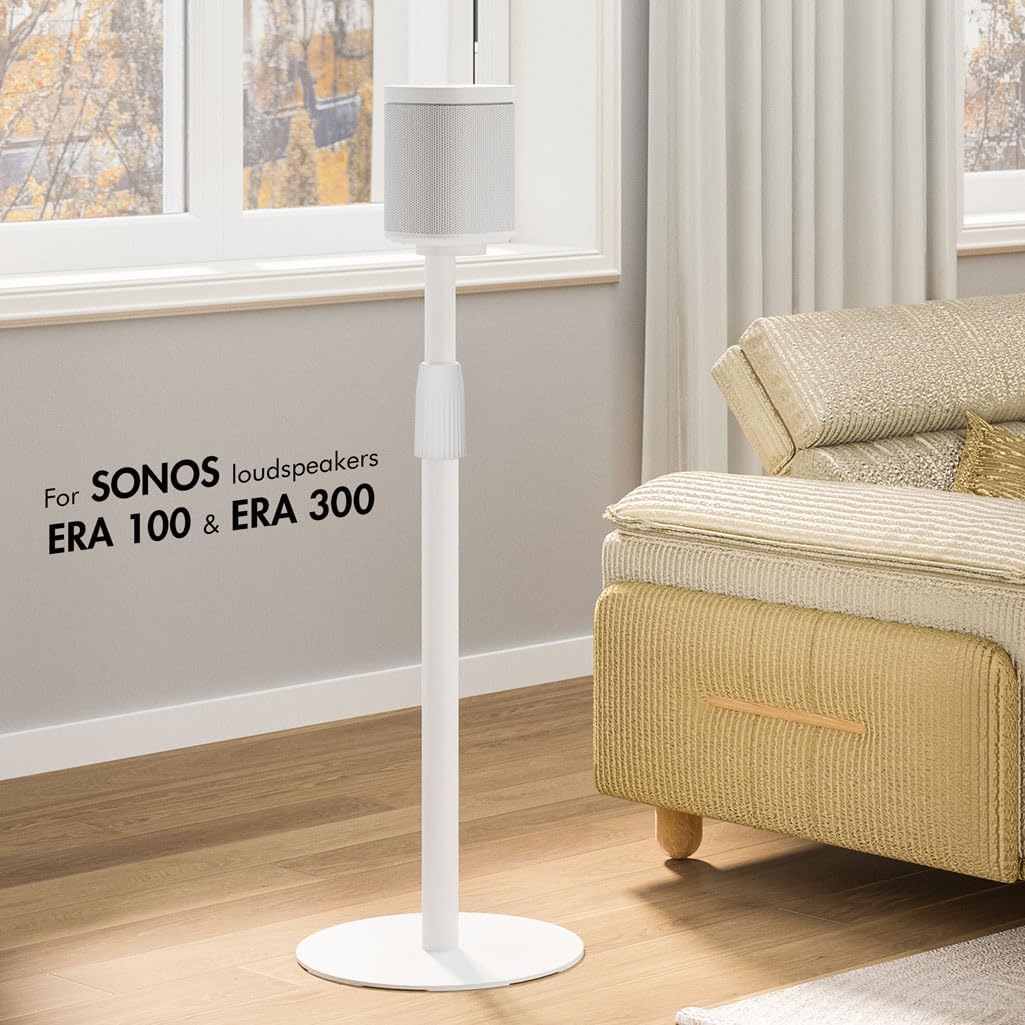
Image: A white speaker stand with a Sonos speaker positioned on top, demonstrating its use in a home environment.
- Cable Management: The stand features an integrated cable management system. Route your speaker's power cable through the stand tube for a clean and organized appearance. The cable exits near the base.

Image: A detailed view of the speaker stand illustrating the clever cable management system, with a cable routed through the pole.
Operating Instructions
The LogiLink BP0208W Speaker Stand is designed for optimal speaker placement and listening experience.
- Height Adjustment: The stand's height is adjustable from 682 mm (26.85 inches) to 1068 mm (42.05 inches). To adjust, loosen the locking mechanism on the pole, slide the upper section to the desired height, and then firmly tighten the mechanism to secure it.

Image: A visual guide indicating the adjustable height range of the speaker stand, from 68 cm to 108 cm, for optimal listening.
- Placement: Position the speaker stand in your desired listening area. The flat base is designed to be space-saving and can be slid under furniture for discreet placement.

Image: The speaker stand positioned next to a sofa, illustrating its space-saving base that can slide under furniture.
- Optimal Listening Position: Adjust the height of the stand to ensure your speaker is at an optimal height for your listening position, typically at ear level when seated.
Maintenance
To ensure the longevity and appearance of your LogiLink speaker stand, follow these simple maintenance guidelines:
- Cleaning: Wipe the stand with a soft, dry cloth to remove dust. For stubborn marks, a slightly damp cloth with mild soap can be used, followed by drying thoroughly. Avoid abrasive cleaners or solvents.
- Inspection: Periodically check all screws and connections to ensure they remain tight and secure. Re-tighten if necessary.
- Load Capacity: Do not exceed the maximum load capacity of 5 kg (11 lbs). Overloading can compromise the stand's stability and safety.
Troubleshooting
If you encounter any issues with your speaker stand, refer to the following common problems and solutions:
- Stand is Wobbly:
- Ensure all assembly screws are fully tightened.
- Verify the stand is placed on a flat, level surface.
- Check that the speaker is securely mounted and its weight is evenly distributed.
- Speaker Does Not Fit:
- Confirm your speaker is a Sonos ERA 100 or ERA 300 model. This stand is specifically designed for these models.
- Ensure you are using the correct mounting screws and aligning them with the speaker's mounting holes.
- Height Adjustment is Difficult:
- Ensure the locking mechanism is fully loosened before attempting to adjust the height.
- Check for any obstructions or debris within the pole mechanism.
If the issue persists, please contact LogiLink customer support for further assistance.
Specifications
| Feature | Detail |
|---|---|
| Brand | Logilink |
| Model | BP0208W |
| Compatible Speakers | Sonos ERA 100, Sonos ERA 300 |
| Height Adjustment | 682 mm - 1068 mm (26.85 - 42.05 inches) |
| Maximum Load Capacity | 5 kg (11 lbs) |
| Material | Metal, Plastic |
| Speaker Mounting Hole Diameter | M5 |
| Speaker Hole Pattern | Double hole slot, Single hole slot |
| Product Dimensions (Base) | 300 x 300 mm (11.8 x 11.8 inches) |
| Item Weight | 3.2 kg (7.05 lbs) |
| Color | White |

Image: Technical diagram illustrating the dimensions of the speaker stand, including height and base diameter.
Warranty and Support
For warranty information, technical support, or to inquire about replacement parts, please refer to the official LogiLink website or contact their customer service department. Keep your purchase receipt as proof of purchase.
Manufacturer: 2direct GmbH
