
1. Introduction
Thank you for choosing the TELESIN Creator Kit. This comprehensive 2-in-1 kit is designed to enhance your mobile photography and videography experience, providing stability, lighting, and remote control for professional-quality content creation. This manual will guide you through the setup, operation, and maintenance of your new device.
2. What's in the Box
- Fun Shot Magnetic Phone Camera Grip
- C03 Magnetic Selfie Light (White)
- Magnetic Ring (for non-MagSafe compatible phones)
- USB-C Charging Cable
- User Manual

Image: The TELESIN Creator Kit, showing the magnetic phone camera grip, the C03 magnetic selfie light, and a phone mounted on a tripod.
3. Key Features
- 2-in-1 Design: Combines a phone camera grip with a wireless shutter and a magnetic selfie light.
- Instant Magnetic Mount: Securely attaches to MagSafe-compatible phones or via the included magnetic ring for Android devices.
- Integrated Selfie Light: Features an LED ring light with 360° rotation, 180° flip, and a built-in mirror for front-facing camera use.
- Wireless Shutter Remote: Detachable remote for convenient photo and video capture from up to 10 meters away.
- Ergonomic Grip: Designed for comfortable and stable shooting.
- Versatile Use: Components can be used individually or combined for various creative needs.
- Compact & Portable: Lightweight design for easy travel.

Image: Detailed view of the grip's controls, including the two-stage shutter, zoom lever, and mode switch.

Image: The dual-sided magnetic fill light in use, highlighting its versatility.

Image: Illustration of the strong magnetic attachment, ensuring secure phone mounting.
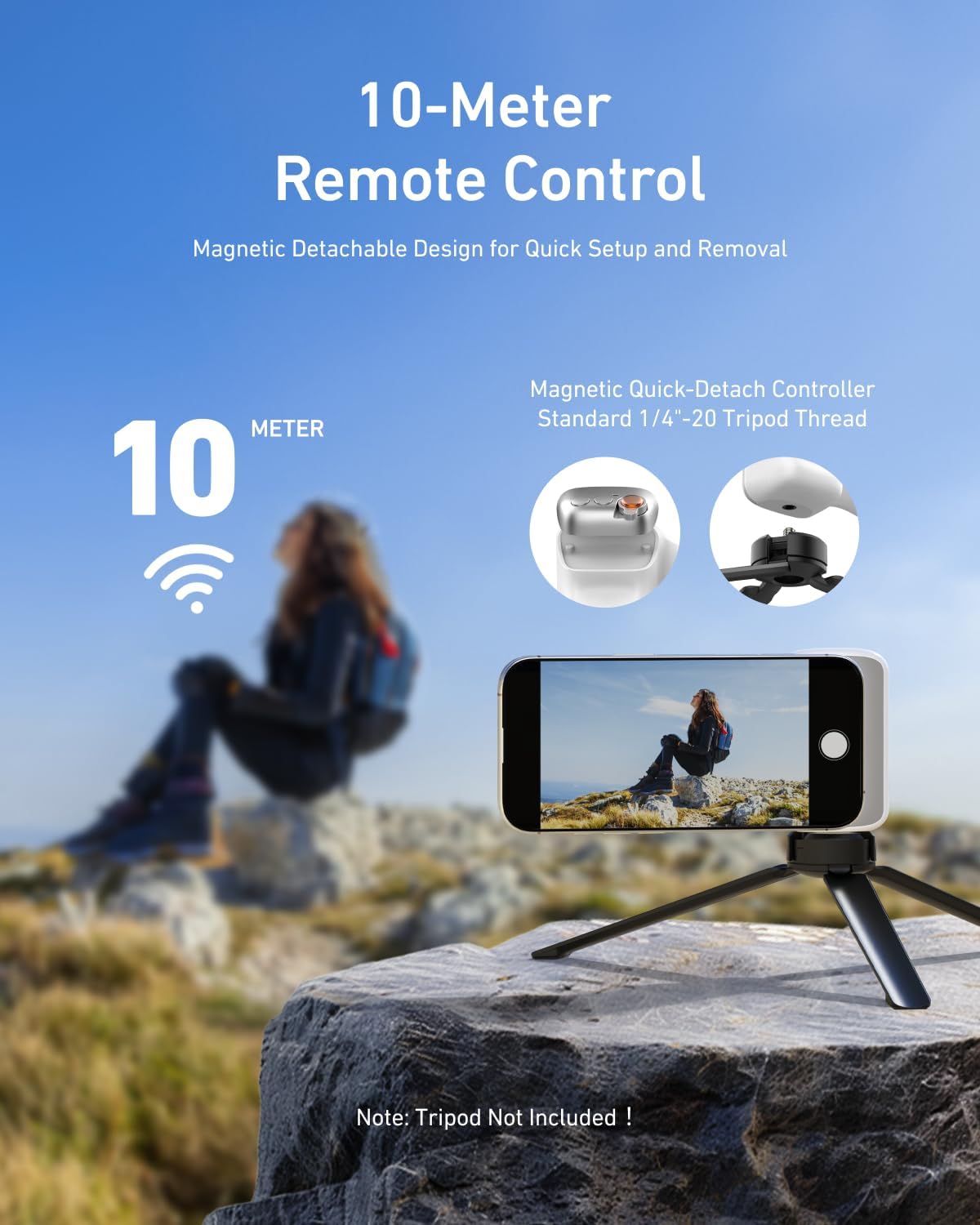
Image: The detachable remote control, enabling photography from a distance.
4. Setup Guide
4.1 Attaching the Grip and Light
- Ensure your phone is MagSafe compatible or attach the included magnetic ring to the back of your phone.
- Align the magnetic phone camera grip with the magnetic area on your phone and allow it to snap into place.
- The C03 Magnetic Selfie Light can be magnetically attached to the back of the phone, or to the grip itself, allowing for flexible positioning.
4.2 Bluetooth Pairing (Quick Setup)
The TELESIN Creator Kit utilizes Bluetooth for its wireless shutter functionality.
For Android Users:
- Go to your phone's Settings.
- Select Bluetooth.
- Turn on Bluetooth.
- Search for available devices and select the TELESIN device to pair.
- Once paired, you can use the grip's shutter button directly.
For iPhone Users:
After the first connection, enable the Zoom function for full functionality.
- Go to your phone's Settings.
- Select Accessibility.
- Navigate to Zoom.
- Press to activate the Zoom button. When Zoom is enabled, the screen will magnify.
- Double-tap with three fingers to restore the normal view. Other settings remain unchanged.

Image: Visual guide for quick setup, including Bluetooth pairing for Android and Zoom function activation for iPhone.
5. Operating Instructions
5.1 Using the Phone Camera Grip
- Shutter Button: Press the main button on the grip to take photos. A half-press may activate focus, similar to a DSLR camera.
- Zoom Lever: Use the integrated lever to zoom in or out within your camera application.
- Mode Switch: Depending on your phone's camera app, this switch may allow you to toggle between photo and video modes.
- Orientation: The magnetic attachment allows for quick switching between portrait and landscape orientations.
5.2 Using the Magnetic Selfie Light
- Power On/Off: Press and hold the power button on the selfie light to turn it on or off.
- Brightness Adjustment: Short press the power button to cycle through different brightness levels (e.g., White, Natural, Warm).
- Mirror Function: The built-in mirror allows you to frame yourself when using the phone's rear camera for higher quality selfies or vlogs.
- Rotation & Flip: Adjust the light's angle using its 360° rotation and 180° flip design to achieve optimal lighting.
6. Maintenance
- Cleaning: Wipe the surfaces of the grip and light with a soft, dry cloth. Avoid using harsh chemicals or abrasive materials.
- Storage: Store the kit in a cool, dry place away from direct sunlight and extreme temperatures.
- Charging: Charge the grip and light using the provided USB-C cable. Do not overcharge.
- Battery Care: For optimal battery life, avoid fully discharging the devices frequently. Charge them regularly, even if not in use for extended periods.
7. Troubleshooting
- Device not pairing:
- Ensure both the grip/light and your phone have sufficient battery.
- Make sure Bluetooth is enabled on your phone and the device is in pairing mode.
- Try forgetting the device in your phone's Bluetooth settings and re-pairing.
- Restart your phone and the TELESIN device.
- Shutter button not working:
- Confirm successful Bluetooth connection.
- Check if the grip's battery is charged.
- For iPhone, ensure the Accessibility Zoom function is correctly configured as per the setup guide.
- Selfie light not turning on:
- Ensure the selfie light is charged.
- Press and hold the power button for a few seconds to turn it on.
- Magnetic attachment is weak:
- Ensure your phone is MagSafe compatible or that the magnetic ring is properly attached and aligned.
- Remove any thick cases that might interfere with the magnetic connection.
8. Specifications
| Component | Specification |
|---|---|
| Fun Shot Magnetic Grip | |
| Product Name | Fun Shot Magnetic Grip |
| Material | ABS + PC + Aluminum Alloy |
| Dimensions | 124.7mm × 79.6mm × 37.7mm (4.91in × 3.13in × 1.48in) |
| Weight | 109g |
| Battery Capacity | 130mAh |
| Bluetooth Compatibility | Common phone models (iPhone & Android) |
| Magnetic Fill Light | |
| Product Dimensions | 75mm*60mm*19mm (2.95x2.36x0.75in) |
| Weight | 80g |
| CRI | ≥95 |
| Color Temperature | Triple 2500-7500K |
| Charging Parameters | 500mAh 5V/1A Type-C |
| Runtime | ≥45min (Max Brightness), ≥500min (Min Brightness) |
| Overall Kit | |
| Package Dimensions | 6.69 x 5.51 x 3.27 inches |
| Total Item Weight | 11.7 ounces |
| Manufacturer | TELESIN |
9. Warranty and Support
TELESIN products are manufactured to high-quality standards. For specific warranty information, please refer to the warranty card included with your product or visit the official TELESIN website. For technical support, product inquiries, or warranty claims, please contact TELESIN customer service through their official channels.
Note: Keep your purchase receipt as proof of purchase for warranty purposes.