
Urageuxy WS083T
Urageuxy Wireless Pool Thermometer Instruction Manual
Model: WS083T

Your guide to accurate and convenient water temperature monitoring.
1. Introduction
Thank you for choosing the Urageuxy Wireless Pool Thermometer. This device provides accurate, real-time water temperature readings for various aquatic environments, along with indoor temperature monitoring. Its IPX8 waterproof design ensures durability and reliability. Please read this manual carefully to ensure proper setup and operation.

Image: The Urageuxy Wireless Pool Thermometer system, showing the indoor display console and the floating outdoor sensor.

Image: The floating pool thermometer in a swimming pool, highlighting key features such as accuracy, double silicone seal, IPX8 waterproof rating, temperature range, and fast refresh rate.

Image: The thermometer shown in various settings including a swimming pool, hot tub, baby bath, and aquarium, demonstrating its multi-scene compatibility.
2. Package Contents
Ensure all items are present before proceeding with setup:
- 1 x Indoor Console
- 1 x Pool Sensor (Floating Thermometer)
- 1 x Instruction Manual
- Necessary tools for battery installation (e.g., small wrenches)
3. Setup Guide
3.1 Battery Installation
The floating pool thermometer and indoor console are battery operated. Batteries are not included.
- Pool Sensor: Requires 4 x AAA batteries. Carefully unscrew the two parts of the sensor using the provided tools to access the battery compartment. Ensure the double silicone seals are properly seated to maintain IPX8 waterproof integrity after installation.
- Indoor Console: Requires 2 x AAA batteries. Open the battery compartment on the back of the console and insert the batteries, observing polarity.

Image: An exploded view of the pool thermometer showing the battery compartment and the critical double silicone seals for waterproofing. Requires 4xAAA batteries (not included).
3.2 Initial Pairing
Once batteries are installed in both units, they should automatically attempt to pair. Place the pool sensor in the water and the indoor console within range (up to 328 feet in open areas, or 100 feet through walls). The indoor console will display the water temperature once a connection is established.

Image: Visual representation of the wireless transmission range, showing the floating thermometer in a pool and the indoor console on a table, indicating a range of up to 330ft in open areas.
4. Operating Instructions
4.1 Reading Temperatures
The indoor console displays both the water temperature (from the floating sensor) and the indoor ambient temperature. The large LCD screen provides clear readings.

Image: The indoor console display showing current indoor and outdoor temperatures, along with a graph illustrating temperature fluctuations over 24 hours and the max/min records.
4.2 Temperature Unit Conversion (°C/°F)
To switch between Celsius and Fahrenheit, locate the °C/°F button on the indoor console and press it. The display will update accordingly.
4.3 Setting Alarms
The device supports programmable high/low alerts for water temperature. Refer to the detailed instructions in the included manual for setting specific temperature thresholds and alarm activation.
4.4 Multiple Channels
The indoor console supports up to 8 channels, allowing you to monitor multiple pool sensors (additional sensors sold separately). Use the 'CH +/-' buttons to switch between channels.

Image: The indoor console demonstrating its capability to connect to up to 8 sensors (channels), with illustrations of different water bodies like pools, ponds, and hot tubs. Note: Only 1 sensor is included in the package.
5. Maintenance
5.1 Cleaning
Wipe both the indoor console and the pool sensor with a soft, damp cloth. Do not use abrasive cleaners or solvents. Ensure the pool sensor is dry before storing for extended periods.
5.2 Battery Replacement
Replace batteries in both units when the low battery indicator appears on the indoor console. For the pool sensor, carefully follow the battery installation steps (Section 3.1) to ensure the waterproof seal is re-established correctly. Failure to do so may compromise the device's water resistance.
5.3 Storage
When not in use for extended periods, remove batteries from both units and store them in a cool, dry place away from direct sunlight.
6. Troubleshooting
- No Temperature Reading on Console:
- Check if batteries are correctly installed and charged in both units.
- Ensure the pool sensor is within the wireless transmission range of the indoor console.
- Verify that the channel on the indoor console matches the channel of the pool sensor.
- If the issue persists, try re-pairing the devices by removing and reinserting batteries in both units.
- Inaccurate Temperature Readings:
- Ensure the pool sensor is fully submerged in the water and not partially exposed to air.
- Check for any debris or buildup on the sensor probe that might affect accuracy.
- Compare readings with another reliable thermometer to confirm deviation.
- Water Inside Pool Sensor:
- Immediately remove the sensor from water and open the battery compartment.
- Dry all components thoroughly.
- Inspect the double silicone seals for damage or improper seating. Replace if necessary.
- Ensure the compartment is securely screwed back together, making sure the seals are compressed.
7. Specifications
| Feature | Detail |
|---|---|
| Model Number | WS083T |
| Brand | Urageuxy |
| Water Temperature Range | -40°F to 140°F (-40°C to 60°C) |
| Indoor Temperature Range | 32°F to 140°F (0°C to 60°C) |
| Wireless Transmission Range | Up to 328 feet (100m) in open area; 100 feet (30m) through walls |
| Waterproof Rating | IPX8 |
| Power Source (Pool Sensor) | 4 x AAA Batteries (not included) |
| Power Source (Indoor Console) | 2 x AAA Batteries (not included) |
| Display Type | Digital/LCD |
| Special Features | Alarm, Fast Refresh, High Accuracy, Ultra Clear Screen, Waterproof |
| Dimensions (Indoor Console) | Approx. 2.5 x 4.3 inches |
| Dimensions (Pool Sensor) | Approx. 4.2 x 6.9 inches |

Image: Detailed dimensions of both the indoor console (2.5 x 4.3 inches) and the floating sensor (4.2 x 6.9 inches), also showing the wall mount feature of the console.
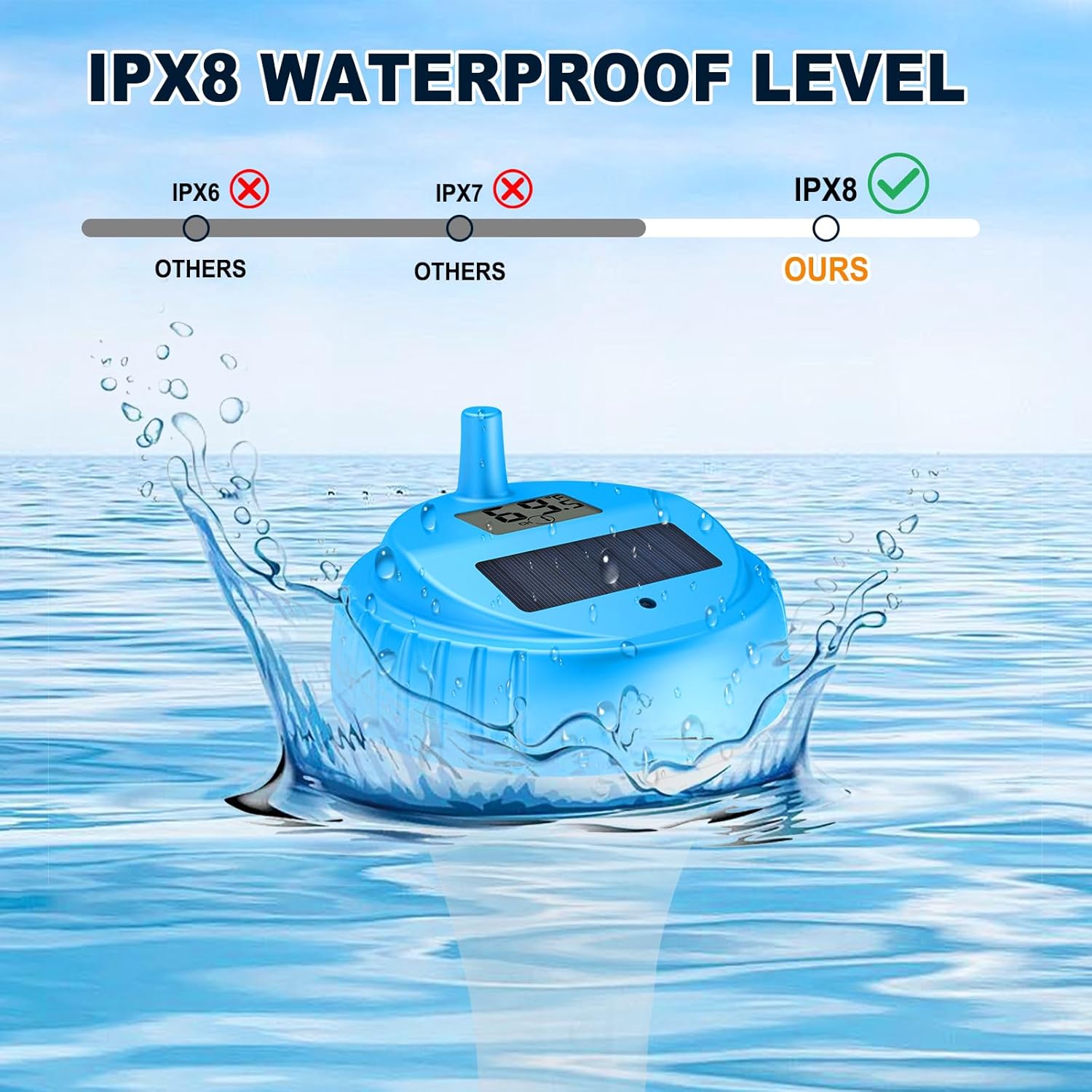
Image: An illustration demonstrating the IPX8 waterproof level of the Urageuxy thermometer, indicating superior water resistance compared to IPX6 and IPX7 ratings.
8. Warranty and Support
For warranty information and customer support, please refer to the contact details provided on the product packaging or visit the official Urageuxy website. Keep your purchase receipt for warranty claims.