
Aeric AERP051AMW
Aeric 5,000 BTU Portable Air Conditioner User Manual
Model: AERP051AMW | Brand: Aeric
Introduction
This manual provides essential information for the safe and efficient operation of your Aeric 5,000 BTU Portable Air Conditioner. Designed for optimal home comfort, this unit offers cooling, dehumidification, and fan functions for rooms up to 400 sq. ft. Please read this manual thoroughly before installation and use, and retain it for future reference.

Figure 1: Aeric 5,000 BTU Portable Air Conditioner unit.
Key Features
- Powerful Cooling: 5,000 BTU SACC Standard (8,000 BTU ASHRAE) for rooms up to 400 sq. ft.
- Built-In Dehumidifier: Removes up to 63 pints of moisture per day.
- Multi-Speed Fan: Features 2 fan speeds for optimal air circulation.
- LED Display & Remote Control: Brightly lit controls on the unit and a convenient remote for easy adjustments.
- 24-Hour Timer: Program the unit to turn on or off according to your schedule.
- Easy Portability: Equipped with 4-way directional caster wheels and built-in side handles for effortless movement.
- Washable Filter: Removable mesh filter for simple maintenance.
- Venting Kit Included: Comes with a 47.2-inch exhaust hose and window bracket for easy installation.

Figure 2: Overview of the unit's 3-in-1 functionality: Cooling, Fan, and Dehumidification.
Package Contents
Verify that all components are present and undamaged upon unpacking:
- Aeric Portable Air Conditioner Unit
- Remote Control
- User Manual (this document)
- Window Venting Kit (includes exhaust hose and window bracket)
- 2 x AAA Batteries (for remote control)
Safety Information
Always follow basic safety precautions when using electrical appliances to reduce the risk of fire, electric shock, or injury.
- Read all instructions before using the appliance.
- Connect to a properly grounded outlet only.
- Do not operate with a damaged cord or plug.
- Do not block air openings.
- Keep children and pets away from the unit.
- Unplug the unit before cleaning or servicing.
- Ensure the unit is placed on a stable, level surface.
- Do not use in wet areas or near water.
Setup
1. Placement
Place the portable air conditioner on a flat, stable surface near a window and a grounded electrical outlet. Ensure there is at least 20 inches of space around the unit for proper airflow.
2. Window Venting Kit Installation
The included window venting kit is compatible with 47.2-inch double/single hung windows or two-panel slider windows. Follow these steps:
- Extend the window bracket to fit your window opening.
- Secure the window bracket in place.
- Attach one end of the exhaust hose to the unit's exhaust port.
- Attach the other end of the exhaust hose to the window bracket adapter.
- Ensure all connections are secure to prevent air leakage.

Figure 3: Portable AC unit properly installed with the window venting kit.
3. Power Connection
Plug the 6-ft power cord into a standard 115V grounded electrical outlet. The unit uses 930 watts of power.
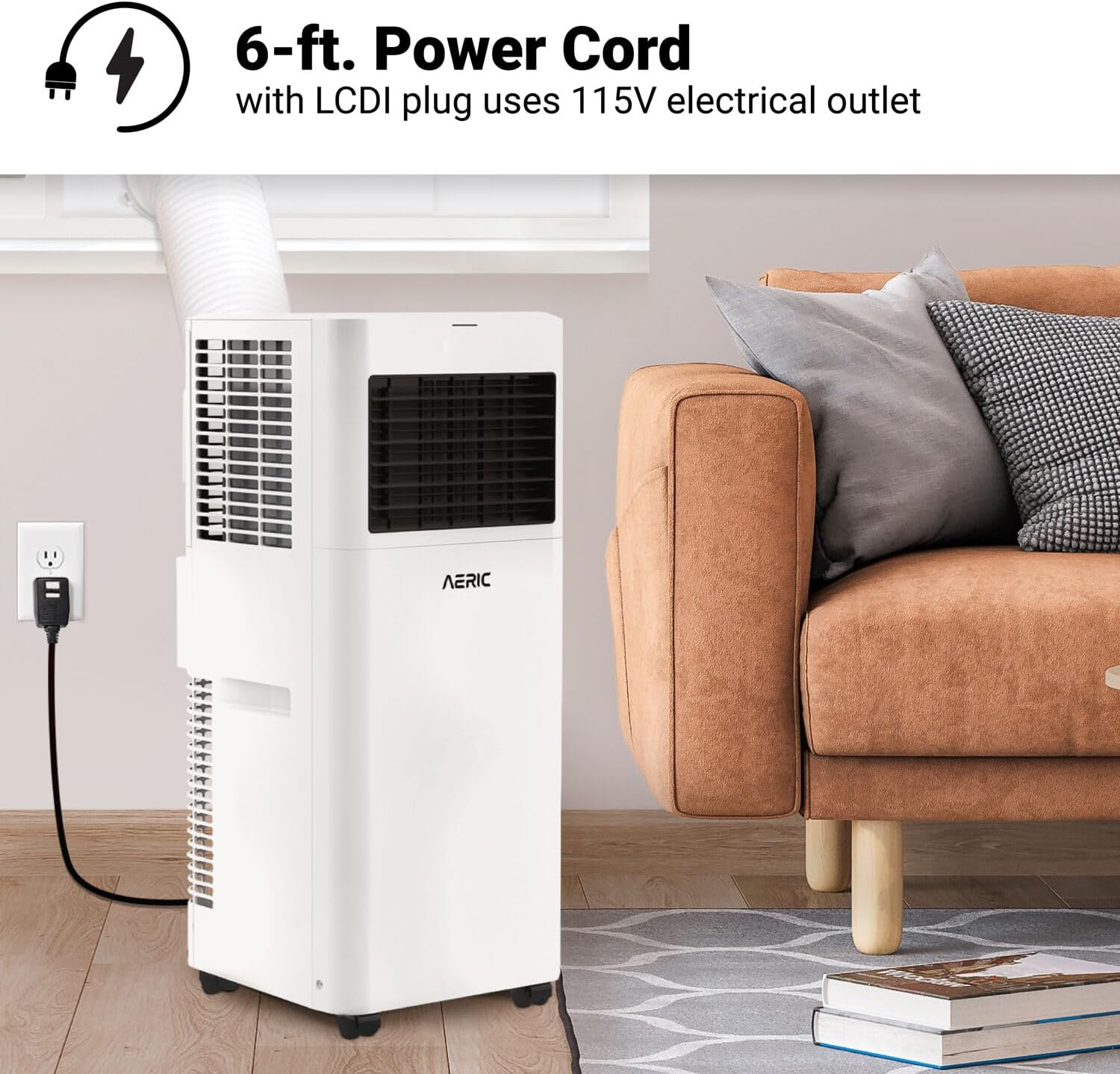
Figure 4: Power cord connected to a 115V electrical outlet.
Operating Instructions
1. Control Panel
The unit features an LED display on the top for clear indication of settings and easy adjustment.
2. Remote Control
The included remote control allows for convenient operation from across the room. Insert the two AAA batteries into the remote before first use.

Figure 5: Portable AC unit with its remote control, showing various functions.
3. Operating Modes
- Cool Mode: Provides powerful cooling for your room. Adjust temperature and fan speed as desired.
- Dehumidifier Mode (Dry Mode): Removes up to 63 pints of moisture per day, improving air quality.
- Fan Mode: Circulates air with 2 available speeds without cooling.
4. 24-Hour Timer
Use the timer function to set the unit to turn on or off automatically within a 24-hour period, optimizing energy usage and comfort.
Maintenance
1. Filter Cleaning
The removable mesh filter should be cleaned every 2 weeks for optimal performance. Simply wash it with warm water and mild soap, then allow it to air dry completely before reinserting.
2. Drainage
The unit features an auto-evaporation system that recycles condensed water for efficient cooling. However, in high humidity conditions, manual drainage may be required. The drainage outlet is located at the bottom of the unit. Refer to the full user manual (PDF) for detailed drainage instructions.
Troubleshooting
If you experience issues with your Aeric Portable Air Conditioner, consult the following common troubleshooting tips. For more detailed solutions, refer to the comprehensive user manual (PDF).
| Problem | Possible Cause | Solution |
|---|---|---|
| Unit does not turn on | No power, tripped circuit breaker, full water tank. | Check power connection, reset breaker, empty water tank. |
| Insufficient cooling | Dirty air filter, blocked air intake/exhaust, room too large, open doors/windows. | Clean filter, clear obstructions, ensure proper room size, close doors/windows. |
| Noisy operation | Unit not level, foreign object inside. | Place on a level surface, check for and remove obstructions. |
| Water leakage | Drain plug loose, unit tilted, excessive humidity. | Secure drain plug, ensure unit is level, drain water if tank is full. |
Specifications
| Attribute | Detail |
|---|---|
| Model Number | AERP051AMW |
| Cooling Capacity (SACC) | 5,000 BTU |
| Cooling Capacity (ASHRAE) | 8,000 BTU |
| Dehumidification Capacity | 63 Pints/day |
| Recommended Room Size | Up to 400 Sq. Ft. |
| Power Source | Corded Electric |
| Voltage | 115 Volts |
| Wattage | 930 watts |
| Noise Level | 54 dB |
| Dimensions (D x W x H) | 11.2" x 11" x 26.6" |
| Item Weight | 43 pounds |
| Refrigerant Type | R-32 |
| Filter Type | Mesh Filter |
| Special Features | Dehumidifier, Remote Controlled, WiFi Enabled |

Figure 6: Product dimensions and weight.
Warranty
The Aeric Portable Air Conditioner comes with a 2-Year Limited Warranty from the date of purchase. This warranty covers defects in material and workmanship under normal use. Please retain your proof of purchase for warranty claims. For full warranty terms and conditions, refer to the official product documentation or contact customer support.

Figure 7: Aeric 2-year leading warranty information.
Customer Support
For technical assistance, troubleshooting beyond this manual, or warranty inquiries, please contact Aeric Customer Support:
- Website: www.aeric.com
- Email: support@aeric.com
- Phone: 1-800-XXX-XXXX (Please check Aeric's official website for the most current contact information)