
UJoylify 61166.00
UJoylify Multifunctional TV Cabinet User Manual
Model: 61166.00
Introduction
Thank you for choosing the UJoylify Multifunctional TV Cabinet. This manual provides essential information for the safe and efficient assembly, operation, and maintenance of your new TV stand. Please read all instructions carefully before beginning assembly and retain this manual for future reference.
Safety Information
- Always assemble the product on a soft, clean surface to prevent scratches.
- Ensure all parts are present and undamaged before assembly. Contact customer support immediately if any parts are missing or defective.
- Do not overtighten screws during assembly, as this may damage the material.
- Keep small parts and packaging materials away from children and pets.
- Place the TV stand on a level, stable surface to prevent tipping.
- Do not exceed the recommended weight capacity for the top surface or shelves. This TV stand is designed to accommodate televisions up to 79 inches.
Setup and Assembly
This TV stand requires assembly. All necessary tools and instructions are included in the packaging. It is recommended to have two people for assembly.
Before You Begin
- Unpack all components and lay them out on a clean, soft surface (e.g., a blanket or carpet) to prevent damage.
- Verify that all parts listed in the hardware and parts list are present.
- Familiarize yourself with the different components and hardware.
Assembly Steps
- Attach Hairpin Legs: Securely attach the four hairpin legs to the designated corners of the bottom panel of the TV stand using the provided screws. Ensure they are firmly tightened but do not overtighten.
- Assemble Main Frame: Connect the side panels, back panel, and top panel to form the main structure of the TV cabinet. Follow the numerical sequence in the included assembly diagram for proper alignment.
- Install Shelves: Insert the fixed and adjustable shelves into their respective slots within the open compartments. Ensure they are level and secure.
- Attach Cabinet Doors: Mount the fold-out cabinet door and the regular cabinet door using the provided hinges. Adjust hinges as needed to ensure doors close smoothly and align properly.
- Install Handles: Attach the rounded handles to the cabinet doors.
- Final Check: Once assembled, gently lift and move the TV stand to its desired location. Ensure it is stable and level.

Figure 1: Dimensions of the UJoylify TV Stand. The stand measures 71.10 inches in width, 16.25 inches in depth, and 21.10 inches in height.
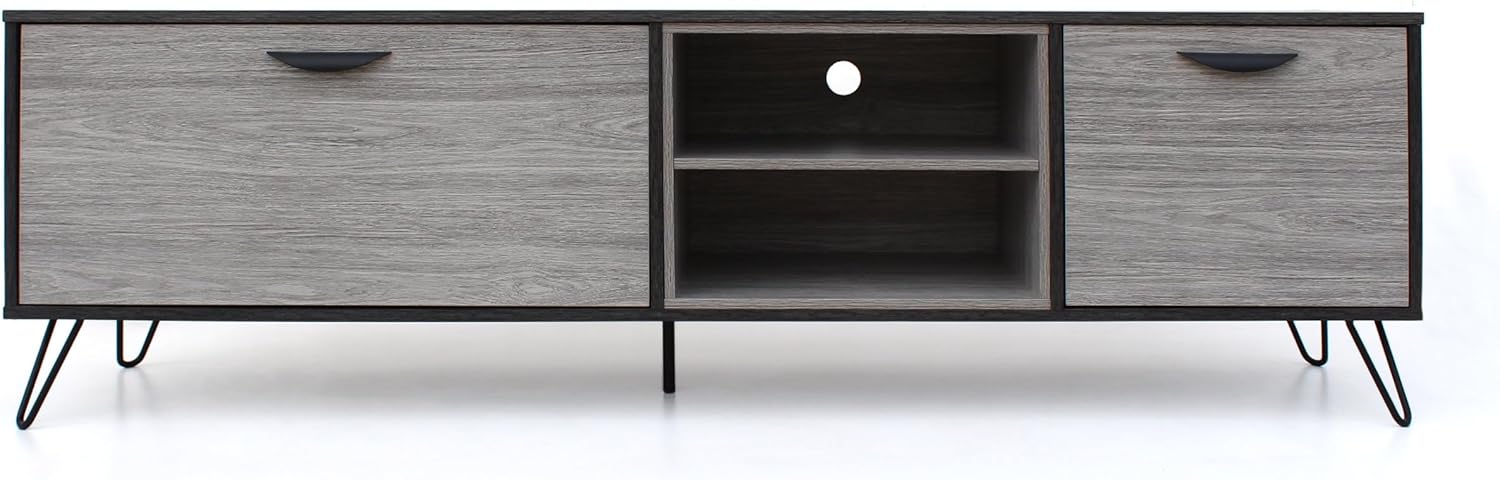
Figure 2: Front view of the assembled UJoylify TV Stand. This image displays the grey wood-look finish, black frame, and the distinctive hairpin legs.
Operating Instructions
The UJoylify Multifunctional TV Cabinet is designed to organize your media devices and accessories efficiently.
Using the TV Stand
- Placement: Position your television centrally on the top surface of the stand. Ensure the TV base is fully supported and does not overhang. This stand can accommodate televisions up to 79 inches.
- Open Shelves: Utilize the two open shelves for media players, gaming consoles, soundbars, or other electronic devices. The open design allows for easy access and ventilation.
- Fold-Out Cabinet: The left cabinet features a fold-out door, ideal for storing larger items or items you wish to keep out of sight.
- Regular Cabinet: The right cabinet provides additional enclosed storage space for remotes, cables, DVDs, or other miscellaneous items. The rounded handles allow for easy opening and closing.
- Cable Management: The back panel of the open shelving area includes a cutout for convenient cable routing, helping to keep wires tidy and organized.
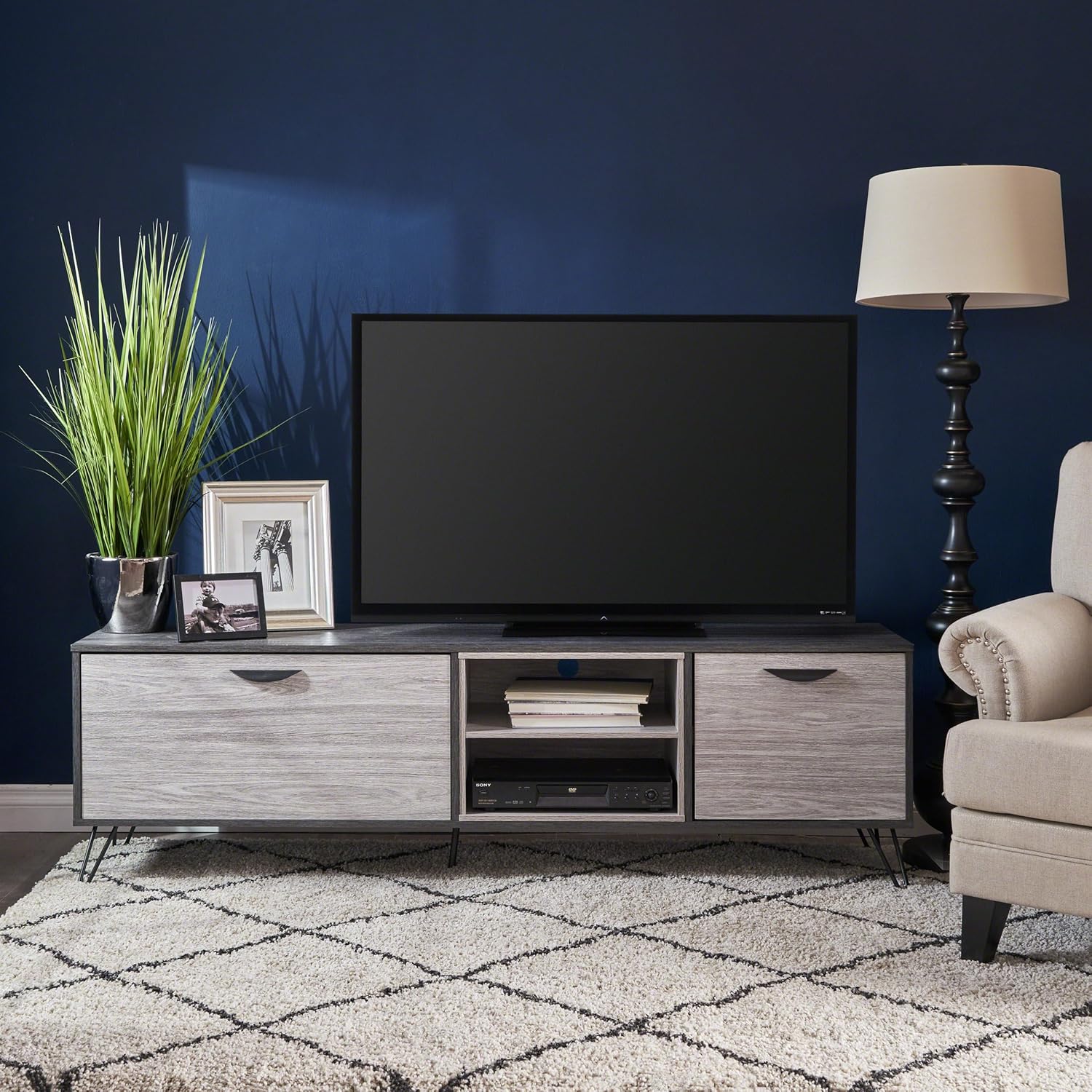
Figure 3: The TV stand in use, displaying a television on its top surface and media devices within the open shelves.

Figure 4: The left fold-out cabinet of the TV stand shown open, demonstrating its storage capacity for various items.

Figure 5: An angled view of the TV stand with both the fold-out and regular cabinets open, showcasing the full extent of its storage options.
Maintenance
Proper care and maintenance will ensure the longevity and appearance of your UJoylify TV Cabinet.
Cleaning Instructions
- Dusting: Regularly dust the surfaces with a soft, dry, lint-free cloth.
- Cleaning Spills: For spills, immediately wipe with a damp cloth and then dry thoroughly. Avoid abrasive cleaners or harsh chemicals, as they may damage the finish.
- Metal Parts: Clean metal hairpin legs with a soft, damp cloth. Dry immediately to prevent rust.
General Care
- Avoid placing hot items directly on the surface. Use coasters or protective pads.
- Keep the TV stand away from direct sunlight and extreme temperature changes to prevent warping or fading.
- Periodically check and tighten all screws and fasteners to ensure stability.
Troubleshooting
If you encounter any issues with your TV stand, refer to the following common problems and solutions.
| Problem | Possible Cause | Solution |
|---|---|---|
| Stand is wobbly or unstable. | Screws are loose; uneven floor surface. | Ensure all assembly screws are tightened. Move the stand to a level surface or use shims under the legs if necessary. |
| Cabinet doors do not align or close properly. | Hinges are not properly adjusted or installed. | Refer to the assembly instructions for hinge adjustment. Loosen and re-tighten hinge screws as needed to align doors. |
| Missing or damaged parts upon arrival. | Shipping damage or packaging error. | Do not proceed with assembly. Contact UJoylify customer support immediately for replacement parts. |
Specifications
| Attribute | Detail |
|---|---|
| Brand | UJoylify |
| Model Number | 61166.00 |
| Product Dimensions (L x W x H) | 71.1 x 16.25 x 21.1 inches |
| Item Weight | 89.9 pounds |
| Material | Wood-look finish with metal accents (hairpin legs) |
| Color | Grey |
| Maximum TV Size Accommodated | Up to 79 inches |
Warranty and Support
Specific warranty details for the UJoylify Multifunctional TV Cabinet are not provided in this manual. For warranty information, product support, or to order replacement parts, please contact UJoylify customer service directly through their official website or the retailer from whom you purchased the product.
Please have your model number (61166.00) and purchase information ready when contacting support.
Ask a question about this manual
Ask about setup, troubleshooting, compatibility, parts, safety, or missing instructions. Manuals+ will review the question and use this page’s manual context to help answer it.