
1. Product Overview
The BIBIFACTORY Portable Silent Mini Bladeless Electric Fan, Model MF019, is designed to provide personal cooling with convenience and quiet operation. Its compact, bladeless design ensures safety and portability, making it ideal for various indoor and outdoor environments. Featuring 360° rotation and three adjustable speed settings, this fan delivers customizable airflow wherever you need it.
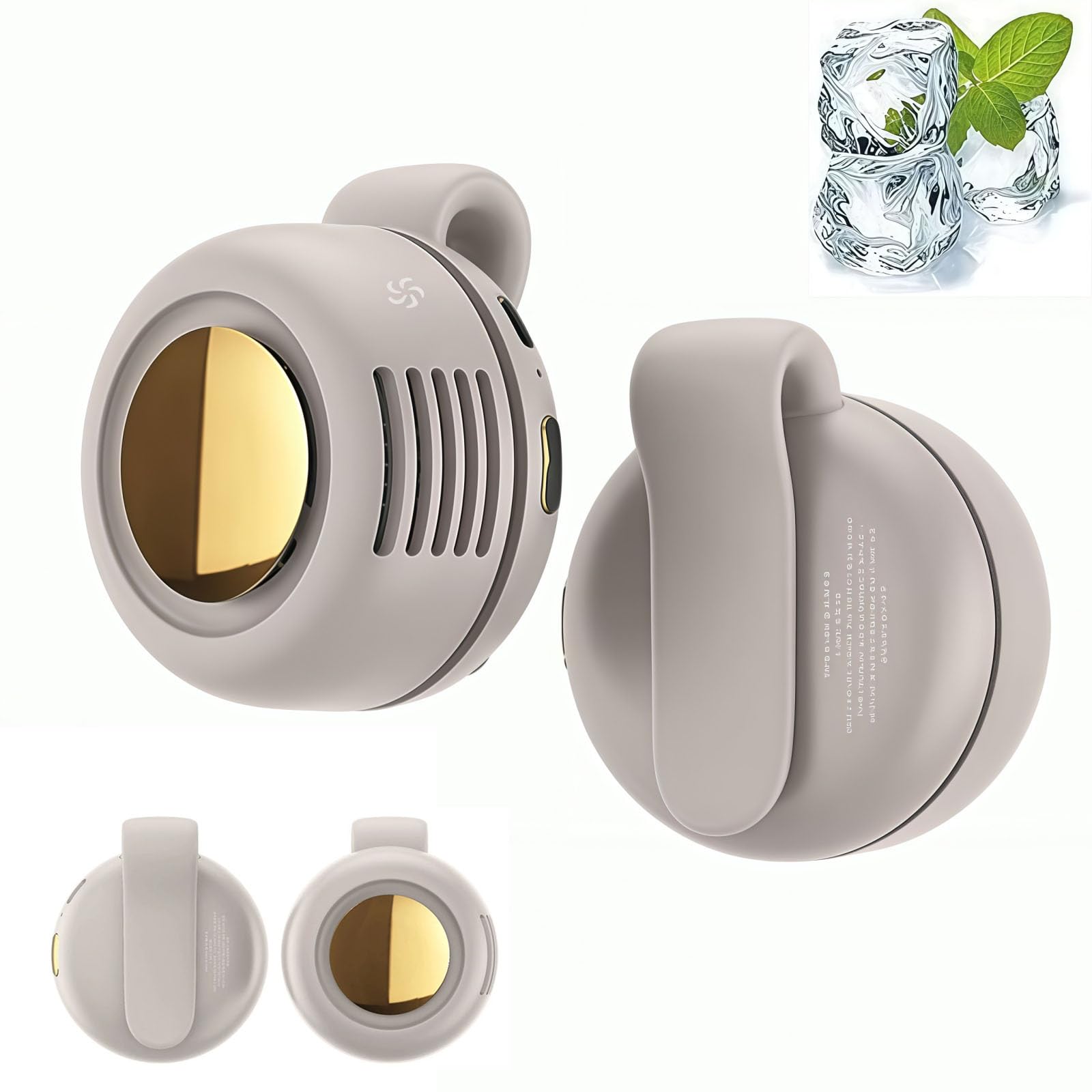
Image: The BIBIFACTORY Portable Silent Mini Bladeless Electric Fan in beige, showcasing its compact and modern design.
2. Key Features
- Bladeless Design: Ensures safety, especially around children and pets, and contributes to quiet operation.
- 360° Rotatable Airflow: Allows for precise adjustment of wind direction to suit your needs.
- Three Speed Settings: Choose between low, medium, and high airflow for personalized comfort.
- Portable & Clip-on: Lightweight and equipped with a silicone clip for easy attachment to clothing, bags, strollers, or desks.
- USB Powered: Conveniently rechargeable via various USB sources, including power banks, adapters, laptops, and car chargers.
- Quiet Operation: Engineered for low noise, rated at 25 decibels, ensuring minimal disturbance.
- Durable Material: Constructed from Acrylonitrile Butadiene Styrene for longevity.

Image: Visual representation of the fan's 360° adjustable wind direction and three speed options, highlighting its bladeless design for safety.
3. Setup
3.1 Unboxing and Initial Inspection
Carefully remove the fan from its packaging. Inspect the device for any visible damage. Ensure all components are present.
3.2 Initial Charging
Before first use, fully charge the fan. Connect the provided USB cable to the fan's charging port and to a suitable USB power source (e.g., wall adapter, computer, power bank). The charging indicator light will show the charging status. A full charge takes approximately 66 minutes and provides up to 5 hours of continuous use.
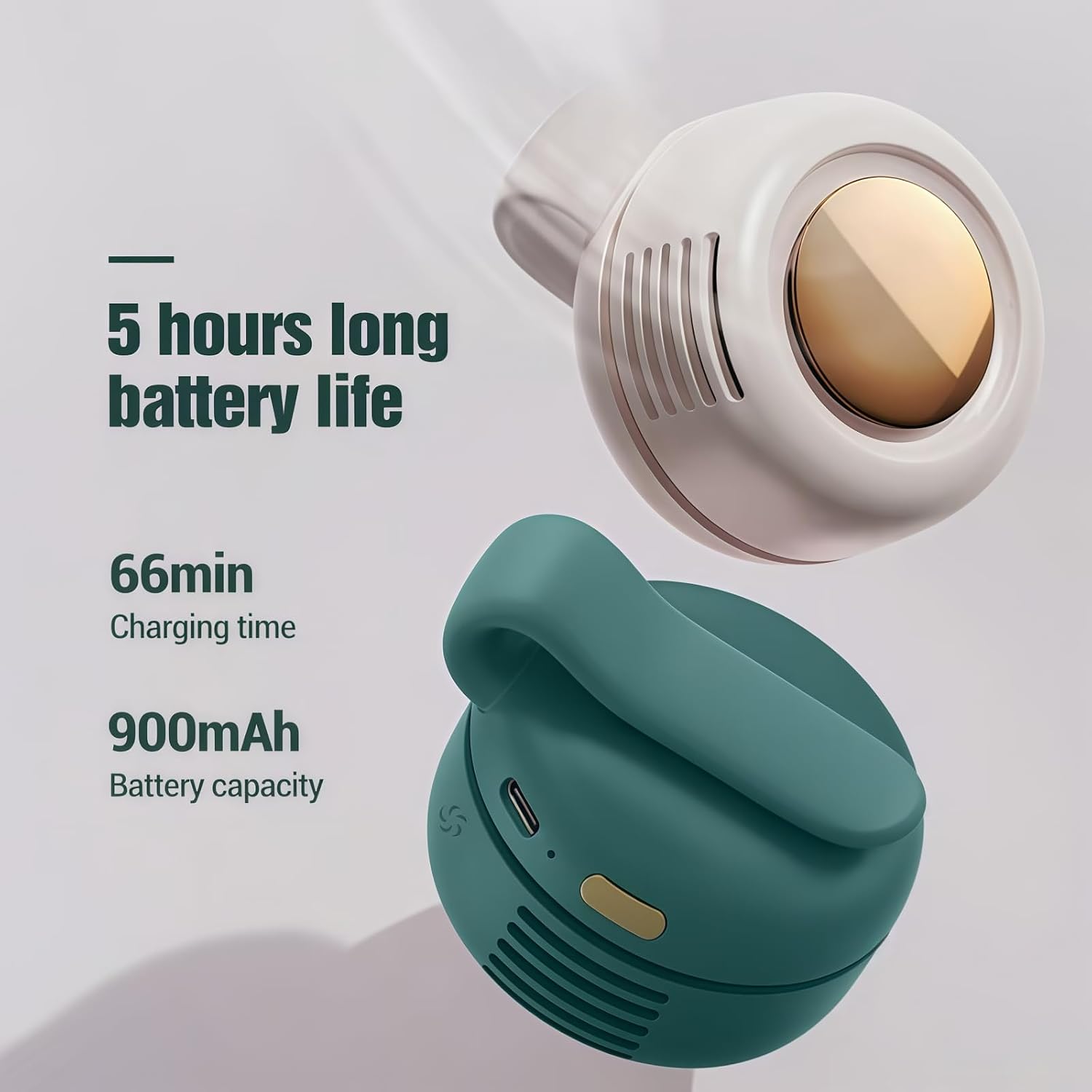
Image: Details on the fan's battery life, charging time, and capacity.
4. Operating Instructions
4.1 Power On/Off
To turn the fan on or off, locate the power button, typically on the side or top of the device. Press and hold for a few seconds to activate or deactivate.
4.2 Adjusting Fan Speed
The fan features three speed settings. Press the power button repeatedly to cycle through the speeds: Low, Medium, High. The fan will indicate the current speed setting, usually via LED indicators.
4.3 Adjusting Airflow Direction
The fan head can be rotated 360° to direct the airflow precisely where desired. Gently rotate the fan body to change the angle of the breeze.
4.4 Using the Clip-on Feature
Utilize the integrated silicone clip to attach the fan to various surfaces. The clip is designed to securely fasten to clothing, bags, strollers, hats, or tabletops, providing hands-free cooling.

Image: Examples of how the fan can be clipped onto various items for convenient, hands-free use.
5. Charging
The fan is equipped with a built-in 900mAh rechargeable battery. To charge, connect the USB cable to the fan's Type-C interface and to a power source. The charging process takes approximately 66 minutes for a full charge, providing up to 5 hours of operation.
5.1 Compatible Charging Methods
- Power bank
- USB wall adapter
- Laptop USB port
- Car charger

Image: Various USB charging methods compatible with the fan, including power banks, adapters, laptops, and car chargers.
6. Maintenance
To ensure optimal performance and longevity of your fan, follow these maintenance guidelines:
- Cleaning: Use a soft, dry cloth to wipe the exterior of the fan. Do not use abrasive cleaners or immerse the fan in water.
- Storage: When not in use for extended periods, store the fan in a cool, dry place away from direct sunlight.
- Battery Care: To prolong battery life, avoid fully discharging the battery frequently. Charge the fan regularly, even if not in active use.
7. Troubleshooting
| Problem | Possible Cause | Solution |
|---|---|---|
| Fan does not turn on. | Battery is depleted. | Charge the fan using the provided USB cable. |
| Weak airflow. | Fan is on a low-speed setting. | Press the power button to cycle to a higher speed setting. |
| Short battery life. | Battery not fully charged or aging battery. | Ensure the fan is fully charged before use. Battery performance may decrease over time. |
| Fan makes unusual noise. | Obstruction in the air intake/outlet. | Turn off the fan and gently check for any debris. Clean as per maintenance instructions. |
8. Specifications
| Attribute | Detail |
|---|---|
| Brand | BIBIFACTORY |
| Model Name | MF019 |
| Electric Fan Design | Wearable Fan |
| Power Source | USB Powered |
| Number of Speeds | 3 |
| Noise Level | 25 Decibels |
| Wattage | 2.1 watts |
| Item Weight | 0.13 Kilograms (4.6 ounces) |
| Indoor/Outdoor Usage | Indoor, Outdoor |
| Control Method | Touch |
| Is Cordless? | Yes |
| Installation Type | Clip-on |
| Product Dimensions | 59.9 x 2.28 x 6.97 inches |
| Material | Acrylonitrile Butadiene Styrene |
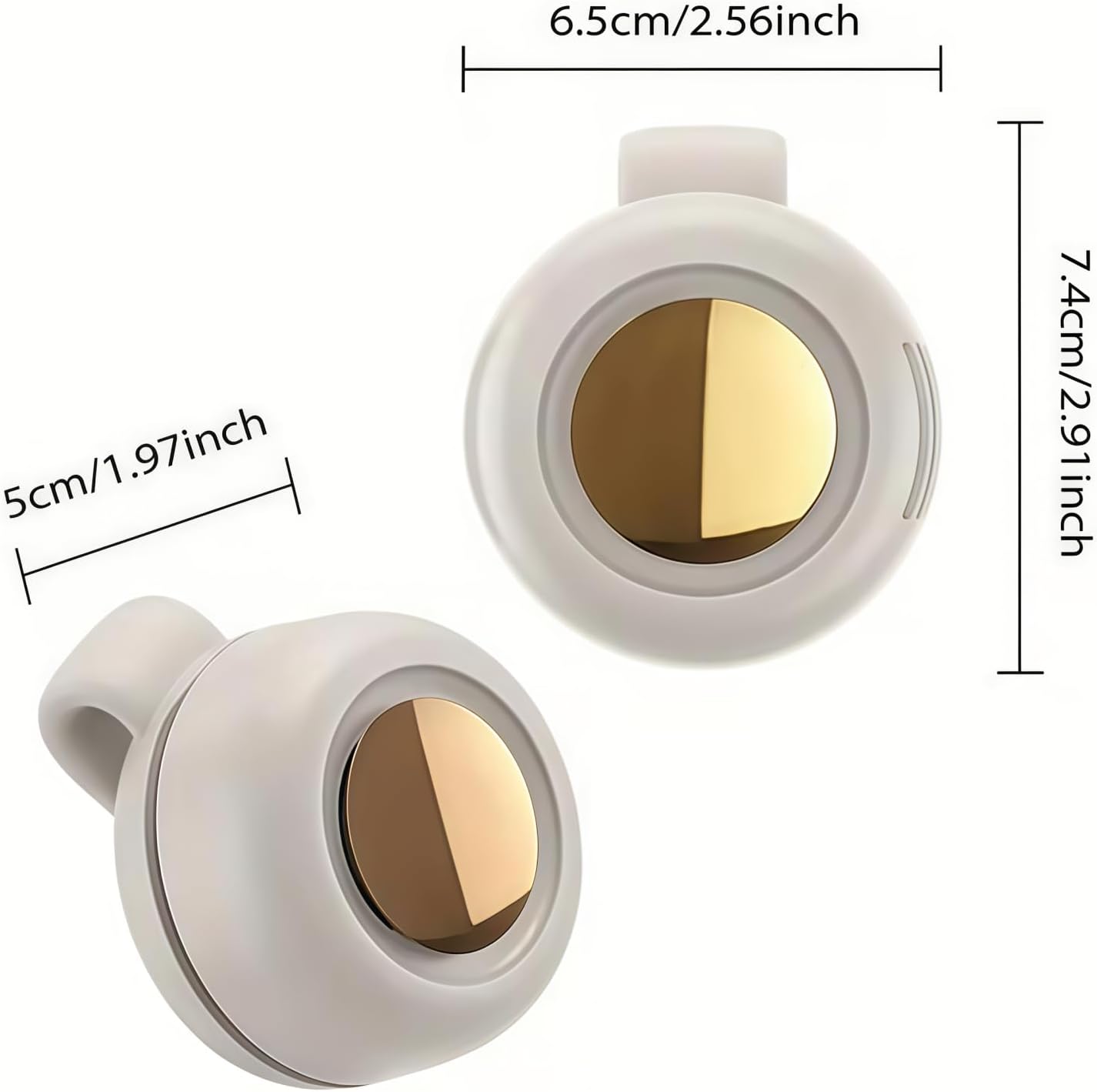
Image: Detailed dimensions of the BIBIFACTORY Portable Silent Mini Bladeless Electric Fan.
9. Warranty and Support
For warranty information or technical support, please refer to the product packaging or contact BIBIFACTORY customer service directly. Keep your purchase receipt for warranty claims.


