
Introduction
Thank you for purchasing the Lancoon LK-AD42 Quartz Analog Alarm Clock. This manual provides detailed instructions for setting up, operating, and maintaining your new clock. Please read these instructions carefully before use and keep them for future reference.
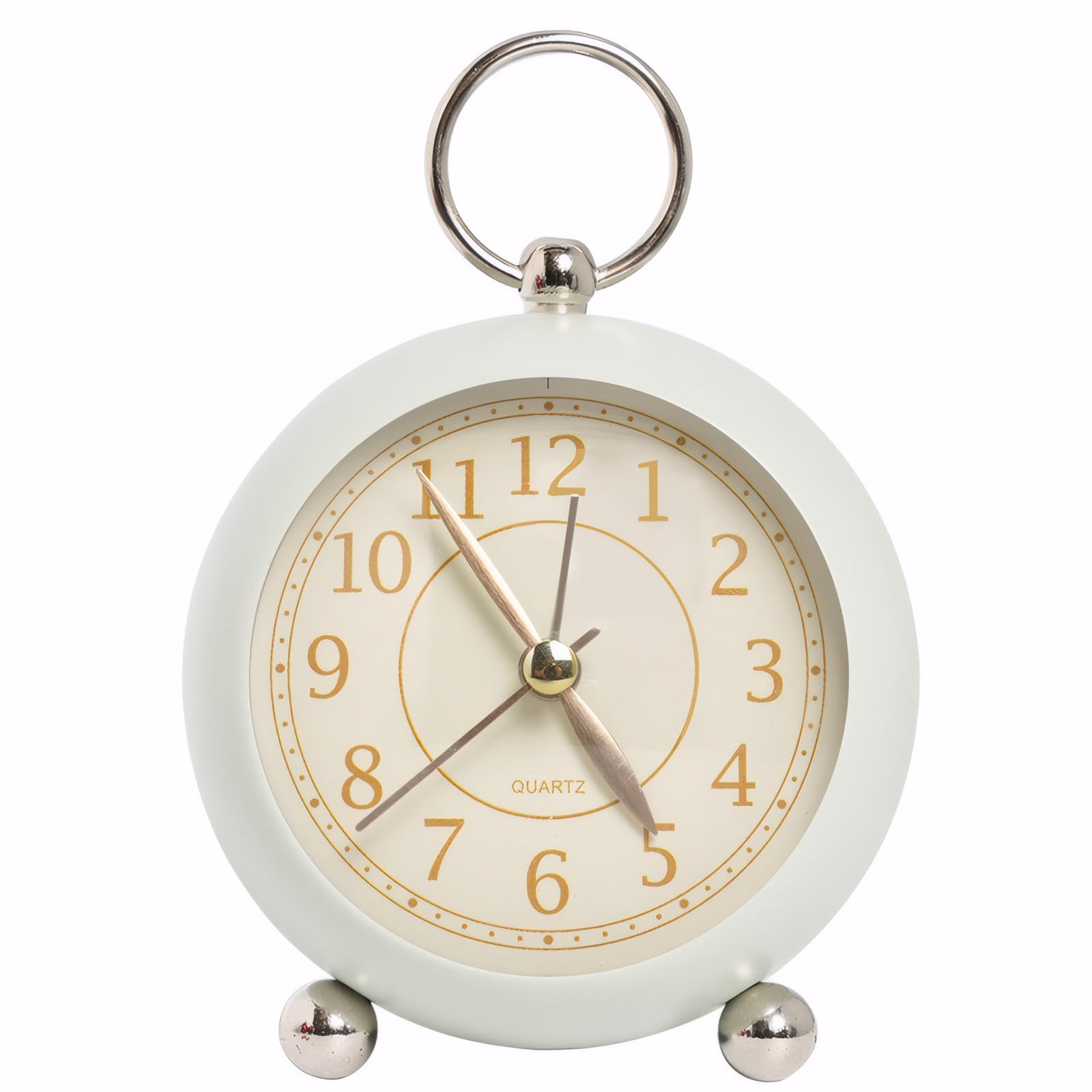
Image: The Lancoon LK-AD42 Quartz Analog Alarm Clock in green, showcasing its simple round metal design.
Package Contents
Ensure all items are present in the package:
- 1 x Lancoon LK-AD42 Quartz Analog Alarm Clock
- 1 x User Manual
Product Features
- Soft Glow Night Light: The clock face is equipped with a soft LED light, activated by a button, for clear visibility in dark environments without disturbing sleep.
- Simple Metal Design: Features a painted metal frame and a minimalist dial, suitable for various room decors.
- Circular Carrying Handle: Includes a metal handle for easy placement on a desktop or hanging on a wall.
- Easy-to-Read Display: Large numbers and clear hands ensure quick time reading for all ages.
- Battery Powered: Operates on 1 AA battery (not included), offering portability and freedom from power outlets.

Image: The Lancoon LK-AD42 alarm clock is available in multiple colors, including white, green, pink, and blue.
Setup
1. Battery Installation
- Locate the battery compartment on the back of the clock.
- Open the battery compartment cover.
- Insert one (1) AA battery (not included), ensuring the correct polarity (+/-).
- Close the battery compartment cover securely.
2. Setting the Time
- Locate the Time Setting Knob (labeled '2' in the diagram below) on the back of the clock.
- Rotate the knob clockwise or counter-clockwise until the clock hands display the correct current time.
3. Setting the Alarm
- Locate the Alarm Clock Setting Knob (labeled '4' in the diagram below) on the back of the clock.
- Rotate this knob to set the desired alarm time. The alarm hand will move independently of the time hands.
- To activate the alarm, slide the Alarm Switch (labeled '5' in the diagram below) to the 'ON' position. To deactivate, slide it to 'OFF'.
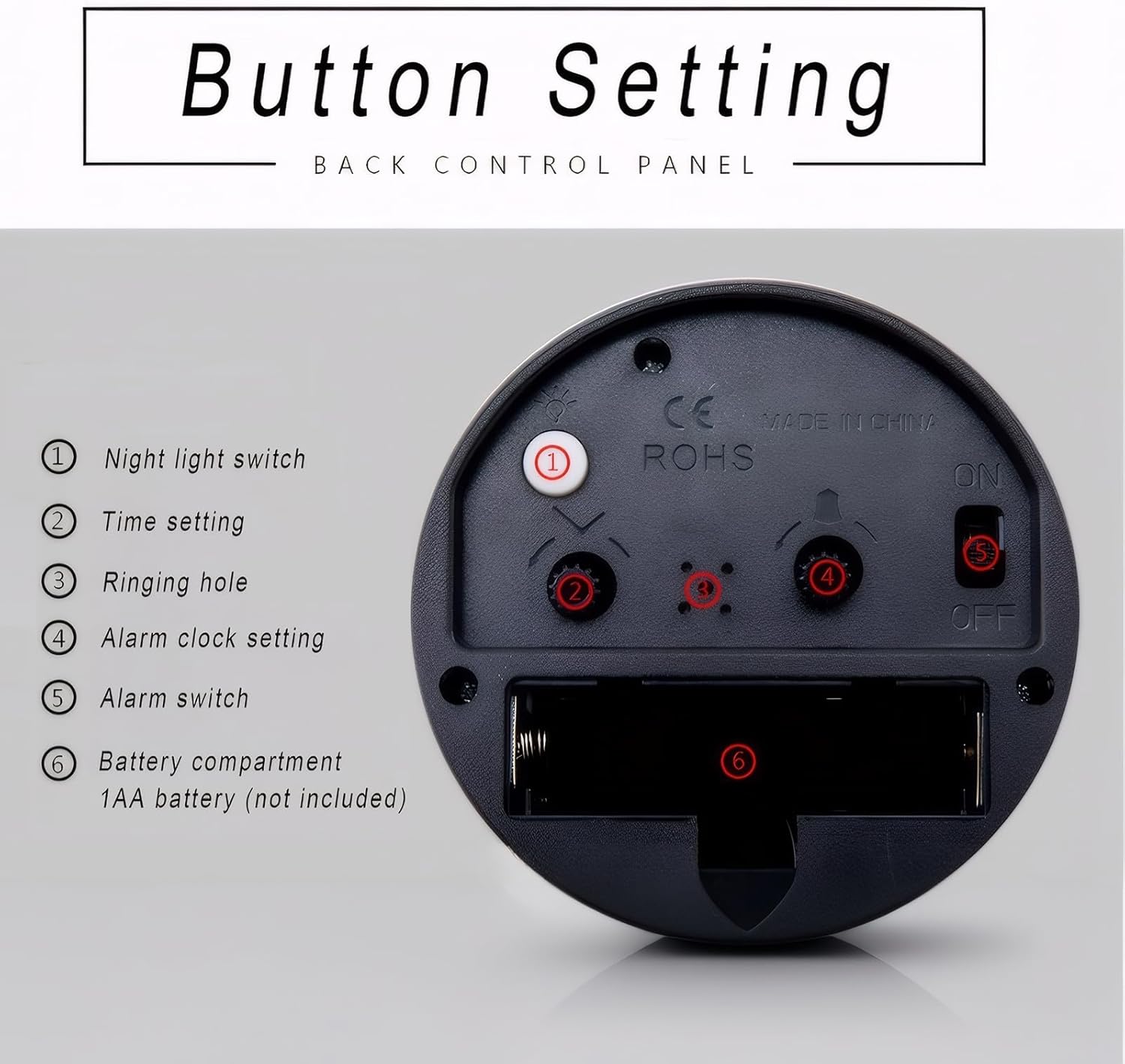
Image: Back control panel of the Lancoon alarm clock, showing (1) Night light switch, (2) Time setting, (3) Ringing hole, (4) Alarm clock setting, (5) Alarm switch, and (6) Battery compartment.
Operating Instructions
Using the Night Light
To illuminate the clock face in low-light conditions, press and hold the Night Light Switch (labeled '1' in the diagram above) located on the back of the clock. The soft LED light will turn on. Release the button to turn the light off.
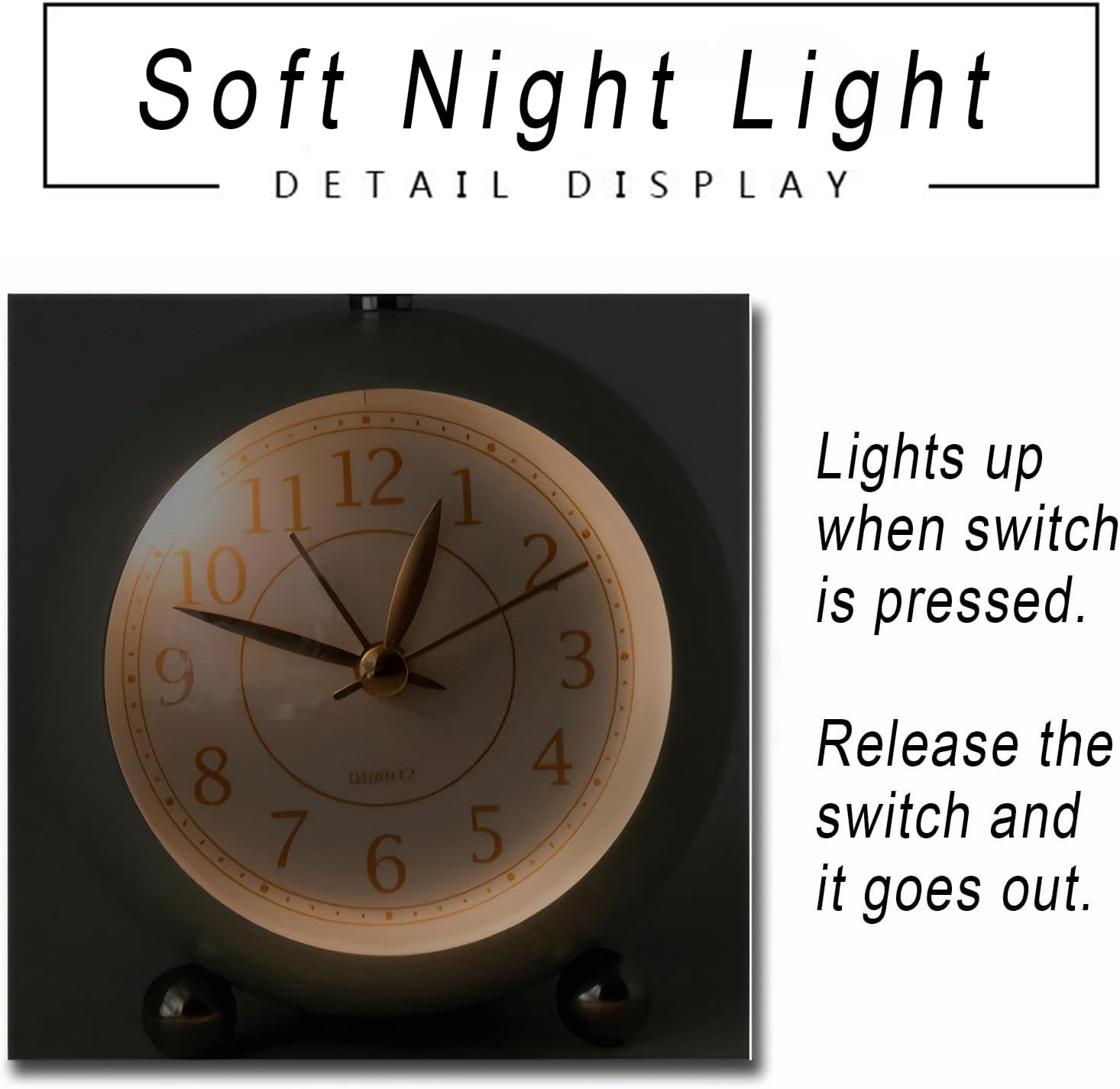
Image: The clock face illuminated by the soft night light, showing clear visibility of numbers and hands in the dark.
Activating/Deactivating the Alarm
To activate the alarm, slide the Alarm Switch (labeled '5' in the diagram above) to the 'ON' position. The alarm will sound at the set alarm time. To deactivate the alarm, slide the switch to the 'OFF' position.
Maintenance
Cleaning
Wipe the clock's exterior with a soft, dry cloth. Do not use abrasive cleaners, solvents, or chemical sprays, as these may damage the finish or internal components.
Battery Replacement
When the clock's timekeeping becomes inaccurate, the alarm weakens, or the night light dims, it is time to replace the AA battery. Follow the battery installation steps in the 'Setup' section to replace the battery.
Troubleshooting
- Clock not working / Hands not moving:
- Ensure the AA battery is inserted correctly with the proper polarity.
- Replace the battery with a new one.
- Alarm not sounding:
- Check if the Alarm Switch is in the 'ON' position.
- Verify that the alarm time is set correctly.
- Replace the battery if it is low.
- Night light not working:
- Ensure the battery has sufficient power. Replace if necessary.
- Confirm you are pressing the Night Light Switch firmly.
Specifications
| Feature | Detail |
|---|---|
| Brand | Lancoon |
| Model Number | LK-AD42 |
| Display Type | Analog |
| Special Features | Alarm, Battery Powered, Night Light |
| Power Source | 1 x AA Battery (not included) |
| Material | Acrylonitrile Butadiene Styrene (ABS), Metal |
| Shape | Round |
| Product Dimensions (W x H) | 4.92" x 3.74" (12.5 cm x 9.5 cm) |
| Item Weight | 180 Grams |

Image: Diagram showing the dimensions of the Lancoon alarm clock: approximately 4.29 inches (10.9 cm) wide and 4.64 inches (11.8 cm) high.
Warranty and Support
For warranty information, technical support, or customer service inquiries, please refer to the retailer where you purchased this product or visit the official Lancoon website. Keep your purchase receipt as proof of purchase.