
1. Product Overview
This manual provides detailed instructions for the assembly, operation, and maintenance of your FammyLoft 29.2" Small Vanity Desk. Designed for compact living spaces, this vanity desk integrates a makeup table with adjustable LED lighting, a sliding mirror, and ample storage, accompanied by a matching stool. Its design is optimized for users under 5.5 feet tall, making it suitable for bedrooms and smaller areas.
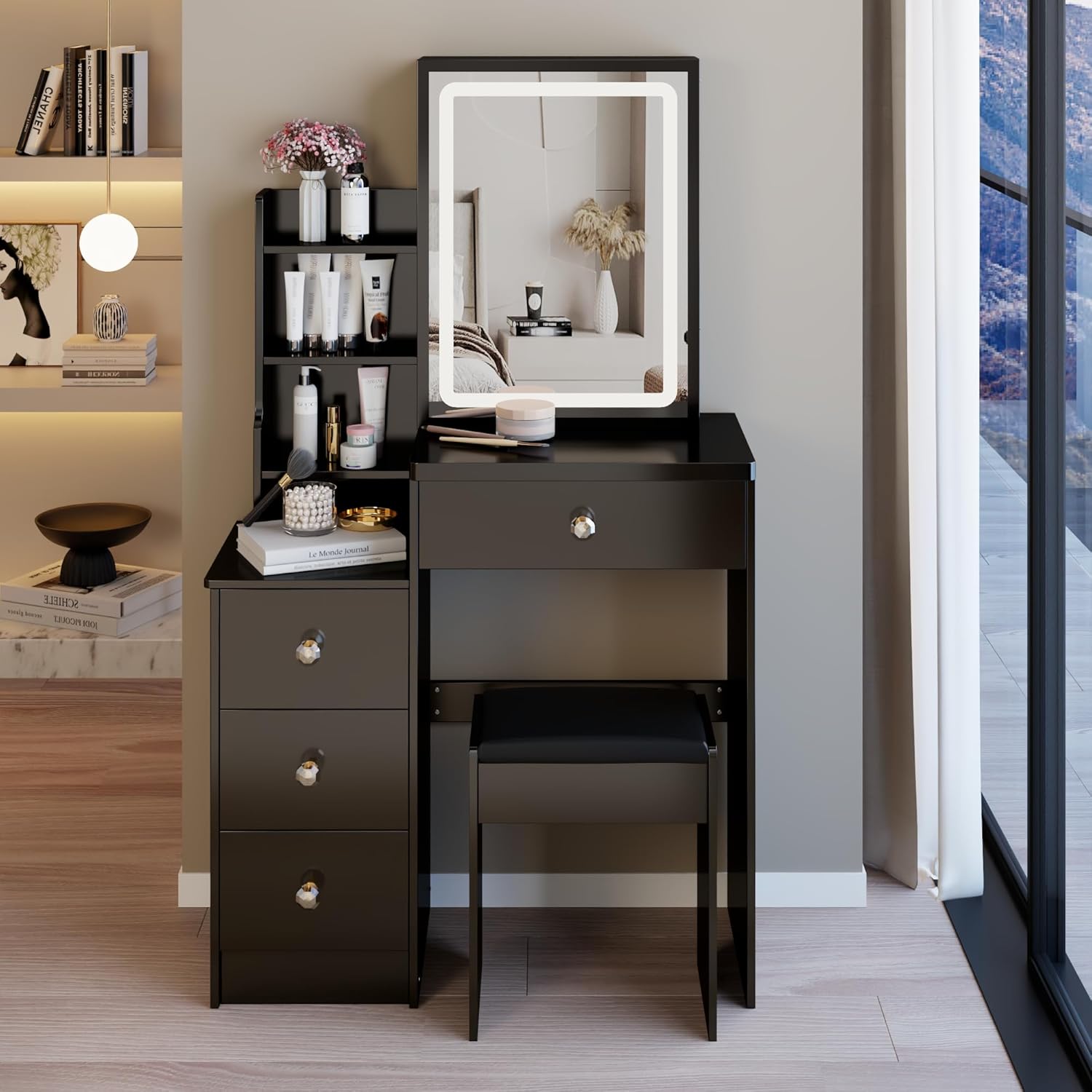
Figure 1.1: Fully assembled FammyLoft 29.2" Small Vanity Desk, showcasing its compact design and integrated mirror with lighting.
2. Important Safety Information
- Read all instructions carefully before assembly and use.
- Keep all small parts and packaging materials away from children and pets to prevent choking hazards.
- Ensure all screws and fasteners are securely tightened before use. Periodically check and re-tighten as necessary.
- Do not overload drawers or shelves. Distribute weight evenly to maintain stability.
- Place the vanity on a flat, stable surface to prevent tipping.
- Avoid exposing the LED mirror to excessive moisture or direct water contact.
- If any parts are missing or damaged, do not proceed with assembly. Contact customer support immediately.
3. Package Contents
Before beginning assembly, verify that all components listed below are present and undamaged. Refer to the included assembly manual for a detailed list of parts and hardware.
- Vanity Desk Panels (MDF)
- LED Mirror Assembly
- Stool Components
- Drawer Slides and Hardware
- Assembly Hardware (screws, dowels, cam locks, etc.)
- Assembly Instructions Manual

Figure 3.1: Dimensional diagram illustrating the main components and overall size of the vanity desk and stool.
4. Setup (Assembly)
Assembly of the FammyLoft Vanity Desk is designed to be straightforward with clear, image-based instructions provided in the separate assembly manual. It is recommended to have a Phillips head screwdriver and a soft cloth for assembly.
- Unpack and Organize: Carefully unpack all components and lay them out on a clean, soft surface to prevent scratches. Identify each board by its number, as indicated in the assembly manual.
- Follow Numbered Steps: Refer to the included assembly manual and follow the numbered steps precisely. Each step will guide you through attaching specific panels and hardware.
- Secure Fasteners: Ensure all screws, cam locks, and other fasteners are tightened securely at each step. Do not overtighten, as this may damage the wood.
- Install Drawers and Mirror: Follow the instructions for installing the drawer slides and assembling the drawers. Attach the LED mirror assembly as directed, ensuring all electrical connections are secure.
- Assemble Stool: Assemble the accompanying stool according to its specific instructions.
- Final Check: Once assembled, gently move the vanity to its desired location. Verify that it is stable and all parts are securely fastened.
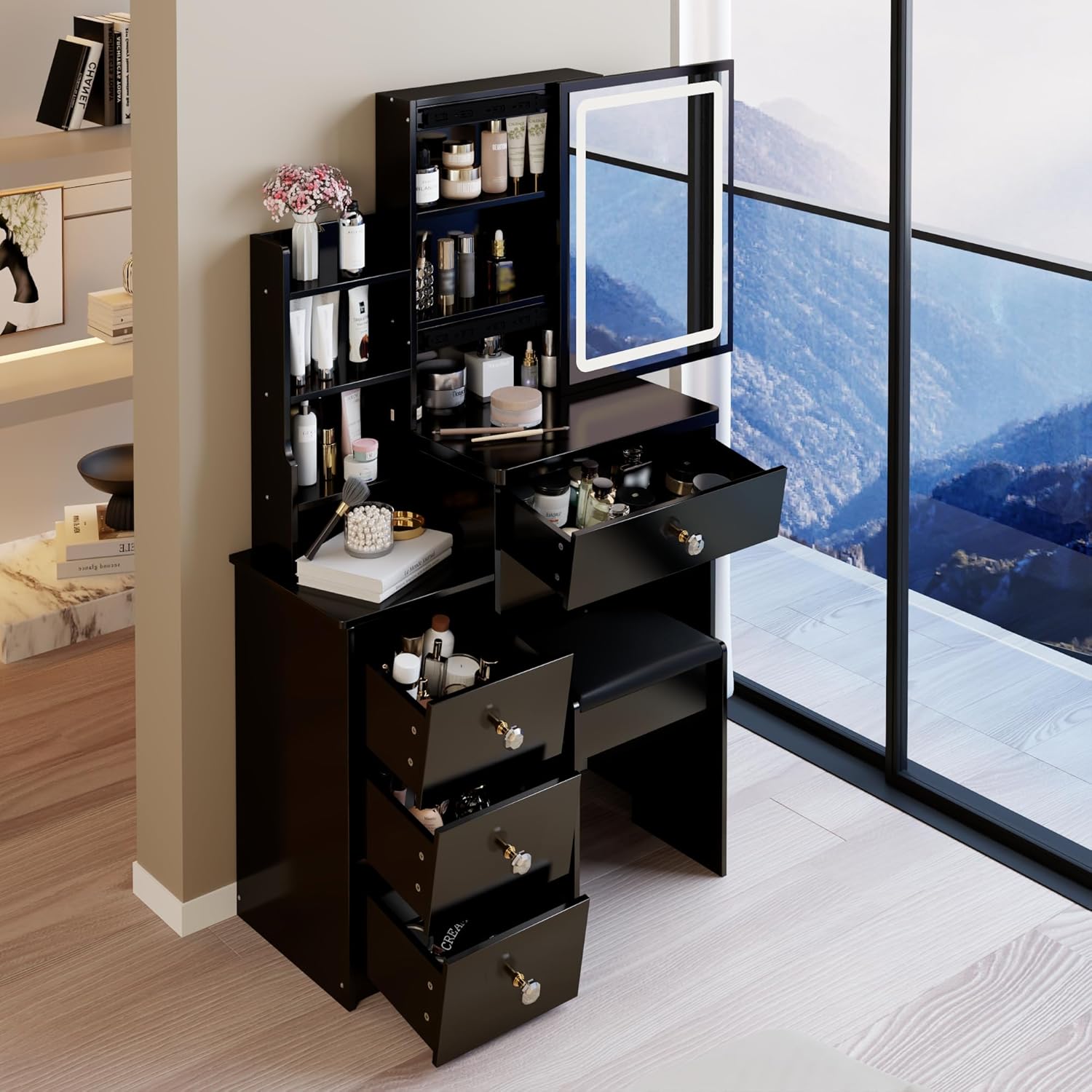
Figure 4.1: An overhead view demonstrating the internal structure and storage capabilities, which are assembled during setup.
5. Operating Instructions
5.1 LED Mirror Operation
The integrated LED mirror features touch controls for adjusting lighting color and brightness.
- Power On/Off: Lightly touch the tactile switch icon on the mirror surface to turn the LED lights on or off.
- Change Light Color: With the lights on, short-press the tactile switch to cycle through the three available lighting colors: Cool White, Warm White, and Warm Yellow.
- Adjust Brightness: To adjust the brightness, long-press the tactile switch. The brightness will gradually increase or decrease. Release your finger when the desired brightness is achieved. The mirror provides a soft, 120-lumen illumination designed to be gentle on the eyes and prevent overheating.

Figure 5.1: The LED mirror offers three distinct lighting colors and adjustable brightness via a tactile touch switch.
5.2 Sliding Mirror and Hidden Storage
The vanity features a unique sliding mirror design that reveals hidden storage compartments behind it.
- Accessing Storage: Gently slide the mirror horizontally to the left or right to reveal the shelving behind it.
- Organizing Items: Use these hidden shelves to store skincare products, perfumes, and other items, keeping your vanity surface clutter-free.
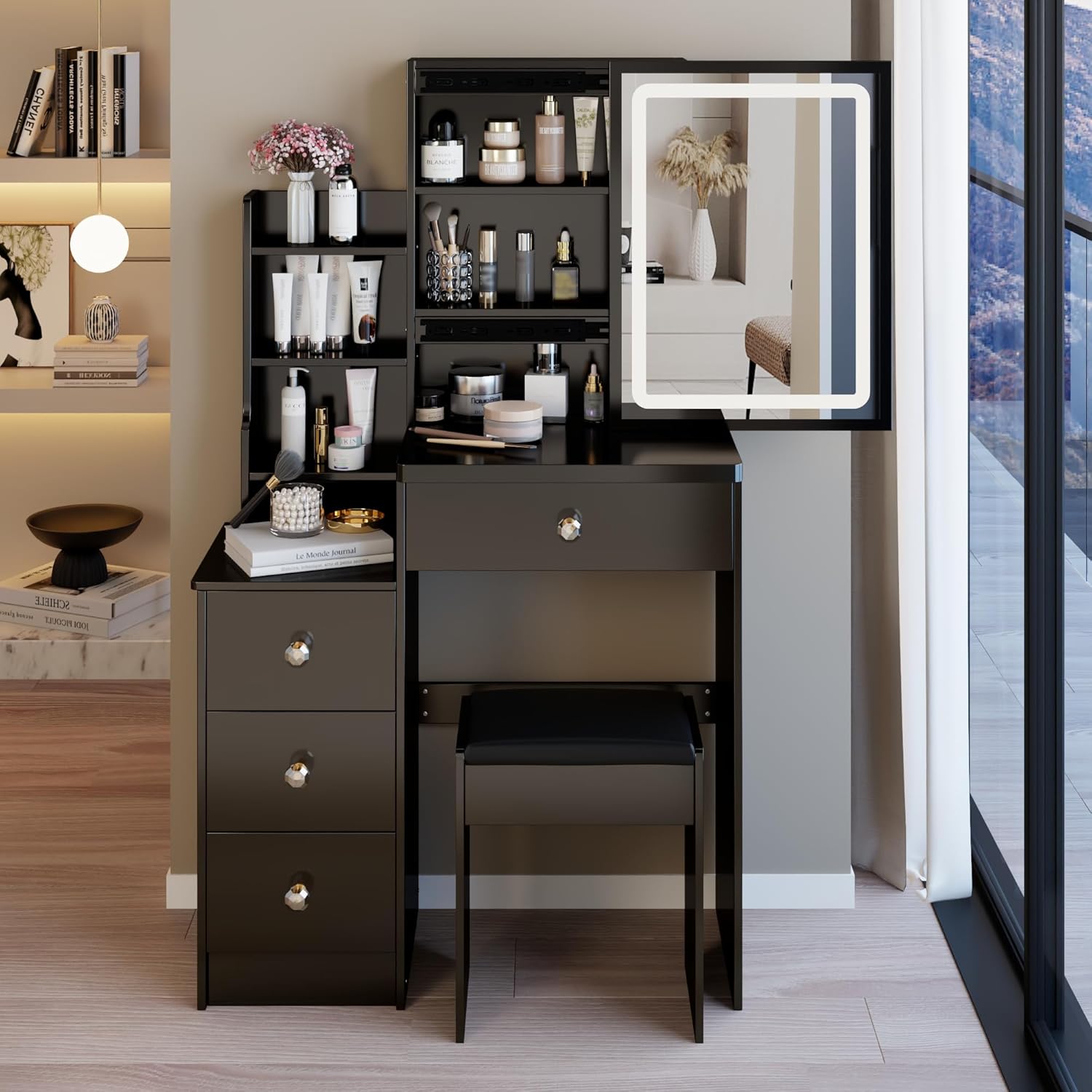
Figure 5.2: The mirror slides to the side, providing access to concealed storage shelves.
5.3 Drawer Operation
The vanity is equipped with smooth-sliding drawers for organized storage.
- Opening/Closing: Gently pull the knobs to open the drawers and push them back in to close. Avoid forcing the drawers.
- Organization: Utilize the various drawer sizes to neatly store makeup, accessories, and other personal items.

Figure 5.3: Drawers fully extended, demonstrating their capacity for organizing various items.
6. Maintenance and Care
- Cleaning the Surface: Wipe the vanity surfaces with a soft, damp cloth. For stubborn marks, use a mild, non-abrasive cleaner. Dry immediately with a clean cloth.
- Mirror Care: Clean the mirror surface with a glass cleaner and a lint-free cloth. Avoid spraying cleaner directly onto the LED frame or electrical components.
- Avoid Harsh Chemicals: Do not use abrasive cleaners, strong solvents, or ammonia-based products, as they can damage the finish and LED components.
- Protect from Heat and Moisture: Keep the vanity away from direct heat sources and excessive moisture to prevent warping or damage to the engineered wood.
- Regular Checks: Periodically check all screws and fasteners to ensure they remain tight. Re-tighten if necessary to maintain stability.
7. Troubleshooting
- Problem: LED lights are not turning on.
- Solution: Ensure the vanity is properly plugged into a working power outlet. Check the power cable for any damage. Verify that the tactile switch on the mirror is being pressed correctly. If the issue persists, contact customer support.
- Problem: Drawers are sticking or difficult to open/close.
- Solution: Check if the drawers are overloaded or if items are obstructing the slides. Ensure the drawer slides are clean and free of debris. Verify that the drawer slides were installed correctly during assembly and are aligned.
- Problem: Vanity feels unstable or wobbly.
- Solution: Confirm that the vanity is placed on a flat, level surface. Re-tighten all assembly screws and fasteners. Ensure all panels are correctly aligned and fully seated according to the assembly instructions.
8. Product Specifications
| Attribute | Specification |
|---|---|
| Model Number | VD05 |
| Brand | FammyLoft |
| Color | Black-29.2" Basic |
| Product Dimensions (L x W x H) | 29.2 in. x 12.6 in. x 50.4 in. (Assembled) |
| Item Weight | 48 pounds |
| Frame Material | Engineered Wood (MDF) |
| Furniture Finish | Black |
| Seat Height (Stool) | 15.7 Inches |
| Assembly Required | Yes |
| UPC | 762849649184 |

Figure 8.1: Size comparison of the 29.2" vanity desk relative to a 5.6 ft person, highlighting its compact design.
9. Warranty and Customer Support
For any questions, concerns, or assistance with your FammyLoft Vanity Desk, please contact our customer support team. While specific warranty details are not provided in this manual, please refer to your purchase documentation or contact the seller for information regarding warranty coverage and service.
When contacting support, please have your model number (VD05) and purchase information readily available.