
Casaottima B0F7XPJJ7W
Casaottima TV Stand with LED Lights and Power Outlets
Model: B0F7XPJJ7W
1. Introduction
This manual provides detailed instructions for the assembly, operation, and maintenance of your Casaottima TV Stand. This entertainment center is designed to accommodate TVs ranging from 40 to 55 inches, offering integrated LED lighting, convenient power outlets, and ample storage with five fabric drawers and adjustable side shelves. Please read this manual thoroughly before assembly and use to ensure proper setup and safe operation.

Image 1.1: The Casaottima TV Stand, featuring LED lighting and integrated storage.
2. Safety Information
Please observe the following safety guidelines to prevent injury or damage to the product:
- Always assemble the product according to the provided instructions to prevent tipping.
- Be cautious of sharp edges, especially when handling the open shelves and steel frame components during assembly.
- Keep the product away from children to prevent injury, particularly during assembly and when the anti-tipping kit is not yet secured.
- Ensure all electrical connections for the LED lights and power outlets are secure and comply with local electrical codes. Do not overload the power outlets.
- Place the TV stand on a flat, stable surface to ensure stability.

Image 2.1: Details of the TV stand's strong support, anti-tipping kit, and drawer construction.
3. Package Contents
Before beginning assembly, verify that all components listed below are present and undamaged. If any parts are missing or damaged, please contact customer support.
- Main TV Stand Frame (Center Unit)
- Side Shelf Units (2)
- Fabric Drawers (5)
- LED Light Strip with Controller
- Integrated Power Strip (3 AC outlets, 2 USB ports)
- Assembly Hardware (screws, bolts, connectors)
- Anti-Tipping Kit
- Assembly Instructions Manual
4. Assembly Instructions
Assembly is designed to be straightforward with illustrated, step-by-step instructions. It is recommended to have a second person assist with certain steps for ease and safety. Ensure you have a clear, spacious area for assembly.
4.1. Preparation
- Unpack all components and lay them out on a soft, clean surface to prevent scratches.
- Identify each part by its corresponding label or diagram in the included instruction manual.
- Gather necessary tools (typically a screwdriver, which may be included).
4.2. Step-by-Step Assembly
- Assemble the Center TV Stand Unit: Follow the diagrams to connect the main panels and frame components of the central TV stand. Ensure all screws are tightened securely.
- Install the Power Strip: Integrate the built-in power strip into its designated slot within the center unit. Ensure it is firmly seated and the cable is routed correctly.
- Attach Side Shelf Units: Connect the two side shelf units to the main TV stand frame. These units feature adjustable shelves. Refer to the diagrams for proper alignment and secure fastening.
- Insert Fabric Drawers: Unfold and assemble the five fabric drawers. Slide them into their respective compartments in the center unit.
- Apply LED Light Strip: Adhere the LED light strip to the designated area, typically along the open shelf of the center unit. Connect it to the power source.
- Secure Anti-Tipping Kit: For safety, attach the anti-tipping kit to the back of the TV stand and secure it to a wall stud. This is a critical step to prevent accidental tipping, especially in households with children or pets.

Image 4.1: Product dimensions and TV size compatibility for assembly planning.
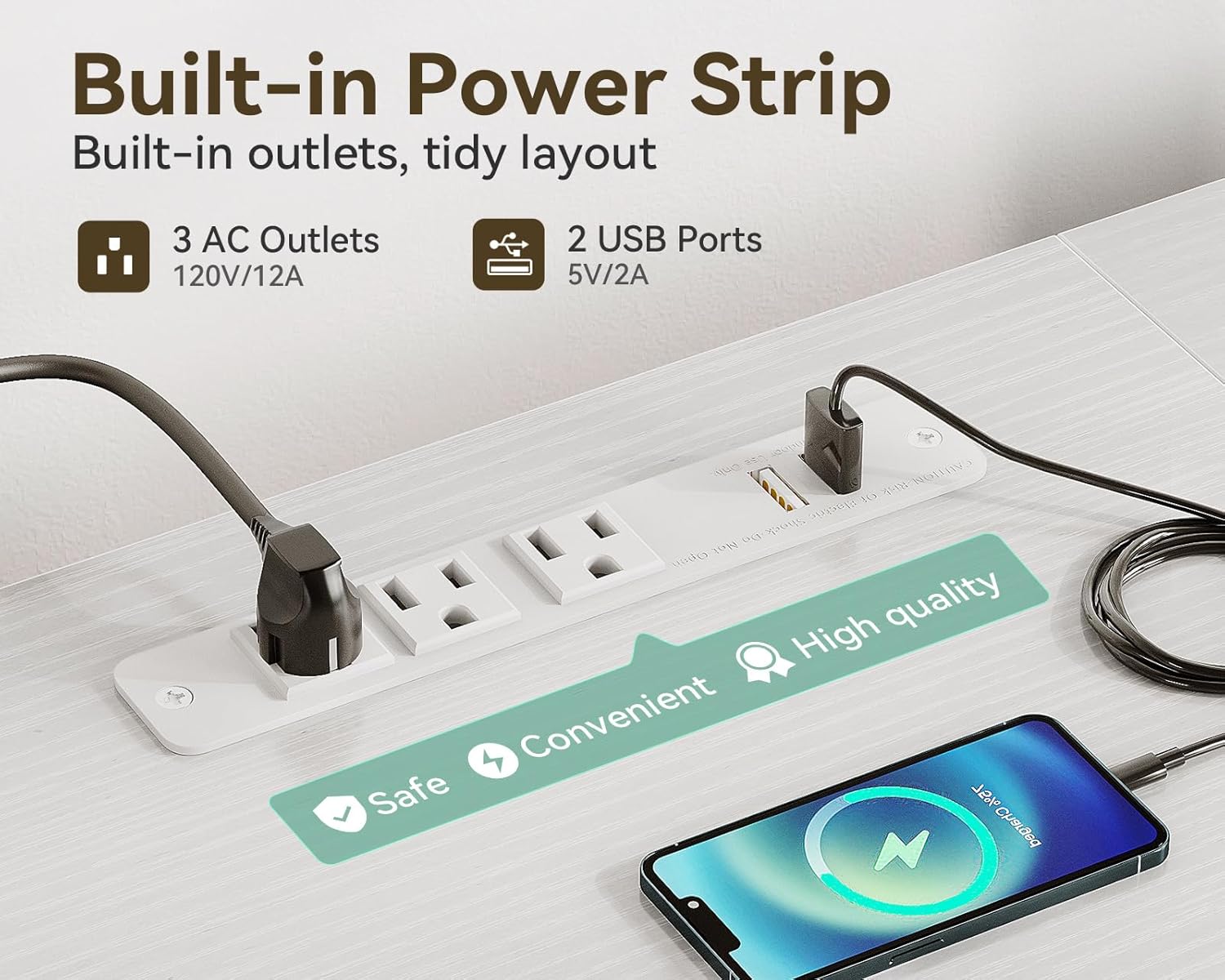
Image 4.2: Installation area for the built-in power strip.
5. Operating Instructions
5.1. LED Lighting System
The integrated LED light strip enhances the ambiance of your entertainment area. It is controlled via a wired remote.
- Power On/Off: Press the power button on the remote to turn the LED lights on or off.
- Brightness Adjustment: Use the brightness control buttons (e.g., '+' and '-') to select from 8 brightness levels.
- Color Selection: Cycle through 10 color options using the designated color button.
- Dynamic Modes: Choose from 10 dynamic modes to create various lighting effects.
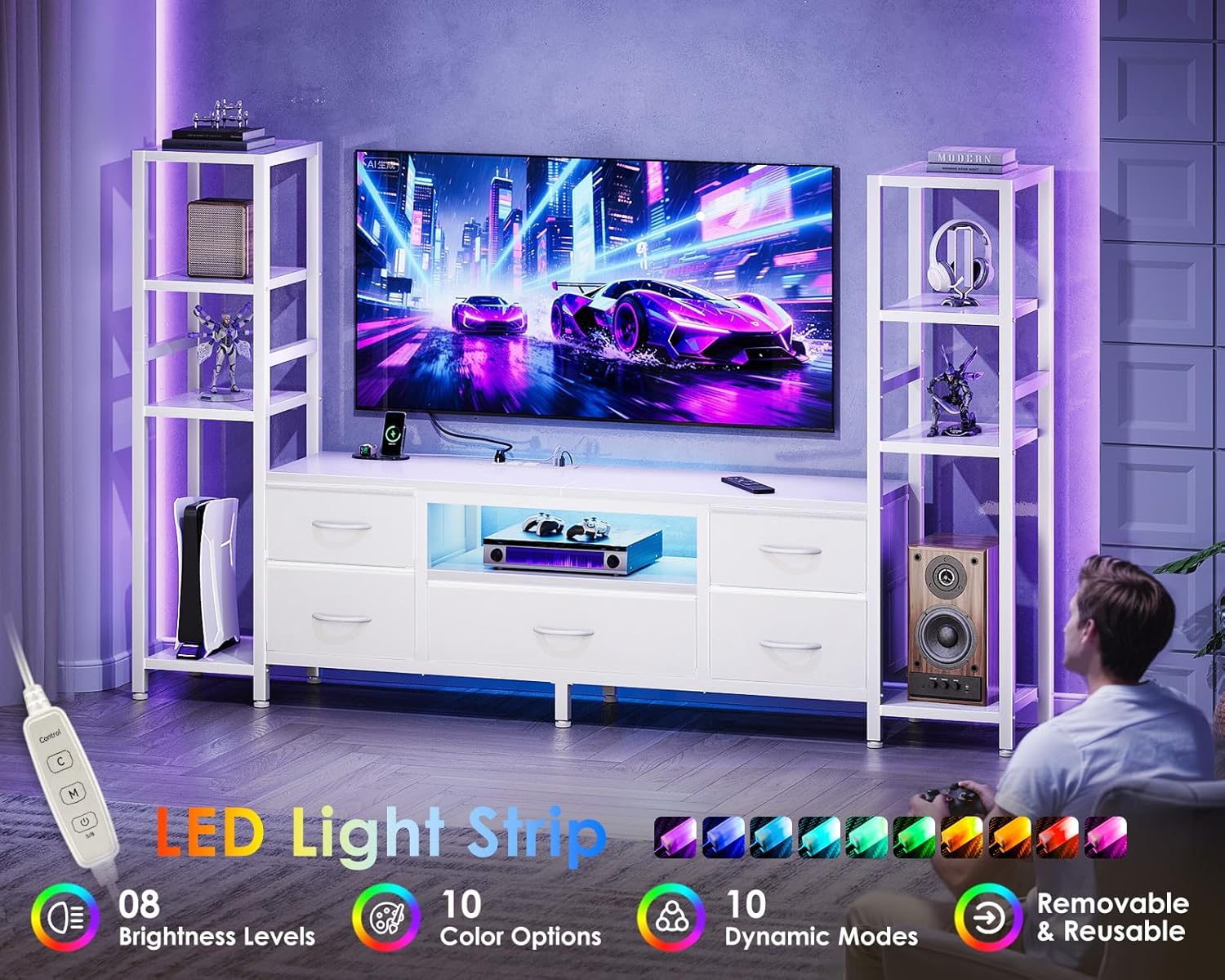
Image 5.1: LED light strip features and remote control.
5.2. Integrated Power Outlets
The TV stand includes a built-in power strip with 3 AC outlets (120V/12A) and 2 USB ports (5V/2A) for convenient power access.
- Connecting Devices: Plug your TV, gaming consoles, stereo, and other electronic devices directly into the AC outlets.
- USB Charging: Use the USB ports to charge smartphones, tablets, or other USB-powered devices.
- Safety: Do not exceed the maximum load capacity of the power strip. Avoid plugging in high-power appliances simultaneously.
5.3. Fabric Drawers and Adjustable Shelves
The five fabric drawers provide concealed storage, while the side shelves offer display and additional storage options.
- Fabric Drawers: Utilize the drawers for storing items such as books, DVDs, gaming accessories, or other daily essentials. Ensure items are placed evenly to maintain drawer integrity.
- Adjustable Side Shelves: The side shelves feature 3-tier adjustable heights. To adjust, carefully remove the shelf, reposition the support pins to the desired height, and reinsert the shelf. This allows for customization to fit various items like speakers, decor, or gaming consoles.
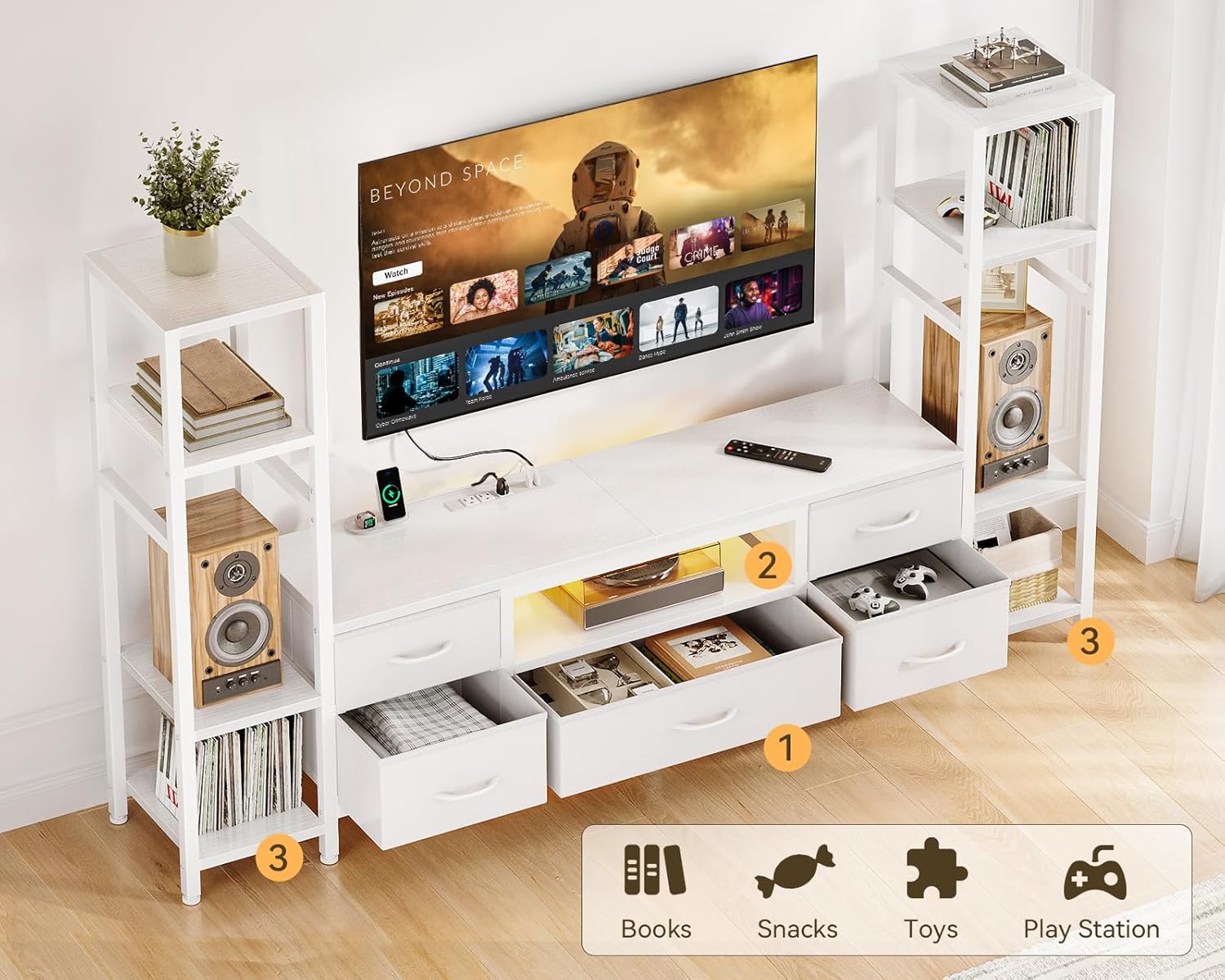
Image 5.2: Storage capabilities with fabric drawers and side shelves.
6. Maintenance
Regular maintenance will help preserve the appearance and functionality of your TV stand.
- Cleaning Surfaces: Wipe down all surfaces with a soft, damp cloth. Avoid abrasive cleaners or harsh chemicals that could damage the finish.
- Fabric Drawers: The fabric drawers can be spot cleaned with a mild detergent and water. Allow them to air dry completely before reinserting. Do not machine wash.
- Hardware Check: Periodically check all screws and connections to ensure they remain tight. Retighten if necessary to maintain structural integrity.
- Cable Management: Keep cables organized and tidy to prevent damage and ensure proper airflow around electronic devices.
7. Troubleshooting
If you encounter any issues with your Casaottima TV Stand, refer to the following common problems and solutions:
- LED Lights Not Working:
- Ensure the LED strip is properly connected to its power source and the wall outlet.
- Check if the remote control batteries are functional.
- Verify that the power button on the remote has been pressed.
- Power Outlets Not Functioning:
- Confirm the TV stand's main power cord is securely plugged into a working wall outlet.
- Check if the circuit breaker for the wall outlet has tripped.
- Avoid overloading the power strip with too many high-power devices.
- Stand Feels Unstable:
- Ensure all assembly screws are tightened.
- Verify that the TV stand is placed on a level surface.
- Confirm the anti-tipping kit is correctly installed and secured to the wall.
- Drawers Do Not Slide Smoothly:
- Check for any obstructions within the drawer compartments.
- Ensure the fabric drawers are fully assembled and not warped.
8. Specifications
| Feature | Detail |
|---|---|
| Brand | Casaottima |
| Model | B0F7XPJJ7W |
| Color | White |
| Material | Wood |
| Product Dimensions (L x W x H) | 11.81 x 70.87 x 43.31 inches |
| Item Weight | 39.4 pounds |
| Applicable TV Size | 40-50 inches (supports up to 55 inches with potential side shelf limitation) |
| Number of Drawers | 5 (Fabric) |
| Number of Shelves | 3 (Adjustable side shelves) |
| Power Outlets | 3 AC (120V/12A) |
| USB Ports | 2 (5V/2A) |
| Special Features | LED Lights (8 brightness, 10 colors, 10 dynamic modes), Anti-tipping Kit |
9. Warranty and Customer Support
9.1. Warranty Information
Casaottima products are manufactured with quality and durability in mind. Specific warranty details, including coverage period and terms, are typically provided with your purchase documentation. Please refer to the warranty card or contact Casaottima customer service for detailed information regarding your product's warranty.
9.2. Customer Support
For any questions, assistance with assembly, or to report missing/damaged parts, please contact Casaottima customer service. Our professional support team is available to address your inquiries.
Contact Information:
- Refer to your purchase documentation for the most current contact details.
- Visit the official Casaottima website for support resources.
Ask a question about this manual
Ask about setup, troubleshooting, compatibility, parts, safety, or missing instructions. Manuals+ will review the question and use this page’s manual context to help answer it.