
MRCFBLKR PI TFT 50
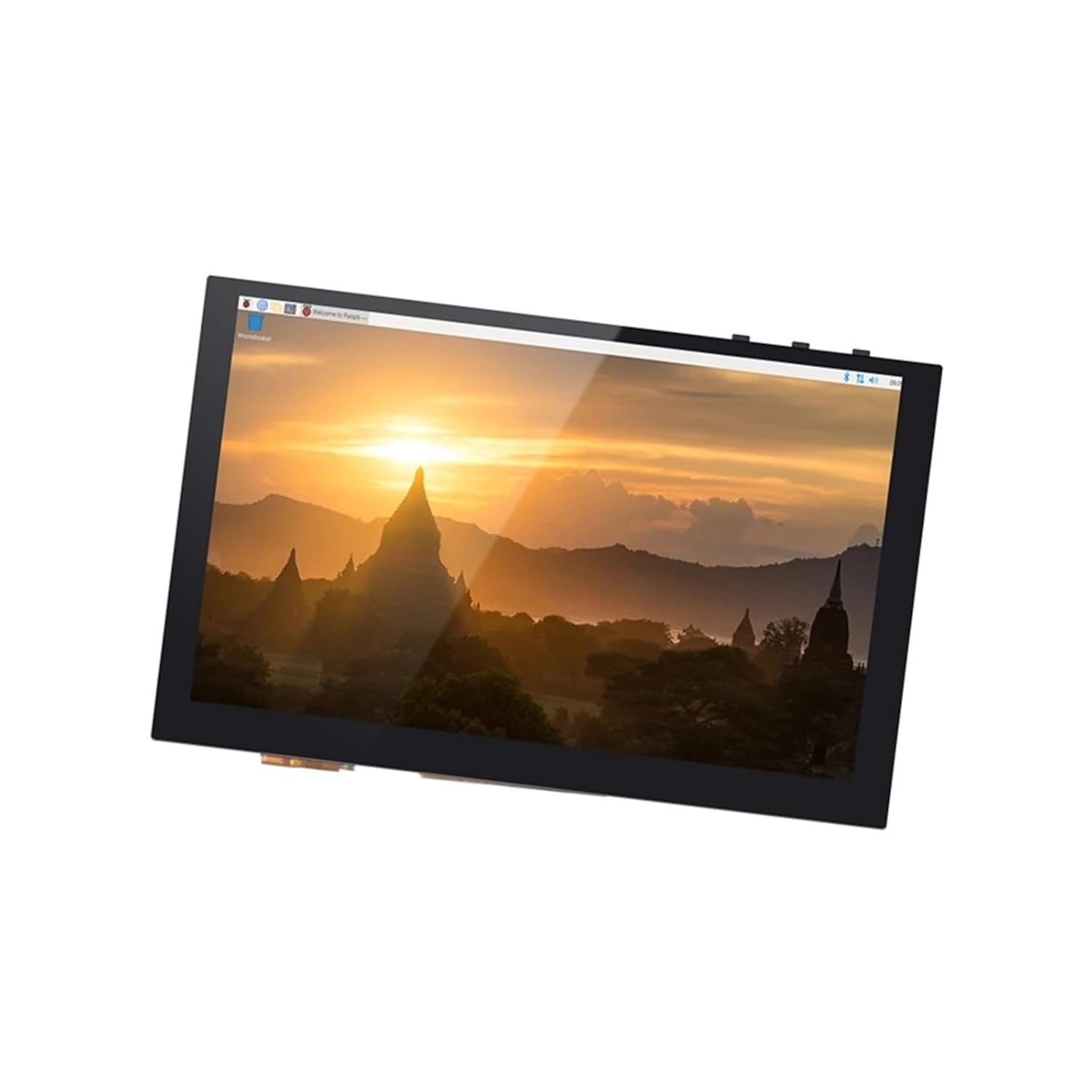
MRCFBLKR PI TFT 50 DSI Capacitive Touch Screen Raspberry Pi LCD Display User Manual
Model: PI TFT 50
Introduction
This manual provides comprehensive instructions for the installation, operation, and maintenance of your MRCFBLKR PI TFT 50 DSI Capacitive Touch Screen. This display is designed for use with Raspberry Pi and is compatible with BIGTREETECH Octopus Pro Boards, offering a high-resolution, multi-touch interface for various applications, including 3D printer control.
Safety Information
- Ensure proper grounding when connecting the display to avoid electrical damage.
- Avoid exposing the display to extreme temperatures or humidity.
- Do not attempt to disassemble the display; refer servicing to qualified personnel.
- Handle with care to prevent damage to the screen surface and internal components.
Package Contents
Please verify that all items are present in your package:
- MRCFBLKR PI TFT 50 DSI Capacitive Touch Screen
- Flexible Flat Cable (FFC) for DSI connection
- Mounting hardware (standoffs and screws)

Setup and Installation
The MRCFBLKR PI TFT 50 display features a plug-and-play design, simplifying installation without requiring additional drivers for quick setup. Follow these steps for proper connection:
- Prepare your Raspberry Pi or BIGTREETECH Octopus Pro Board: Ensure your board is powered off before connecting the display.
- Connect the DSI Cable: Carefully connect one end of the provided Flexible Flat Cable (FFC) to the DSI port on the PI TFT 50 display. Ensure the cable is inserted correctly with the contacts facing the right direction.
- Connect to Raspberry Pi/Octopus Pro: Connect the other end of the FFC to the DSI port on your Raspberry Pi or BIGTREETECH Octopus Pro Board.
- Mounting (Optional): Use the provided standoffs and screws to securely mount the display to your enclosure or project, if desired.
- Power On: Once all connections are secure, power on your Raspberry Pi or Octopus Pro Board. The display should initialize automatically.


Operating Instructions
The MRCFBLKR PI TFT 50 display offers a high-resolution TFT LCD display, providing sharp and clear images perfect for 3D printer control interfaces and other applications. Its multi-touch technology supports gesture control, enhancing the user interaction experience.
Basic Touch Operation
- Tap: Lightly touch the screen with your finger to select an item or activate a function.
- Drag: Touch and hold an item, then move your finger across the screen to reposition it or scroll.
- Pinch-to-Zoom: Use two fingers to pinch in or spread out to zoom in or out on content (if supported by the operating system/application).

Display Variants
The MRCFBLKR PI TFT series includes various sizes, such as the PI TFT 43, PI TFT 50 (this model), and PI TFT 70, each offering similar functionality with different screen dimensions.


Maintenance and Care
The display features a tempered glass surface that offers scratch resistance, ensuring durability in industrial environments. Proper care will extend the lifespan and maintain the clarity of your screen.
- Cleaning the Screen: Use a soft, lint-free cloth slightly dampened with water or a screen-specific cleaning solution. Avoid harsh chemicals, abrasive materials, or excessive moisture.
- Dust Removal: Gently wipe away dust with a dry microfiber cloth. For stubborn dust, use a can of compressed air.
- Avoid Impact: Despite its tempered glass, avoid dropping the display or subjecting it to strong impacts.
- Storage: When not in use, store the display in a clean, dry environment away from direct sunlight and extreme temperatures.
Troubleshooting
| Problem | Possible Cause | Solution |
|---|---|---|
| Display not turning on | Loose DSI cable connection, insufficient power, incorrect DSI port. | Ensure the DSI cable is securely connected at both ends. Verify the Raspberry Pi/Octopus Pro is receiving adequate power. Confirm the DSI cable is connected to the correct DSI port on the host board. |
| Touch input unresponsive | Software issue, calibration needed, physical damage. | Restart the host device. Check for any necessary software configurations or drivers (though typically plug-and-play). Inspect the screen for physical damage. |
| Flickering or distorted image | Faulty DSI cable, power fluctuations, software display settings. | Check DSI cable for damage and ensure secure connection. Verify power supply stability. Adjust display settings in the host operating system if applicable. |
Specifications
- Product Model: PI TFT 50
- Display Type: TFT LCD
- Touch Technology: Capacitive Multi-touch
- Interface: DSI (Display Serial Interface)
- Compatibility: Raspberry Pi, BIGTREETECH Octopus Pro Board (Note: Does not support Raspberry Pi Zero version)
- Screen Surface: Tempered Glass (Scratch Resistant)
- Manufacturer Model Number: MRCFBLKR
- Manufacturer: MRCFBLKR
- Package Dimensions: 0.39 x 0.39 x 0.39 inches
- Item Weight: 1.76 ounces
- ASIN: B0F7XJBRRD
Warranty and Support
For warranty information or technical support, please refer to the retailer or manufacturer's official website where the product was purchased. Keep your proof of purchase for any warranty claims.
Manufacturer: MRCFBLKR
Ask a question about this manual
Ask about setup, troubleshooting, compatibility, parts, safety, or missing instructions. Manuals+ will review the question and use this page’s manual context to help answer it.