
Introduction
Thank you for choosing the BJKing R6+ Bluetooth 5.4 AM/FM Radio Hearing Protection Headphones. These headphones are designed to provide effective hearing protection with a 30dB Signal-to-Noise Ratio (SNR), while allowing you to enjoy music and radio via Bluetooth 5.4 or AM/FM radio. This manual provides essential information for the safe and efficient use of your device.
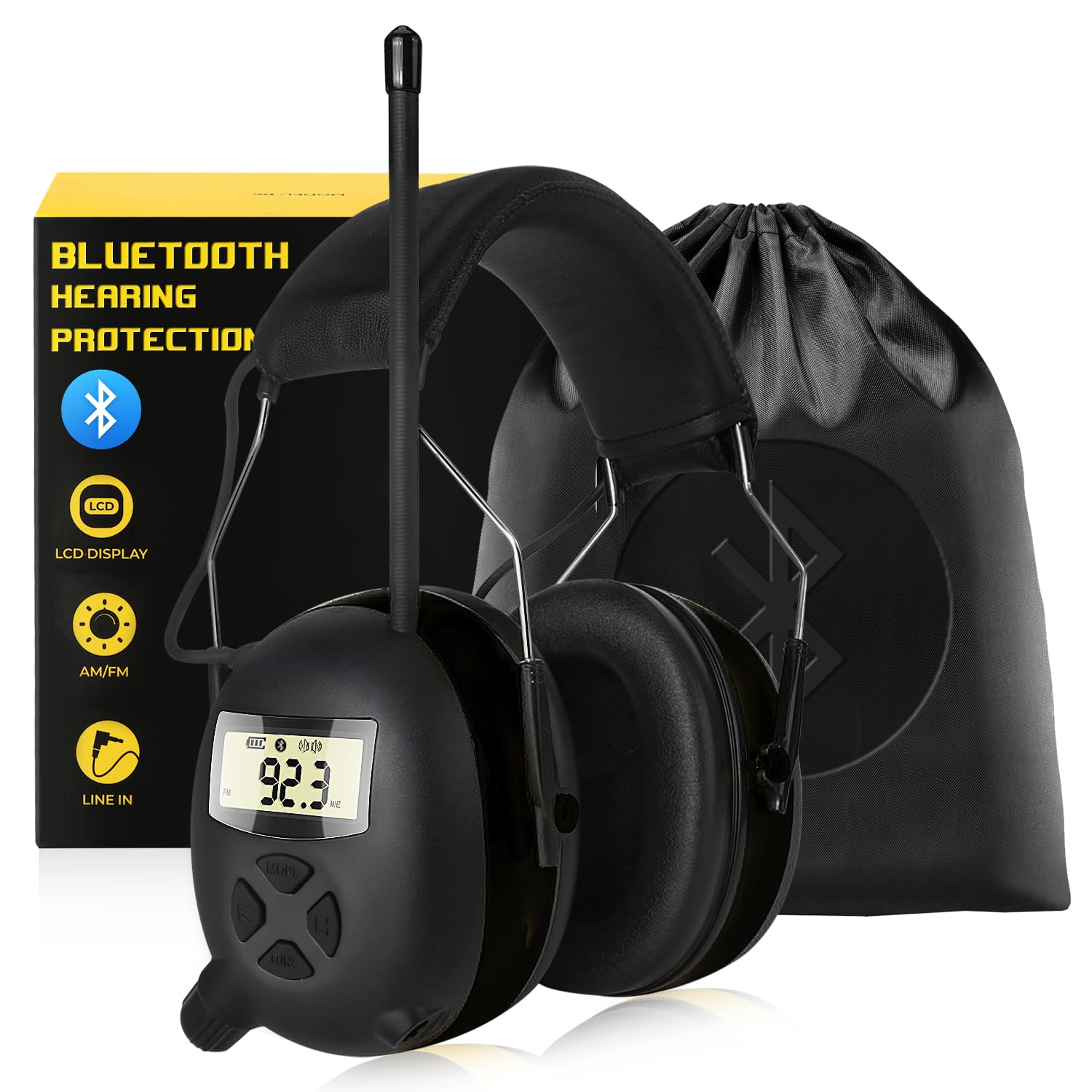
Image: BJKing R6+ headphones being worn by a person operating a snowblower, demonstrating use in a noisy environment.
Product Overview
Components and Controls
Familiarize yourself with the various parts and controls of your BJKing R6+ headphones:

Image: Detailed diagram showing the labeled components of the BJKing R6+ headphones, including buttons, display, and ports.
- Mode Switch Button (AM / FM): Toggles between AM and FM radio bands.
- Decrease Band Button: Used to tune down radio frequencies or navigate menus.
- Increase Band Button: Used to tune up radio frequencies or navigate menus.
- Multi-function & Memory Button: For saving radio stations and other functions.
- Radio ON/OFF & Volume Knob: Powers the device on/off and adjusts audio volume.
- 3.5mm Audio Jack (AUX Jack): For connecting external audio devices via cable.
- Large Digital LCD Display: Shows Bluetooth status, AM/FM frequency, and battery status.
- Battery Compartment: Houses the batteries required for operation.
- Adjustable Headband: Allows for a customized and comfortable fit for various head sizes.
Key Features
- Bluetooth 5.4 Technology: Ensures a stable, efficient, and wide-range wireless connection.
- FM/AM Digital Radio: Features an LCD display, 20 AM and 20 FM station memory, manual tuning, and auto-scanning.
- SNR 30dB Noise Reduction Rating: Certified by ANSI S3.19 and CE EN352-1 for effective noise reduction.
- Adjustable and Comfortable Design: Flexible headband and soft foam earcups provide a secure and comfortable fit.
- Wide Range of Uses: Ideal for mowing, snow blowing, construction, landscaping, woodworking, and other noisy environments.
Setup
1. Battery Installation
Locate the battery compartment (8) on one of the earcups. Open the compartment and insert the required batteries, ensuring correct polarity. Close the compartment securely.
2. Adjusting the Headband
Adjust the headband (9) by sliding the earcups up or down until they fit comfortably and securely over your ears. The earcups should fully enclose your ears to provide optimal hearing protection and sound quality.

Image: Illustration demonstrating the adjustable headband feature for a customized fit.
Operating Instructions
1. Power On/Off and Volume Control
- To power on, rotate the Radio ON/OFF & Volume Knob (5) clockwise. The LCD display (7) will illuminate.
- To power off, rotate the knob counter-clockwise until it clicks.
- Adjust the volume by rotating the same knob clockwise to increase and counter-clockwise to decrease.
2. AM/FM Radio Operation
- Press the Mode Switch Button (AM / FM) (1) to switch between AM and FM bands.
- Use the Decrease Band Button (2) and Increase Band Button (3) to manually tune to your desired frequency.
- To auto-scan and save stations, press and hold the Multi-function & Memory Button (4). The headphones will scan for available stations and save them to memory.
- To recall saved stations, short press the Multi-function & Memory Button (4) to cycle through them.
3. Bluetooth Pairing and Audio Playback
To connect your headphones via Bluetooth:
- Ensure the headphones are powered on.
- Switch to Bluetooth mode. The screen will blink to indicate it is ready for connection.
- On your mobile device, enable Bluetooth and search for available devices.
- Select "Armnext BT1" from the list to pair. Once connected, the blinking will stop.

Image: Step-by-step guide for pairing the headphones via Bluetooth 5.4 with a mobile device.
Music Mode Controls:
- Next Track: Press the u button.
- Previous Track: Press the t button.
- Pause/Play Music: Press the FUNC button.
4. Making and Receiving Calls
When connected via Bluetooth:
- Answer/Hang up call: Single press the MODE button.
- Reject call: Long press the MODE button.

Image: Visual guide to button functions for music playback and call management.
5. AUX Input Mode
Connect external audio devices (e.g., MP3 players, laptops) using the included 3.5mm AUX cable to the 3.5mm Audio Jack (AUX Jack) (6). The headphones will automatically switch to AUX input mode.

Image: Illustration of connecting various audio devices to the headphones using the AUX cable.
Maintenance
- Cleaning: Wipe the earcups and headband with a soft, damp cloth. Do not use harsh chemicals or abrasive cleaners.
- Storage: Store the headphones in a cool, dry place, away from direct sunlight and extreme temperatures. Use the included carrying bag for protection when not in use.
- Battery Care: Remove batteries if the headphones will not be used for an extended period to prevent leakage.

Image: Contents of the BJKing R6+ package, including the headphones, carrying bag, user manual, and AUX cable.
Troubleshooting
| Problem | Possible Cause | Solution |
|---|---|---|
| No power | Low or dead batteries; incorrect battery installation. | Replace batteries; ensure correct polarity. |
| No sound from radio | Volume too low; poor signal; incorrect mode. | Increase volume; adjust antenna or location; ensure radio mode is selected. |
| Bluetooth not connecting | Headphones not in pairing mode; device Bluetooth off; too far from device. | Ensure headphones are in Bluetooth pairing mode; turn on device Bluetooth; move closer to device; unpair and re-pair. |
| No sound from AUX input | AUX cable not fully inserted; external device volume low. | Ensure AUX cable is fully inserted into both devices; increase volume on external device. |
Specifications
| Feature | Detail |
|---|---|
| Brand | BJKing |
| Model Number | R6+ |
| Bluetooth Version | 5.4 |
| Noise Reduction Rating (NRR) | 30 dB |
| Single Number Rating (SNR) | 30 dB |
| Noise Control | Sound Isolation |
| Radio Bands | AM/FM Digital Radio |
| Display | LCD |
| Connectivity | Bluetooth, 3.5mm AUX |
| Ear Pad Material | Gel Ear Pads |
| Item Weight | 0.45 Kilograms |
| Included Components | Headphones, AUX Cable, User Manual, Carrying Bag |
Warranty and Support
Warranty Information
The BJKing R6+ Bluetooth 5.4 AM/FM Radio Hearing Protection Headphones come with a 2-Year Manufacturer Warranty. This warranty covers defects in materials and workmanship under normal use. Please retain your proof of purchase for warranty claims.
Customer Support
For any questions, technical assistance, or warranty claims, please contact BJKing customer support through the retailer where you purchased the product or visit the official BJKing store online. Refer to your purchase documentation for specific contact details.