
1. Introduction
This manual provides detailed instructions for the setup, operation, and maintenance of your findtime Digital Watch Model 7333. Designed with accessibility in mind, this watch features extra-large numerals, an audio time-telling function, and a bright LED backlight, making it ideal for individuals with visual or hearing impairments. Please read this manual thoroughly to ensure proper use and longevity of your device.
2. Package Contents
Upon opening your findtime Digital Watch package, please verify that all the following items are included:
- 1 x findtime Digital Watch Model 7333
- 1 x Watch Box
- 1 x User Manual (this document)
3. Product Overview
The findtime Digital Watch Model 7333 is equipped with several features to enhance usability and convenience. Key features include:
- Extra-Large Numerals: High-contrast digital display for easy readability.
- Audio Time-Telling: Announces the current time aloud with a press of a button.
- LED Backlight: Illuminates the display for visibility in low-light conditions.
- Alarm Function: Customizable daily alarm.
- Stopwatch: Basic timing functionality.
- Calendar Display: Shows date and day of the week.
- Water Resistance: 5 ATM (50 meters) suitable for daily use, hand washing, and rain exposure.

Image 3.1: Overview of findtime Digital Watch Model 7333 features.
4. Setup
4.1 Initial Power On and Time Setting
Your watch comes with a pre-installed battery. To set the time and date:
- Press and hold the MODE button (usually bottom-left) until the time display starts flashing.
- Use the ADJUST button (usually top-right) to cycle through hours, minutes, year, month, and day.
- Use the SET button (usually bottom-right) to increase the flashing value.
- Once all settings are correct, press the MODE button again to exit the setting mode.
4.2 Setting the Alarm
To set an alarm:
- Press the MODE button repeatedly until the alarm setting screen appears (indicated by an alarm icon).
- Press and hold the MODE button until the alarm hour starts flashing.
- Use the SET button to adjust the hour.
- Press the ADJUST button to move to minutes, then use the SET button to adjust.
- Press the MODE button to confirm and exit.
- To activate/deactivate the alarm, press the ADJUST button while on the alarm screen. An alarm icon will appear/disappear.
5. Operating Instructions
5.1 Audio Time-Telling Function
To hear the current time announced aloud:
- In normal time display mode, press the TALK button (refer to watch diagram for exact button, often top-left or a dedicated button). The watch will announce the current time in English.

Image 5.1: The audio time-telling feature provides accessibility for users.
5.2 Using the LED Backlight
To illuminate the display in dark environments:
- Press the LIGHT button (usually top-left). The display will illuminate for approximately 3 seconds.

Image 5.2: The bright LED backlight ensures visibility in low-light conditions.
5.3 Stopwatch Function
To use the stopwatch:
- Press the MODE button repeatedly until the stopwatch screen appears (indicated by a stopwatch icon).
- Press the START/STOP button (often top-right) to begin timing.
- Press the START/STOP button again to pause/resume.
- To reset the stopwatch, press the RESET button (often bottom-right) while the stopwatch is paused.
5.4 12/24 Hour Format
To switch between 12-hour and 24-hour time formats:
- In normal time display mode, press the ADJUST button. This will toggle between 12-hour (with AM/PM indicator) and 24-hour formats.
6. Maintenance
6.1 Cleaning Your Watch
To maintain the appearance and functionality of your watch:
- Wipe the watch case and strap with a soft, damp cloth.
- Avoid using harsh chemicals, solvents, or abrasive cleaners, as these can damage the watch's finish and materials.
- Ensure the watch is dry after cleaning, especially if it has been exposed to water.
6.2 Water Resistance Guidelines
Your findtime Digital Watch is water-resistant up to 5 ATM (50 meters). This means it is suitable for:
- Daily use
- Hand washing
- Exposure to rain or splashes
Important Warnings:
- DO NOT press any buttons while the watch is submerged in water.
- DO NOT use the watch for showering, bathing in hot water, diving, or swimming.
- Avoid exposing the watch to steam or extreme temperature changes.
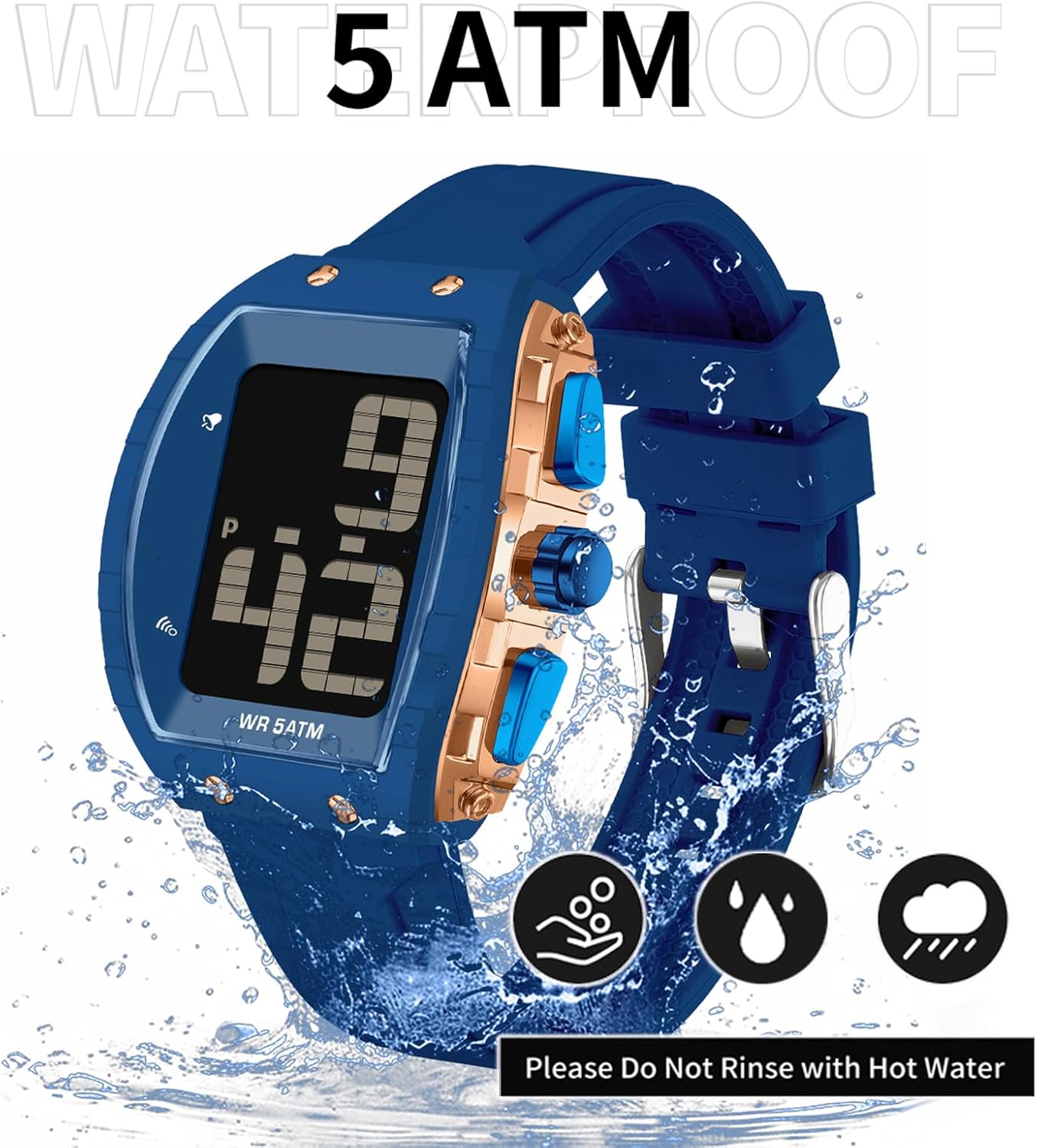
Image 6.1: The watch is water-resistant for daily activities, but avoid hot water and submersion while pressing buttons.
6.3 Battery Replacement
The watch uses a standard button-cell battery. When the display dims or functions become erratic, it may be time to replace the battery. Battery replacement should ideally be performed by a qualified watch technician to ensure water resistance is maintained.
7. Troubleshooting
If you encounter any issues with your findtime Digital Watch, please refer to the following common problems and solutions:
| Problem | Possible Cause | Solution |
|---|---|---|
| Display is dim or blank. | Low battery. | Replace the battery. |
| Time is incorrect. | Time was not set correctly or reset. | Refer to Section 4.1 to reset the time. |
| Audio time-telling is not working. | Low battery or button not pressed correctly. | Ensure battery is sufficient. Press the TALK button firmly. |
| Alarm does not sound. | Alarm is not activated or set incorrectly. | Refer to Section 4.2 to ensure the alarm is set and activated. |
If the problem persists after attempting these solutions, please contact customer support.
8. Specifications
Detailed technical specifications for the findtime Digital Watch Model 7333:
- Model Number: 7333
- Case Material: ABS
- Watch Mirror: Acrylic
- Buckle & Bottom Cover: Stainless Steel
- Strap Material: Silicone
- Dial Diameter: 50 mm
- Dial Thickness: 18 mm
- Strap Width: 20 mm - 26 mm
- Strap Length: 265 mm
- Weight: 61 g
- Water Resistance: 5 ATM (50 meters)

Image 8.1: Product parameters and dimensions of the findtime Digital Watch Model 7333.
9. Warranty and Support
Your findtime Digital Watch Model 7333 comes with a standard manufacturer's warranty. Please retain your proof of purchase for any warranty claims. For specific warranty terms and conditions, or if you require further assistance, please refer to the warranty card included in your package or contact findtime customer support through the retailer where the product was purchased.