
Introduction
The Generic ST-6691Plus is a versatile cordless vacuum cleaner designed for both vacuuming and blowing functions, ideal for car interiors, home, and office use. This portable device features a Type-C charging interface, a battery level display, and comes with a comprehensive set of accessories to address various cleaning needs. Its compact design allows for convenient storage and easy handling.
Package Contents
Please check the package for the following items. If any items are missing or damaged, contact customer support.
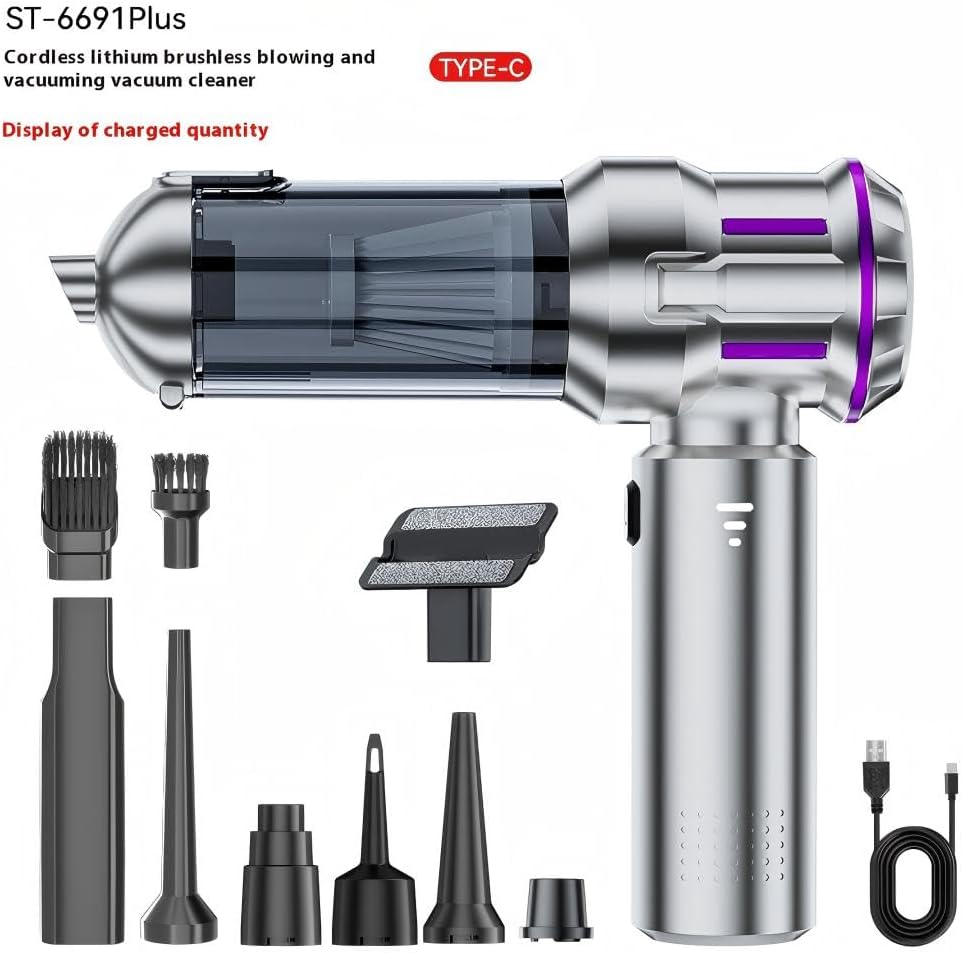
Image: The ST-6691Plus main unit and its full array of accessories, including various nozzles and brushes, are displayed.

Image: A closer look at the numbered accessories, providing a clear identification of each component.
- Main Unit (Host)
- Long Flat Nozzle
- Long Blowing Nozzle
- Short Blowing Nozzle
- Inflating Nozzle
- Dust Cover
- Filter Element (HEPA Filter)
- Brush Nozzle (for vacuuming)
- Suction Nozzle
- Brush Blowing Nozzle
- Small Floor Brush
- Type-C Charging Cable
Safety Instructions
- Read all instructions before use.
- Keep the device away from water and moisture. Do not use in wet conditions.
- Do not vacuum flammable or combustible materials, hot ashes, or sharp objects.
- Ensure the filter is properly installed before operation.
- Do not block the air inlets or outlets during operation.
- Keep hair, loose clothing, fingers, and all parts of the body away from openings and moving parts.
- Use only the provided Type-C charging cable.
- Do not attempt to disassemble or repair the device yourself. Contact qualified service personnel.
- Store the device in a dry place, out of reach of children.
Setup
1. Charging the Device
Before first use, fully charge the vacuum cleaner. The device features a battery level display to monitor charging status.
- Connect the provided Type-C charging cable to the charging port on the vacuum cleaner.
- Plug the other end of the cable into a compatible USB power adapter (not included) or a Type-C port.
- The battery level display will indicate charging progress. A full charge typically takes approximately 3 hours.
- Disconnect the charger once fully charged.

Image: The vacuum cleaner is shown connected to its Type-C charging cable, illustrating the charging process.
2. Attaching Accessories
Select the appropriate nozzle or brush for your cleaning task and attach it firmly to the main unit's suction or blowing port.
- For vacuuming, attach desired nozzle (e.g., Long Flat Nozzle, Brush Nozzle, Suction Nozzle, Small Floor Brush) to the front suction opening.
- For blowing, attach desired nozzle (e.g., Long Blowing Nozzle, Short Blowing Nozzle, Inflating Nozzle, Brush Blowing Nozzle) to the rear blowing port.
Operating Instructions
1. Powering On/Off and Speed Adjustment
- To turn on the device, press the power button. The device will start in the default speed mode.
- To switch between the 2 available speeds, press the power button again.
- To turn off the device, press the power button once more after cycling through the speeds, or press and hold the button.
2. Vacuuming Function
Use the vacuum function for collecting dust, crumbs, and small debris.
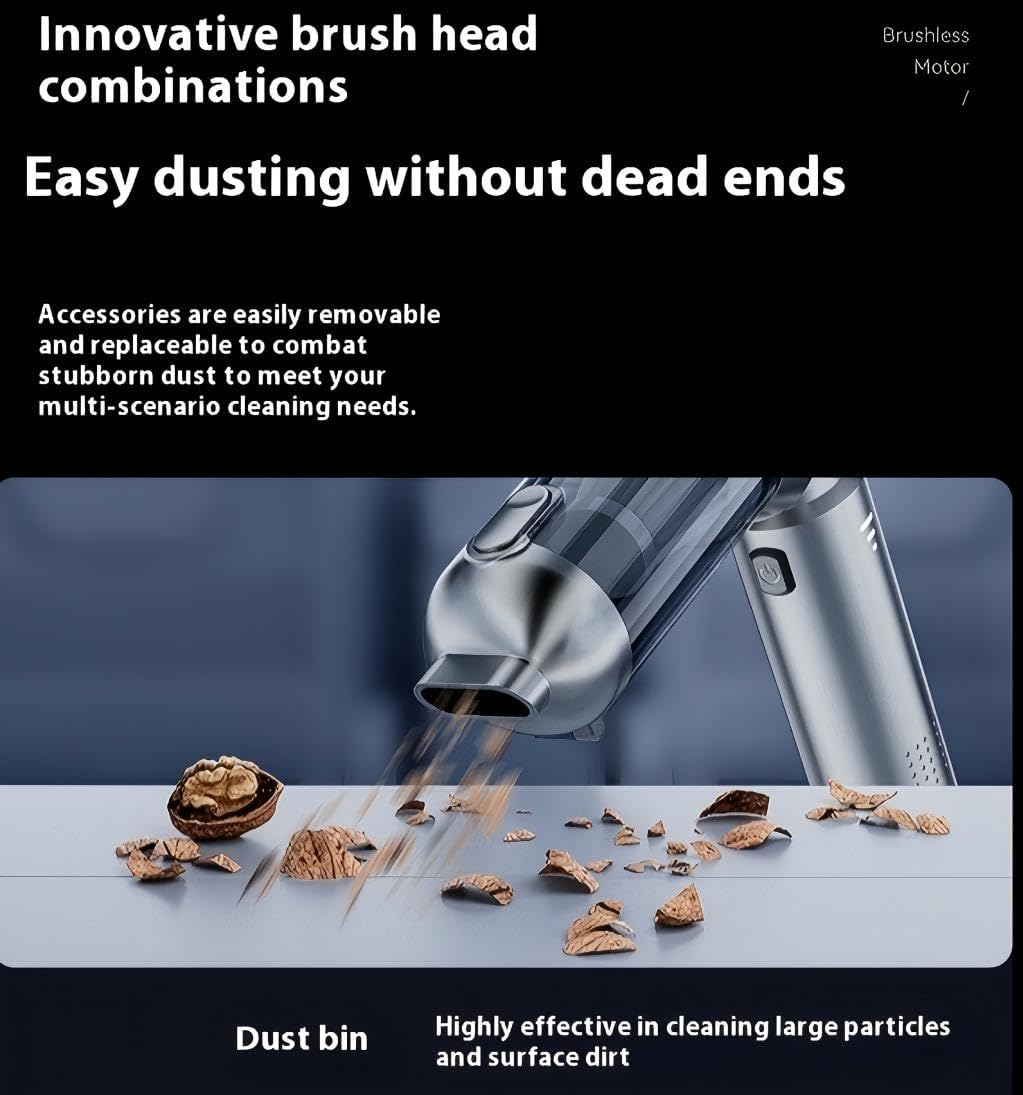
Image: The vacuum cleaner in action, demonstrating its ability to pick up various types of debris.
- Attach a suitable vacuuming nozzle (e.g., Suction Nozzle for general use, Long Flat Nozzle for crevices).
- Turn on the device and select the desired speed.
- Move the nozzle over the surface to be cleaned, ensuring the suction opening is in contact with the debris.
3. Blowing Function
The blowing function is useful for clearing dust from hard-to-reach areas, keyboards, or for inflating small items.
- Attach a suitable blowing nozzle (e.g., Long Blowing Nozzle for focused airflow, Inflating Nozzle for inflation).
- Turn on the device and select the desired speed.
- Direct the airflow towards the area to be cleaned or the item to be inflated.
4. Using Specific Attachments

Image: Demonstrates the application of the long flat nozzle for narrow gaps and the brush nozzle for textured surfaces in a car.

Image: Shows the short mouthpiece for precise cleaning, the suction nozzle for general vacuuming, and the small floor brush for larger fabric surfaces.
- Long Flat Nozzle: Ideal for reaching into narrow gaps, crevices, and corners in car seats, dashboards, or furniture.
- Brush Nozzle (Vacuuming): Use for cleaning delicate surfaces, vents, or to agitate stubborn dirt on carpets and upholstery before vacuuming.
- Small Floor Brush: Suitable for larger flat surfaces like car mats, carpets, sofas, or bed linens.
- Blowing Nozzles (Long/Short): Direct powerful airflow to clear dust from keyboards, electronics, or tight spaces.
- Inflating Nozzle: Can be used for inflating small items like air pillows or toys.
Maintenance
1. Emptying the Dust Bin
Regularly empty the dust bin to maintain optimal suction power.
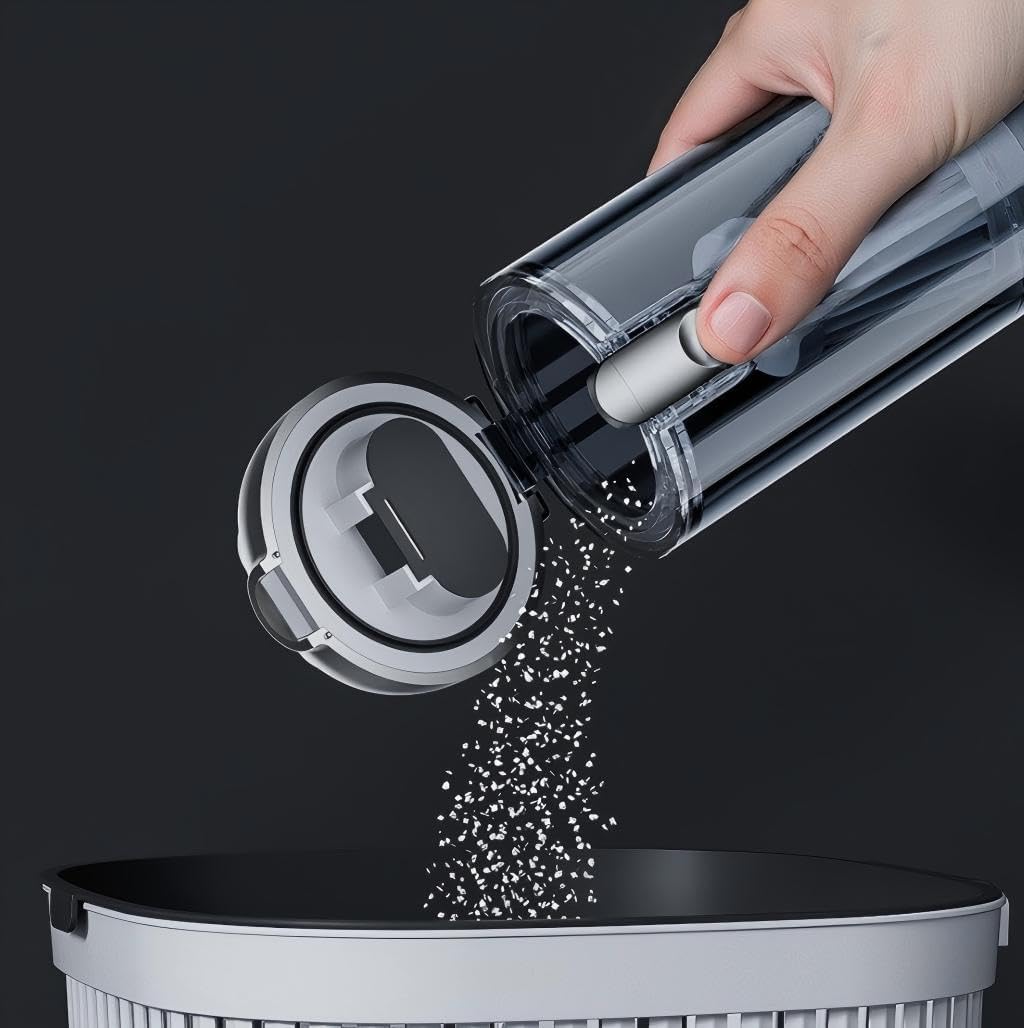
Image: A hand is shown detaching and emptying the transparent dust collection chamber, illustrating the one-touch dust removal system.
- Ensure the device is turned off.
- Twist or unlatch the dust bin from the main unit (refer to diagram in Package Contents for specific mechanism).
- Carefully empty the collected debris into a trash receptacle.
- Reattach the dust bin securely to the main unit.
2. Cleaning the Filter
The HEPA filter should be cleaned regularly to ensure efficient operation and prevent clogging.
- Remove the dust bin as described above.
- Carefully remove the HEPA filter element from inside the dust bin.
- Tap the filter gently to dislodge dust. For a more thorough cleaning, rinse the filter under running water.
- Important: Allow the filter to air dry completely before reinserting it into the dust bin. Do not use the vacuum with a wet filter.
- Once dry, reinsert the filter and reattach the dust bin.
3. General Cleaning and Storage
- Wipe the exterior of the vacuum cleaner with a soft, damp cloth. Do not use harsh chemicals or abrasive cleaners.
- Store the vacuum cleaner and its accessories in a cool, dry place. The compact design allows it to fit in car cup holders for convenient storage.
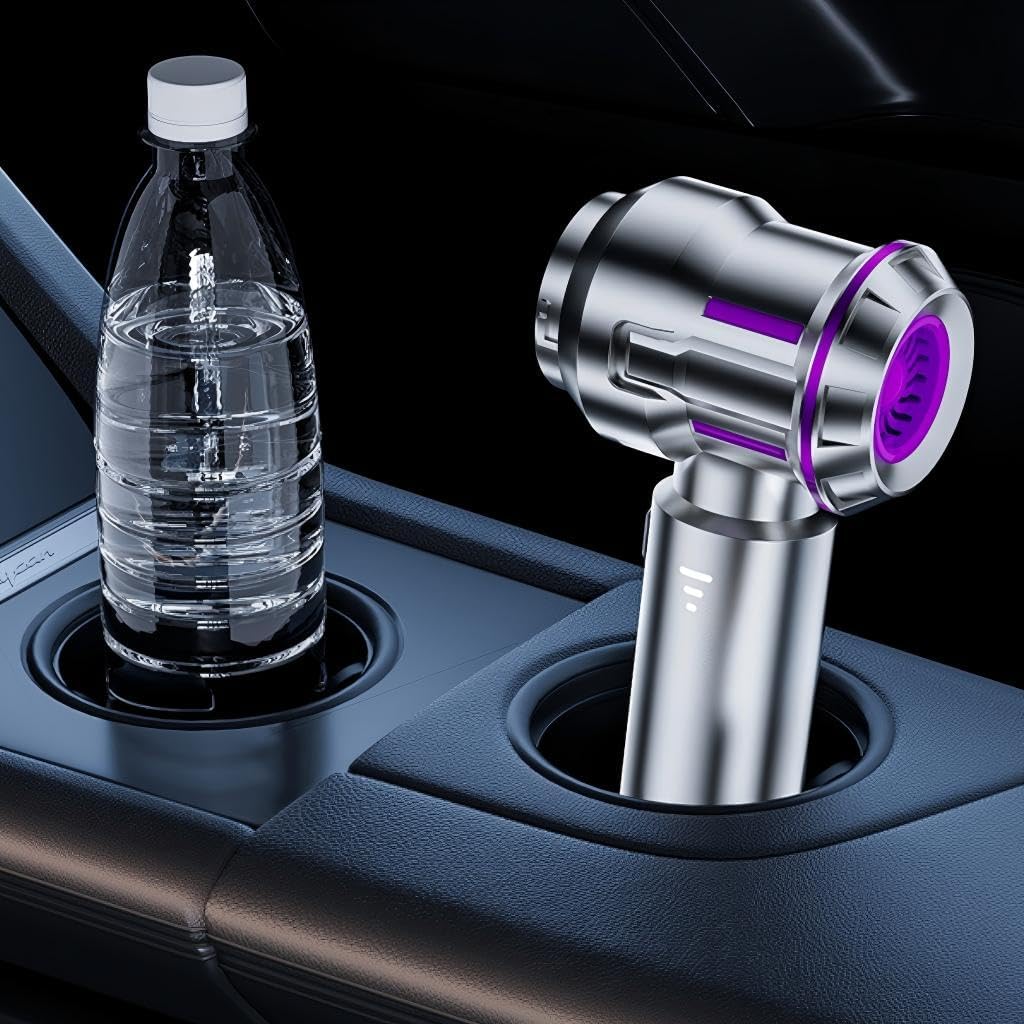
Image: The compact vacuum cleaner is shown neatly placed in a car's cup holder, highlighting its convenient storage capability.
Troubleshooting
| Problem | Possible Cause | Solution |
|---|---|---|
| Device does not turn on. | Battery is depleted. | Charge the device fully using the Type-C cable. |
| Low suction/blowing power. | Dust bin is full. Filter is clogged. Nozzle is blocked. | Empty the dust bin. Clean or replace the HEPA filter. Check and clear any blockages in the nozzle or main unit. |
| Device stops unexpectedly. | Battery is low. Overheating protection activated. | Recharge the device. Turn off the device and allow it to cool down for 30 minutes before resuming use. |
| Charging not working. | Cable or adapter issue. Charging port dirty. | Try a different Type-C cable or USB power adapter. Gently clean the charging port with a dry, soft brush. |
Specifications
| Model Name | ST-6691Plus |
| Brand | Generic |
| Power Source | Battery (Rechargeable Lithium) |
| Voltage | 5 Volts |
| Wattage | 65 watts |
| Battery Charge Time | Approximately 3 Hours |
| Run Time | Up to 45 minutes |
| Filter Type | HEPA Filter |
| Number of Speeds | 2 |
| Item Weight | 650 Grams |
| Dimensions (L x W x H) | 30 x 3 x 8 centimeters |
| Connectivity Technology | Wireless, Type-C |
| Special Features | Dual function vacuum and blower, Brushless motor, Battery level display, Portable |
| Recommended Uses | Car interior, Home, Office |
Warranty and Support
This product comes with a standard manufacturer's warranty. For specific warranty details, please refer to the documentation provided at the time of purchase or contact your retailer.
For technical support, troubleshooting assistance, or to inquire about replacement parts, please contact the manufacturer or your point of purchase. Ensure you have your product model number (ST-6691Plus) and purchase information ready when contacting support.