
1. Introduction
This instruction manual provides detailed guidance for the proper installation and use of the Generic TV Stand Legs, specifically designed for the TCL Smart TV Model 50S451. Please read these instructions carefully before proceeding with installation to ensure correct assembly and safe operation.
2. Compatibility Verification
These TV stand legs are exclusively compatible with the TCL Smart TV Model 50S451. It is crucial to verify your TV's model number before installation.
How to verify your TV model:
- Locate the sticker on the back panel of your television. The model number is typically printed on this sticker.
- Alternatively, navigate to your TV's settings menu and find the 'About TV' or 'System Information' option. The model number will be displayed there.
If your TV model is not 50S451, these stand legs are not compatible. Please contact customer support for assistance in finding the correct part.
3. Package Contents
Please ensure all components are present before beginning installation. The package should contain:
- 1x Left TV Stand Leg
- 1x Right TV Stand Leg
- Required mounting screws
A Phillips head screwdriver is required for installation and is not included in this package.
4. Installation Instructions
Follow these steps carefully to attach the stand legs to your TCL 50S451 Smart TV.
- Prepare the TV: Lay your TCL 50S451 TV face-down on a soft, clean, and flat surface (e.g., a blanket or foam padding) to prevent screen damage. Ensure the TV is unplugged from any power source.
- Identify Legs: Identify the Left and Right stand legs. They are typically marked or shaped to fit specific sides of the TV. The screw holes on the legs should align with the corresponding holes on the TV.
- Position the Legs: Carefully align each stand leg with the designated mounting slots on the bottom of your TV. Ensure the leg is fully seated in the slot.
- Secure the Legs: Insert the provided screws into the screw holes on the stand legs and into the TV's mounting points. Using a Phillips head screwdriver, tighten the screws firmly but do not overtighten, as this can damage the TV or the legs.
- Verify Stability: Once both legs are securely attached, carefully lift the TV and place it upright on a stable, flat surface. Gently test the stability of the TV by lightly pushing on it to ensure the legs are firm and the TV does not wobble.
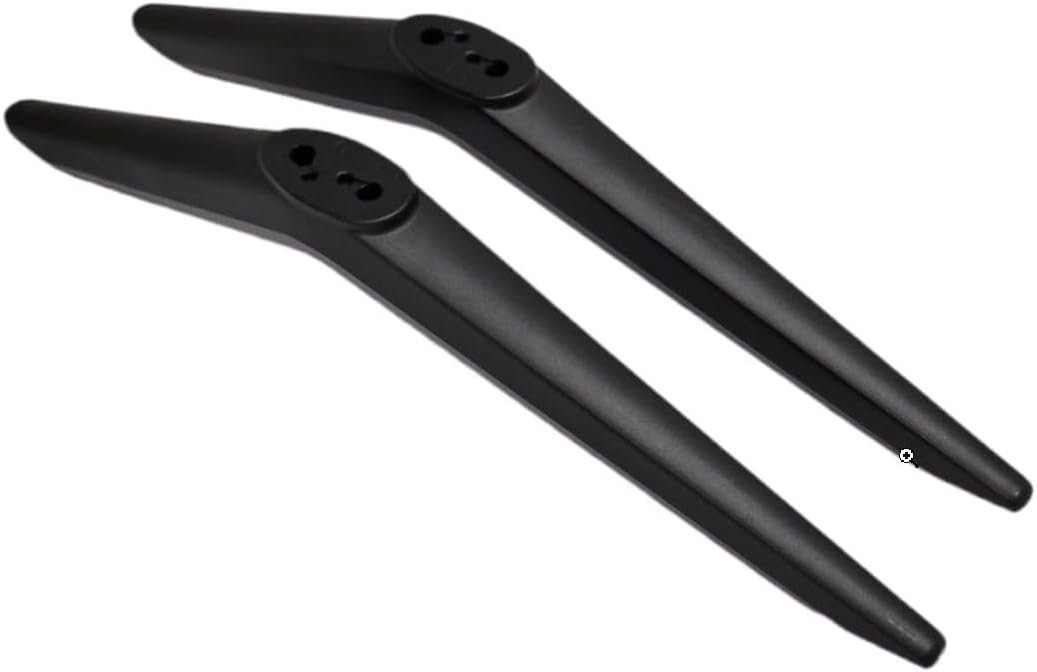
Image 1: Left and Right TV Stand Legs. This image displays the two black stand legs, designed to support the television, with their mounting points visible.
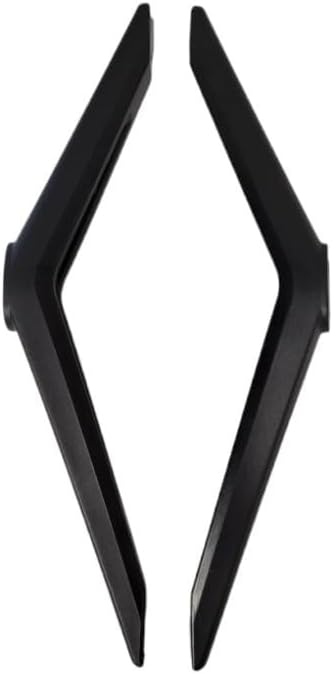
Image 2: Alternative View of TV Stand Legs. This image provides a different perspective of the two stand legs, emphasizing their shape and structure.
5. Placement and Usage Guidelines
To ensure the longevity and safety of your television, observe the following guidelines:
- Place the TV on a flat, level, and stable surface that can support the weight of the television.
- Ensure there is adequate ventilation around the TV to prevent overheating.
- Keep the TV away from direct sunlight, heat sources, and moisture.
- Avoid placing heavy objects on top of the TV or stand.
6. Maintenance
These TV stand legs require minimal maintenance. To keep them in good condition:
- Wipe the legs with a soft, dry cloth to remove dust.
- For stubborn marks, use a slightly damp cloth with mild soap, then dry thoroughly.
- Avoid using harsh chemicals or abrasive cleaners, as these can damage the finish.
- Periodically check the screws to ensure they remain tight.
7. Troubleshooting
If you encounter issues during or after installation, refer to the following common problems and solutions:
- Problem: The stand legs do not fit into the TV's mounting slots.
Solution: Double-check that your TV model is indeed TCL 50S451. These legs are specifically designed for this model. Ensure you are aligning the correct leg (left/right) with the corresponding side of the TV. - Problem: Screws do not tighten or are missing.
Solution: Verify that you are using the screws provided with the stand legs. If screws are missing from the package, please contact customer support for assistance. Do not force screws if they do not thread easily. - Problem: The TV wobbles after installation.
Solution: Ensure all screws are tightened firmly. Check that the TV is placed on a completely flat and stable surface. If the issue persists, re-examine the leg installation to ensure they are fully seated and secured.
8. Specifications
| Product Type | TV Stand Legs |
| Brand | Generic |
| Compatible TV Model | TCL 50S451 Smart TV |
| Color | Black |
| Material | Durable Plastic |
| Included Accessories | Mounting Screws |
9. Customer Support
If you have any questions, require further assistance, or if your TV model is not listed and you need help finding the correct part, please do not hesitate to contact our customer support team. We are committed to helping you find the correct part for your TV.
No official product videos from the seller were provided for this manual.