
1. Introduction
Thank you for choosing the VBESTLIFE 5G WiFi6 Mobile Hotspot. This device provides high-speed 5G, 4G, and 3G network connectivity, allowing you to create a portable Wi-Fi network for up to 16 devices. Featuring dual-band Wi-Fi (2.4GHz and 5.8GHz), a robust 7100mAh battery, and an IP67-rated design, it is suitable for various environments, including travel and outdoor use. This manual will guide you through the setup, operation, and maintenance of your mobile hotspot.
2. Package Contents
Please verify that all items are present in your package:
- VBESTLIFE 5G WiFi6 Mobile Hotspot
- Rechargeable 7100mAh Polymer Battery
- USB Charging Cable
- SIM Ejector Tool
- User Manual (this document)

Image: The mobile hotspot device shown alongside its USB charging cable and a SIM ejector tool.
3. Product Overview
The VBESTLIFE 5G WiFi6 Mobile Hotspot is a compact and durable device designed for portable internet access. It features a sleek white casing with gold accents and an integrated display area.

Image: Front view of the mobile hotspot, displaying the '5G WiFi6' logo and a dark screen area.
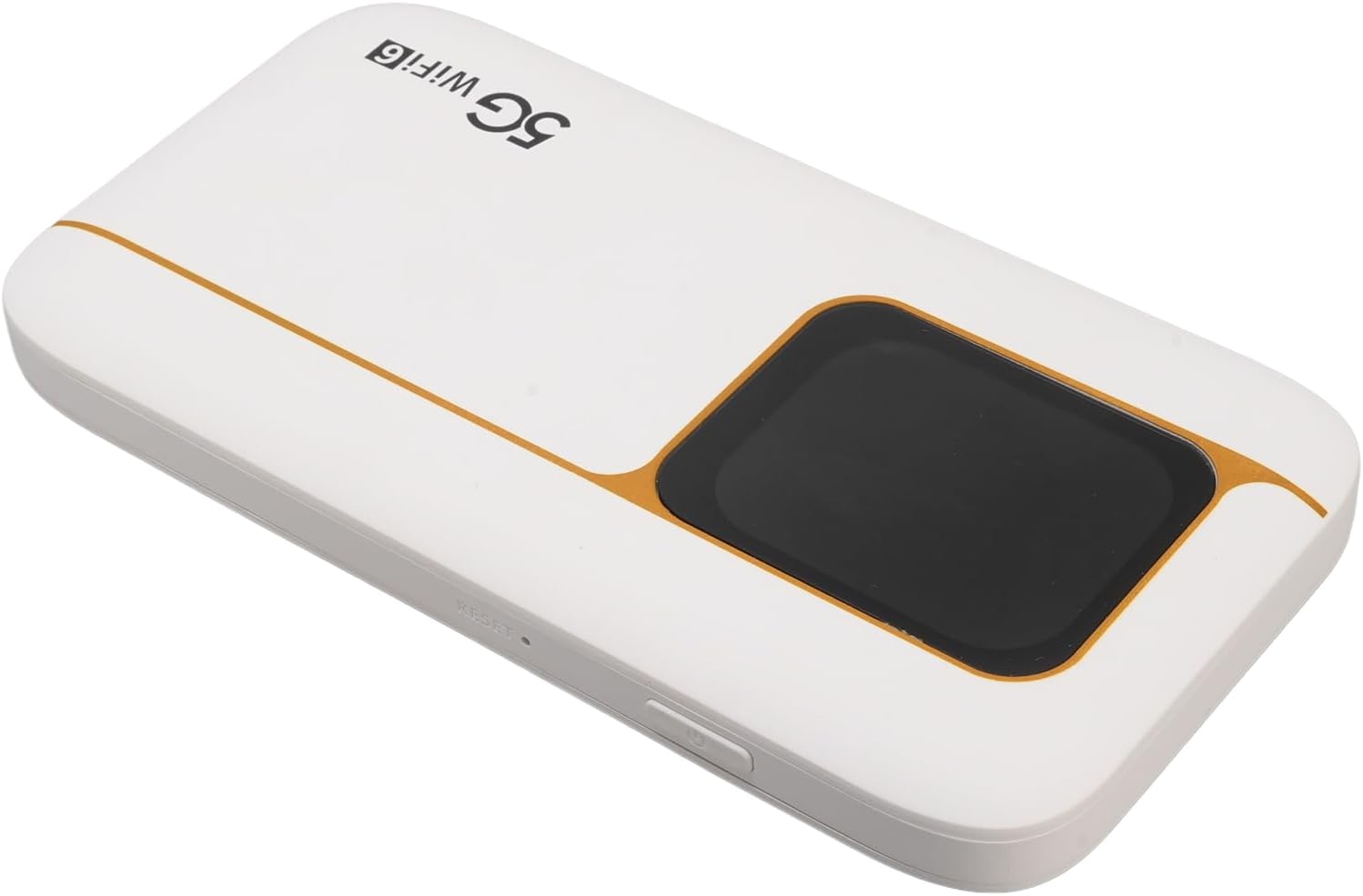
Image: Side view of the mobile hotspot, highlighting the power button and a small reset pinhole.
The device is equipped with an IP67 rating, providing protection against dust and water ingress, making it suitable for outdoor and travel use. The back panel contains essential network information.

Image: The back label of the mobile hotspot, detailing the 5.8G SSID, 2.4G SSID, Wi-Fi Key, Model, MAC, and IMEI numbers.
4. Setup
4.1. SIM Card and Battery Installation
- Remove the Back Cover: Gently slide or pry open the back cover of the hotspot.
- Insert SIM Card: Locate the SIM card slot. Insert your activated Nano-SIM card into the slot with the gold contacts facing down and the notched corner aligned correctly. Ensure it clicks into place.
- Insert Battery: Place the 7100mAh polymer battery into its compartment, ensuring the contacts align with those in the device.
- Replace Back Cover: Securely reattach the back cover.

Image: The mobile hotspot with its back cover removed, revealing the battery compartment and the SIM card slot area.
4.2. Powering On/Off
- Power On: Press and hold the power button (located on the side) for approximately 3-5 seconds until the device powers on and the LED indicators illuminate.
- Power Off: Press and hold the power button for approximately 3-5 seconds until the device powers off.
5. Operating Instructions
5.1. Connecting Devices to Wi-Fi
- Ensure the hotspot is powered on.
- On your device (smartphone, laptop, tablet), open your Wi-Fi settings.
- Search for available Wi-Fi networks. You will find two network names (SSIDs) for your hotspot: one for 2.4GHz and one for 5.8GHz. These are typically labeled on the back of your device (e.g., "stoneoim_17B4_2.4G" and "stoneoim_17B4_5G").
- Select the desired network (e.g., "stoneoim_17B4_5G" for faster speeds if your device supports 5GHz, or "stoneoim_17B4_2.4G" for wider range).
- Enter the Wi-Fi Key (password) provided on the back label of your hotspot.
- Your device should now be connected to the internet via the mobile hotspot.
5.2. Network Bands and Speed
The hotspot supports various network bands for optimal connectivity:
- 5G NR: FDD: N1, N3, N28; TDD: N41, N78.
- 4G Band: TDD LTE: B34, 38, 39, 40, 41; FDD LTE: B1, B3, B5, B8.
- 3G Band: B1.
It offers fast 5G connectivity with download speeds up to 2.77 Gbps and upload speeds up to 1.25 Gbps, significantly faster than 4G networks. The dual-band Wi-Fi (2.4GHz and 5.8GHz) with WiFi6 (802.11 a/b/g/n/ac/ax protocols) ensures efficient data transmission for all connected devices.
5.3. LED Indicators
The device features user-friendly LED lights to indicate operational status, signal strength, data usage, and battery level. Refer to the device's display or specific LED patterns for detailed status information.
6. Maintenance
6.1. Charging
To charge the device, connect the provided USB charging cable to the hotspot's charging port and a compatible USB power adapter (not included). The LED indicators will show charging status. Ensure the device is fully charged before initial use for optimal battery life.
6.2. Cleaning
Wipe the device with a soft, dry cloth. Avoid using liquid cleaners or abrasive materials, as these can damage the device's surface or internal components.
6.3. Storage
When not in use for extended periods, store the hotspot in a cool, dry place away from direct sunlight and extreme temperatures. It is recommended to charge the battery periodically to maintain its health.
7. Troubleshooting
- No Internet Connection:
- Ensure your SIM card is active and has a data plan.
- Check for network signal strength on the device's display.
- Restart the hotspot and your connected device.
- Verify SIM card insertion is correct.
- Cannot Connect to Wi-Fi:
- Confirm you are entering the correct Wi-Fi Key (password).
- Ensure the hotspot is powered on and broadcasting its Wi-Fi signal.
- Move closer to the hotspot to improve signal reception.
- Slow Internet Speed:
- Check the network signal strength. Weak signal can lead to slow speeds.
- Reduce the number of connected devices.
- Ensure your data plan supports high speeds and has not reached its limit.
- Try switching between 2.4GHz and 5.8GHz Wi-Fi bands on your connected device.
- Device Not Powering On:
- Ensure the battery is correctly inserted and charged.
- Connect the device to a charger and attempt to power it on.
8. Specifications
- Model: VBESTLIFEa19tgrhzmi
- Connectivity: 5G NR, 4G LTE, 3G
- Wi-Fi Standard: WiFi6 (802.11 a/b/g/n/ac/ax)
- Wi-Fi Bands: 2.4GHz, 5.8GHz (Dual Band)
- Max Download Speed: Up to 2.77 Gbps (5G)
- Max Upload Speed: Up to 1.25 Gbps (5G)
- Supported Devices: Up to 16 simultaneous connections
- Battery: 7100mAh Polymer Battery
- SIM Card Type: Nano-SIM (not included)
- IP Rating: IP67 (Dust and Water Protection)
- Dimensions: Approximately 136mm x 72mm x 16mm (5.35 x 2.83 x 0.63 inches)
- Weight: Approximately 11 ounces

Image: A diagram illustrating the dimensions of the mobile hotspot: 136mm (5.35in) in length, 72mm (2.83in) in width, and 16mm (0.63in) in thickness.
9. Safety Information
- Do not expose the device to extreme temperatures, direct sunlight, or open flames.
- Avoid dropping or subjecting the device to severe impact.
- Use only approved chargers and accessories.
- Do not attempt to disassemble or modify the device. This will void the warranty.
- Keep the device away from children and pets.
- Dispose of the battery and device according to local regulations.
10. Warranty and Support
For warranty information and technical support, please refer to the documentation provided with your purchase or contact VBESTLIFE customer service through the retailer where the product was purchased. Please have your model number (VBESTLIFEa19tgrhzmi) and purchase details ready when contacting support.