
LENUTO W13
LENUTO 10000mAh MagSafe Power Bank User Manual
Model: W13 | Brand: LENUTO
1. Introduction
Thank you for choosing the LENUTO 10000mAh MagSafe Power Bank. This portable charger is designed to provide convenient and efficient power for your iPhone 16/15/14/13/12 series and other compatible devices, featuring strong magnetic attachment, fast charging capabilities, and a versatile foldable stand. This manual provides essential information for safe and optimal use of your device. Please read it thoroughly before operation and retain it for future reference.
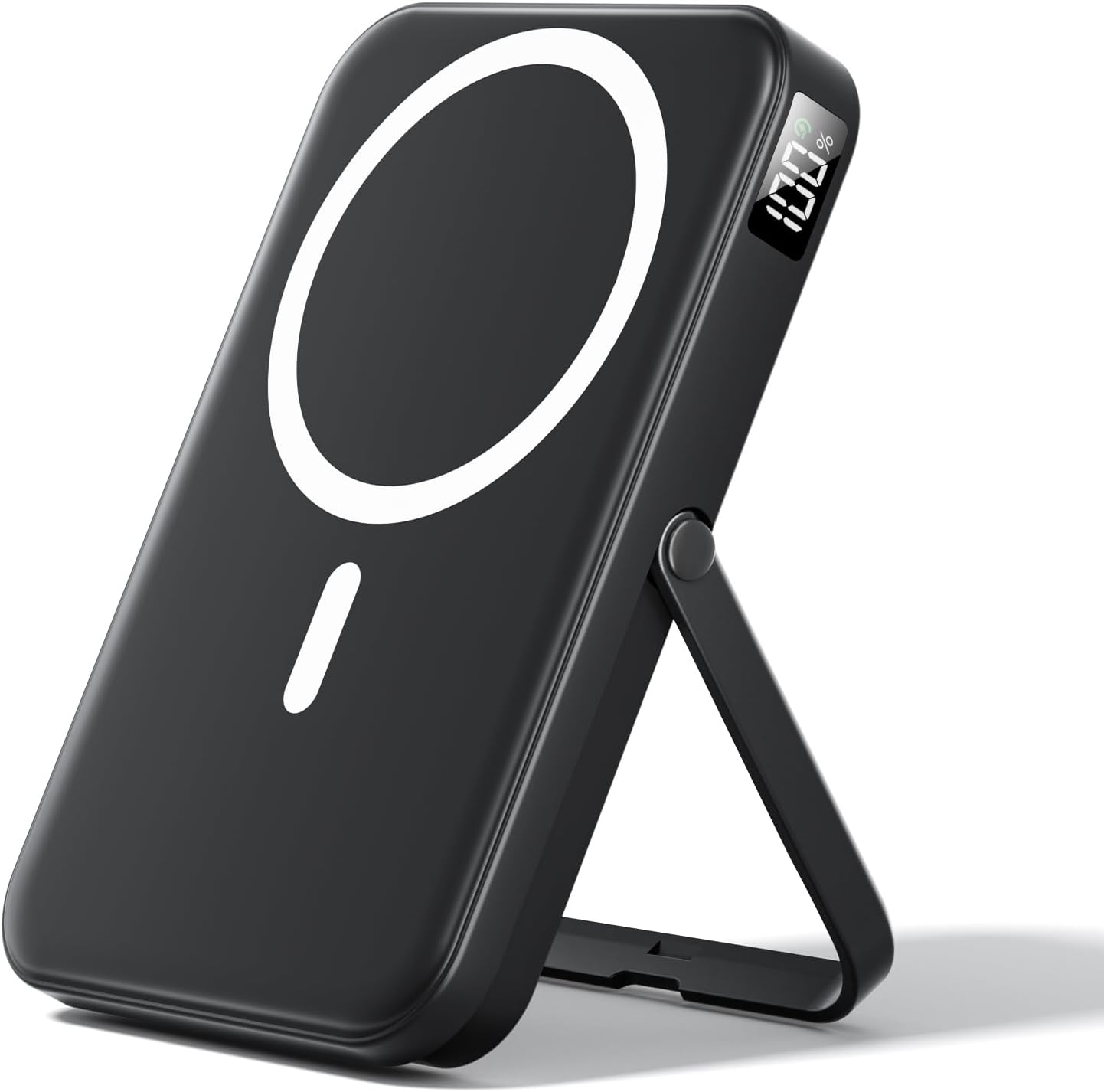
Image: The LENUTO 10000mAh MagSafe Power Bank in black, showcasing its magnetic charging surface, LED display, and integrated foldable stand.
2. What's in the Box
Please check the package contents upon unboxing:
- 10000mAh Portable Power Bank
- USB-A Cable
- User Manual (this document)
3. Key Features
3.1 Strong Magnetic Charging for MagSafe
Equipped with powerful built-in N52 magnets, this power bank aligns perfectly with iPhone 16/15/14/13/12 series devices, ensuring a secure and stable wireless charging connection. This design prevents slipping and eliminates the need for repositioning, providing effortless wireless power.
3.2 22.5W Fast Charging with 10000mAh Capacity
The power bank features a USB-C PD 20W fast charging output and a USB-A 22.5W output. It can charge compatible iPhones up to 60% in approximately 30 minutes. The 10000mAh high-density lithium polymer battery provides sufficient power for up to 2 full charges for most iPhones, making it suitable for travel, daily use, and emergencies.

Image: Illustration detailing the various input and output capabilities of the power bank, including USB-A (22.5W), USB-C (20W), and Wireless (15W).
3.3 LED Display and Smart Protection
A sleek LED display provides real-time battery percentage, allowing users to monitor power levels accurately. The device incorporates a multi-layer safety protection system to guard against overcharge, over-discharge, short circuits, and overheating. It is certified with FCC/CE/ROHS standards for safe and reliable charging.

Image: Visual representation of the power bank's built-in safety mechanisms, including protection against short-circuit, over-temperature, and over-current conditions.
3.4 Slim and Portable Design
Designed for portability, the ultra-slim power bank fits easily into pockets or handbags. Its 10000mAh capacity is approved for carry-on during flights, making it an ideal companion for work, travel, or outdoor activities. The matte anti-fingerprint finish maintains a clean and professional appearance.

Image: A hand holding the power bank, illustrating its compact size and ease of portability.

Image: A woman demonstrating how easily the compact power bank fits into a bag, emphasizing its mini size.
3.5 Foldable Stand for Hands-Free Use
A sturdy foldable stand is integrated into the design, allowing the power bank to transform into a convenient stand for your device. This enables hands-free use in both vertical (portrait) and horizontal (landscape) orientations, suitable for video calls, media consumption, or general viewing while charging.
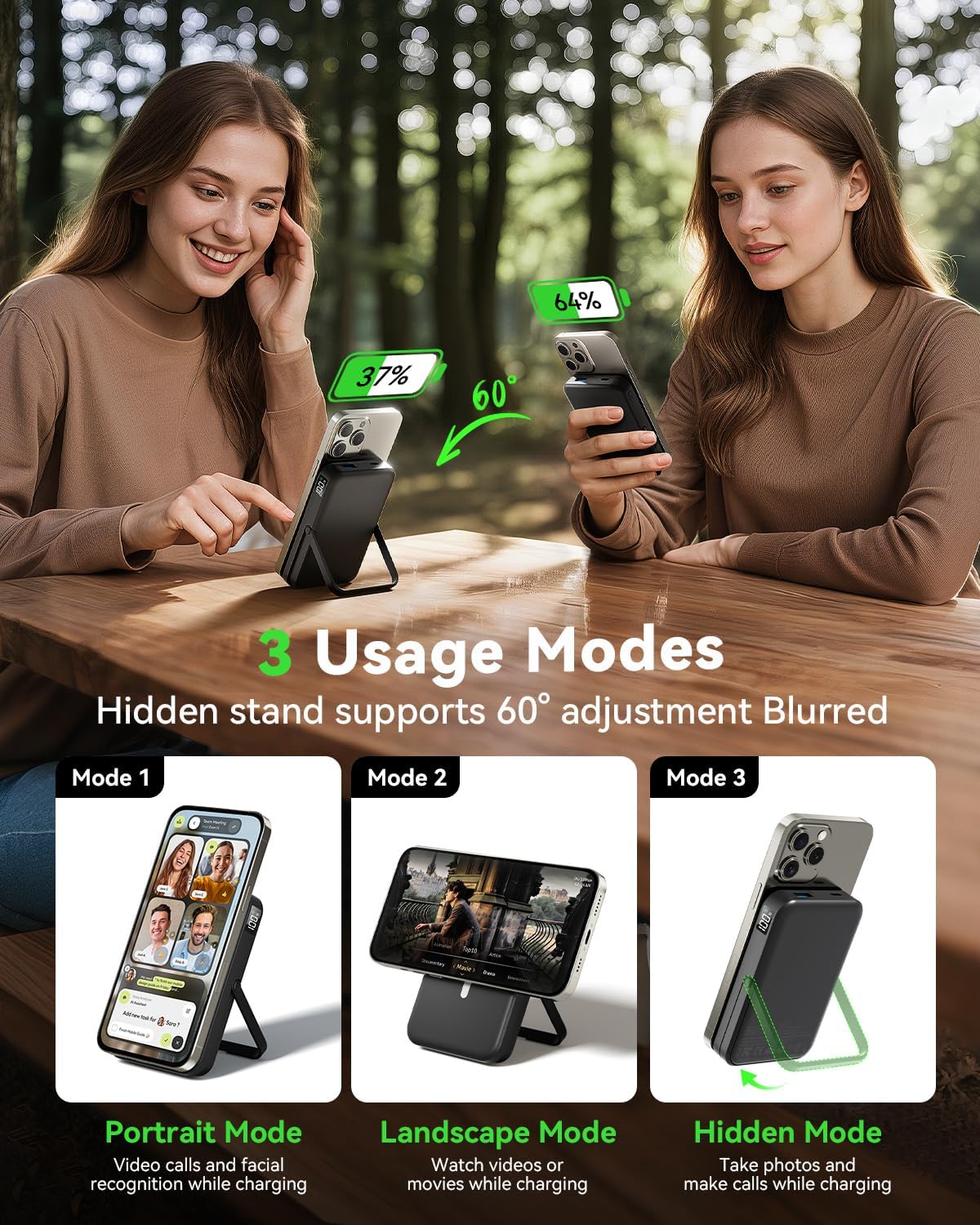
Image: Depiction of the three versatile usage modes (Portrait, Landscape, Hidden) enabled by the power bank's adjustable foldable stand.
3.6 Dual Output with Wide Compatibility
The power bank supports both MagSafe iPhones and other wireless-charging-capable phones (with a magnetic ring). It offers dual-mode charging, allowing simultaneous wireless MagSafe charging and wired charging via its USB-C and USB-A ports, accommodating a wide range of devices.

Image: The power bank demonstrating its ability to charge three devices concurrently: one wirelessly and two via wired connections.
4. Setup
4.1 Initial Charging of the Power Bank
Before first use, it is recommended to fully charge your LENUTO power bank. Connect the provided USB-A cable to the USB-C input/output port on the power bank and plug the other end into a compatible USB wall adapter (not included). The LED display will show the charging progress, indicating 100% when fully charged.
4.2 Understanding the LED Display
The integrated LED display shows the remaining battery percentage of the power bank. This allows you to easily monitor the power level and know when it's time to recharge the unit.
5. Operating Instructions
5.1 Wireless Charging (MagSafe)
- Ensure your iPhone is a 16/15/14/13/12 series model or another wireless-charging-capable phone with a magnetic ring.
- Align the back of your iPhone with the magnetic charging surface of the power bank. The magnets will snap into place, securing the connection.
- Wireless charging will begin automatically. The LED display on the power bank will remain active, showing its battery level.
5.2 Wired Charging (USB-C, USB-A)
- Connect your device's charging cable to either the USB-C input/output port or the USB-A output port on the power bank.
- Connect the other end of the cable to your device.
- Charging will commence automatically.
5.3 Using the Foldable Stand
- Gently pull out the integrated stand from the back of the power bank.
- Adjust the stand to your desired angle for optimal viewing. The stand supports a 60° adjustment.
- Attach your iPhone magnetically to the power bank for charging while using the stand in portrait or landscape mode.
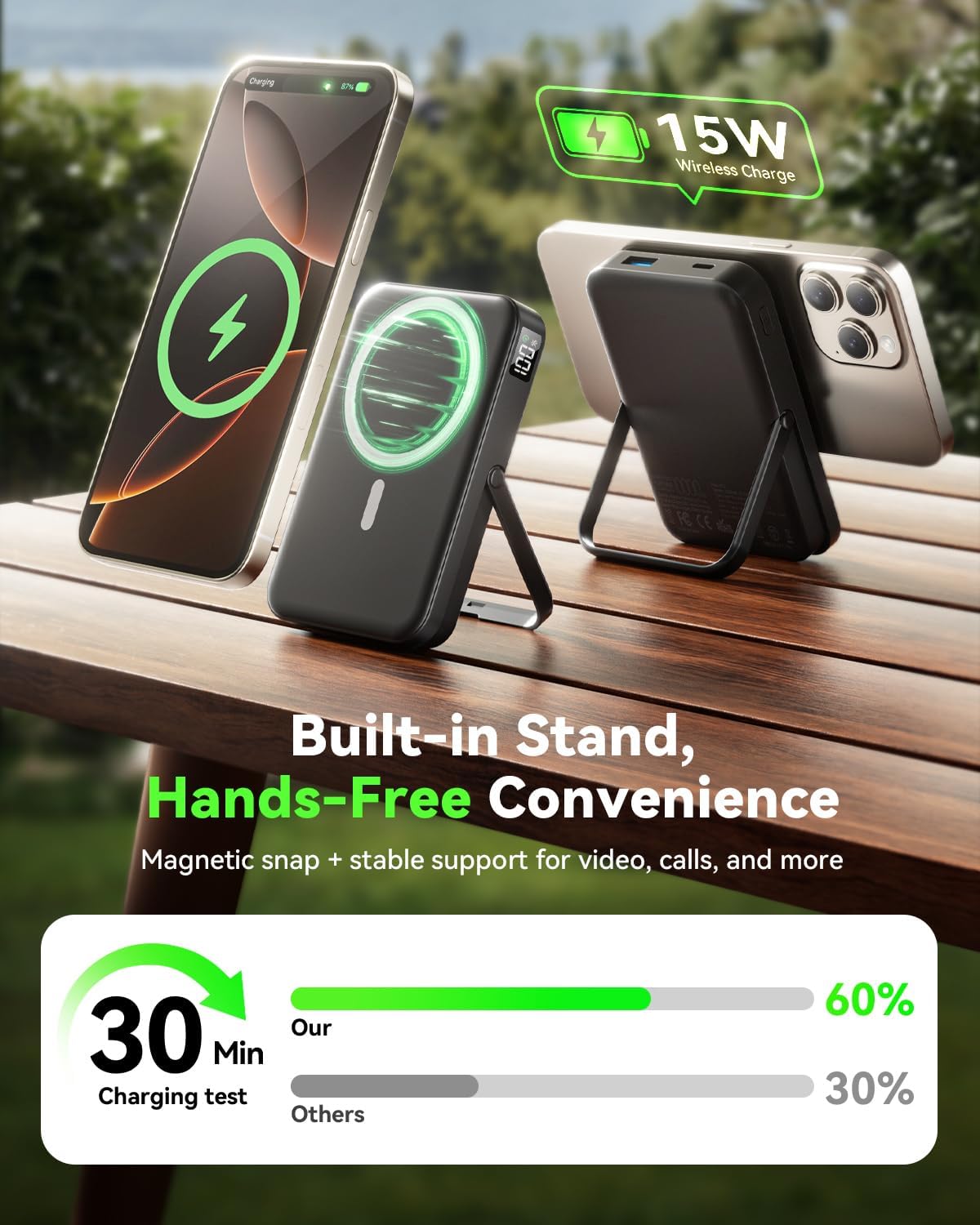
Image: The power bank with its integrated stand supporting a smartphone, illustrating hands-free usage for viewing content or video calls.
5.4 Charging Multiple Devices
The power bank supports simultaneous charging of multiple devices. You can use wireless MagSafe charging for one device while simultaneously charging another device via the USB-C port and a third via the USB-A port.

Image: A setup showing the power bank charging multiple devices (tablet, smartphone, earbuds) simultaneously in a work environment.
5.5 Case Compatibility
For optimal magnetic attachment and wireless charging performance, use an iPhone compatible magnetic case. Non-magnetic cases may hinder the magnetic connection and wireless charging efficiency.

Image: Visual guide on selecting the correct phone case for magnetic compatibility with the power bank.
6. Maintenance
6.1 Cleaning
To clean the power bank, gently wipe its surface with a soft, dry cloth. Avoid using harsh chemicals, abrasive cleaners, or excessive moisture, as these can damage the device.
6.2 Storage
Store the power bank in a cool, dry place away from direct sunlight, extreme temperatures, and high humidity. If storing for an extended period, ensure the power bank is charged to approximately 50% to preserve battery health.
6.3 Battery Care
To maximize the lifespan of the internal battery, avoid fully discharging the power bank frequently. Recharge it when the battery level is low. Do not expose the device to temperatures below 0°C (32°F) or above 45°C (113°F).
7. Troubleshooting
| Problem | Possible Cause | Solution |
|---|---|---|
| Power bank not charging | Charging cable or adapter faulty; Power bank fully discharged; Loose connection. | Try a different cable or adapter. Ensure all connections are secure. Allow a few minutes for a deeply discharged unit to respond. |
| Device not charging wirelessly | Misalignment; Non-magnetic case; Device not wireless charging compatible; Foreign objects between power bank and device. | Ensure proper alignment. Remove non-magnetic cases. Check device compatibility. Remove any foreign objects. |
| Device charging slowly | Cable quality; Device drawing less power; High ambient temperature. | Use a high-quality charging cable. Ensure the device supports fast charging. Move to a cooler environment if overheating is suspected. |
| Magnetic attachment is weak | Non-magnetic case; Device not MagSafe compatible. | Use a MagSafe compatible case or no case. Ensure your iPhone is a 16/15/14/13/12 series model. |
8. Specifications
| Model Number | W13 |
| Battery Capacity | 10000 Milliamp Hours |
| Product Dimensions | 4.3 x 2.89 x 0.69 inches |
| Item Weight | 7.3 ounces |
| Connector Type | USB Type C |
| Special Features | Fast Charging, LED Indicator Lights, Wireless Charging, Foldable Stand |
| Color | Black |
| Manufacturer | Daximen(Shenzhen)Technology Co., Ltd. |

Image: Detailed view of the power bank's dimensions and labeled components, including ports, LED display, and stand.
9. Safety Information
- Do not disassemble, open, or shred the battery pack.
- Do not expose the power bank to heat or fire. Avoid storage in direct sunlight.
- Do not short-circuit the battery pack. Do not store battery packs haphazardly in a box or drawer where they may short-circuit each other or be short-circuited by conductive materials.
- Do not subject the power bank to mechanical shock.
- In the event of a battery leaking, do not allow the liquid to come into contact with the skin or eyes. If contact has been made, wash the affected area with copious amounts of water and seek medical advice.
- Keep the power bank clean and dry.
- Do not leave a fully charged battery pack on charge when not in use.
- Do not use any charger other than that specifically provided for use with the equipment.
- Do not use the power bank if it is damaged or shows signs of swelling.
- Keep out of reach of children.
10. Warranty and Support
LENUTO products are manufactured to the highest quality standards. For specific warranty details, please refer to the warranty card included with your purchase or contact LENUTO customer support. If you encounter any issues or have questions regarding your power bank, please reach out to our customer service team for assistance.
Contact information can typically be found on the product packaging or the official LENUTO website.
Ask a question about this manual
Ask about setup, troubleshooting, compatibility, parts, safety, or missing instructions. Manuals+ will review the question and use this page’s manual context to help answer it.