
Introduction
Welcome to the Olycism AI Translator Earbuds instruction manual. This guide provides detailed information on how to set up, operate, maintain, and troubleshoot your new AI translator earbuds. Designed for seamless global communication, these earbuds offer real-time translation in over 150 languages, combined with high-fidelity audio and clear call quality. Please read this manual thoroughly to ensure optimal performance and longevity of your device.

Image: Olycism AI Translator Earbuds promoting global communication.
Product Overview
The Olycism AI Translator Earbuds are a versatile 3-in-1 device, integrating language translation, Hi-Fi audio, and crystal-clear call functionality. Key features include:
- Instant Language Translation: Supports over 150 languages with up to 98% accuracy for real-time communication.
- Adaptable Translation Modes: Features six distinct modes including Simultaneous, Touch, Speaker, Photo Translation, Offline (VIP), and Audio/Video Call (VIP).
- Hi-Fi Immersive Audio: Equipped with Bluetooth 5.4 for stable connections and high-quality sound.
- Extended Battery Life: Up to 6 hours of talk time or 8 hours of music playback per earbud on a single charge, with the charging case providing additional power.
- Ergonomic & Smart Touch Design: Lightweight (3.4g per earbud) open-ear design for comfort and awareness, with intuitive touch controls.
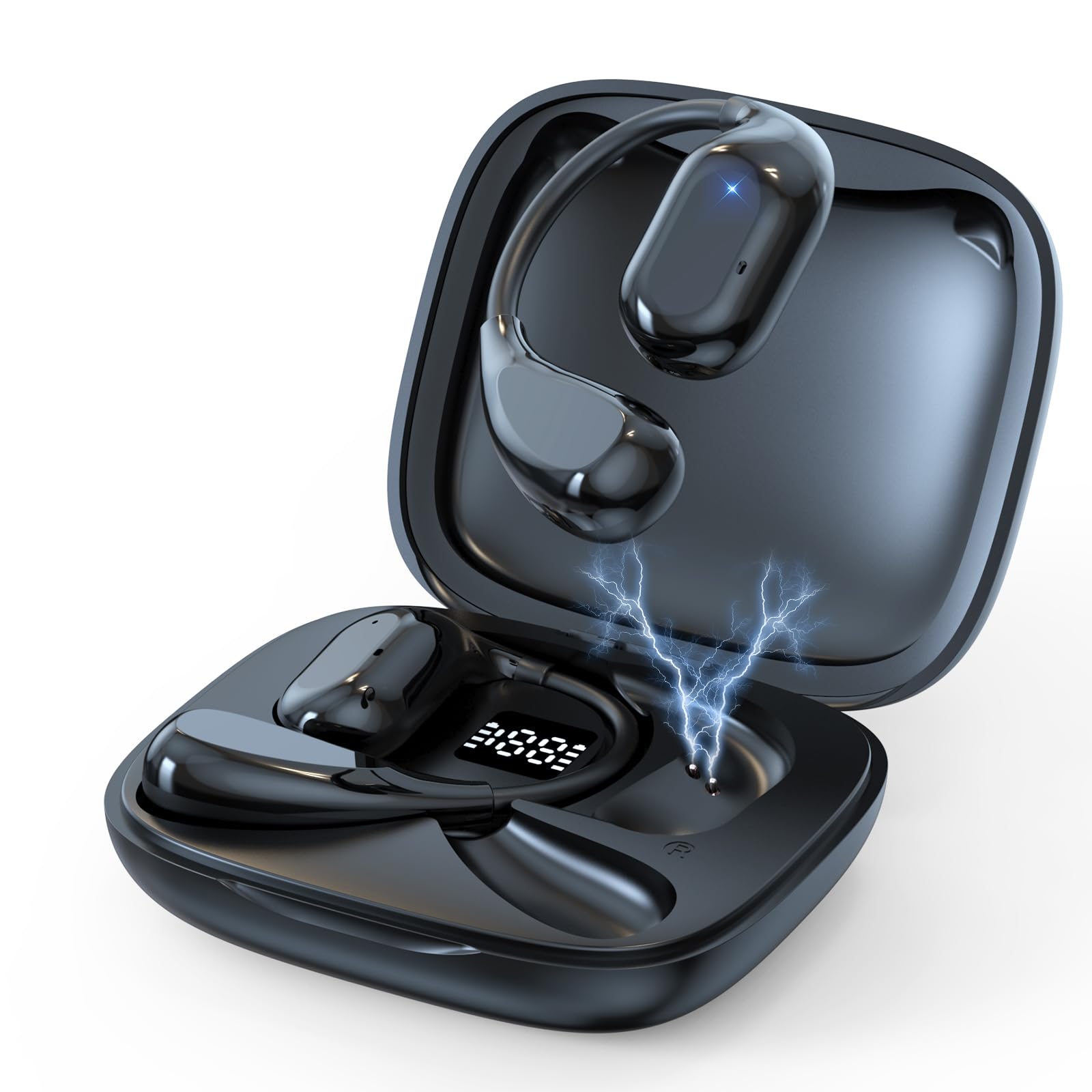
Image: The Olycism AI Translator Earbuds in their charging case.

Image: Earbuds shown with a smartphone displaying the translation application, highlighting 150 languages, 0.5s response time, and 98% accuracy.
Setup Instructions
1. Initial Charging
Before first use, fully charge the earbuds and the charging case. Connect the provided Type-C charging cable to the charging case and a power source. The indicator lights on the case will show charging status. A full charge typically takes approximately 1.5 hours.

Image: The charging case with earbuds, indicating 8 hours single charge, 1.5 hours charging time, and 220 hours standby time.
2. Pairing with Your Device
- Ensure the earbuds are charged and placed in the charging case.
- Open the charging case. The earbuds will automatically enter pairing mode.
- On your smartphone or tablet (iOS or Android), go to Bluetooth settings.
- Select "Olycism A16" (or similar name) from the list of available devices to pair.
- Once connected, you will hear an audio prompt, and the earbuds will be ready for use.
3. App Installation
For full translation functionality, download the dedicated Olycism translation app from your device's app store (Google Play Store for Android, Apple App Store for iOS). Follow the in-app instructions to complete the setup and link your earbuds.
Operating Instructions
Translation Modes
The Olycism AI Translator Earbuds offer six distinct translation modes to suit various communication scenarios:
- Simultaneous Mode: Provides real-time, continuous translation for conversations. Ideal for dynamic discussions.
- Touch Mode: Tap the earbud to speak, and the translation will be played back through the other earbud or your phone. Tap again to reply.
- Speaker Mode: One person wears an earbud, and the other person speaks into the phone's microphone. The translation is played through the earbud and the phone's speaker.
- Photo Translation Mode: Use the app to take a picture of text, and the earbuds will translate it.
- Offline Mode (VIP Feature): Allows translation without an internet connection. Requires prior download of language packs within the app.
- Audio and Video Call Translation (VIP Feature): Translates during live audio or video calls.
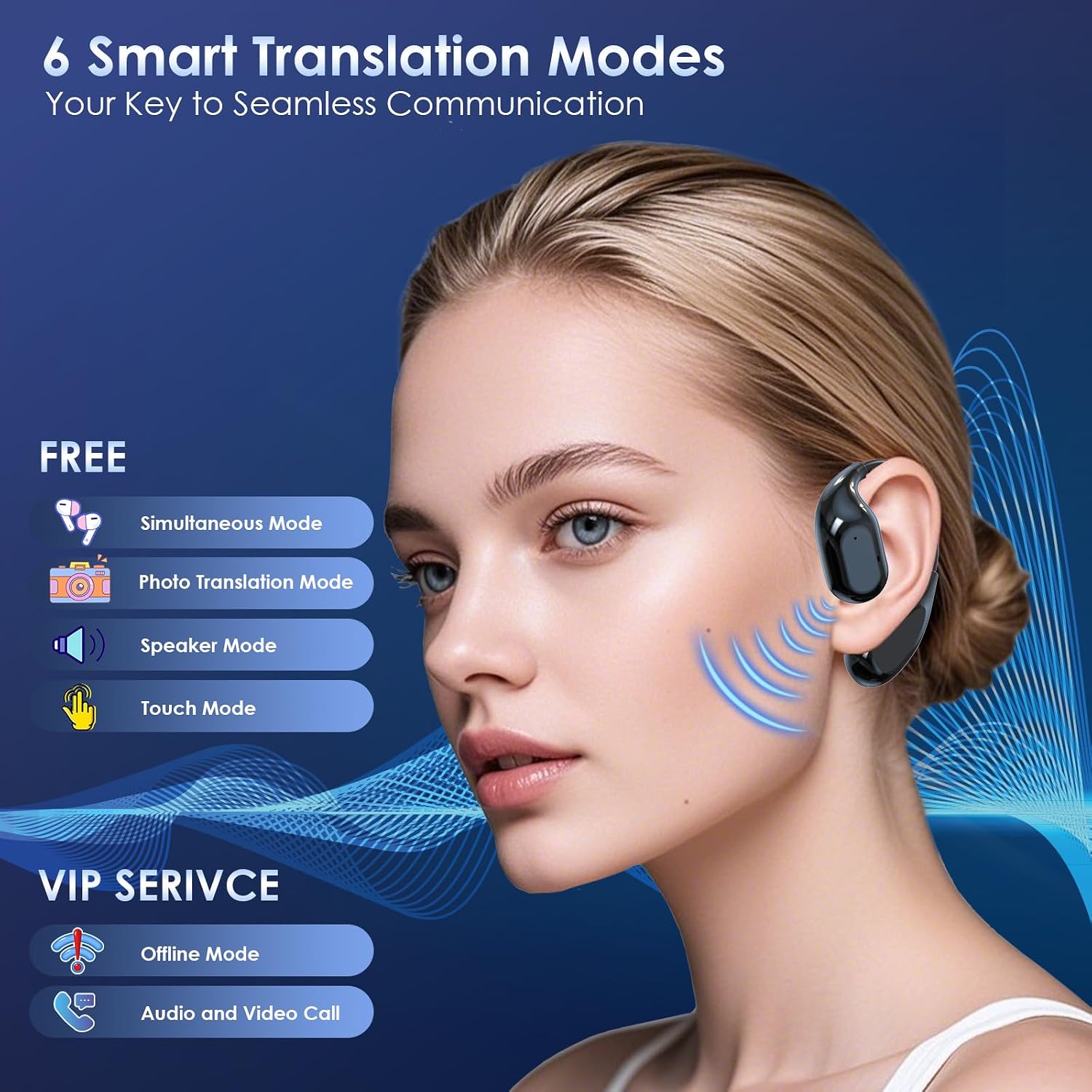
Image: A woman wearing an earbud, with a graphic listing the six smart translation modes: Simultaneous, Photo Translation, Speaker, Touch (Free), Offline, and Audio and Video Call (VIP Service).
Basic Controls (Smart Touch)
The earbuds feature intuitive touch controls for managing various functions:
- Play/Pause Music: Single tap on either earbud.
- Answer/End Call: Single tap on either earbud.
- Reject Call: Press and hold either earbud.
- Activate Translation Mode: Refer to the specific mode instructions within the Olycism app.
Audio Quality
The earbuds deliver Hi-Fi immersive audio with advanced directional sound, utilizing 15mm dynamic drivers for rich, leak-free sound. Bluetooth 5.4 ensures a stable connection up to 10 meters (33 feet) with minimal delay for music, calls, and translation functions.

Image: An exploded view of the earbud's internal structure, emphasizing the 15mm dynamic driver for Hi-Fi immersive audio.
Maintenance
Proper care ensures the longevity and performance of your Olycism AI Translator Earbuds.
- Cleaning: Regularly wipe the earbuds and charging case with a soft, dry, lint-free cloth. Avoid using abrasive materials or harsh chemicals.
- Storage: When not in use, store the earbuds in their charging case to protect them from dust and damage. Store in a cool, dry place away from direct sunlight and extreme temperatures.
- Water Resistance: The earbuds are designed for daily use but are not fully waterproof. Avoid submerging them in water or exposing them to heavy rain.
- Charging: Use only the provided Type-C cable or a certified equivalent for charging.
Troubleshooting
If you encounter issues with your Olycism AI Translator Earbuds, refer to the following common solutions:
| Problem | Possible Cause | Solution |
|---|---|---|
| Earbuds not pairing | Low battery, Bluetooth off, out of range, or previously paired. | Ensure earbuds are charged. Turn Bluetooth on/off on your device. Move closer to your device. Forget the device in Bluetooth settings and re-pair. |
| No sound or poor audio quality | Low battery, earbud placement, volume settings, or interference. | Charge earbuds. Adjust earbud position. Check device volume. Ensure no obstructions between earbuds and device. |
| Translation not working or inaccurate | No internet connection (for online modes), incorrect language settings, or app issue. | Ensure stable internet connection. Verify language selections in the app. Restart the app or your phone. Update the app to the latest version. |
| Earbuds not charging | Charging cable issue, dirty charging contacts, or faulty power source. | Try a different Type-C cable and power adapter. Clean the charging contacts on both earbuds and case with a dry cotton swab. |
If the problem persists after trying these steps, please contact Olycism customer support for further assistance.
Specifications
| Feature | Detail |
|---|---|
| Brand | Olycism |
| Model Number | A16 |
| Translation Languages | 150+ |
| Translation Accuracy | Up to 98% |
| Bluetooth Version | 5.4 |
| Wireless Range | Up to 10 meters (33 feet) |
| Earbud Talk Time | Up to 6 hours |
| Earbud Music Playback | Up to 8 hours (at 50% volume) |
| Charging Time | Approx. 1.5 hours |
| Earbud Weight | 3.4g (per earbud) |
| Charging Port | Type-C |
| Compatibility | iOS & Android |
| Parcel Dimensions | 9.6 x 9.5 x 4.2 cm |
| Parcel Weight | 100 g |
Warranty Information
The Olycism AI Translator Earbuds are covered by a standard manufacturer's warranty. For specific details regarding the warranty period and coverage, please refer to the product packaging or contact Olycism customer support. A 30-day refund/replacement policy is typically offered for eligible returns.
Support
For any questions, technical assistance, or support not covered in this manual, please contact Olycism customer service. You can typically find contact information on the official Olycism website or through the retailer where you purchased the product.
Online Resources: Visit the Olycism official website for FAQs, software updates, and additional support materials.