
1. Introduction
Thank you for choosing the PRAISUN 63 Inch L-Shaped Desk. This manual provides essential information for the safe assembly, operation, and maintenance of your new desk. Please read these instructions thoroughly before beginning assembly and retain them for future reference.
2. Safety Information
- Always assemble the desk according to the provided instructions.
- Do not overload the desk as it may tip over.
- Be cautious when using the power outlets and USB ports to prevent electrical hazards.
- Always unplug the desk when not in use or before cleaning.
- Keep children and pets away from the assembly area.
3. Key Features
The PRAISUN 63 Inch L-Shaped Desk is designed for versatility and efficiency, offering a comprehensive workspace solution.
- Integrated Charging Station: Features a built-in power strip with 4 AC outlets, 1 USB-C port, and 1 USB-A port for convenient device charging.
- Reversible L-Shape Design: The main desk and side table can be configured to suit your space, providing a spacious L-shaped layout.
- Movable Monitor Stand: An elevated monitor shelf can be positioned on either the main or side desktop to reduce neck strain and provide additional storage.
- Ample Storage: Includes two large fabric drawers and an open shelf for organizing office supplies and documents. One drawer is equipped with a file hanging bar for A4 or letter-size folders.
- Durable Construction: Constructed from durable particle board and reinforced steel tubing with a crossbar for enhanced stability.
- Ergonomic Design: Open space beneath the side desk allows for comfortable leg stretching.
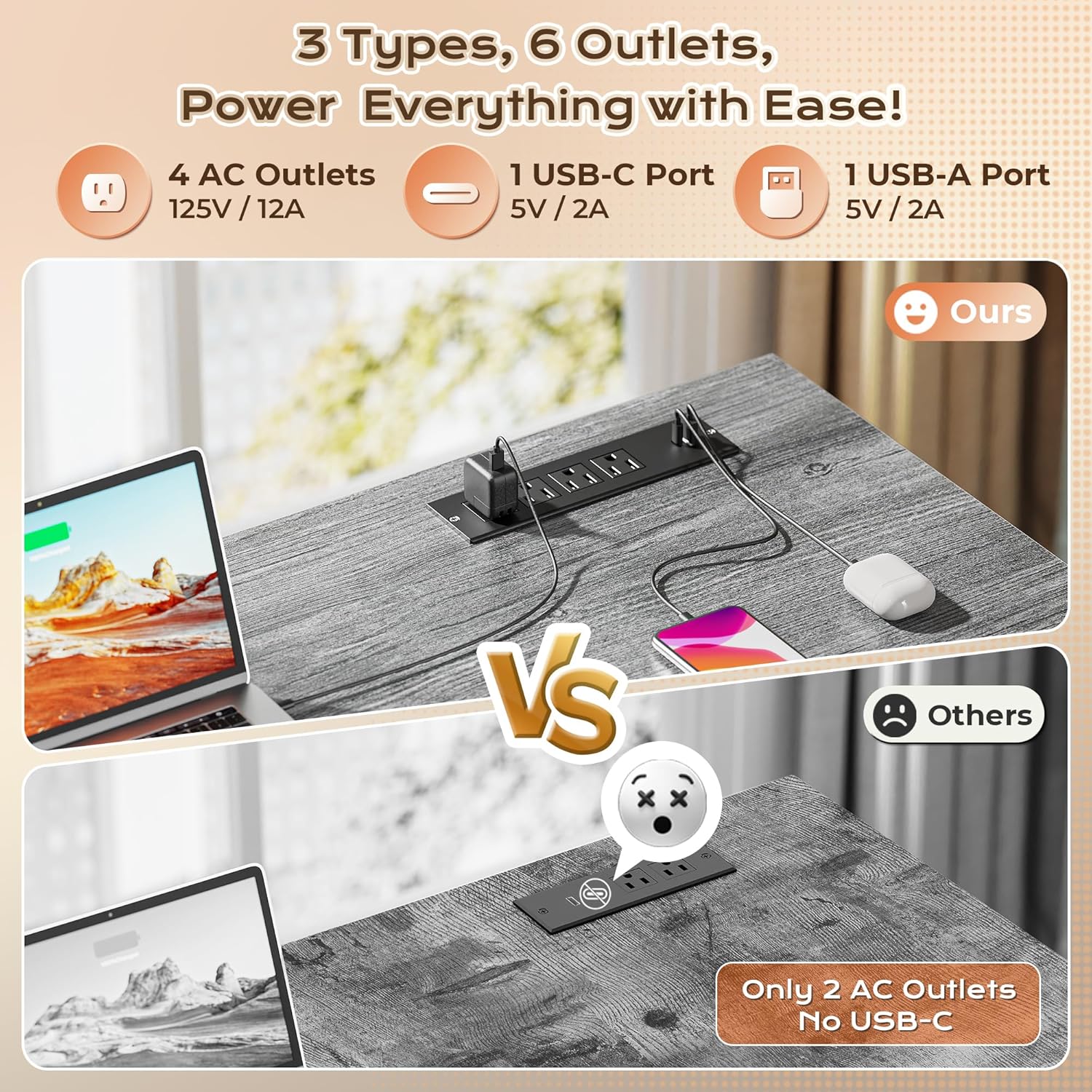
Image: The PRAISUN L-Shaped Desk provides a spacious and organized workspace.
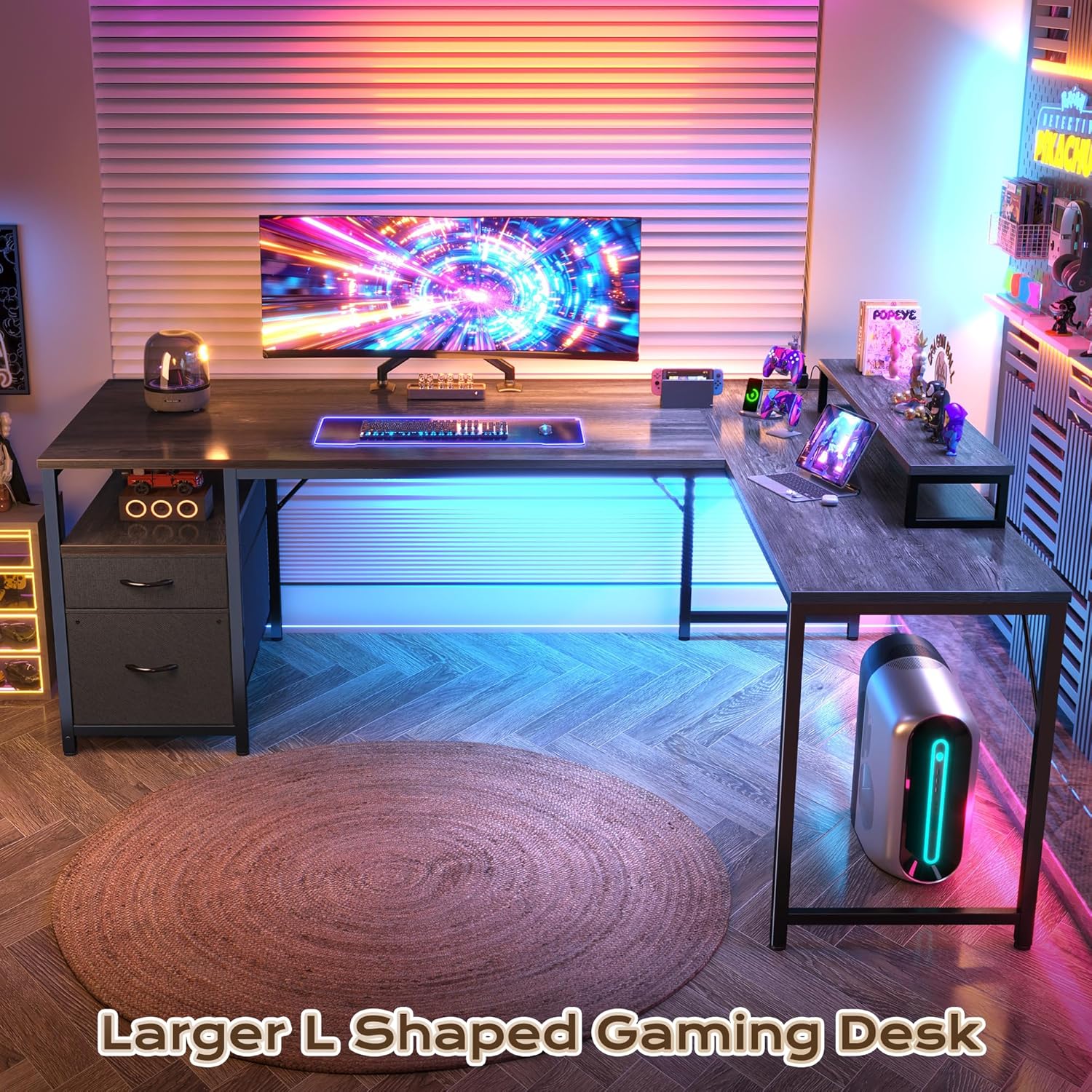
Image: The wide desk and ample legroom ensure comfort for work and even space for a pet.
4. Package Contents
Please verify that all components are present before beginning assembly. If any parts are missing or damaged, contact customer support.
- Desktop Panels (Main, Side, Monitor Stand)
- Steel Frame Components
- Power Strip with AC/USB Outlets
- Fabric Drawers (2 units)
- File Hanging Bar
- Assembly Hardware (screws, bolts, etc.)
- Assembly Tools (Allen wrench, screwdriver)
- Instruction Manual
5. Setup and Assembly
The PRAISUN L-Shaped Desk is designed for straightforward assembly. All necessary parts are numbered, and a full tool kit is included.
- Unpack and Identify Parts: Carefully unpack all components and lay them out. Refer to the parts list in the included instruction manual to identify each piece.
- Assemble the Frame: Follow the detailed diagrams in the manual to connect the steel frame components using the provided hardware. Ensure all connections are secure but do not overtighten until the desk is fully assembled.
- Attach Desktop Panels: Secure the main and side desktop panels to the assembled frame. Pay attention to the orientation for the reversible L-shape configuration.
- Install Power Strip: Integrate the built-in power strip into the designated slot on the desktop.
- Assemble Drawers: Construct the two fabric drawers and insert the file hanging bar into one of them. Place them into the designated storage area.
- Position Monitor Stand: Place the movable monitor stand on either the main or side desktop as desired.
- Final Tightening: Once all components are in place and the desk is stable, carefully tighten all screws and bolts.
- Adjust Leveling Feet: Adjust the leveling feet at the bottom of the desk legs to ensure stability on uneven surfaces.
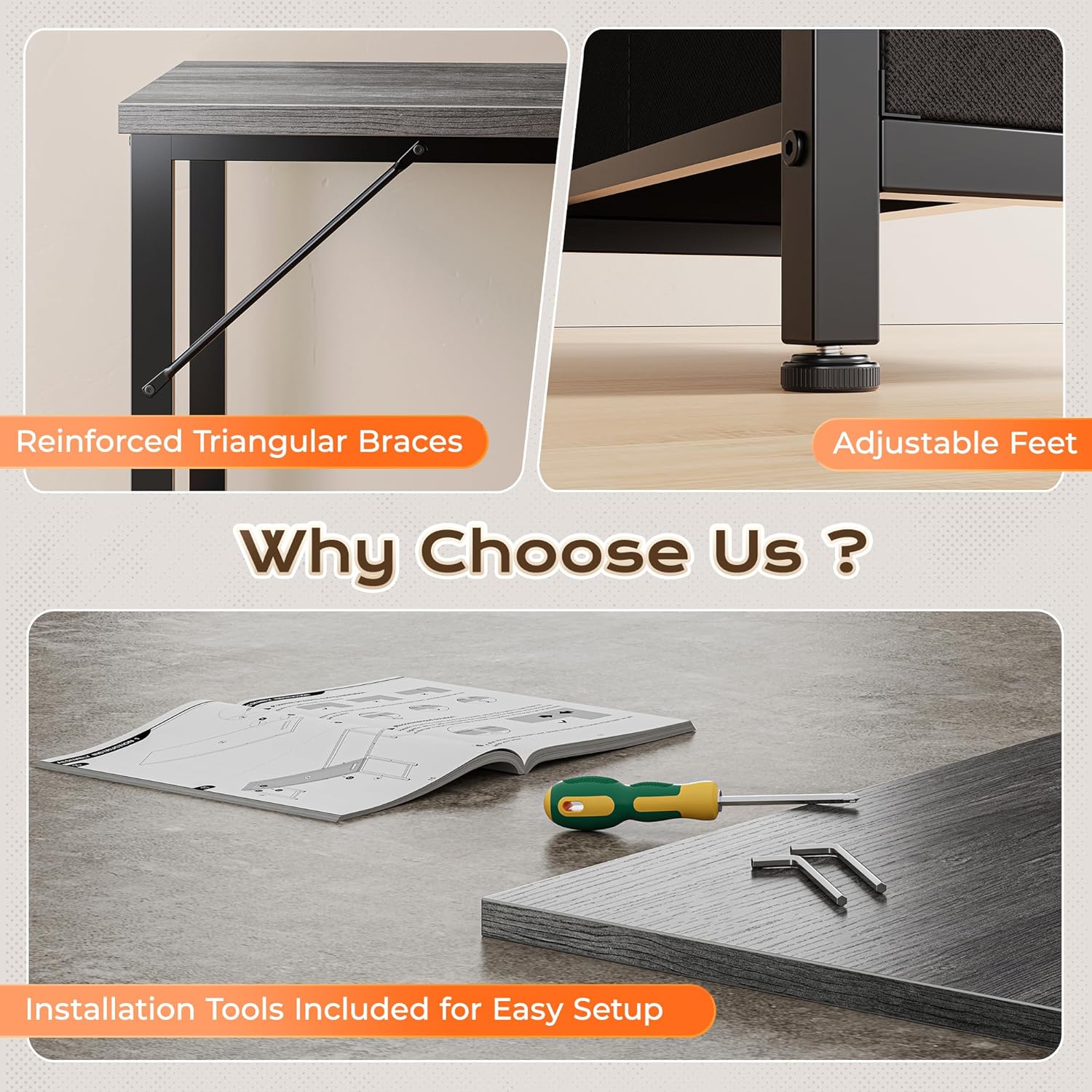
Image: Reinforced triangular braces, adjustable feet, and included tools facilitate easy and stable assembly.
6. Operating Instructions
6.1 Using the Built-in Power Outlets
The desk includes a convenient power strip to power your devices directly from your workspace.
- Plug the desk's main power cord into a standard wall outlet.
- Utilize the 4 AC outlets for laptops, monitors, or other electronics.
- Use the 1 USB-C port and 1 USB-A port for charging smartphones, tablets, and other compatible USB devices.
- Ensure devices are compatible with the provided voltage and amperage (125V/12A for AC, 5V/2A for USB-C/USB-A).
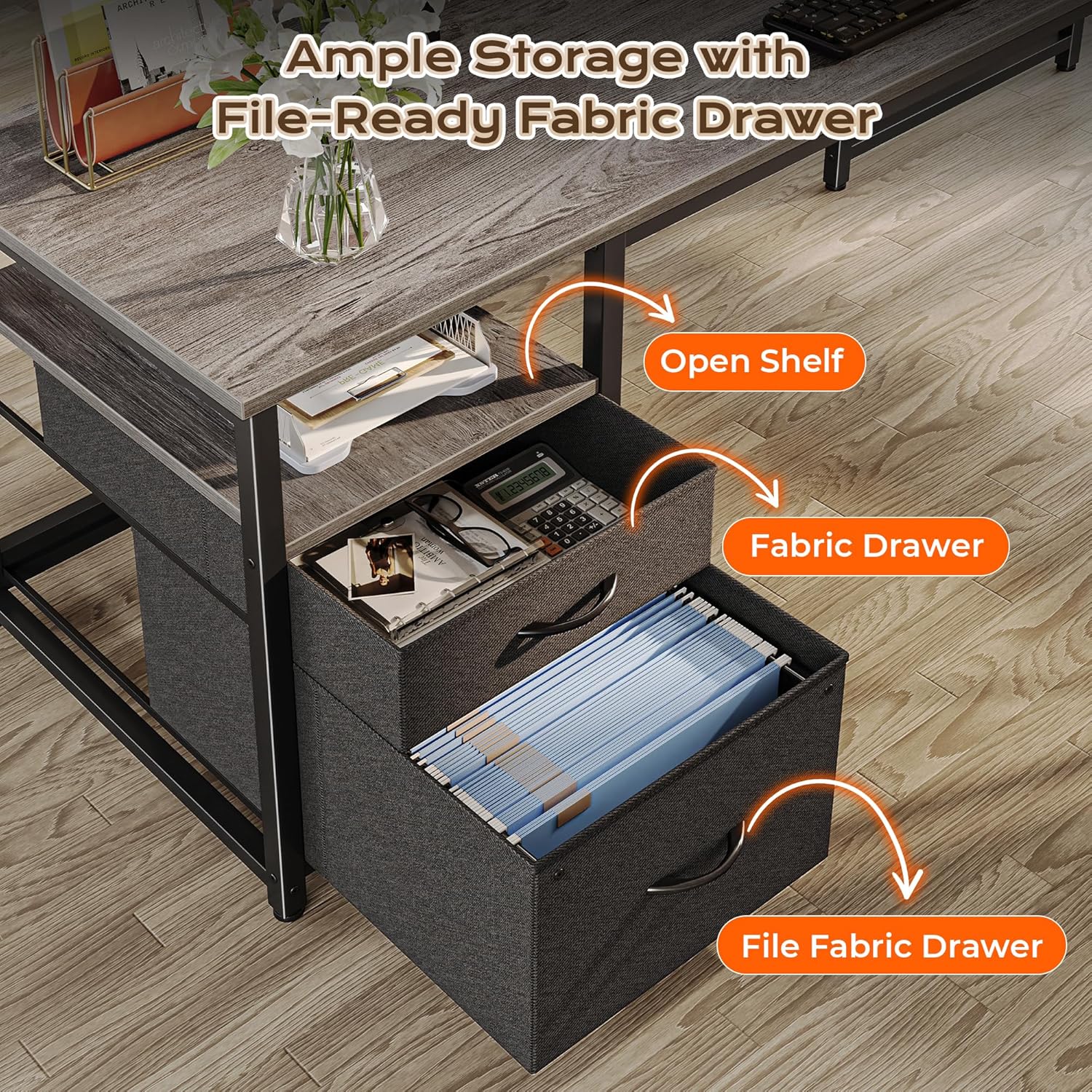
Image: The integrated power strip provides easy access to charging for multiple devices.
6.2 Utilizing Storage Features
- Fabric Drawers: Use the two fabric drawers for storing office supplies, documents, or personal items. The bottom drawer is designed to hold A4 or letter-size hanging files.
- Open Shelf: The open shelf above the drawers provides quick access storage for frequently used items.
- Movable Monitor Stand: Place your monitor(s) on the stand to elevate them to eye level, improving ergonomics. The space underneath can be used for keyboards, notebooks, or other accessories.
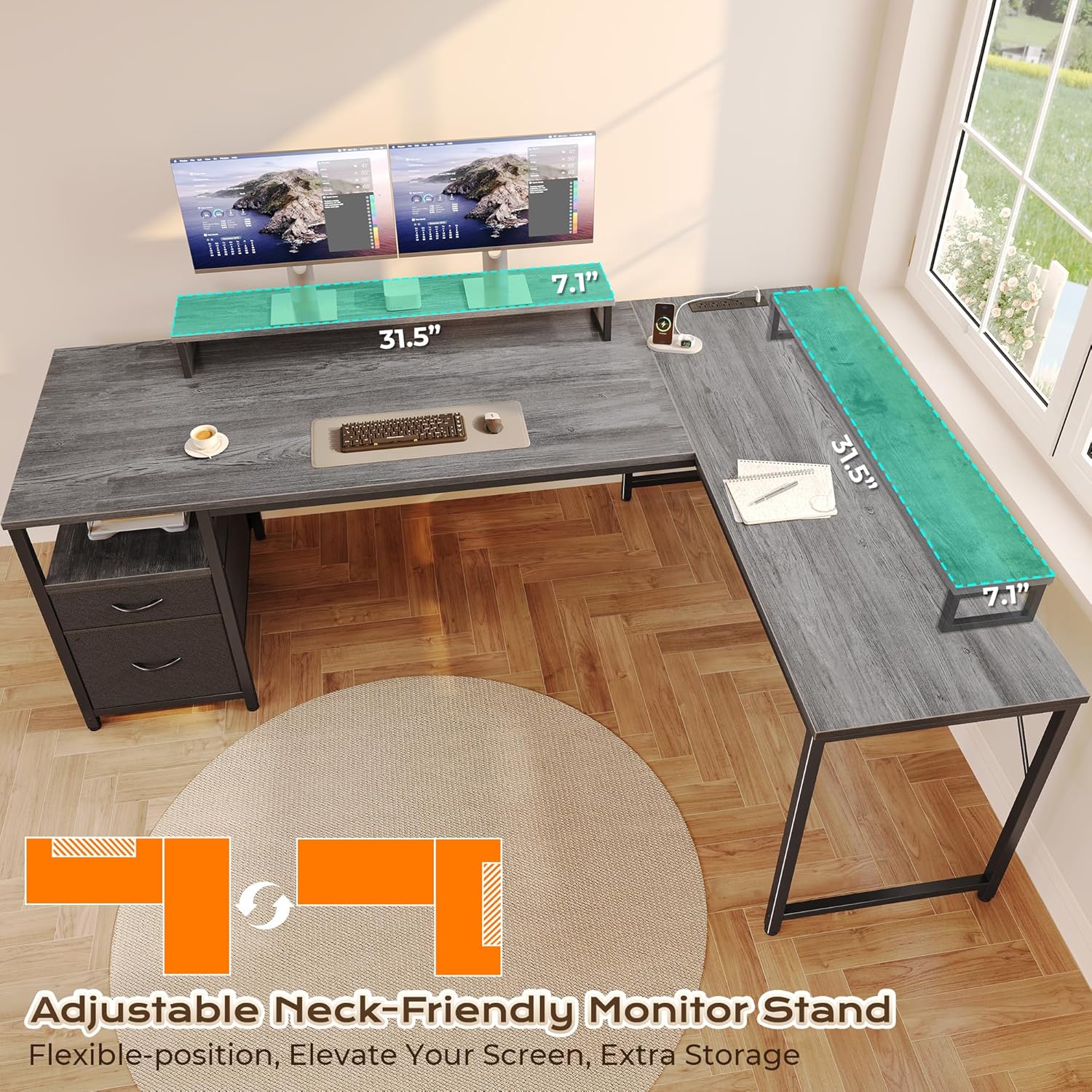
Image: The desk offers ample storage with fabric drawers, including a file-ready drawer, and an open shelf.

Image: The movable monitor stand can be adjusted to your preferred position for ergonomic comfort and extra storage.
7. Care and Maintenance
- Cleaning: Wipe the desk surfaces with a soft, damp cloth. Avoid harsh chemicals or abrasive cleaners that could damage the finish.
- Spills: Clean up spills immediately to prevent staining or damage to the engineered wood.
- Hardware: Periodically check and tighten all screws and bolts to ensure the desk remains stable.
- Power Outlets: Keep the power outlets free from dust and debris. Do not insert foreign objects into the ports.
- Avoid Overloading: Do not place excessive weight on any part of the desk, especially the monitor stand or shelves.
8. Troubleshooting
- Desk is wobbly after assembly.
- Ensure all screws and bolts are fully tightened. Adjust the leveling feet on the bottom of the desk legs to compensate for uneven floors.
- Power outlets are not working.
- Check if the desk's main power cord is securely plugged into a functional wall outlet. Verify that the devices you are trying to power are working correctly when plugged into a different power source. Ensure no circuit breaker on the power strip (if present) has tripped.
- Drawers do not slide smoothly.
- Ensure the fabric drawers are correctly assembled and inserted into their slots. Check for any obstructions within the drawer compartment.
- Monitor stand feels unstable.
- Ensure the monitor stand is placed on a flat, stable surface of the desk. Do not exceed the weight capacity of the stand.
9. Product Specifications
| Brand | PRAISUN |
| Shape | L-Shape |
| Desk Design | Computer Desk |
| Product Dimensions (D x W x H) | 43.3"D x 63"W x 29.7"H |
| Color | Grey |
| Style | Modern |
| Base Material | Metal (Steel Frame) |
| Top Material Type | Engineered Wood (FSC-Certified) |
| Special Feature | Built-in Power Outlets (4 AC, 1 USB-C, 1 USB-A) |
| Number of Drawers | 2 (Fabric, one with file hanging bar) |
| Number of Shelves | 1 (Open shelf) |
| Included Components | Built-in Outlet, Built-in USB Port, Movable Monitor Stand |
| Required Assembly | Yes |
| Assembly Tools Included | Yes |
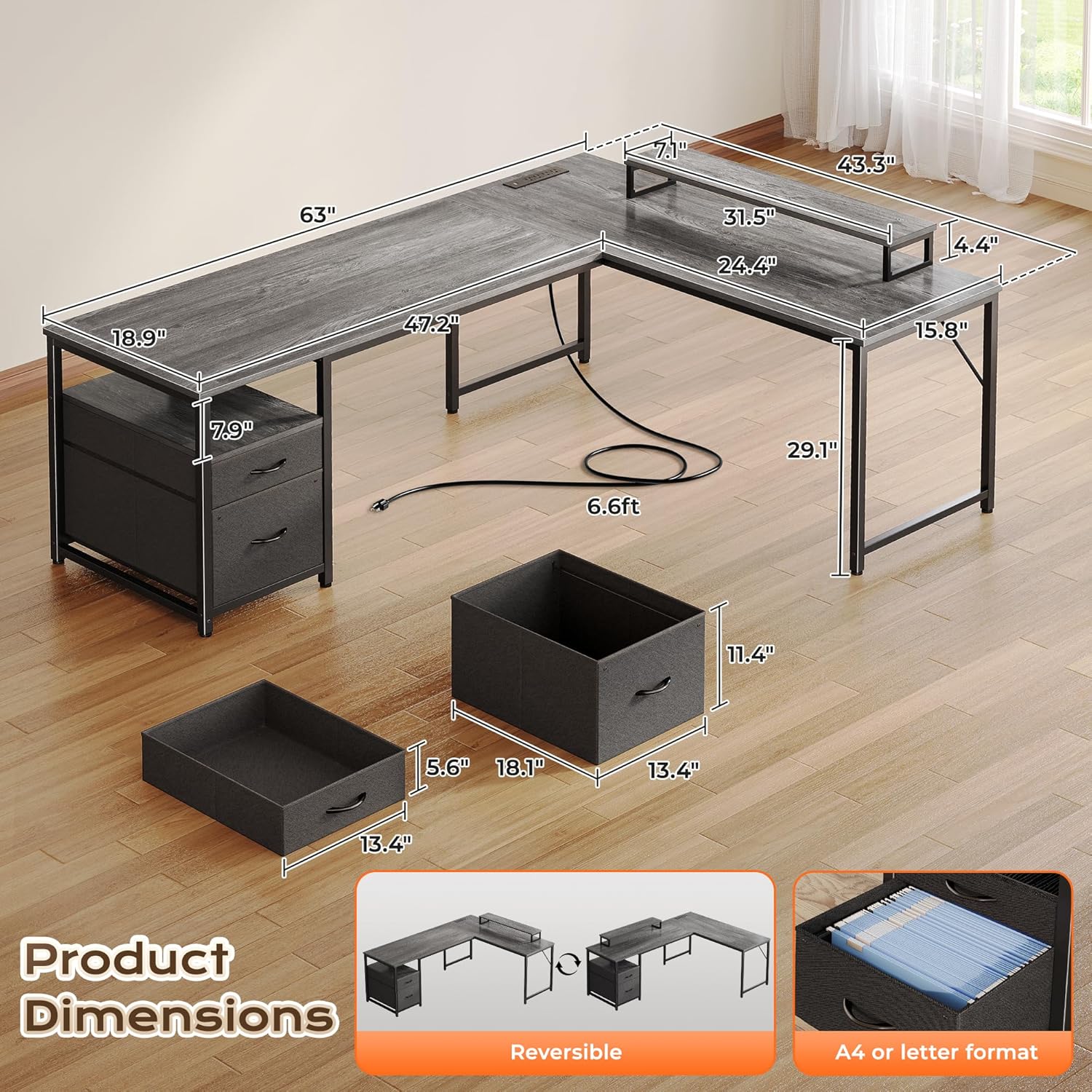
Image: Detailed dimensions of the PRAISUN 63 Inch L-Shaped Desk and its storage components.
10. Warranty and Support
PRAISUN products are manufactured with quality and durability in mind. For specific warranty details, product support, or to report missing/damaged parts, please refer to the warranty card included with your purchase or contact PRAISUN customer service directly through their official website or the retailer where the product was purchased.